'Enter ID' button moves around on page #26

Description

The 'Enter ID' button for product and shelf scanning jumps around the page rather than staying in one spot constantly.
Context
On each of the pages that scans a product/shelf there is a 'Enter ID' button. Initially, when the page is loaded, this button is aligned to the right hand side of the page. It takes a small amount of time before the page loads up the camera feature. Once the camera is loaded up the button changes position on the page.
Process
- User goes to 'Update Location' page
- User clicks on 'Scan Location' button on the page
- The button will appear on the right briefly before moving more centrally.
- The problem repeats each time you attempt to scan a new product or shelf.
Expected result
The button to be displayed in a central position immediately when the pages loads up and to not move at any stage
Current result
The button briefly displays right-aligned on the page but re-aligns once the camera feature on the page loads up.
Possible Fix
- Change the alignment of the button in the CSS so that it is not placed relatively to the camera frame.
Bad button alignment screenshots
Before
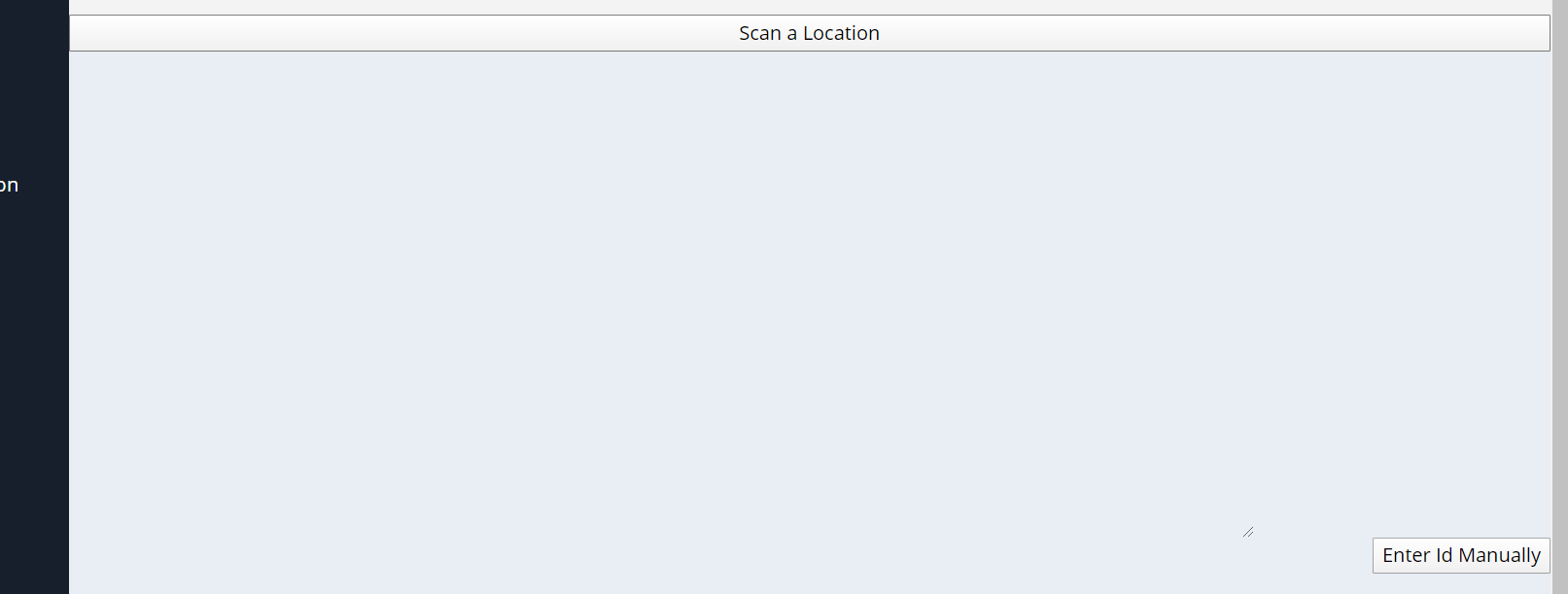
After