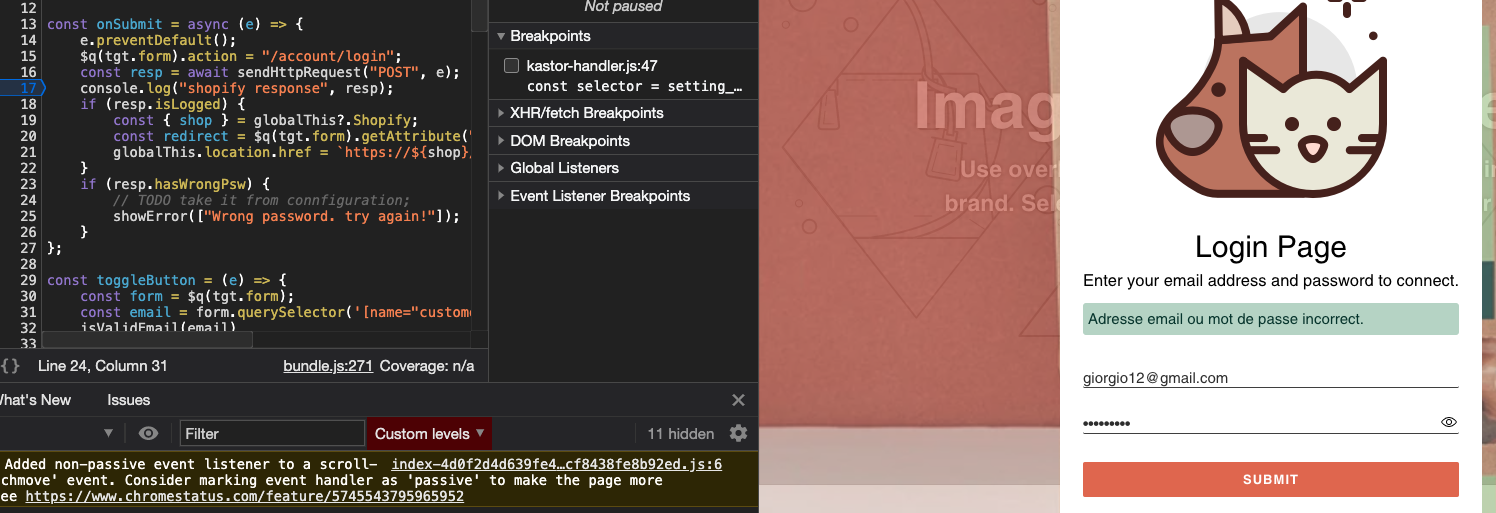
TODO list #29

Description

3 Feb
- testing the
login-popup appon different browsers and devices - Customize Error Message Locations
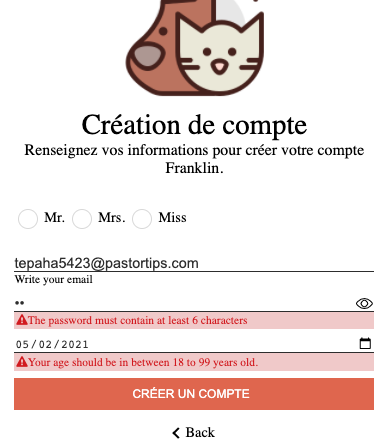
- Improving UX on mobile (setting date/time is very laborious and time-consuming)
1 Feb
- Checking the metafield storage
const SCOPES = [
     "read_script_tags",
     "write_script_tags",
     "read_customers",
+    "write_customers",
 ];
- Improving TTFB (Time To First Byte) from Amazon S3 (900 ms). A possible solution would be to use a small EC2 instance.
- Adding button loading animation
29 Jan
- Fix the landing page logic
- Preconditions:
- antonio@gmail.com is a registered customer.
- antonio@gmail.cop is not a registered customer.
- the landing form have been submitted with antonio@gmail.com
- Postcondition
- when the landing form is submitted with antonio@gmail.cop, the customer will be redirected to the register page
- Preconditions:
- Activate the password recovery link and implement the server request!
- Improve customer experience on mobile.
- reduce customer waiting times by trying as much as possible to use client-side checks
- Disable possible automatic proxy caching.
- What should I do when the Shopify response status code indicates the user has sent too many requests in a given amount of time? (status code = 429). We have two options:
- redirect the customer on
Shopify Error Page - keep
popup-login appopen (without reloading the page) advising the user to wait a few minutes before to login/recover/register again.
- redirect the customer on
- What should we do when the customer recover the password? We have different options:
- let Shopify redirect the customer on
account/login page. - If the captcha is not required, we prevent Shopify to load the
account/login page. We keep thepopup-login appopen with instructions to check email and rewrite the password. - If the captcha is required, we let the customer solve the captcha and then when Shopify reload the
account/login page, we open thepopup-login appon the login page with the email autofill.
- let Shopify redirect the customer on
27 Jan 2021
- fix the edit of choice list into customize ("supprimez la section" event should remove the list)
- improve the get-customer-status call. (
get-customer-statusis called instantly when the email format is correct and then before to make another call I will make the following checks
a)stackEmails.every((e) => !RegExp(^${e}, "i").test(email))) // anto@gmal.co , anto@gmal.com -> false
b) debounce the next calls
c) should I store the active useer into localStorage to avoid unnecessary calls? - Should I disable the form submission on the customize app?
- Some sections (register-page, login-page) should be non-removable
- adding the
date block(tag and metafield) - It takes too long to download the scripttag (500ms, although it is 26K). Is there a 'cold start' in AWS S3?
- The choice in the password policy does not remain selected. (try to save and reload the page!)
25 Jan 2021
-
- Recovering password on the login page.
-
- Optimizing the scriptTag performance: 1) reducing the scriptTag size from 36K to 26K . 2) fetching the scriptTag from S3 (before, it was fetched from github)
-
- How should the Kastor link change to point to a different shop?
-
- I want to save a text field without URL, but I can't (*). Should I add a checkbox field to set/unset the background image?
-
- Some text fields must be mandatory. For instance, the "tag prefix" to store data as TAG or the pair (namespace, key) to store data as Metafield. Now I can save these text fields even if they are not specified.
-
- What method should I use to activate the user? (remove the form, it will be just a message)
-
- Adding opacity on the background image.
-
- Move
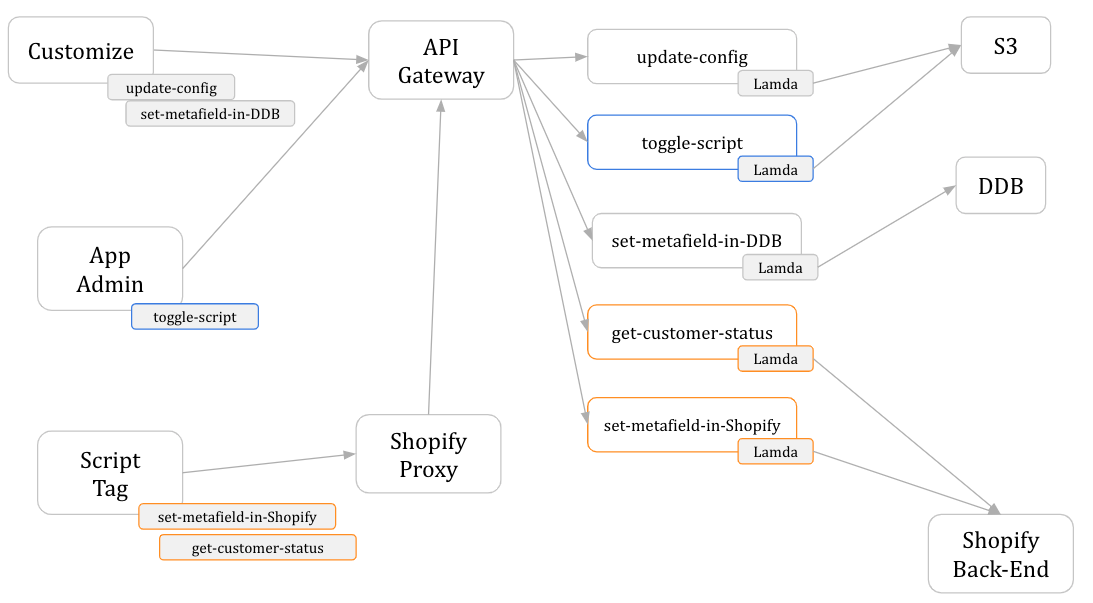
set-metafield-in-ShopifyinServerlesss
- Move
-
- Move
get-customer-statusinServerlesss
- Move
-
- Validate the
proxy request(**) to get the shopName. (only for scriptTag request)
- Validate the
-
- Removing the debouncing method.
-
- Date Check
-
- Implement
set-metafield-in-DDBinServerlesss
- Implement
-
- I need to compare validate the
customer_metafiledswith metafields set in DDB before storing them into Shopify.
- I need to compare validate the
-
- Making POST request (checking the email) processed in the background as soon as the email is valid!
-
- Social Login
-
- Should I add a button for
recovery passwordonlogin page? Should I add a new setting on kastor to customize the password recovery page?
- Should I add a button for
-
- The script tag is the last resource to be loaded. When the connection is not good, the customer could click on the login button before the app is loaded.
-
- Automatic testing with GitHub Actions. [x] Jest Setup, [x ] Mocking HTTP Requests, [ ] User Actions
(*)