CMake error when opening the project in CLion in Ubuntu 16.04 #95

Description

I installed the Unreal Editor 4.18.3 on my Ubuntu 16.04 machine.
I did all the steps mentioned in the setup:
- Selected CLion in : Editor Preferences => General => Source Code Editor => CLion
- Have this set up at Project Settings => Plugins => CLion
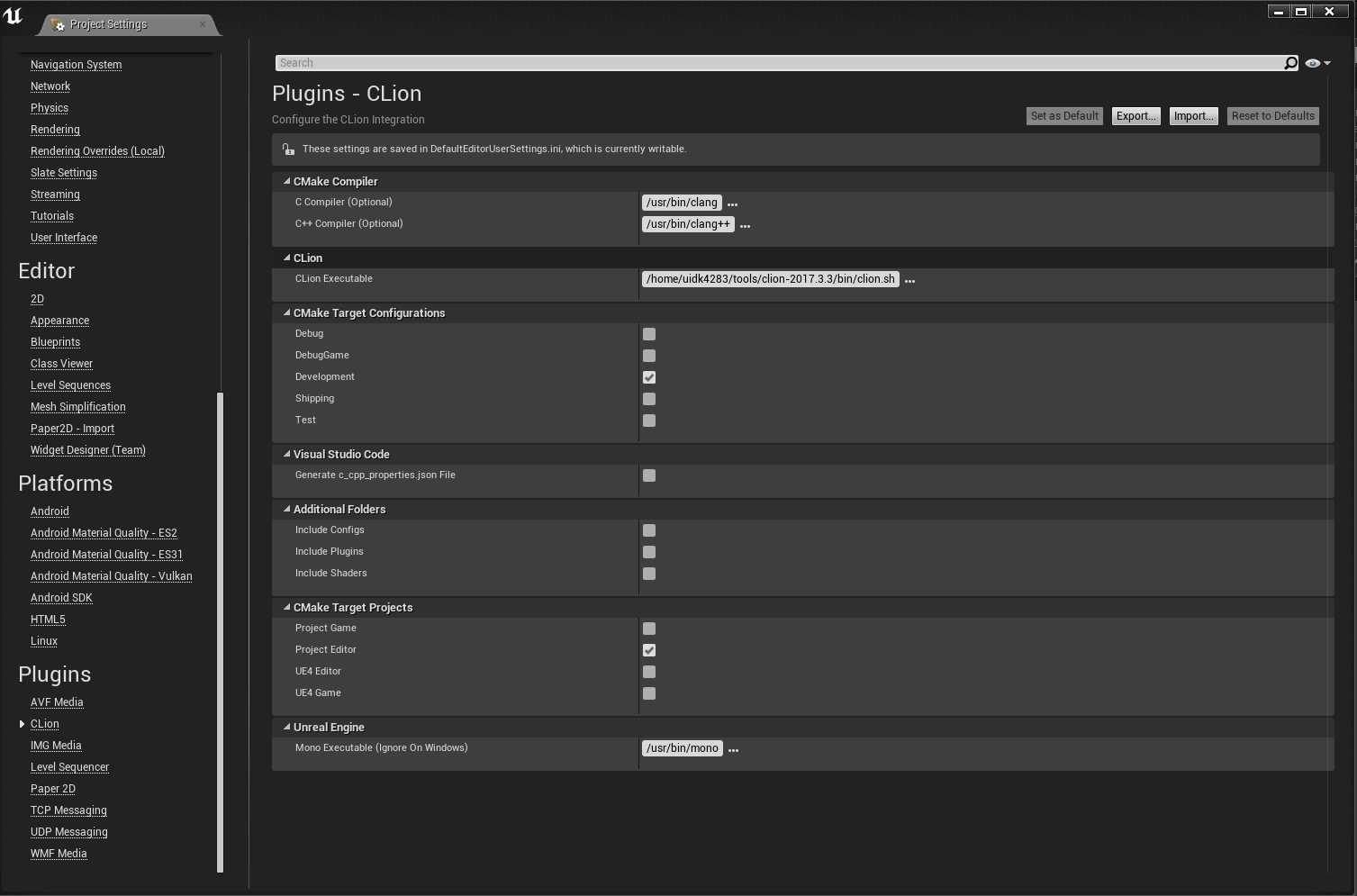
- File => GenerateCMakeList (This was succesfull)
- File => Open CLion (CLion Opens)
But then I get the following error:

Does anyone know how to resolve this issue.
The same error in text for convenience:
/home/uidk4283/tools/clion-2017.3.3/bin/cmake/bin/cmake -DCMAKE_BUILD_TYPE=Debug -G "CodeBlocks - Unix Makefiles" "/home/uidk4283/Documents/Unreal Projects/FirstProject"
-- Configuring done
-- Generating done
-- Build files have been written to: /home/uidk4283/Documents/Unreal Projects/FirstProject/cmake-build-debugCannot get compiler information:
Compiler exited with error code 1: /usr/bin/clang++ -xc++ -DACTORPICKERMODE_API= ........
Candidate multilib: .;@m64
Candidate multilib: 32;@m32
Candidate multilib: x32;@MX32
Selected multilib: .;@m64
Found CUDA installation: /usr/local/cuda, version unknown
clang: error: no such file or directory: '('
clang: error: no such file or directory: '1.39'
clang: error: no such file or directory: ')'
clang: error: no such file or directory: '('
clang: error: no such file or directory: 'Steamv139'
clang: error: no such file or directory: ')'