提供一个DailyHot-UI 前端Dockerfile #43

Description

- 需要注意修改.env 下的api接口地址,这里我配置成立 VITE_GLOBAL_API="/api" 的方式,需要后面再nginx 做一个/api的反向代理,代理到你自己的DailyHotapi接口地址上
封装DailyHot-UI 容器,所需要的配置文件
- Dockerfile【容器Dockerfile】
- nginx.conf【容器的nginx配置文件】
- docker-entrypoint.sh【容器NGINX启动文件】
Dockerfile 文件
# Build stage/
FROM node:20-alpine AS build
RUN npm config set registry https://mirrors.cloud.tencent.com/npm/

WORKDIR /app

COPY package*.json ./

RUN npm install

COPY . .

# add .env to .env
RUN [ ! -e ".env" ] && cp .env .env || true

RUN npm run build

# Nginx stage
FROM nginx:1.27-alpine-slim AS app
COPY --from=build /app/dist /usr/share/nginx/html
COPY nginx.conf /etc/nginx/conf.d/default.conf
COPY docker-entrypoint.sh /usr/local/bin/
RUN chmod +x /usr/local/bin/docker-entrypoint.sh
ENTRYPOINT ["docker-entrypoint.sh"]
nginx.conf 配置文件 nginx.conf
server {
    listen 8848;
    server_name localhost;

    location / {
        root /usr/share/nginx/html;
        index index.html index.htm;
        try_files $uri $uri/ /index.html;
    }
}
docker启动文件,docker-entrypoint.sh
#!/bin/sh
# Start Nginx
nginx -g "daemon off;"
- 构建镜像
docker build -t 镜像名 .
- Docker 运行命令
docker run -itd --name dailyhot-ui -p 8848:8848 镜像名
使用NGINX 反向代理
- 前提: 需要运行一个DailyHotapi接口,如下
docker run --name dailyhotapi --restart always -p 6688:6688 -d docker.cnb.cool/srebro/pidin/dailyhotapi:latest
- Nginx.conf 配置文件,如下 【仅供参考】
  server {
        listen       443 ssl;
        server_name  hot.srebro.cn;
        error_page  404              /404/404.html;
        charset utf-8;

	ssl_certificate /home/application/nginx/cert/srebro.cn.pem;
	ssl_certificate_key /home/application/nginx/cert/srebro.cn.key;
        ssl_session_cache    shared:SSL:1m;
        ssl_ciphers  HIGH:!aNULL:!MD5;
        ssl_prefer_server_ciphers  on;

	location / {
	proxy_http_version 1.1;
        proxy_set_header Upgrade $http_upgrade;
        proxy_set_header Connection "upgrade";
        proxy_set_header X-Real-IP $remote_addr;
        proxy_set_header x-wiz-real-ip $remote_addr;
        proxy_set_header X-Forwarded-For $proxy_add_x_forwarded_for;
        proxy_set_header Host $http_host;
        proxy_set_header X-Forwarded-Proto $scheme;
	proxy_pass http://localhost:8848;
        }


	location /api/ {
	proxy_http_version 1.1;
        proxy_set_header Upgrade $http_upgrade;
        proxy_set_header Connection "upgrade";
        proxy_set_header X-Real-IP $remote_addr;
        proxy_set_header x-wiz-real-ip $remote_addr;
        proxy_set_header X-Forwarded-For $proxy_add_x_forwarded_for;
        proxy_set_header Host $http_host;
        proxy_set_header X-Forwarded-Proto $scheme;
       ##代理到DailyHotapi接口上
        proxy_pass http://localhost:6688/;

	}
}
最终效果
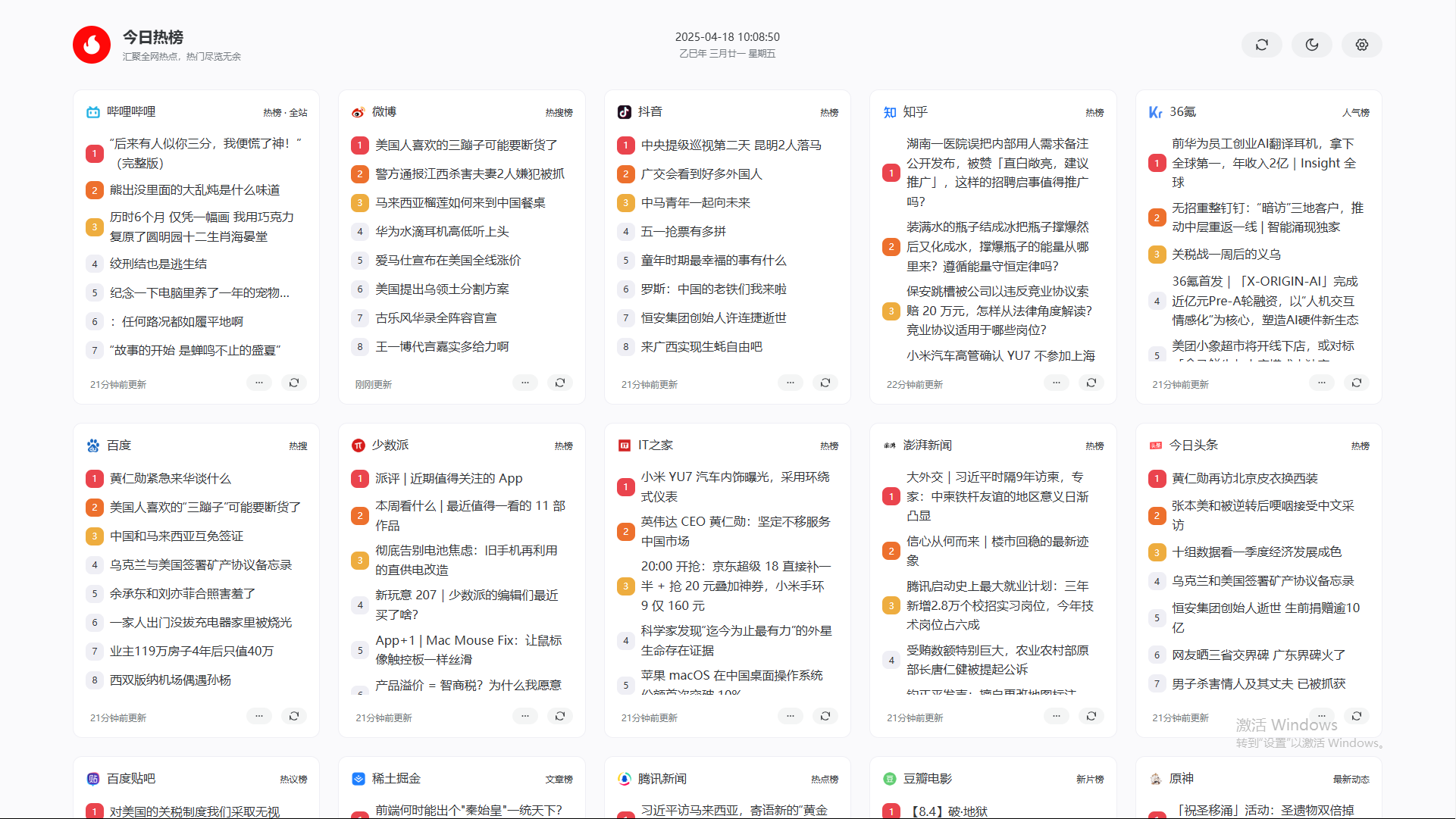
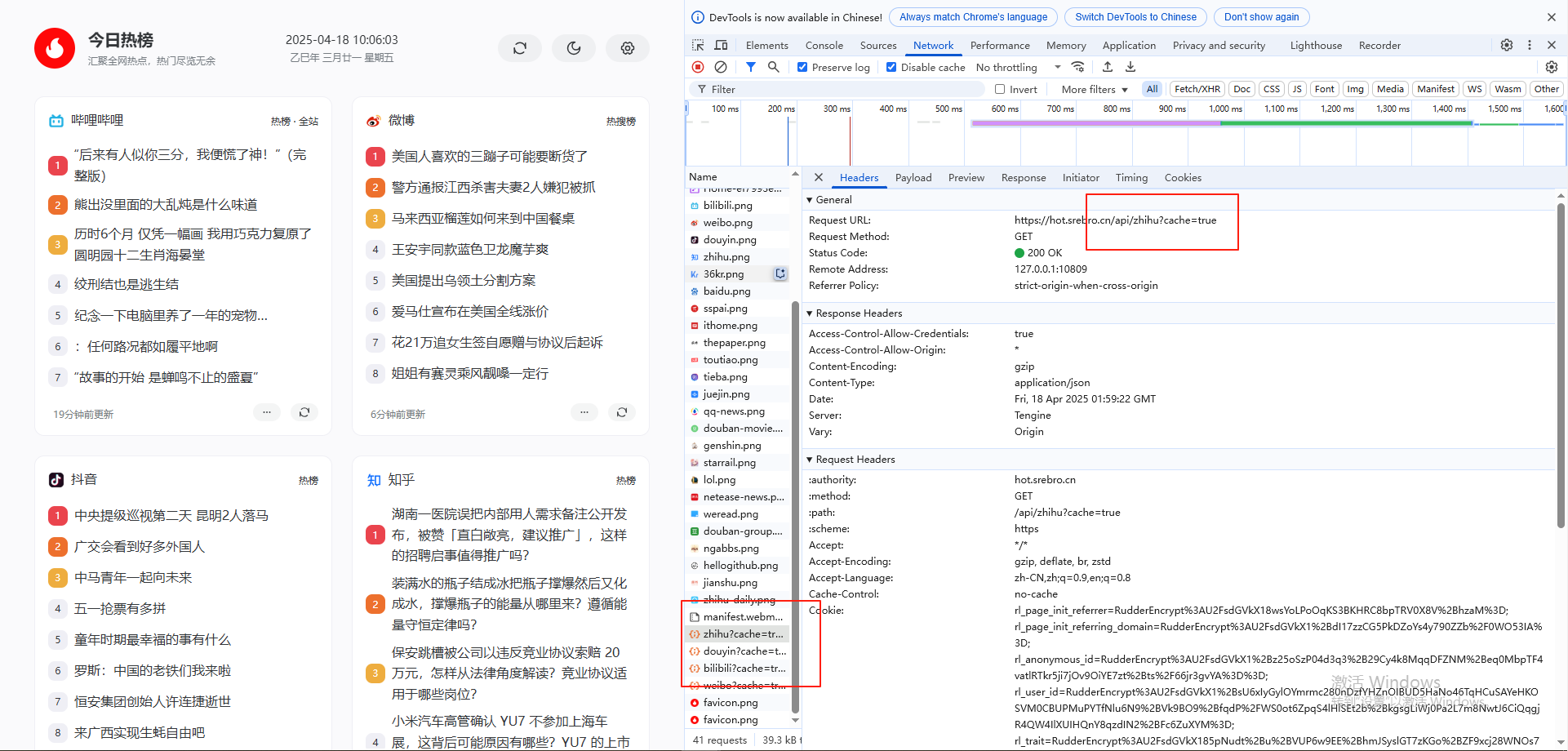
补充: 提供一个前后端 一体的docker-compose.yaml 文件
- 需要
⚠️ 注意的是 这里的前端容器,.env 配置文件中,定义的 VITE_GLOBAL_API="/api" 的方式,需要和上面的步骤一样
services:
  dailyhotapi:
    image: docker.cnb.cool/srebro/pidin/dailyhotapi:latest  ##CNB镜像加速地址
    container_name: dailyhotapi
    volumes:
      - "./logs:/app/logs"
    ports:
      - 6688:6688
    restart: always
  dailyhotui:
    image: docker.cnb.cool/srebro/pidin/dailyhotui:latest ##CNB镜像加速地址
    container_name: dailyhotui
    ports:
      - 8848:8848
    restart: always