Bring your terminal to life with a simple, CSS-like syntax. Effortlessly create vibrant logs featuring gradients, rainbows, badges, and animations directly inside your template literals.




npm install style-logsconst { log } = require("style-logs");
log(`{color: red; bold}Hello World!{/}`);≪ ◦ ✦ ◦ ≫
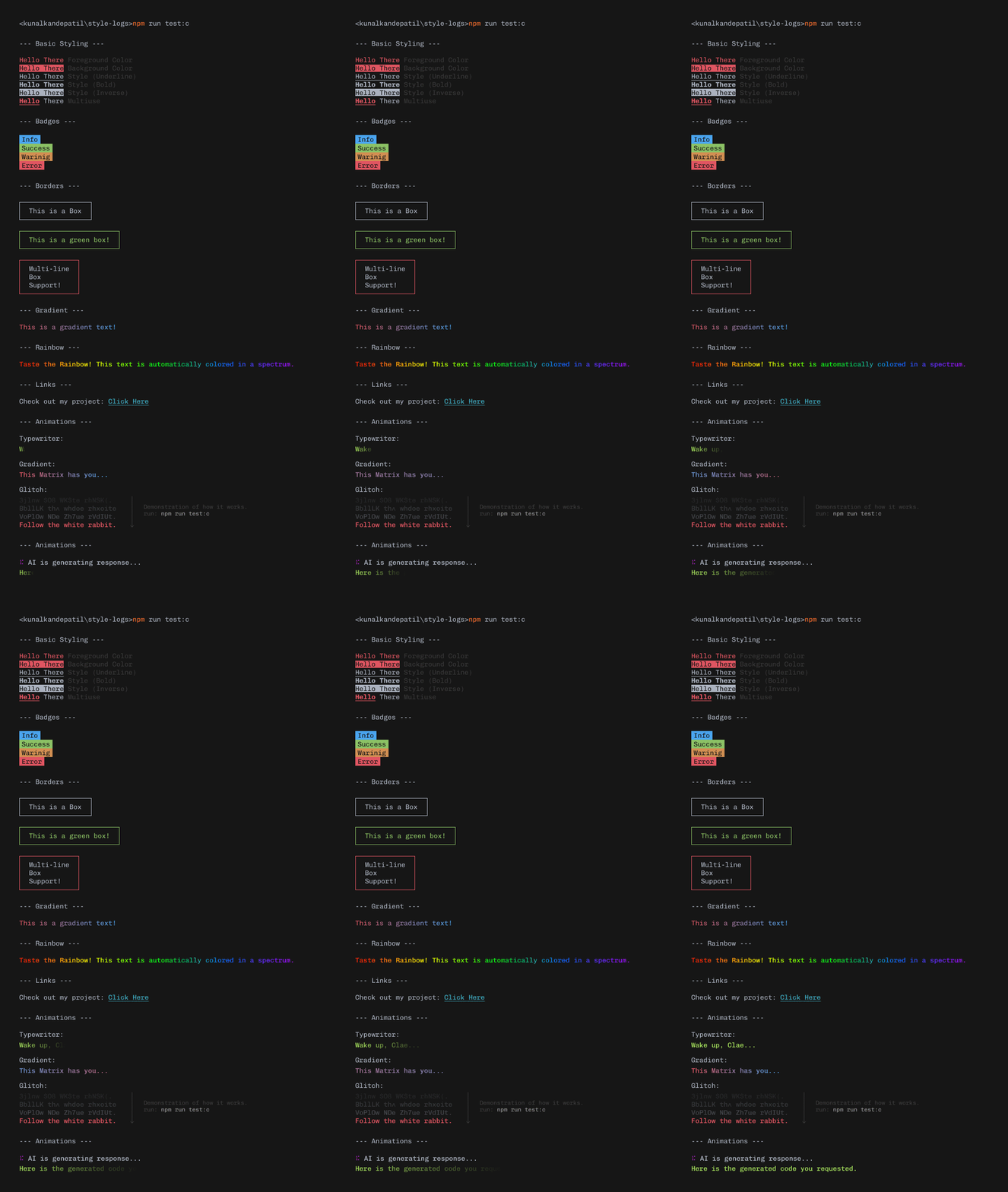
Run this -> Example
≪ ◦ ✦ ◦ ≫
Use curly braces {} to style text. It's like CSS for your console.
log(`{color: cyan}I am Cyan!{/}`);
log(`{bg: yellow; color: black}Warning!{/}`);
log(`{bold; underline}Important Text{/}`);Why settle for one color?
// Two color gradient
log(`{gradient: red, blue}This looks amazing!{/}`);

// Full spectrum rainbow
log(`{rainbow; bold}Taste the rainbow!{/}`);Perfect for status messages.
log(`{badge: success} Success {/} {badge: error} Failed {/}`);

log(`{border: green}
  Everything is inside
  a nice green box!
{/}`);Bring your logs to life.
const { animate } = require("style-logs");

// Typewriter effect
await animate.typewriter("{color: green}Wake up, Neo...{/}");

// Glitch effect
await animate.glitch("{color: red}System Failure{/}");

// Looping Rainbow
const loop = animate.rainbow("Party Time!", { loop: true });
// Stop it later
loop.stop();Building an AI tool? We got you.
// Thinking spinner
await animate.thinking("AI is thinking...", promise, { frames: "dots" });

// Stream text like ChatGPT
await animate.stream("Here is the generated response...");