As we almost finish the classes of info201, throughout this quarter info201 classes, the material which can easily to apply to a real-world case is Shiny App. Shiny app can help you to build your ideas into interactive web apps. When you want to demonstrate something for your friends, co-workers, clients Shiny App can help you build your ideas into easily understandable and interative charts. Today, I am going to show you three tricks that will make your shiny app more interesting and interactive.
1.When you have Shiny APP and want to display different kinds of contents so you have different tabs to divide those content to make it look cleaner. But have your ever thought about how to hide a tab? The code below will give you the answer.
library(shiny)
library(shinyjs)

shinyApp(
  ui = fluidPage(
    useShinyjs(),
    checkboxInput("foo", "Show tab2", TRUE),
    tabsetPanel(
      id = "navbar",
      tabPanel(title = "tab1",
               value = "tab1",
               h1("Tab 1")
      ),
      tabPanel(title = "tab2",
               value = "tab2",
               h1("Tab 2")
      ),
      tabPanel(title = "tab3",
               value = "tab3",
               h1("Tab 3")
      )
    )
  ),
  server = function(input, output) {
    observe({
      toggle(condition = input$foo, selector = "#navbar li a[data-value=tab2]")
    })
  }
)
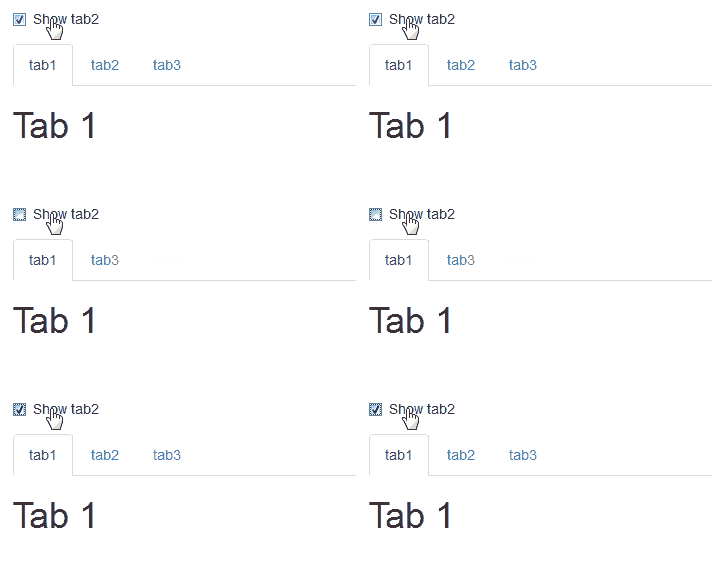
These codes demonstrate how shinyjs can be used to hide/show a specific tab in a tabsetPanel. In order to use this trick, the tabsetPanel must have an id. Using this trick, you will have the option to enable a specific tab containing hide/show, when you want to use this function. Call shinyjs::hide()/shinyjs::show()/shinyjs::toggle().
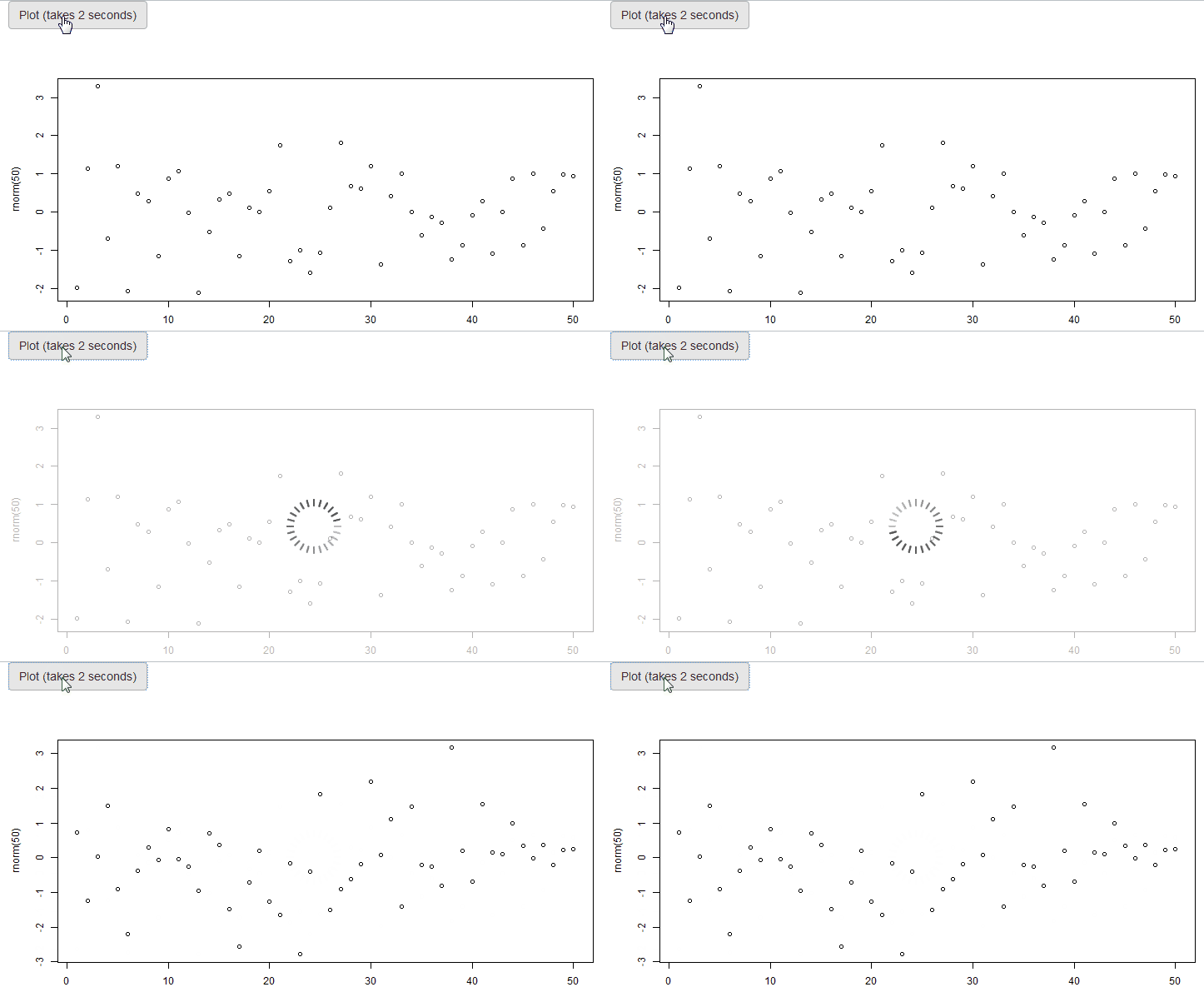
- When people use Shiny APP, they will definitely plot charts in it and this is the key to make your presentation more appealing and persuasive. But when a Shiny plot is recalculating, the plots you have get grayed out. These code below shows how you can add a spinner wheel on top of the plot while it is recalculating, to make it clear to the user that the plot is reloading.
library(shiny)
library(shinyjs)

shinyApp(
  ui = fluidPage(
    useShinyjs(),
    checkboxInput("foo", "Show tab2", TRUE),
    tabsetPanel(
      id = "navbar",
      tabPanel(title = "tab1",
               value = "tab1",
               h1("Tab 1")
      ),
      tabPanel(title = "tab2",
               value = "tab2",
               h1("Tab 2")
      ),
      tabPanel(title = "tab3",
               value = "tab3",
               h1("Tab 3")
      )
    )
  ),
  server = function(input, output) {
    observe({
      toggle(condition = input$foo, selector = "#navbar li a[data-value=tab2]")
    })
  }
)

## Including Plots

You can also embed plots, for example:

```{r pressure, echo=FALSE}
plot(pressure)
3.When you use Shiny App, there is main bar and side bar. The side bar mostly is for selecting options. So a lot of poeple are wondering how can we make the side bar more intuitive? How to make it like an app on our cellphone that the side bar can Hide/show programmatically. These codes below tells you a wonderful way to realize that.
library(shiny)
library(shinydashboard)
library(shinyjs)

ui <- dashboardPage(
  dashboardHeader(),
  dashboardSidebar(),
  dashboardBody(
    useShinyjs(),
    actionButton("showSidebar", "Show sidebar"),
    actionButton("hideSidebar", "Hide sidebar")
  )
)

server <-function(input, output) {
  observeEvent(input$showSidebar, {
    shinyjs::removeClass(selector = "body", class = "sidebar-collapse")
  })
  observeEvent(input$hideSidebar, {
    shinyjs::addClass(selector = "body", class = "sidebar-collapse")
  })
}

shinyApp(ui, server)
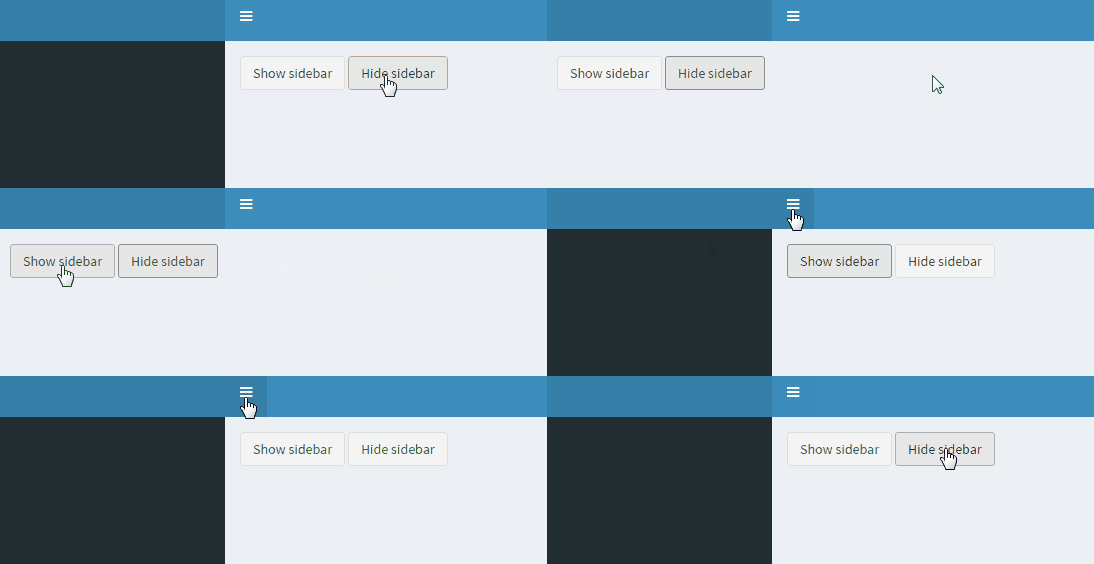 The whole process become more intuitive and beautiful.