


A modern, interactive 3D cube component available for both React and vanilla HTML/CSS/JS. Create stunning 3D cubes with video, image, and HTML content on each face, complete with smooth animations, interactive controls, and customizable effects.
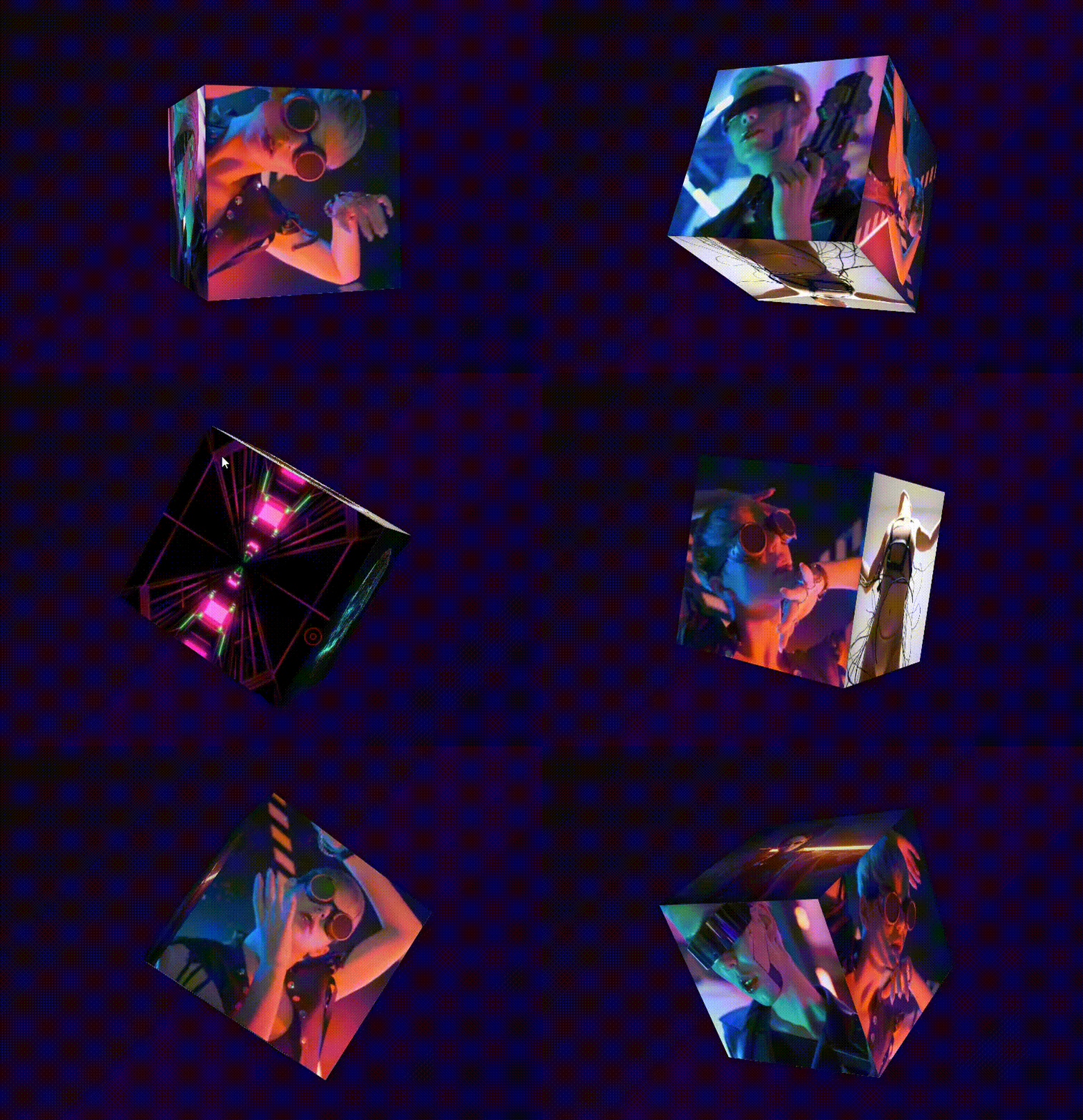
- 🎥 Multi-content support - Video, image, and HTML content on each face
- 🎮 Interactive controls - Drag to rotate with realistic inertia
- 🔄 Auto-rotation - Customizable speed and direction
- ✨ Interactive effects - Hover/click effects with customizable colors
- 📱 Responsive design - Adapts to different screen sizes
- 🎨 Highly customizable - Full control over styling and behavior
- 🚀 Optimized performance - Smooth animations using GSAP
- 💪 Multiple implementations - React component + vanilla JS
- 📝 TypeScript support - Full type definitions for React version
- 🌐 Cross-browser - Works on all modern browsers
npm install react-interactive-cube3d
# or
yarn add react-interactive-cube3dimport { Cube3D } from 'react-interactive-cube3d';
import 'react-interactive-cube3d/dist/cube3d.css';
function App() {
const faces = {
front: { type: 'image', src: '/image1.jpg' },
back: { type: 'image', src: '/image2.jpg' },
right: { type: 'video', src: '/video.mp4' },
left: { type: 'html', html: '<h2>Hello World!</h2>' },
top: { type: 'empty' },
bottom: { type: 'empty' }
};
return (
<Cube3D
size={300}
autoRotate={true}
rotationSpeed={1}
interactive={true}
interactiveEffects={true}
faces={faces}
/>
);
}import { Cube3D } from 'react-interactive-cube3d';
import 'react-interactive-cube3d/dist/cube3d.css';
function AdvancedCube() {
const dashboardFaces = {
front: {
type: 'html',
html: `
<div style="padding: 20px; text-align: center; color: white;">
<h2>📊 Dashboard</h2>
<p>Current Time: ${new Date().toLocaleTimeString()}</p>
</div>
`
},
back: {
type: 'html',
html: `
<div style="padding: 20px; text-align: center; color: white;">
<h2>🌤️ Weather</h2>
<p>Sunny, 24°C</p>
</div>
`
},
right: { type: 'video', src: '/demo-video.mp4' },
left: { type: 'image', src: '/beautiful-landscape.jpg' },
top: { type: 'empty' },
bottom: { type: 'empty' }
};
const customColors = {
front: '#00ffff',
back: '#ff00ff',
right: '#ffff00',
left: '#ff8800',
top: '#88ff00',
bottom: '#ff0088'
};
return (
<Cube3D
size={400}
responsive={true}
minSize={200}
maxSize={500}
autoRotate={true}
rotationSpeed={0.8}
interactive={true}
interactiveEffects={true}
effectColors={customColors}
faces={dashboardFaces}
className="my-custom-cube"
/>
);
}| Prop | Type | Default | Description |
|---|---|---|---|
size |
number |
300 |
Cube size in pixels |
responsive |
boolean |
false |
Enable responsive sizing |
minSize |
number |
150 |
Minimum size when responsive |
maxSize |
number |
600 |
Maximum size when responsive |
autoRotate |
boolean |
false |
Enable auto-rotation |
rotationSpeed |
number |
0.5 |
Speed of auto-rotation |
interactive |
boolean |
true |
Enable drag controls |
interactiveEffects |
boolean |
false |
Enable hover/click effects |
effectColors |
EffectColors |
{...} |
Custom colors for effects |
faces |
Faces |
{...} |
Content for each face |
className |
string |
'' |
Additional CSS class |
style |
CSSProperties |
{} |
Additional inline styles |
For projects that don't use React, we provide a pure JavaScript implementation.
-
Download the files:
cube.css- All stylescube.js- Core functionality
-
Include in your HTML:
<!DOCTYPE html>
<html lang="en">
<head>
    <meta charset="UTF-8">
    <meta name="viewport" content="width=device-width, initial-scale=1.0">
    <title>3D Cube Demo</title>
    <link rel="stylesheet" href="cube.css">
</head>
<body>
    <div id="cube-container"></div>

    <!-- Required: GSAP for animations -->
    <script src="https://unpkg.com/gsap@3.12.5/dist/gsap.min.js"></script>
    <script src="cube.js"></script>

    <script>
        // Initialize the cube
        const cube = new Cube3D('#cube-container', {
            size: 300,
            autoRotate: true,
            rotationSpeed: 1,
            interactive: true,
            interactiveEffects: true,
            faces: {
                front: { type: 'image', src: 'https://picsum.photos/400/400?random=1' },
                back: { type: 'image', src: 'https://picsum.photos/400/400?random=2' },
                right: {
                    type: 'html',
                    html: '<div style="padding: 20px; color: white; text-align: center;"><h2>Hello!</h2><p>This is HTML content</p></div>'
                },
                left: { type: 'video', src: 'demo-video.mp4' },
                top: { type: 'empty' },
                bottom: { type: 'empty' }
            }
        });
    </script>
</body>
</html><!DOCTYPE html>
<html lang="en">
<head>
<meta charset="UTF-8">
<title>Advanced 3D Cube</title>
<link rel="stylesheet" href="cube.css">
<style>
body {
margin: 0;
padding: 20px;
background: linear-gradient(135deg, #1e3c72, #2a5298);
font-family: Arial, sans-serif;
min-height: 100vh;
display: flex;
justify-content: center;
align-items: center;
}
.controls {
position: fixed;
top: 20px;
left: 20px;
background: rgba(255, 255, 255, 0.1);
padding: 15px;
border-radius: 10px;
color: white;
}
.controls button {
margin: 5px;
padding: 8px 15px;
border: none;
border-radius: 5px;
background: #4CAF50;
color: white;
cursor: pointer;
}
.controls button:hover {
background: #45a049;
}
</style>
</head>
<body>
<div class="controls">
<h3>Cube Controls</h3>
<button onclick="cube.startAutoRotation()">Start Auto-Rotation</button>
<button onclick="cube.stopAutoRotation()">Stop Auto-Rotation</button>
<button onclick="cube.setInteractiveEffects(true)">Enable Effects</button>
<button onclick="cube.setInteractiveEffects(false)">Disable Effects</button>
<button onclick="updateContent()">Change Content</button>
</div>
<div id="cube-container"></div>
<script src="https://unpkg.com/gsap@3.12.5/dist/gsap.min.js"></script>
<script src="cube.js"></script>
<script>
// Create cube with dashboard-style content
const cube = new Cube3D('#cube-container', {
size: 350,
autoRotate: true,
rotationSpeed: 0.7,
interactive: true,
interactiveEffects: true,
responsive: true,
minSize: 200,
maxSize: 400,
effectColors: {
front: '#ff6b6b',
back: '#4ecdc4',
right: '#45b7d1',
left: '#f9ca24',
top: '#6c5ce7',
bottom: '#a29bfe'
},
faces: {
front: {
type: 'html',
html: `
<div style="padding: 30px; text-align: center; color: white; background: linear-gradient(45deg, #ff6b6b, #ee5a24);">
<h2>⏰ Clock</h2>
<div style="font-size: 24px; font-weight: bold;">${new Date().toLocaleTimeString()}</div>
</div>
`
},
back: {
type: 'html',
html: `
<div style="padding: 30px; text-align: center; color: white; background: linear-gradient(45deg, #4ecdc4, #44a08d);">
<h2>🌤️ Weather</h2>
<div style="font-size: 48px;">☀️</div>
<div>Sunny, 24°C</div>
</div>
`
},
right: {
type: 'html',
html: `
<div style="padding: 30px; text-align: center; color: white; background: linear-gradient(45deg, #45b7d1, #2980b9);">
<h2>📊 Stats</h2>
<div style="font-size: 36px; font-weight: bold;">87%</div>
<div>Performance</div>
</div>
`
},
left: {
type: 'html',
html: `
<div style="padding: 30px; text-align: center; color: white; background: linear-gradient(45deg, #f9ca24, #f0932b);">
<h2>📝 Notes</h2>
<div>Remember to update the documentation</div>
</div>
`
},
top: { type: 'empty' },
bottom: { type: 'empty' }
}
});
// Function to update content dynamically
function updateContent() {
cube.updateFace('front', {
type: 'html',
html: `
<div style="padding: 30px; text-align: center; color: white; background: linear-gradient(45deg, #6c5ce7, #a29bfe);">
<h2>🎉 Updated!</h2>
<div>Content changed at ${new Date().toLocaleTimeString()}</div>
</div>
`
});
}
// Update clock every second
setInterval(() => {
cube.updateFace('front', {
type: 'html',
html: `
<div style="padding: 30px; text-align: center; color: white; background: linear-gradient(45deg, #ff6b6b, #ee5a24);">
<h2>⏰ Clock</h2>
<div style="font-size: 24px; font-weight: bold;">${new Date().toLocaleTimeString()}</div>
</div>
`
});
}, 1000);
</script>
</body>
</html>const cube = new Cube3D(selector, options);
// Control methods
cube.startAutoRotation();
cube.stopAutoRotation();
cube.setRotationSpeed(1.5);
// Content management
cube.updateFace('front', { type: 'image', src: 'new-image.jpg' });
cube.updateAllFaces(newFacesObject);
// Interaction controls
cube.setInteractive(true);
cube.setInteractiveEffects(true);
// Sizing
cube.resize(400);
cube.setResponsive(true, 200, 500);
// Cleanup
cube.destroy();{
type: 'image',
src: '/path/to/image.jpg'
}{
type: 'video',
src: '/path/to/video.mp4'
}{
type: 'html',
html: '<div style="color: white; padding: 20px;"><h2>Custom HTML</h2></div>'
}{
type: 'empty'
}Check out the live examples in this repository:
- Examples - Cubes Example
cd packages/react-package
npm install
npm run buildnpm run test- Chrome/Edge: Full support
- Firefox: Full support
- Safari: Full support
- Mobile browsers: Full support with touch controls
- IE11+: Basic support
- Portfolio websites - Showcase your work in 3D
- Product displays - Interactive product presentations
- Dashboards - Live data visualization
- Photo galleries - Unique image presentation
- Video portfolios - Creative video showcases
- Interactive presentations - Engaging content delivery
- Fork the repository
- Create your feature branch (
git checkout -b feature/amazing-feature) - Commit your changes (
git commit -m 'Add some amazing feature') - Push to the branch (
git push origin feature/amazing-feature) - Open a Pull Request
This project is licensed under the MIT License - see the LICENSE file for details.
- Built with GSAP for smooth animations
- Inspired by modern 3D web interfaces
- Thanks to the React and web development community
If you find this project useful, please consider giving it a star! ⭐
Made with ❤️ for the web development community


