APIs access in Sigfox Backend are restricted to authenticated API user, the first step to access API is to generate API credentials. Generating API can be done by your SO in the Sigfox Backend. API credentials are name, & applicable time zone. Accessible API methods and output response will be determined by the roles which are set for API credential. E,g Read only will allow you to access reading of the data only. API with Device Manger[W] is one of useful API for device management which allows registration or moving devices, creating and editing callbacks and accessing a device's PAC, etc.
More on REST request for POST, GET, DELETE, PUT HTTP requests used are widely covered in the full documentation
- No pooling message and device sync status through API
- Reasonable API calls according to fleet
- Retrieve message and device status by Callback
- Reasonable callbacks per Device type
This API is very much useful for data consumption.
Start by consuming unauthenticated APIs. In python, a few lines of code are used:
# Consuming open source APIs
# import requests module

import requests
response  = requests.get("https://datausa.io/api/data?drilldowns=Nation&measures=Population")
print(response) # Get 200 as response for a correct Request.
print(response.json()) # Print JSON data from the requested URL
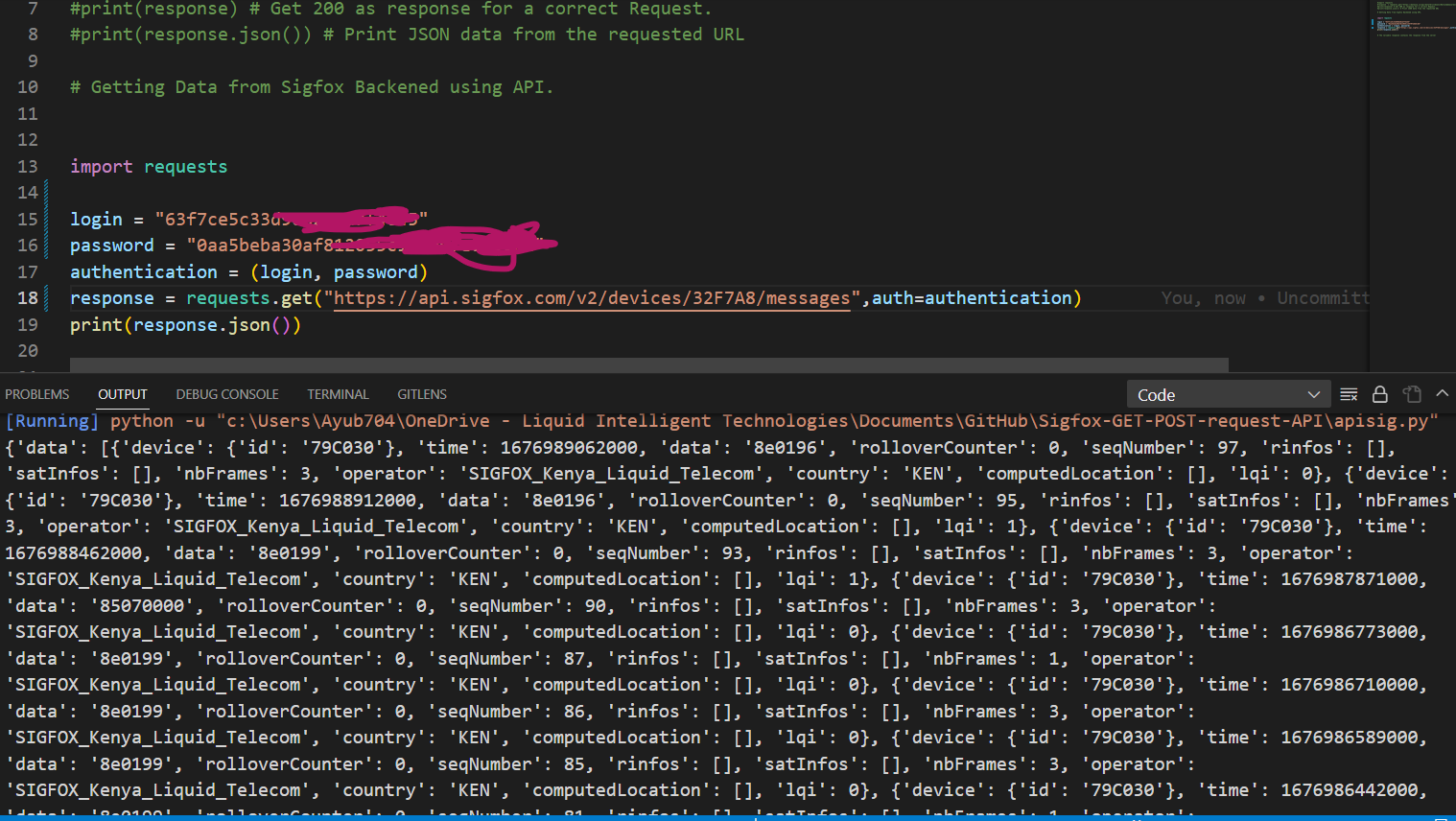
- To demonstrate the GET Request, i am retriving a list of messages , this can be found in API documentation.

So far there are two methods i found when using Python.
Involves having the auth parameters directly embedded in the code.
Install and Import Requests
pip install requests
Import Request
import requests
Define your auntentication variables from your API
login = "yourapiusername"
password = "yourapipassword"
Assign your login and password a variable.
authentication = (login, password)
From the sample we are using our API format is: https://api.sigfox.com/v2/devices/{id}/messages, rreplace id with your device ID, should be in Hex.
Below is the url format and how you pass the authentication details. I am using auth module to pass my authentication details.
response = requests.get("https://api.sigfox.com/v2/devices/id/messages",auth=authentication)
print(response.json())
Using encoded method to hide your password in the code.
Import dependent packages
import requests
import requests
from requests.auth import HTTPBasicAuth
import base64
import time
Url defination
url = "url does not change, just as from the previous method"
The token is generated by encoding login:password in Base 64
print("----TOKEN----")
login = 'apiusername'
password = 'apipassword'
token = login+":"+password
print("Token:", base64.b64encode(token.encode("ascii")).decode("ascii"))
print()
- Once the token is generated, you can use the token directly in your code, it is safer in case your code leaks.
headers = {
  'Authorization': 'Basic xxxyoutgeneratedtockenherexxx'
}
response = requests.get(url, headers=headers)
print(response.text)
print()
- Because I do 2 API requests in a row, Sigfox limits to 1 request per second, so I need to slow my strict down, use sleep time
time.sleep(2)
Same auth parsing should apply for other HTTPs Request, unless specified otherwise in the documentations. Enjoy -
const params = {}
if (limit) {
  params.limit = limit
}
if (start) {
  params.since = start
}
if (end) {
  params.before = end
}
const myurl = `https://api.sigfox.com/v2/devices/${DEVICE_ID}/messages`;
const resulting = await axios.get(myurl, {
    params: params,
    auth: {
    username: UNAME,
    password: UPASS
  }
});
- The variables UNAME and UPASS correspond to authentication credentials, which can be obtained in your Sigfox account page as you can see in the Sigfox API documentation. The parameters limit, since and before allows to control the time range of the response.
⚡Aron Ayub