A Demo trying to secure secrets in the app using configuration settings file:
1- Add new configuration file (KEYS.xcconfig) and add keys in it

2- Add *.xcconfig to your gitignore file to ignore configuration
3- Add the configuration file to configuations in info tap
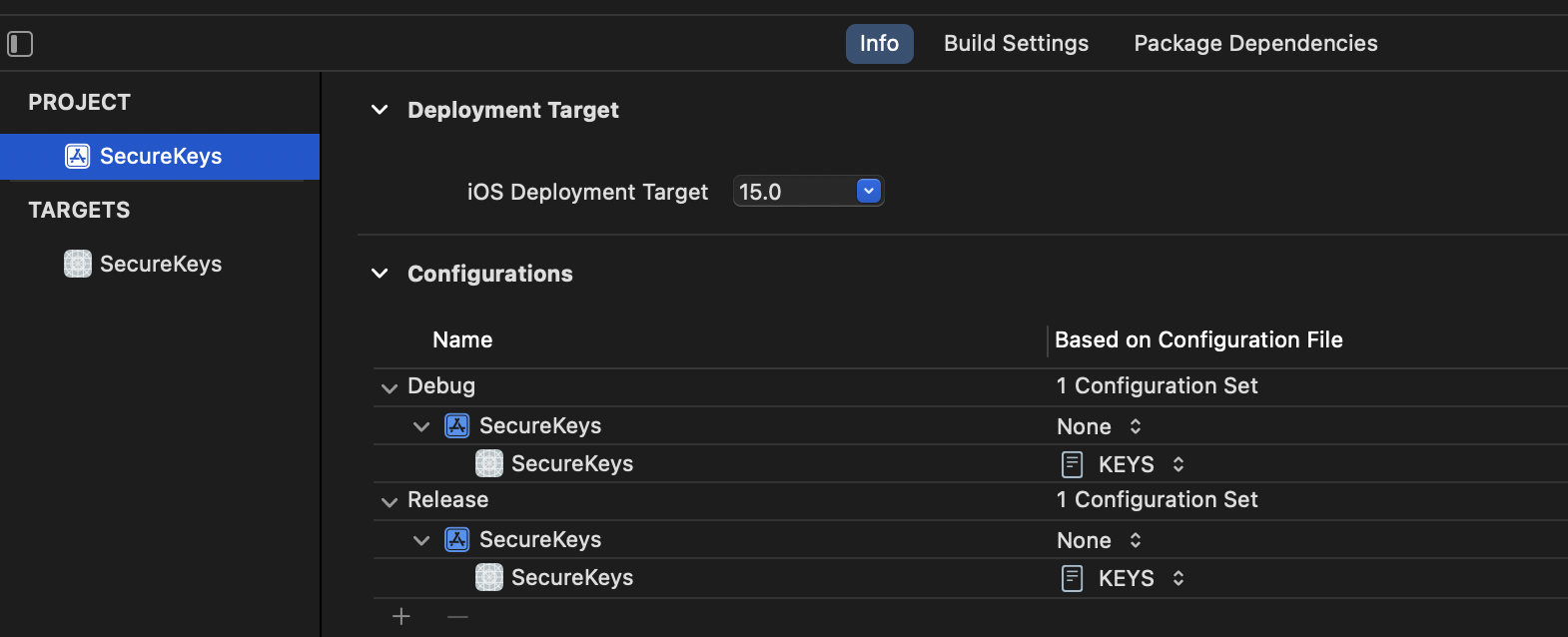
4- Add api key to info.plist

5- get api key and present it in label
if let apiKey = Bundle.main.infoDictionary?["API_KEY"] as? String {
apiLabel.text = apiKey
}

- Keys are stored in your device only and you may lost them if you delete them by mistake or your device is damaged
- You need to add keys manually and add it to configurations-step 3- every time you clone the project as we didn't upload KEYS file to GitHub.
https://medium.com/swift-india/secure-secrets-in-ios-app-9f66085800b4