Fix display of breaks in the backend. #32
Conversation
This file contains hidden or bidirectional Unicode text that may be interpreted or compiled differently than what appears below. To review, open the file in an editor that reveals hidden Unicode characters.
Learn more about bidirectional Unicode characters


1/ In the backend calendar, the breaks were always displayed as if the week started on Sunday.
So, the working plan must be first sorted (in backend_calendar_defaultview.js) to ensure that break day order match week day order.

2/ In 'Settings/Business Logic' and 'Users/Providers' tabs, breaks were displayed according to how company/provider breaks were stored in the database in the json representation of the working plans.
Old verisons of EA (and thus maybe also Easyblue) stored working plans starting on Saturday.
As a consequence, it is possible to have Working Plan displayed starting from Sunday and Breaks displayed starting from Staturday.

To prevent this possible inconsistency, the working plan data structure - which contains also the 'breaks' data structure - is sorted with Sunday as the first day in 'Settings/Business Logic' and 'Users/Providers' tabs.
…+ remove obsolete comments.
Author
|
And further to my first commit, I also cleaned other js files using the switch case on I tested on both 1.2.0 and 1.2.1 versions that no regression failure occurs. |
Sign up for free
to join this conversation on GitHub.
Already have an account?
Sign in to comment
1 participant

Add this suggestion to a batch that can be applied as a single commit.
This suggestion is invalid because no changes were made to the code.
Suggestions cannot be applied while the pull request is closed.
Suggestions cannot be applied while viewing a subset of changes.
Only one suggestion per line can be applied in a batch.
Add this suggestion to a batch that can be applied as a single commit.
Applying suggestions on deleted lines is not supported.
You must change the existing code in this line in order to create a valid suggestion.
Outdated suggestions cannot be applied.
This suggestion has been applied or marked resolved.
Suggestions cannot be applied from pending reviews.
Suggestions cannot be applied on multi-line comments.
Suggestions cannot be applied while the pull request is queued to merge.
Suggestion cannot be applied right now. Please check back later.
Hi Craig,
Because the working plans are stored in the database in a Json structure starting on Sunday, selecting another day to start the week make all the breaks to be wrongly displayed in the backend calendar.
For instance:
if I set Monday as the first day of the week (in the General Settings tab) and use the following company working plan:
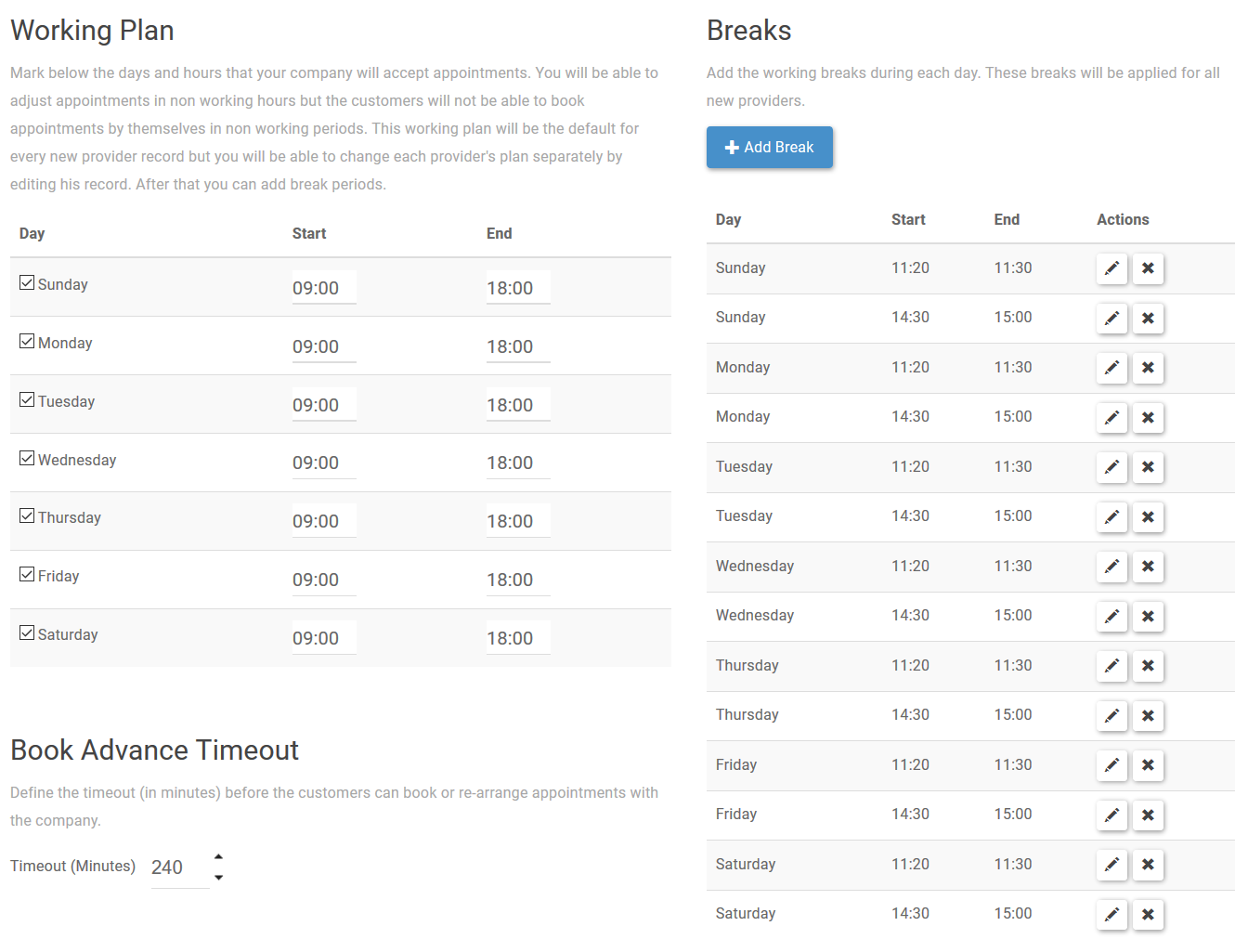
And if I use the following working plan for John Doe:
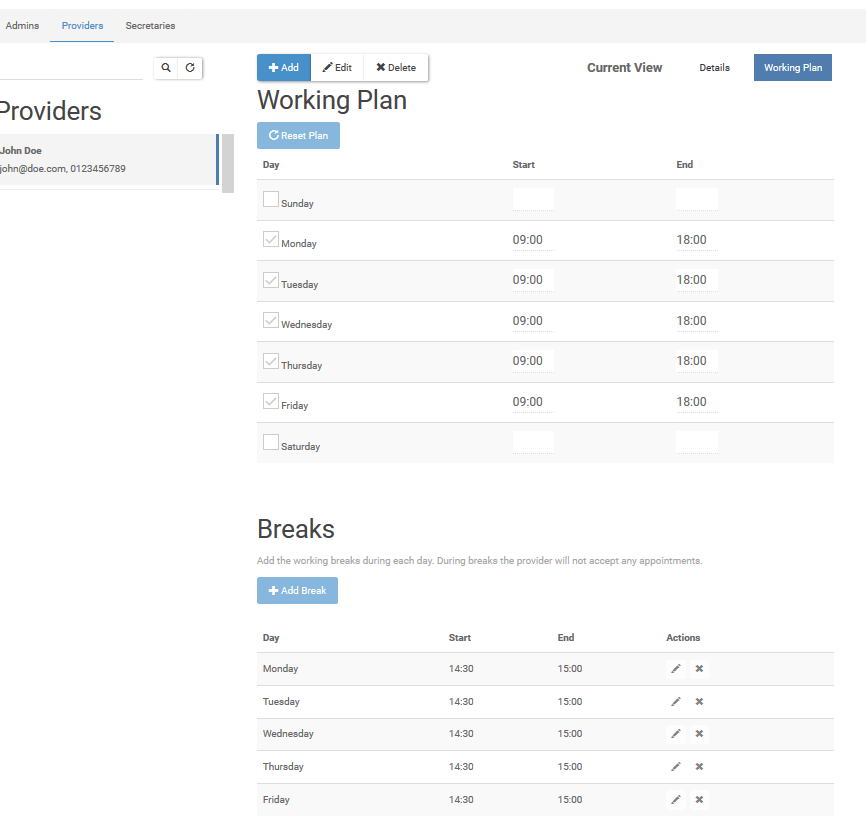
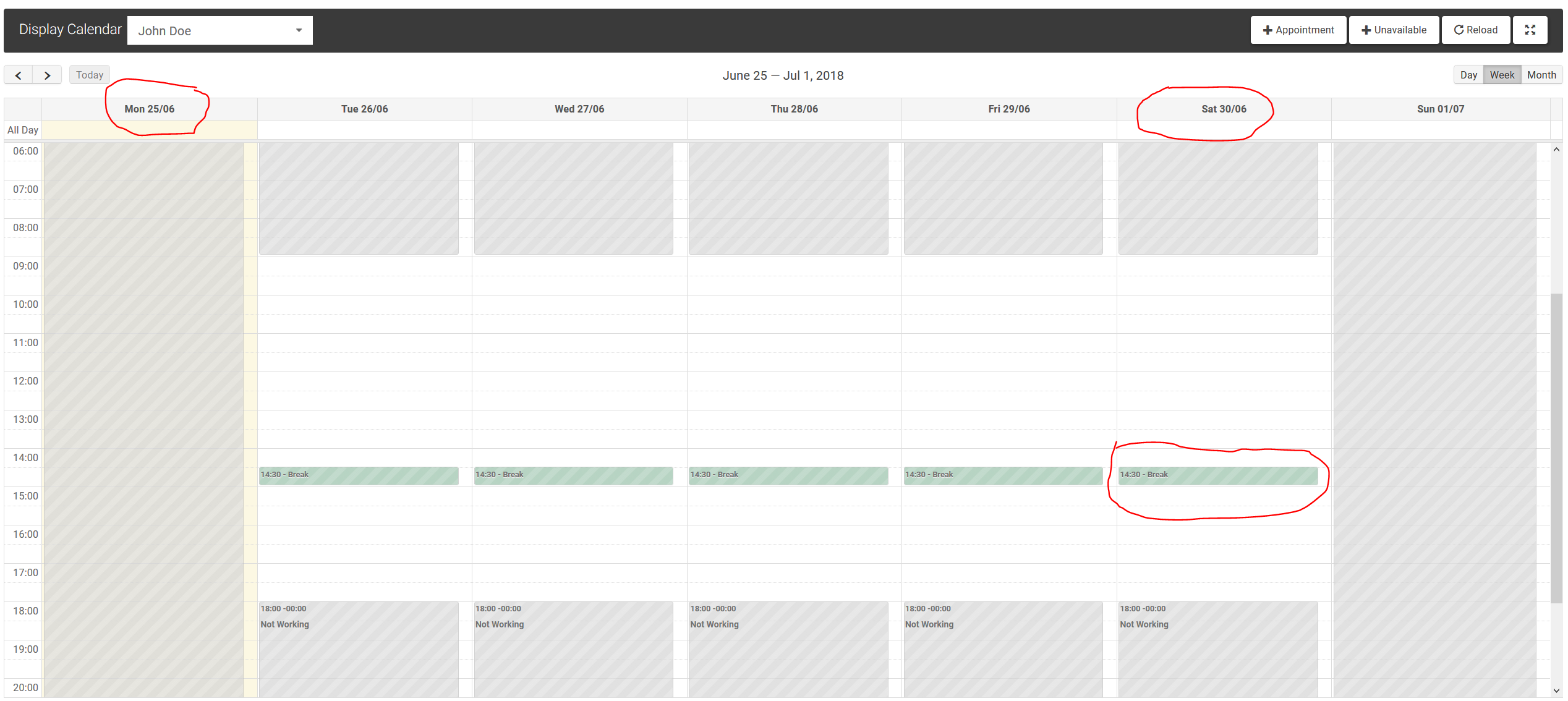
You can see that John Does's calendar is wrong. Breaks in green and non-working periods in grey are shifted. Monday should be a working day, whereas Saturday should not.
With my fix, breaks are correctly displayed:
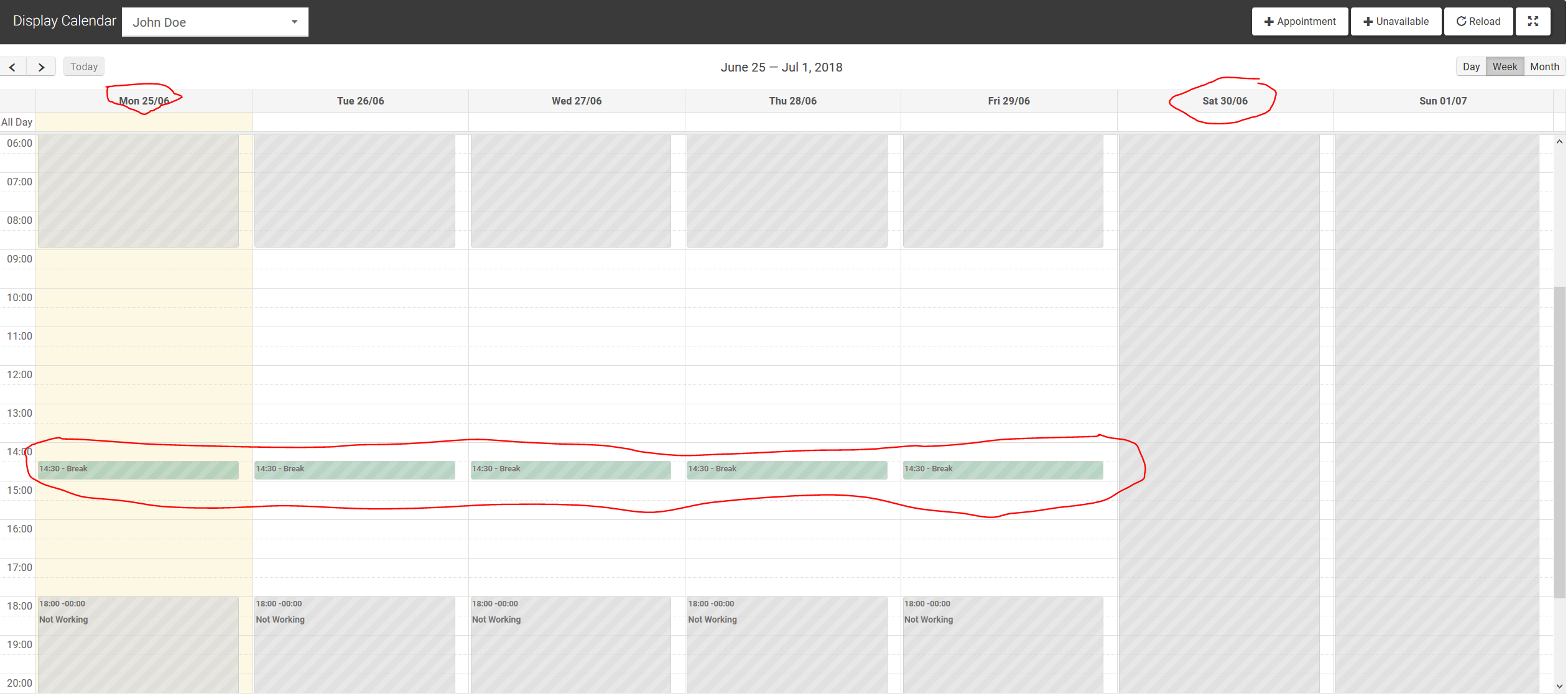
The fix consists in sorting the working plan data structure in
backend_calendar_defaultview.js, starting the sort with the value ofGlobalVariables.weekStartson.For the sorting function purpose, I had to perform conversions between weekday names and weekday Ids. Because you had the same needs in the 'Initialize page calendar' code section of
backend_calendar_defaultview.js, I replaced your switch case by a call of the conversion functions I created. The conversion functions are based upon your former switch case code.In addition I have noticed the same kind of bug on Alex's EA! in the corner case of people migrating from EA! version 1.2.1 to version > 1.3.0. I will propose him a pull request. This is because prior 1.3.0, working plans were stored in DB starting on Monday and now they are stored starting on Sunday.
Because EasyBlue - as a fork of EA! - may have stored working plans starting on Monday, I added a sort on working plans to always display breaks starting from Sunday in the 'Settings/Business Logic' and 'Users/Providers' tabs. Because Working Plan displays in these tabs start from Sunday (hard-coded html list), I believe it is better to ensure Breaks to be displayed accordingly (i.e. always starting from Sunday).
Hope it helps