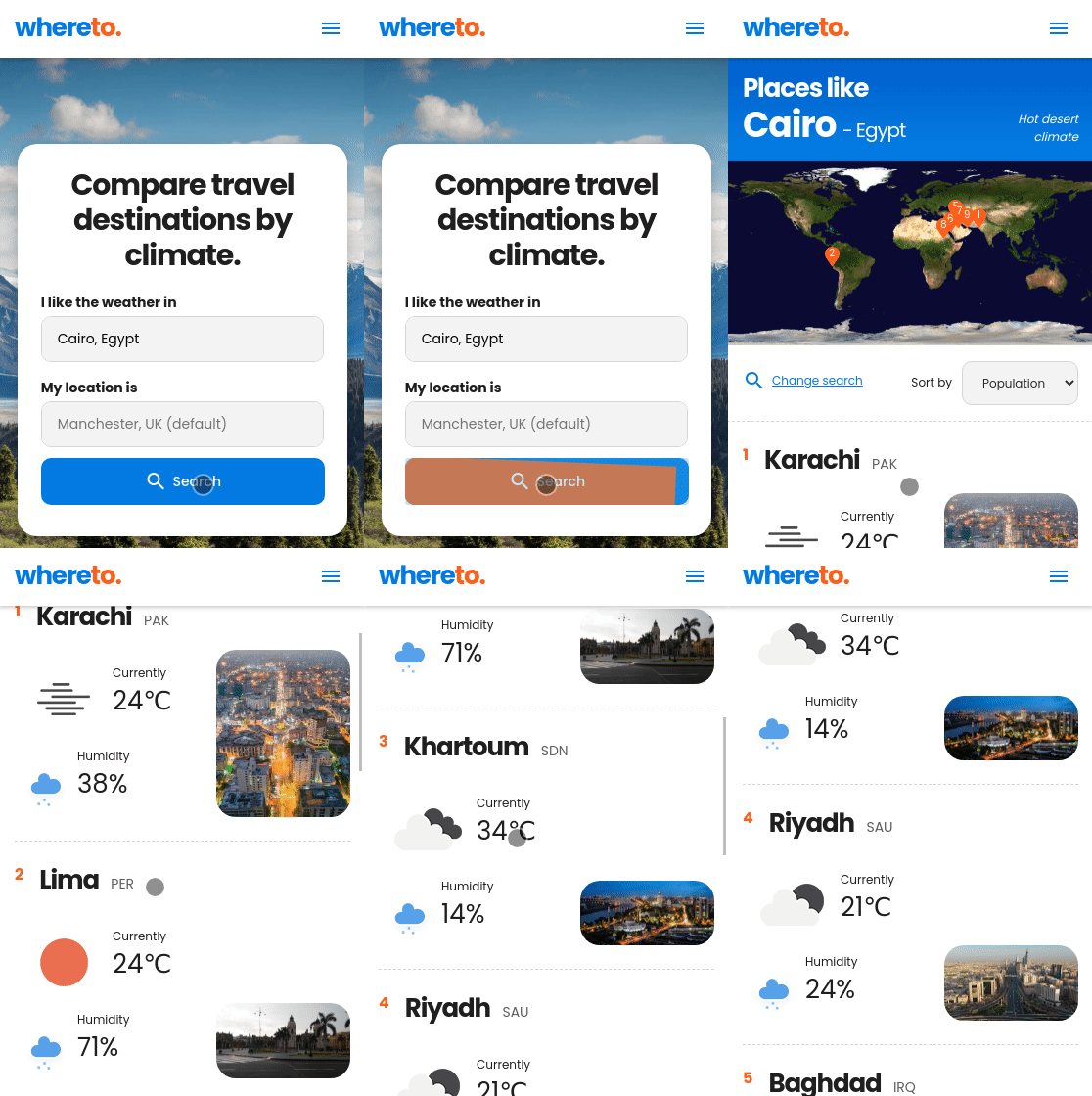
Team.X.-.WhereTo.App.-.ShortVid1-3.1_MED-QUALITY.mp4
Project case study (5:00 - YouTube link)
This web app was completed over a 2 week period in early 2022, as a final group project on the Northcoders software development bootcamp. The website uses the Köppen climate classification system to serve the user with locations that have a similar climate to their input destination.
The app uses a non-relational database to store information about the climate zones and destinations, along with their corresponding latitude/longitude values. External APIs are used to grab relevant pictures, the current weather, and historical weather patterns.
Visit the Northcoders Project Showcase.
For this project we decided to use several pieces of tech that were new to the team, embracing technology rated highly by developers at the time - in addition to the fundamentals that we had been learning and refining throughout bootcamp.
- Front End: Svelte framework, Chart.js
- Back End: SvelteKit framework
- Database: MongoDB
- APIs: Google Places API, OpenWeatherMap API, Okiolab Weather Data API
- Languages: Svelte, TypeScript, JavaScript, CSS, HTML
Follow these steps to run a local version of the project. Please be aware that there is quite a bit of initial set up involved.
-
First, download the project into a local folder. In your terminal, run:
git clone https://github.com/Dance1211/climate-app.git -
Then navigate into the new folder, and install dependencies:
cd climate-appnpm install
You will need an external database and a number of third-party API keys to run the project as intended. Each of these web services requires an active user account, so you may need to sign up. The app only uses features in the 'free tier' of each service.
-
Create a MongoDB Atlas database project by following parts 1-4 of these instructions. This will store data about climate zones, places, and coordinates.
-
Retrieve your MongoDB URI:
- Go to your Atlas database using the MongoDB website. Press
Connect -> Connect your application(using Node.js driver). - Copy the URI (connection string)
- Edit the URI so that
<password>is replaced by your real MongoDB password - Edit the URI so that
myFirstDatabaseis replaced bylocations
- Go to your Atlas database using the MongoDB website. Press
-
Register for a Google Maps API Key, to get photos of our different destinations. These APIs need to be enabled in your settings:
- Geocoding API
- Places API
-
Register for an Oikolab Weather Data API key, to get historical weather data.
-
Register for an OpenWeather API key, to get the current weather.
Create a .env file in the root folder of the project.
Insert the following code - replacing the placeholder values with your newly-generated API keys and database details:
VITE_API_KEY=YOUR_GOOGLE_MAPS_API_KEY

MONGODB_URI=YOUR_MONGODB_ATLAS_URI
MONGODB_DB_LOCATIONS=locations
MONGODB_KGCODES=kg-codes
MONGODB_CITIES=cities

VITE_OIKO_WEATHER_KEY=YOUR_OIKOLAB_API_KEY

VITE_WEATHER_API_KEY=YOUR_OPENWEATHER_API_KEY Finally, navigate to http://localhost:3000/seed and press the Seed the Database Now button. This should load the project data in to your MongoDB database.
It may take a while to load this page - and then to populate your database. You can see the progress in your node console.
Once the above steps are complete, the app can by run locally and viewed in your web browser with:
npm run dev -- --open
The core search functionality is in place, meaning that the user can retrieve a list of search results, and explore potential destinations.
Please note - the 'My Places' and 'My Searches' pages currently feature hard-coded links for demo purposes. We would like to make this feature entirely dynamic at a later date.
Due to limits on external API requests, there may be occasional issues retrieving results from third party APIs. In which case, you may need to double-check you have not exceeded your limits. You can also take a look at our video previews to see the project in action.
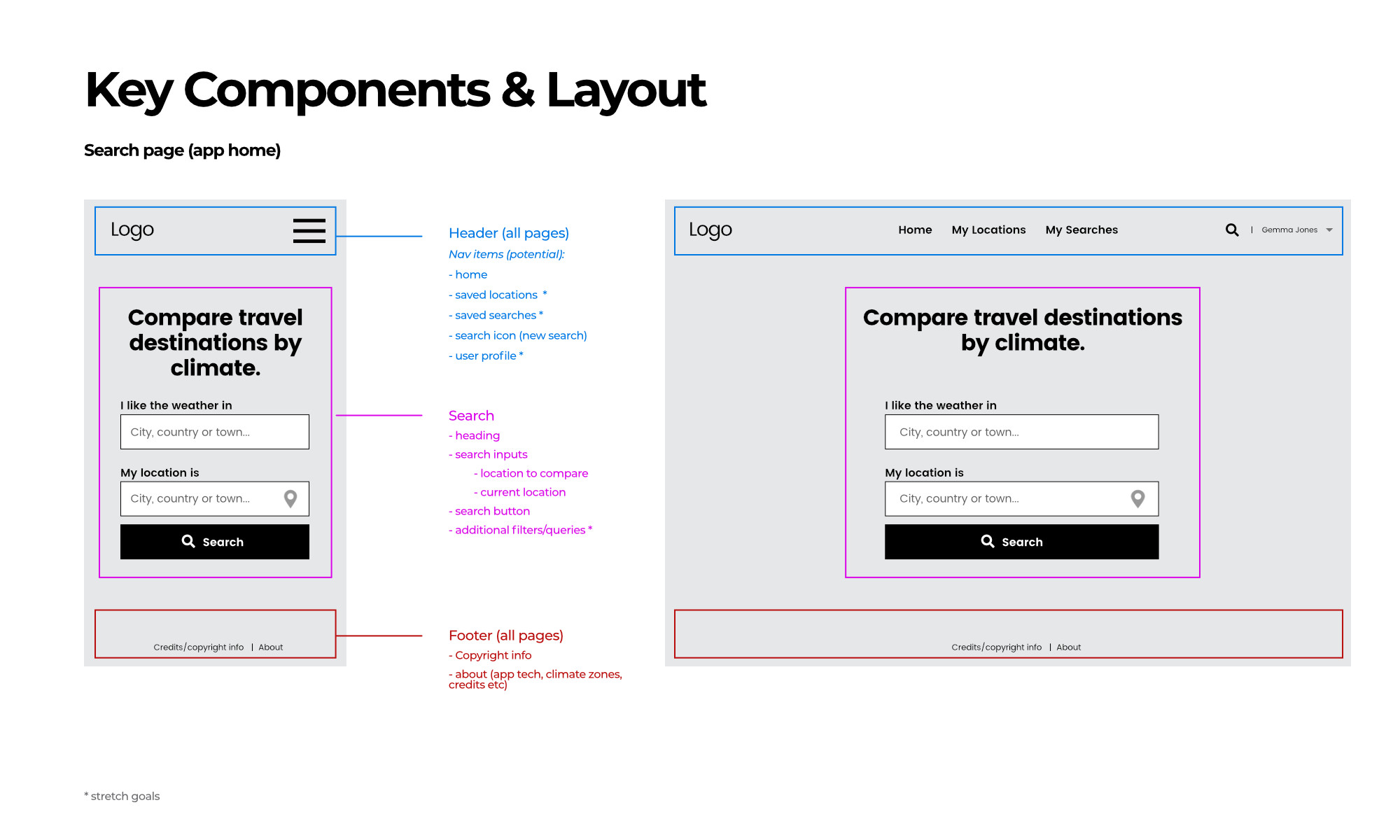
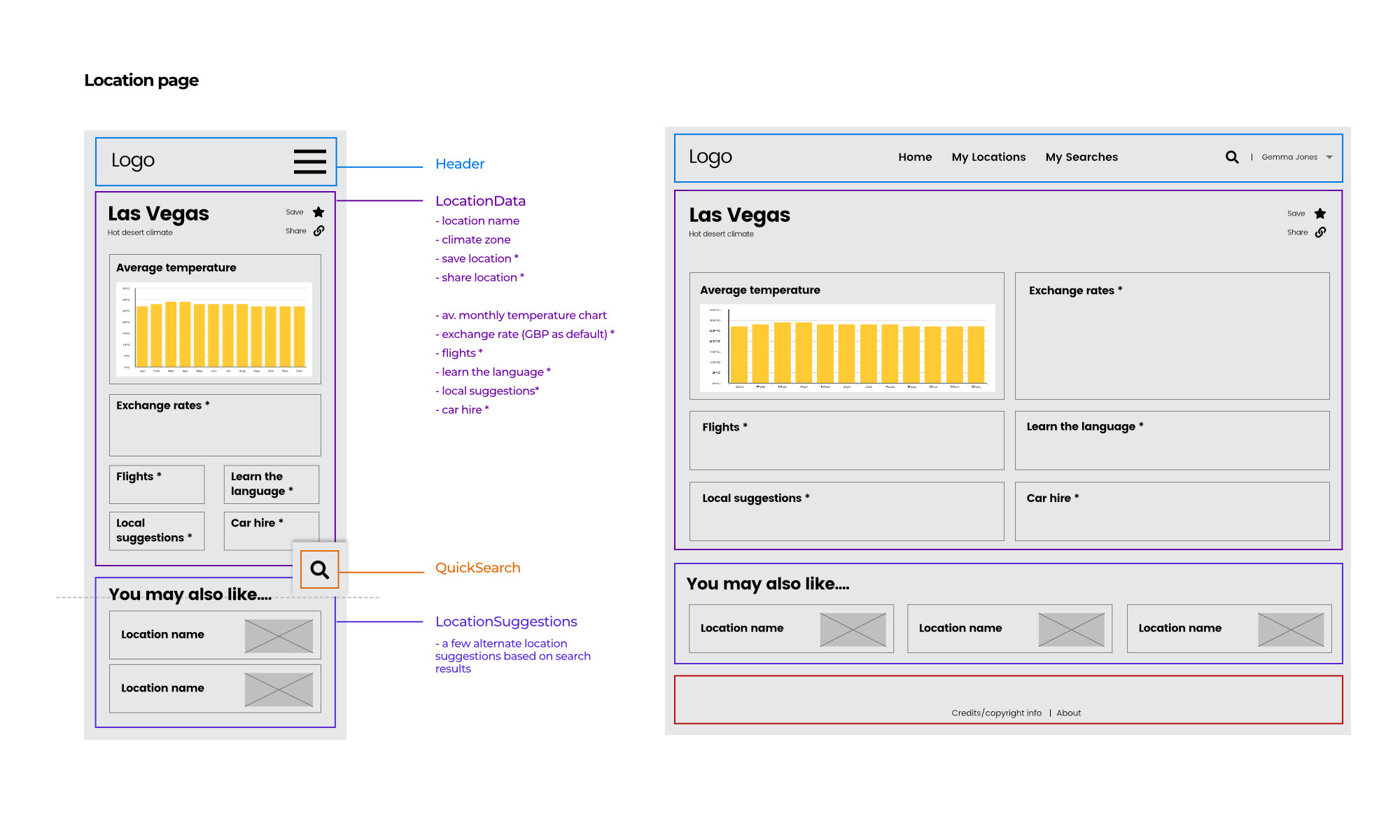
Whilst we are proud of what we achieved on this project in the short time frame, we have a bunch of 'desirable' refinements to both functionality and styling that were not quite possible within 6-7 days of actual coding time. Plus a series of additional features that we would ideally like to include.
You can see some of these desirable features in our wireframes below - created early on in the project to help guide the final product.