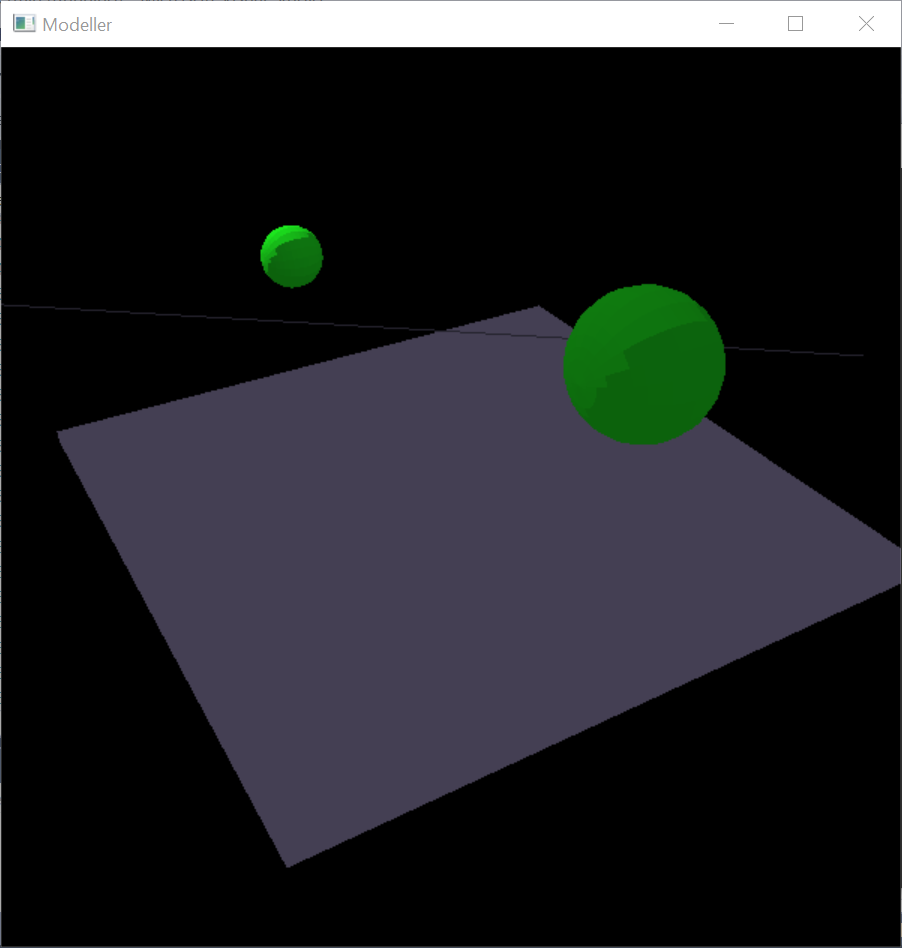
3GC3 Assignment 3 - Simple Modeler
Gorup Members: Zhenjiang Yang(me) 001431873
Jiaan Zhang 400006216 https://github.com/JiaanZhang/Modeller-by-OpenGL
Extra features: Camera can be controled by mouse
Texture mapping
shadow
Light Sources can be selected by mouse
Mouse Instruction:
Left key -- Single Click to select object
Right Key -- Single click to delete current selected object
Put mouse in the left of the window -- rotate camera to left
Put mouse in the right of the window -- rotate camera to right
Keyboard Instruction:
Key "q"/Key "Esc" -- Exit the whold program
Key "r" -- Clear all painted object
Key "s" -- Save data of all the object into txt file "output.txt"
Key "l" -- Save data of all the object from txt file "output.txt"
Key "z" -- Increase the X coordinate of current selected object
Key "x" -- Decrease the X coordinate of current selected object
Key "c" -- Increase the Y coordinate of current selected object
Key "v" -- Decrease the Y coordinate of current selected object
Key "b" -- Increase the Z coordinate of current selected object
Key "n" -- Decrease the Z coordinate of current selected object
Key "Z" -- Rotate current selected object by X-axis
Key "X" -- Rotate current selected object by X-axis (Opposite direction)
Key "C" -- Rotate current selected object by Y-axis
Key "V" -- Rotate current selected object by Y-axis (Opposite direction)
Key "B" -- Rotate current selected object by Z-axis
Key "N" -- Rotate current selected object by Z-axis (Opposite direction)
Key "6" -- Draw a cube
Key "7" -- Draw a sphere
Key "8" -- Draw a teapot
Key "9" -- Draw a cone
Key "0" -- Draw a tetrahedron
Key "1" -- Change material of current object to emerald
Key "2" -- Change material of current object to black rubber
Key "3" -- Change material of current object to jade
Key "4" -- Change material of current object to rubby
Key "5" -- Change material of current object to copper
Key "-" -- Decrease size of current object
Key "=/+" -- Increase size of current object
Key "," -- MODE1: Increase the X coordinate of camera postion
-- MODE2: Increase the X coordinate of light source1
-- MODE3: Increase the X coordinate of light source2
Key "." -- MODE1: Decrease the X coordinate of camera postion
-- MODE2: Decrease the X coordinate of light source1
-- MODE3: Decrease the X coordinate of light source2
Key ";" -- MODE1: Increase the Y coordinate of camera postion
-- MODE2: Increase the Y coordinate of light source1
-- MODE3: Increase the Y coordinate of light source2
Key "'" -- MODE1: Decrease the Y coordinate of camera postion
-- MODE2: Decrease the Y coordinate of light source1
-- MODE3: Decrease the Y coordinate of light source2
Key "[" -- MODE1: Increase the Z coordinate of camera postion
-- MODE2: Increase the Z coordinate of light source1
-- MODE3: Increase the Z coordinate of light source2
Key "]" -- MODE1: Decrease the Z coordinate of camera postion
-- MODE2: Decrease the Z coordinate of light source1
-- MODE3: Decrease the Z coordinate of light source2
(Select Source1 or source2 or camera to switch between mode)
Key "up" -- Move camera postion up
Key "down" -- Move camera postion up
Key "left" -- Rotate camera postion by Y-axis
Key "right" -- Rotate camera postion by Y-axis (Opposite direction)