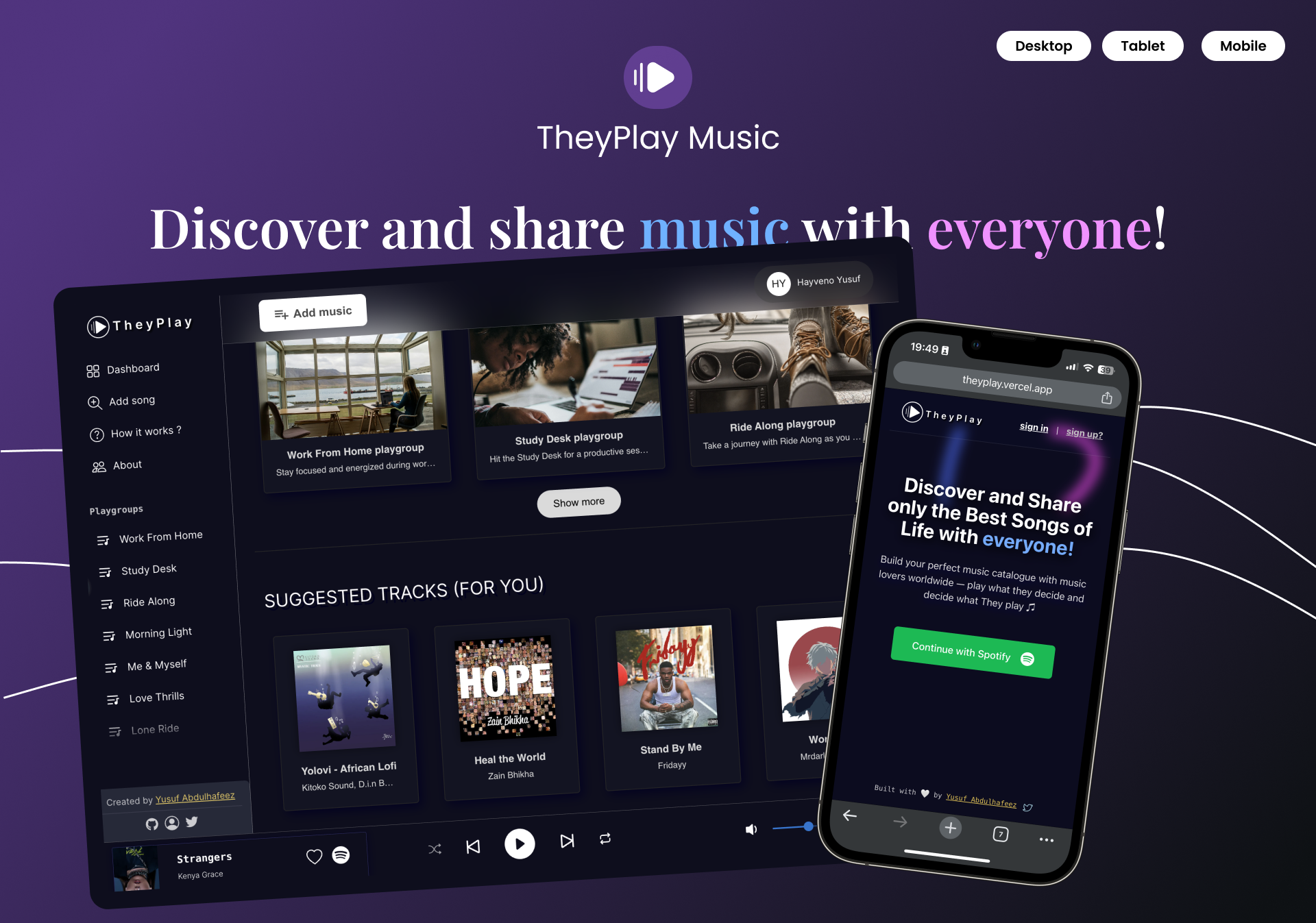





TheyPlay offers a unique way to share and discover music, emphasizing the stories and emotions behind each song. Approved by Spotify for public use through a 6 months long quota extension process, TheyPlay enables users worldwide to connect through curated musical experiences that go beyond listening, creating a shared journey around the meaning and memories that tracks inspire.
To install and run the TheyPlay project locally, follow these steps:
Clone the TheyPlay repository to your local machine:
   git clone https://github.com/HAYVENO/TheyPlay.git
   cd TheyPlay
Install the required dependencies using npm or Yarn. I will be using npm for the sake of this practice.
npm installOnce the dependencies are installed, you can start the project locally:
npm startThe application will be available on http://localhost:3000 (or the port specified in the project configuration).
TheyPlay offers:
- Sharing your musical journey: Share songs with the stories and feelings behind them.
- Exploring playgroups: Discover music from groups with shared tastes, curated around moods, memories, and experiences.
- Adding to your playlists: Seamlessly integrate playgroups into your Spotify playlists, expanding your collection with music that resonates.
We welcome and appreciate all contributions to TheyPlay! Here's how you can contribute:
- Visit the TheyPlay repository on GitHub
- Click the "Fork" button in the top right corner
git clone https://github.com/your-username/TheyPlay.git
cd TheyPlaygit checkout -b feature/your-feature-name- Write your code
- Test that it works by running the changes locally
- Ensure your code follows the project's coding standards
git add .
git commit -m "Add: brief description of your changes"git push origin feature/your-feature-name- Go to the TheyPlay repository
- Click "Pull Requests" and then "New Pull Request"
- Select your fork and branch
- Click "Create Pull Request"
- Provide a clear description of your changes
- Reach out if possible: Optional, but before submitting a pull request, please reach out to discuss your proposed changes. You can check my email on my bio.
- Coding Best Practices: Adhere to established coding standards and conventions.
- Clear Comments: Include meaningful comments to explain complex logic or non-obvious code sections.
- Comprehensive Testing: Write thorough tests to ensure code quality and prevent regressions.
- Keep pull requests focused on a single feature or fix
Feel free to open an issue for:
- Bug reports
- Feature requests
- Questions about the codebase
As the sole maintainer at this time, I aim to review all pull requests within 48 hours. I'm excited to grow the team and welcome more contributors to TheyPlay.
Thank you for exploring TheyPlay. I look forward to hearing about your experience and collaborating to make this app an exceptional music discovery platform. Let’s play, discover, and enjoy music with TheyPlay!