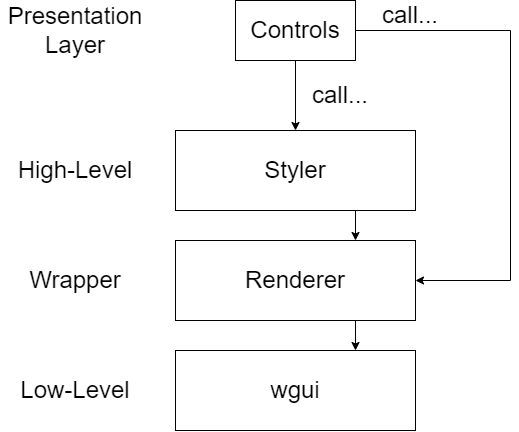



This framework helps you create a GUI for your lua script.
It provides many built-in controls, themes and styles which help you fulfill your requirements and has patterns encouraging clean, legible code.
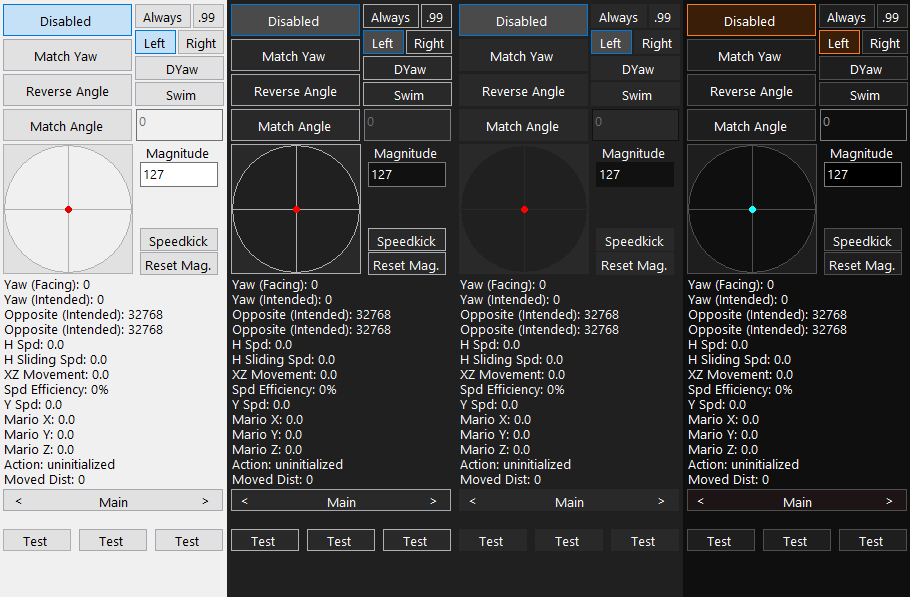
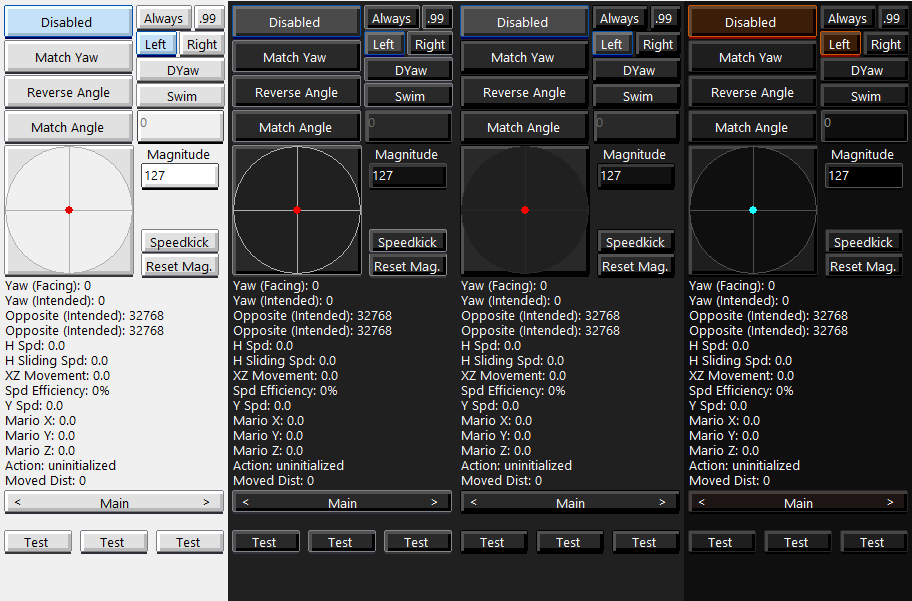
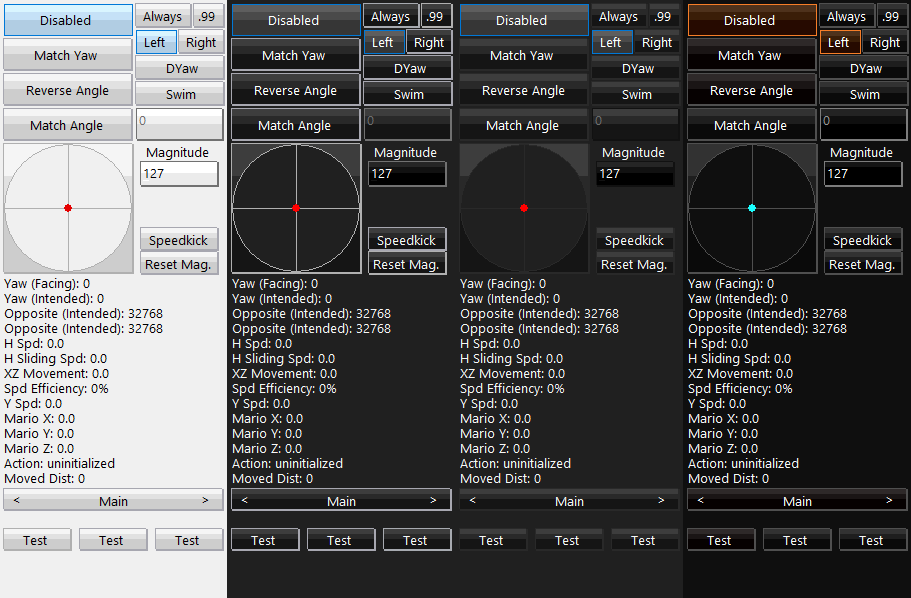
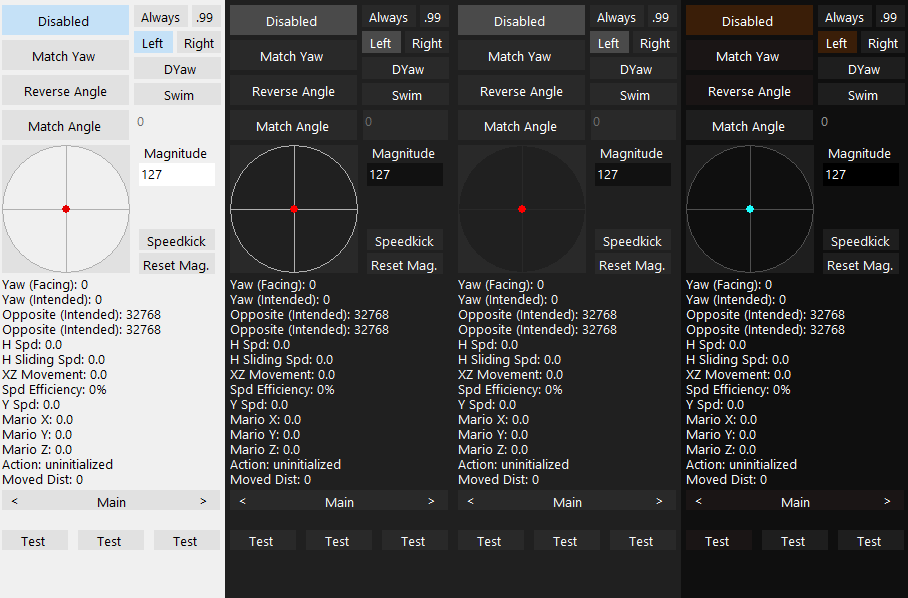
Example of built-in themes
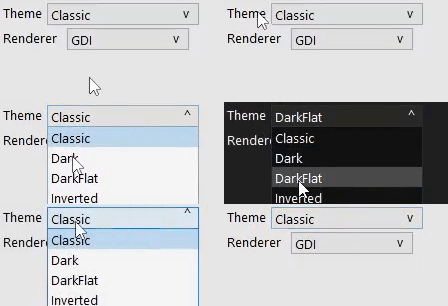
A ComboBox control which sets the theme
Create a new scene using the Scene constructor and pass in nil
local mainScene = Scene:new(nil)Add a controls dictionary to the created scene by using its AddControls(t) method
mainScene:AddControls({

YourButton = Button:new(
     mainScene, -- The scene containing the button
     1, -- The button's index in the scene. For each control, increase it by 1 heading downwards
     nil, -- The keyboard key associated with the button (nil disables keyboard interaction)
     20, -- X
     20, -- Y
     128, -- Width
     64, -- Height
     "Hello World", -- Text
     function(o) -- Interaction callback, o is reference to button
          print(o.Text)
     end)
})After defining your scenes and their respective controls, you need to signal the startup to SceneManager
SceneManager.Initialize(

    { -- Dictionary of your scenes
        Main = mainScene,
    },

    persistentScene, -- A scene which is always active and doesn't suppress other scenes (Optional)

    GDIRenderer:new(), -- Instance of a rendering backend
    Windows10Styler:new() -- Instance of a styler
)

SceneManager.ChangeScene(Scenes.Main) -- Switch to main scene and thereby signal start to SceneManager. You're done!
- Scenes (Tabs)
- Switch with one function call
- Can define non-scene (persistent) controls for navigation OR scene-linked controls
- Theming
you can define...
- Colors
- Margins
- Sizes
- Alignment
- Styling
you can define...
- High-level Drawing
- Decorations
- Compatibility
- Automatically scales controls depending on resolution
| Button | ToggleButton | TextBox | Slider | Joystick | ComboBox | CarrouselButton | |
|---|---|---|---|---|---|---|---|
| Animations | ✔️ | ✔️ | ✔️ | ✔️ | ✔️ | ✔️ | ✔️ |
| Transitions | ✔️ | ✔️ | ➖ | ➖ | ✔️ | ✔️ | ❌ |
| Keyboard interaction | ✔️ | ✔️ | ✔️ | ❌ | ❌ | ✔️ | ✔️ |
| Read-only mode | ❌ | ❌ | ✔️ | ✔️ | ✔️ | ❌ | ❌ |
| Miscellaneous | Supports numerical, alphanumerical mode | Configurable magnitude ellipse |
This framework is split into two major code sections:
- Framework (Internal)
- User (External)
The user writes code inside the User directory. This code includes implementation of their domain logic and definition of scenes.
The user mustn't modify any code outside of the User directory and must interact with the framework over predefined functions, not mutating data manually (e.g.:
✔️ RendererManager.SetCurrentRenderer(GDIRenderer:new())
❌ CurrentRenderer = GDIRenderer:new())