Getting started
- Open the context menu of your SQL database project, and locate the
SSDT Lifecycle Extensionmenu entry:
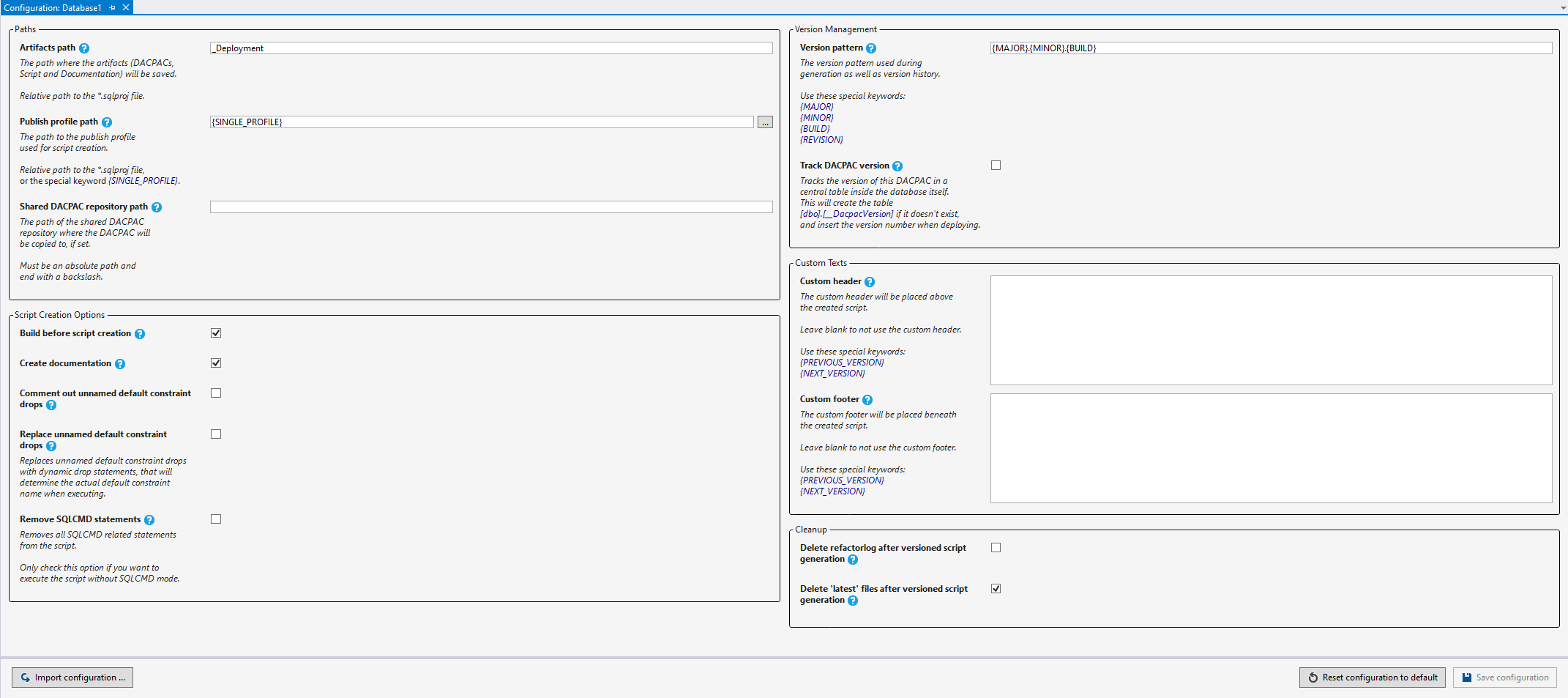
- Open the
Configuration...window and configure the extension to your needs:
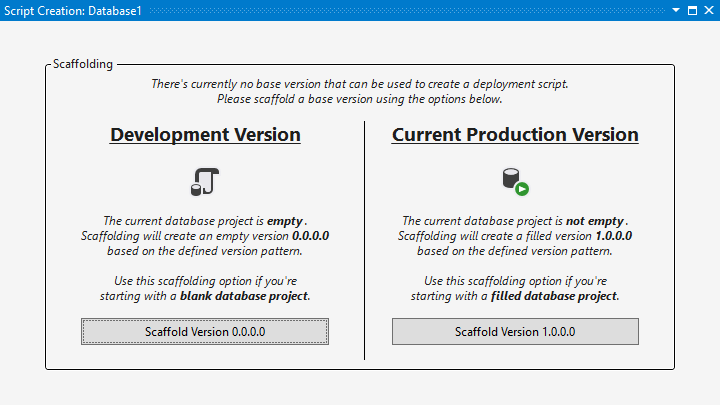
- Open the
Start Script Creation...window to scaffold your base version:
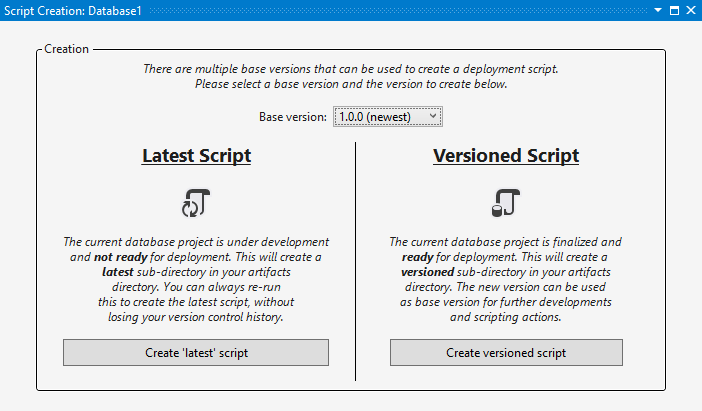
- Start making changes to your database project. When you want to create a script, open the
Start Script Creation...window to create the diff script: