Local Notion brings your Notion workspace from the cloud to your local storage for backup, e-books, websites, and app integrations.
This repository contains the source code for the Local Notion application.
Notion is a powerful cloud-based tool for notes, databases, and collaboration. However, relying solely on the cloud means you don't truly own your data. Local Notion solves this by:
- Data Ownership: Download and store all your Notion content locally
- Offline Access: Access your content without an internet connection
- Integration Ready: Use your Notion data in websites, e-books, and custom applications
- Version Control: Track changes to your Notion workspace using Git
Based on the product description on https://sphere10.com/products/localnotion:
- Backup Notion Workspace: Download all your Notion pages, databases, files, and objects to local storage
- Render in HTML: Render your pages, databases, and files in pure HTML without any dependency on Notion
- Custom Rendering: Control how your pages and databases are rendered with customizable styling for websites and e-books
- Create Offline eBooks: Generate interconnected HTML files for offline browsing (e-books, product manuals, etc.)
- Create Website Content: Generate advanced websites using Notion as your CMS
- Auto-Sync: Synchronize your Local Notion repository with your Notion workspace in real-time
- Command Line Interface: Explore Notion with a Git-like interface. Pull what you want, when you want
- Total Privacy: Only you access your data from your machines
- Multi-Tenant Capability: Integrate Local Notion into your app backend and download/render your users' Notion data
- Git Version Control: Track your Notion changes in real-time using Git version control
- Workspace Restore (coming soon): Restore your Notion backups to Notion
- Offline Editing (coming soon): Edit your Notion content offline and synchronize to Notion when online
Pre-built binaries are available for multiple platforms:
- Windows: Download (x64)
- macOS: Download (x64)
- Linux: Download (x64)
- Other platforms: All Downloads
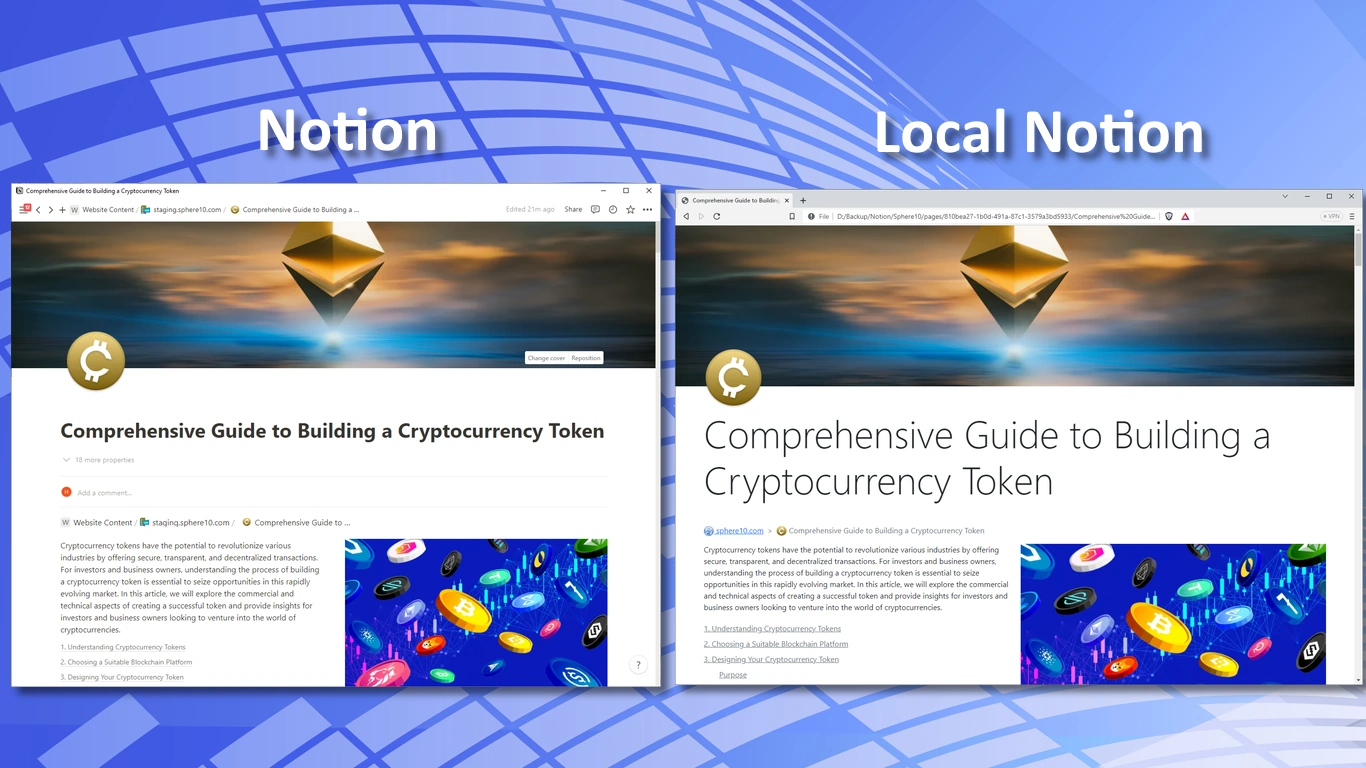
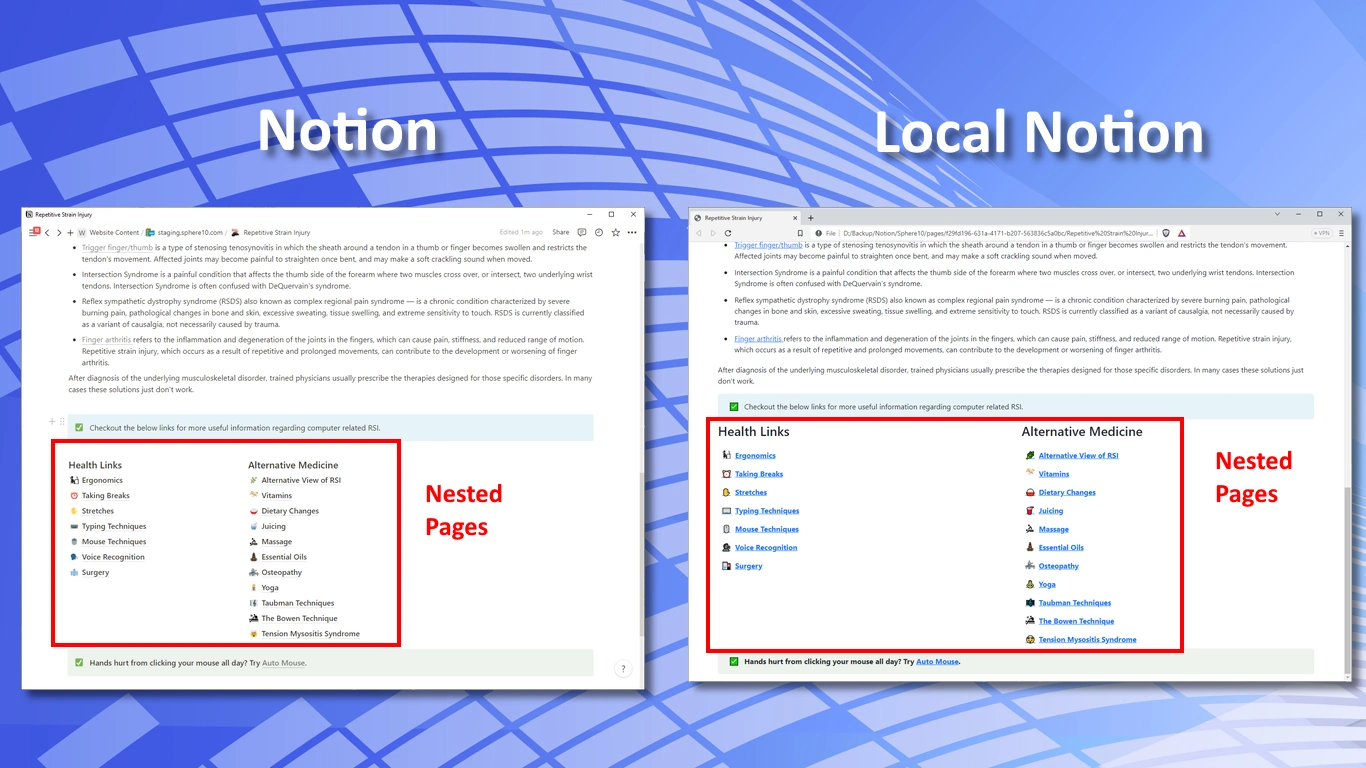
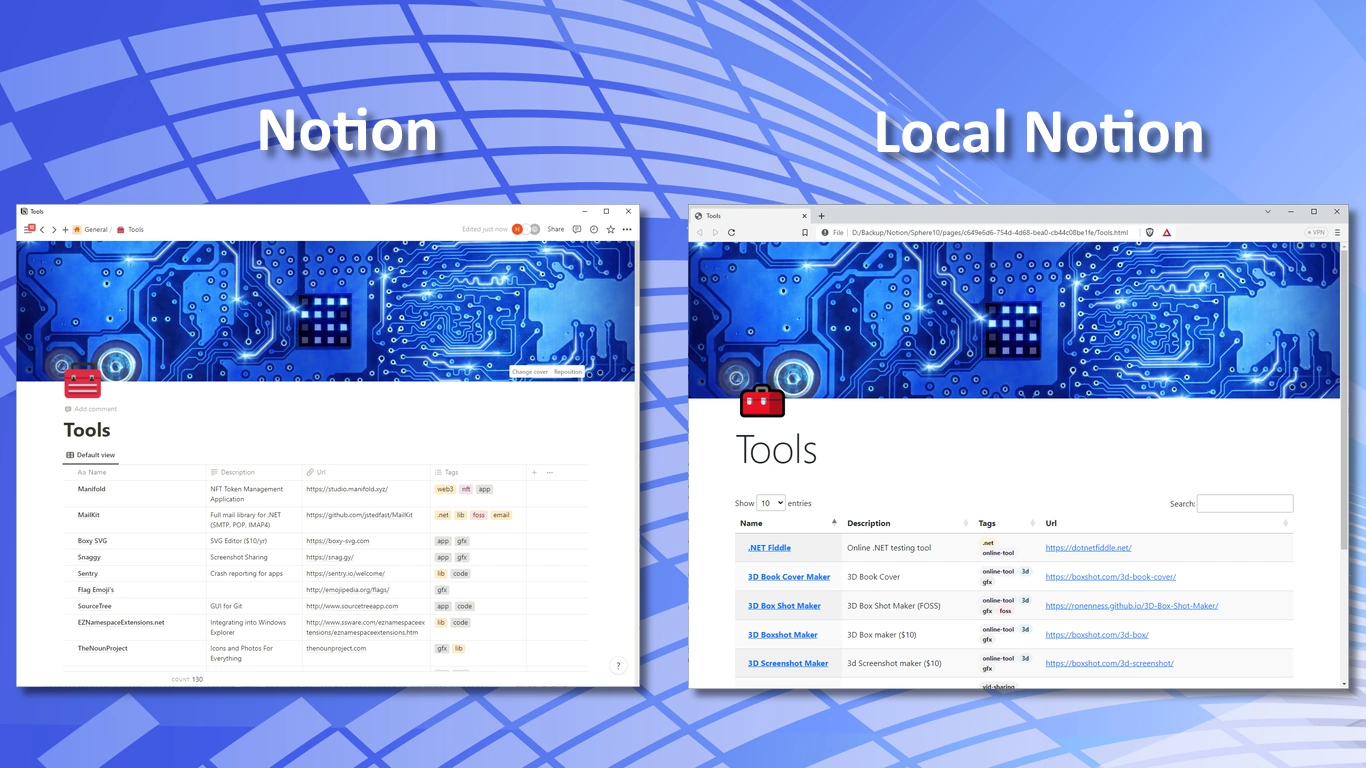
Sphere10 provides additional end-user documentation and resources:
- Windows, Linux, or macOS
- .NET SDK 8.0+
- Visual Studio 2022+ (optional, but recommended for Windows)
Note: This repository includes projects targeting both .NET 8 and .NET Standard 2.0. Install the .NET 8 SDK to build the full solution.
From the repository root:
# Restore dependencies
dotnet restore

# Debug build
dotnet build -c Debug

# Release build
dotnet build -c ReleaseYou can run the CLI project directly:
dotnet run --project LocalNotion.CLI/LocalNotion.CLI.csproj -c Debug -- --help- Open the solution (
LocalNotion.sln) in Visual Studio. - Set
LocalNotion.CLIas the startup project. - Build with Build > Build Solution.
- Run with Debug > Start Without Debugging.
Local Notion is operated via a command-line interface that works similarly to Git.
- Create a Notion Integration in the Notion Developer Portal.
- Copy the integration token (Internal Integration Secret).
- Share pages/databases with your integration so it can access them.
localnotion init -k secret_YourIntegrationToken# List top-level objects
localnotion list
# List all objects (including children)
localnotion list --all# Pull entire workspace
localnotion pull --all
# Pull specific object by ID
localnotion pull -o 33c6a405-2b1e-4bd6-82a0-236c820cc8a3# Continuously sync every 30 seconds (default)
localnotion sync --all
# Custom poll frequency (every 10 seconds)
localnotion sync --all -f 10# Re-render a specific page
localnotion render -o 33c6a405-2b1e-4bd6-82a0-236c820cc8a3
# Re-render all content
localnotion render --allstatus Provides status of the Local Notion repository
init Creates a Local Notion repository
clean Cleans your local Notion repository by removing dangling pages, files and databases
remove Remove resources from a Local Notion repository
list Lists objects from Notion which can be pulled into Local Notion
sync Synchronizes a Local Notion repository with Notion (until process manually terminated)
pull Pulls Notion objects into a Local Notion repository
render Renders a Local Notion object (using local state only)
prune Removes objects from a Local Notion that no longer exist in Notion
license Manages Local Notion license
help Display more information on a specific command
version Display version information
For detailed help on any command:
localnotion help <command>Local Notion supports multiple rendering modes for different use cases:
| Mode | Description |
|---|---|
| Backup | Default mode. Downloads content with local file-based URLs. |
| Offline | Like Backup, but also downloads externally linked resources (images, videos). |
| Publishing | Like Offline, but with a simplified directory structure for distributable content. |
| Website | Generates URLs suitable for web server hosting. Ideal for CMS use cases. |
Specify the mode when initializing your repository:
localnotion init -k secret_YourToken -x websiteA Local Notion repository contains:
databases/— rendered database HTML filesfiles/— file attachmentspages/— rendered page HTML filesworkspaces/— rendered workspace HTML files.localnotion/— internal data (objects, graphs, themes, registry, logs)
- 401/403 Unauthorized: Token is invalid or the page/database is not shared with the integration.
- Missing content: Ensure the desired pages/databases are shared with your integration and you're referencing the correct object IDs.
- Rate limits/timeouts: Retry later or reduce the scope of a pull; large workspaces may need multiple runs.
- Build failures: Verify SDK install with
dotnet --info, then rundotnet restoreanddotnet build.
Contributions are welcome!
- Keep changes small and focused.
- Follow formatting rules from
.editorconfig. - Add/update tests where applicable.
See CONTRIBUTING.md for more details.
This project is licensed under the GNU GPL v3.0 (or later).
Author: Herman Schoenfeld (herman@sphere10.com)
Website: https://sphere10.com/products/localnotion
Copyright: © Herman Schoenfeld 2018 - Present. All rights reserved.