
Imou Open Platform offers an open-source Imou python component. By integrating this component into the Home Assistant service, developers can access live preview, control devices, and view device statuses of Imou devices. Additionally, developers have the ability to extend the functionality of the Imou component by creating additional features.
This integration enables bidirectional communication between Home Assistant and Imou ecosystem devices via the Imou Open Platform API.
1: Register an Imou Account. Visit the Imou Open Platform official website to register or log in to your Imou account;
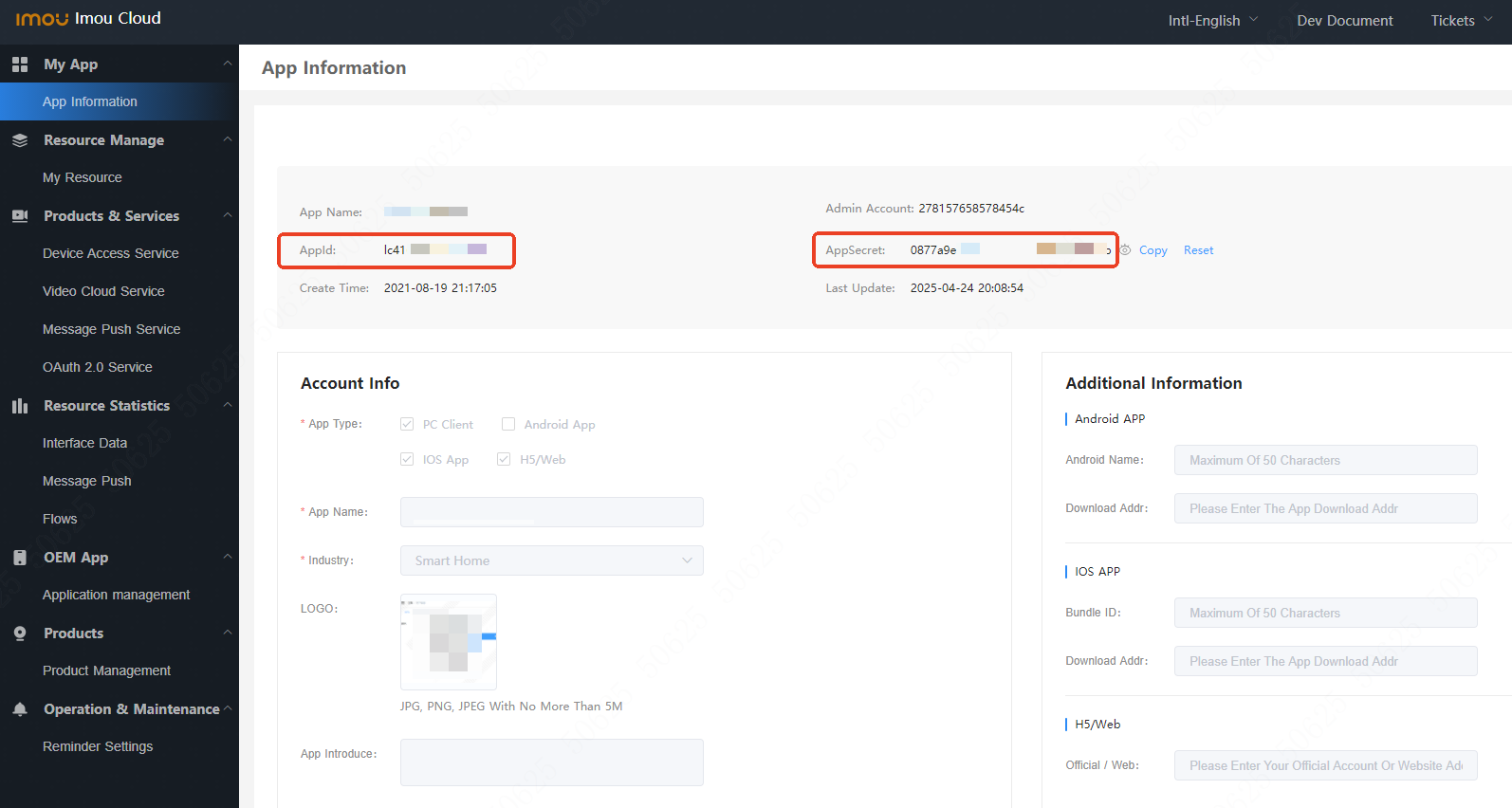
2: Generate AppId and AppSecret. After registration, proceed to the Official Console to complete your application details and generate an AppId and AppSecret;
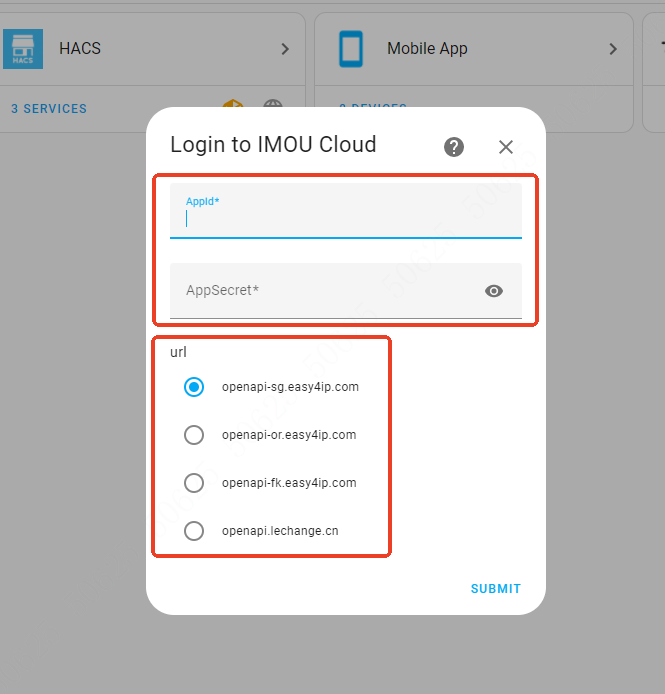
3: Navigate to HACS, search for Imou Life, and install the Imou component. On the component login page, enter the obtained AppId and AppSecret. The URL address can be referenced from the Interface Domain Name Description to obtain the recommended optimal domain URL;
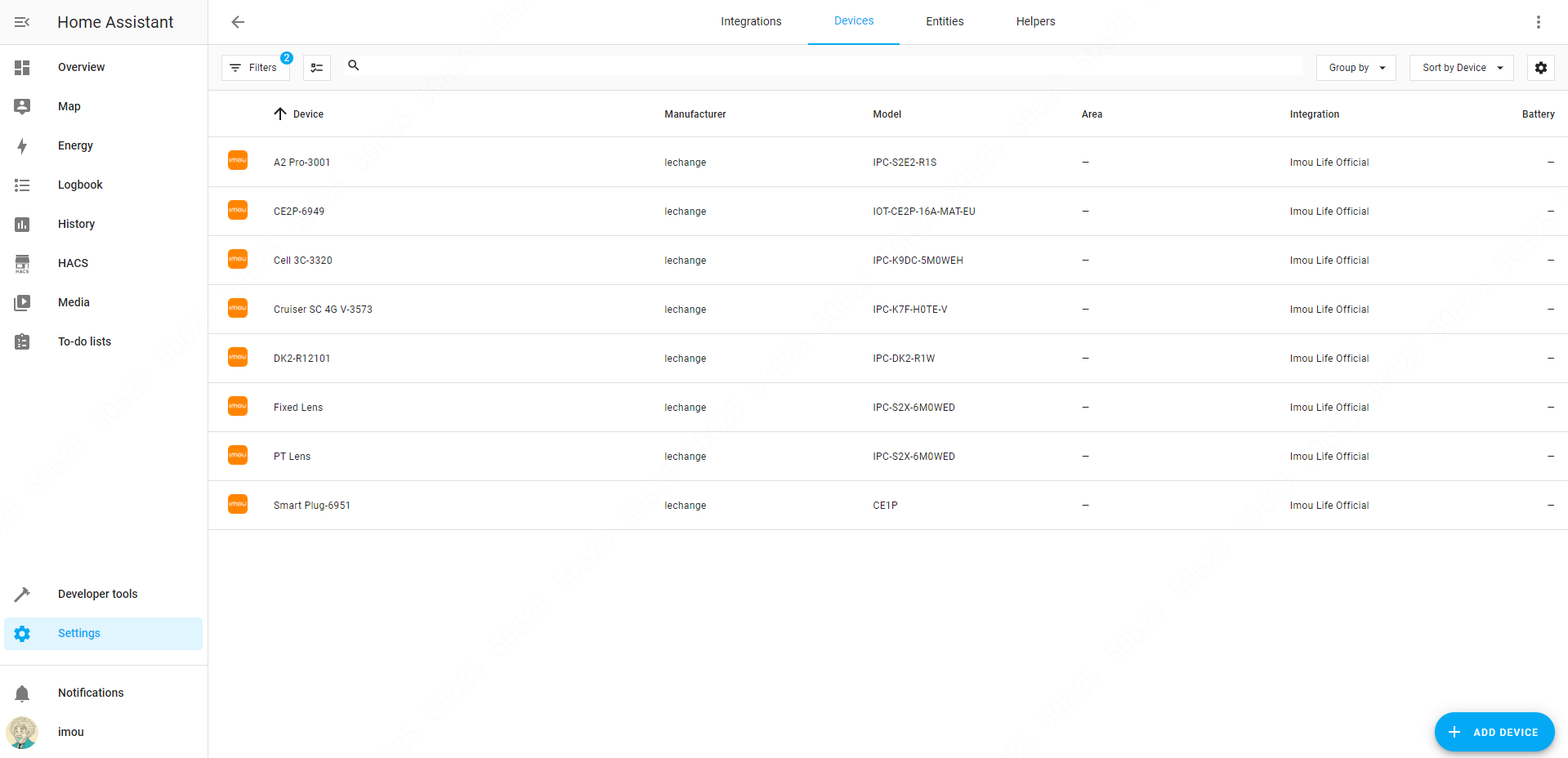
4: Integration completed. At this point, you can view the devices under the Imou account.
Note:
The components is integrated with the Imou Open Platform for cloud-based remote device viewing.
The cloud API requests and video playback within the components will consume the resource quota under the AppId account.
You may check the account resource status in the My Resources of the Open Platform.
- Camera Function Management
- Information and status display (device name, online status, storage status, battery level, etc.)
- Live video preview
- PTZ control
- Motion detection configuration
- Human detection configuration
- Privacy mode configuration
- Night vision mode configuration
- White light alarm configuration
- Audio capture configuration
- Abnormal sound alarm configuration
- Device reboot
- Alarm Sensor Smart Device Management
- Information and status display (device name, online status, arming mode, battery level, etc.)
- Alarm volume configuration
- One-click alarm mute
- Indicator light switch configuration
- Temperature & humidity monitoring
- Device reboot
- Energy Smart Device Management
- Information and status display (device name, power consumption, online status)
- Socket switch and countdown settings
- Socket indicator configuration
- Socket power configuration