Transform any project into an explorable 3D ocean directly from Neovim.
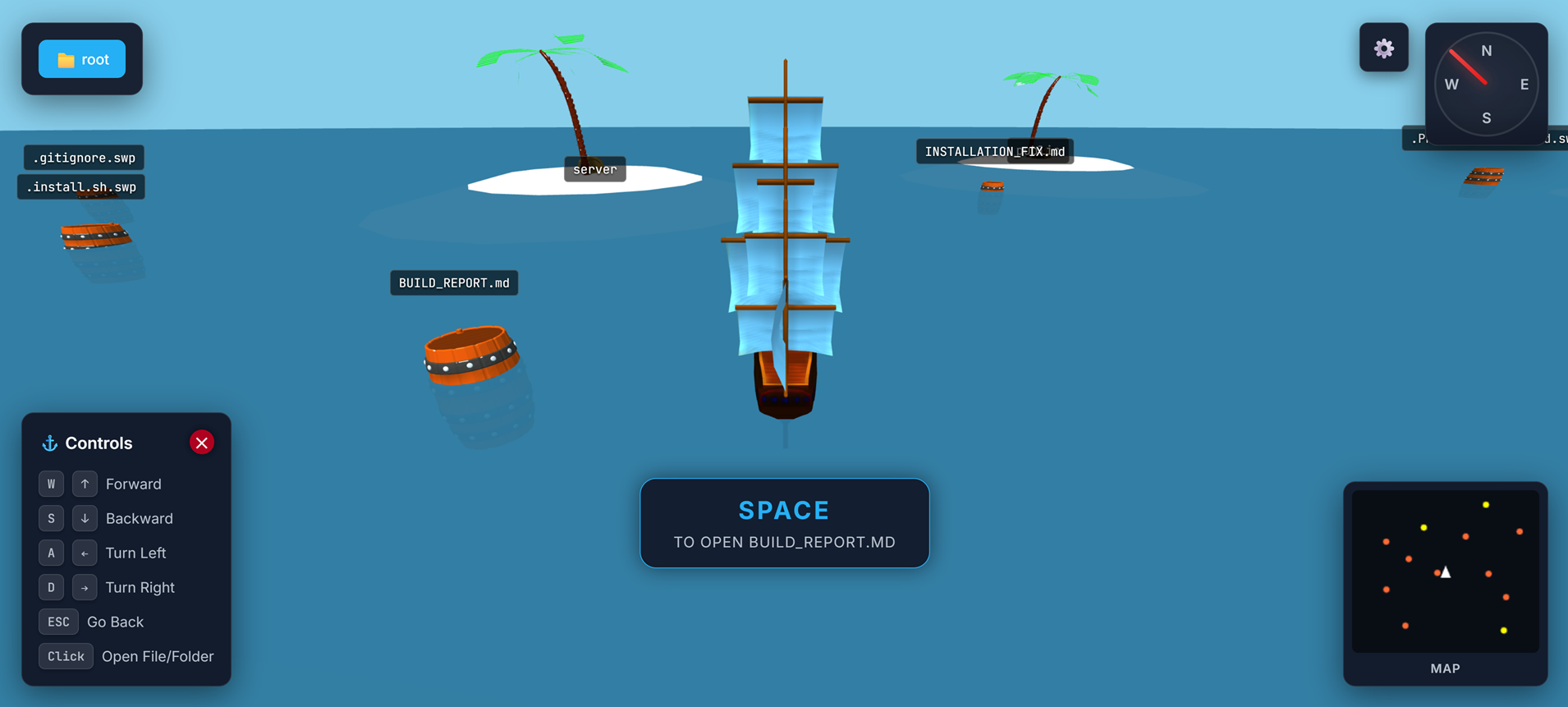
- Ayla Croft (@aylacroft)
- Gitlantis created by @liltrendi.
git clone https://github.com/jrh89/vimlantis.git
cd vimlantis
./install.sh
The script checks for Neovim + Node.js, installs dependencies, and wires the plugin into your config. When it finishes, open a project in Neovim (or LazyVim) and run:
:VimlantisThat’s the whole flow: clone → cd → install → :Vimlantis.
LazyVim users follow the same three shell commands above. The installer can drop a plugin spec into ~/.config/nvim/lua/plugins/vimlantis.lua for you, but here’s the snippet if you prefer to add it manually:
return {
  {
    'jrh89/vimlantis',
    config = function()
      require('vimlantis').setup()
    end,
    keys = {
      { '<leader>vl', '<cmd>Vimlantis<cr>', desc = 'Open Vimlantis' },
    },
  },
}- Open Neovim/LazyVim inside any repo.
- Run
:Vimlantisto launch the 3D view. - Sail to a barrel/lighthouse and click to open the file/folder back in Neovim.
Optional command palette:
:VimlantisClose– stop the session:VimlantisToggle– reopen/close quickly
- ⭐ Star the repo and open issues for bugs/ideas.
- � Run
:Vimlantisafter reinstalling if things get out of sync.
Happy sailing, Pirates! 🌊