This is a repository for you to practice and make pull requests by adding your images to our website.

- Fork the project:
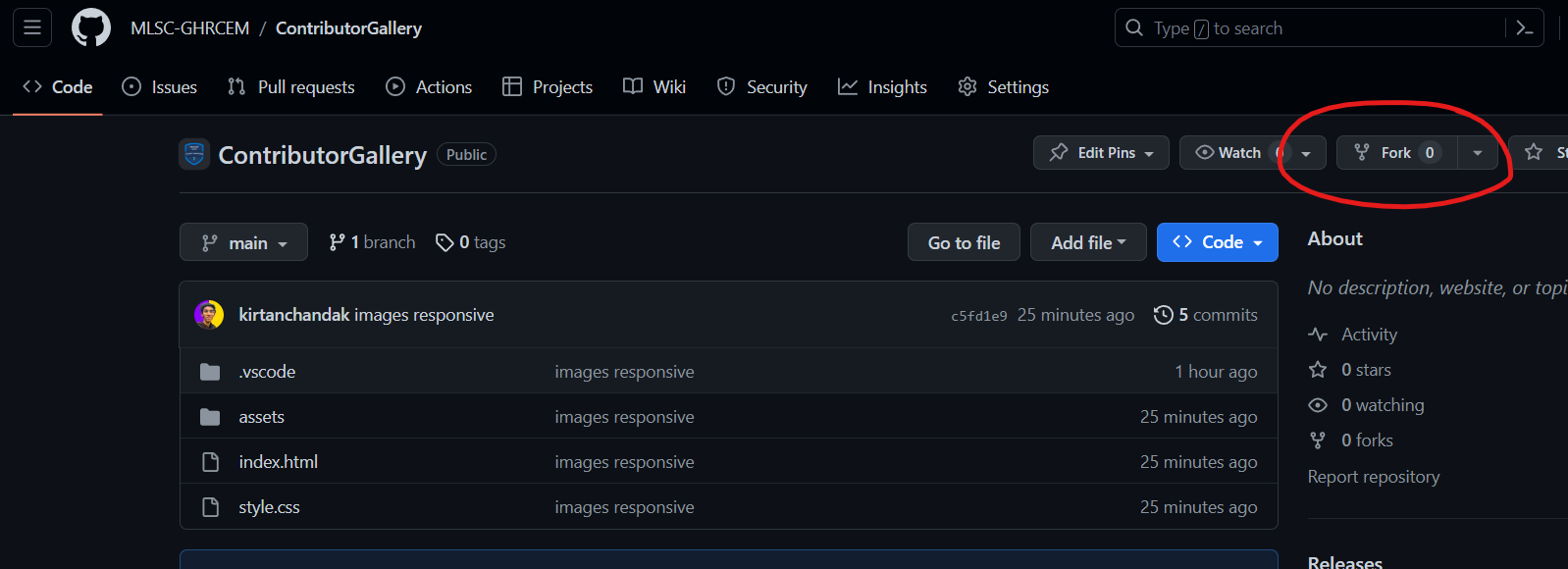
Click the gray
Forkbutton in the top right of this page. This creates your copy of the project and saves it as a new repository in your GitHub account
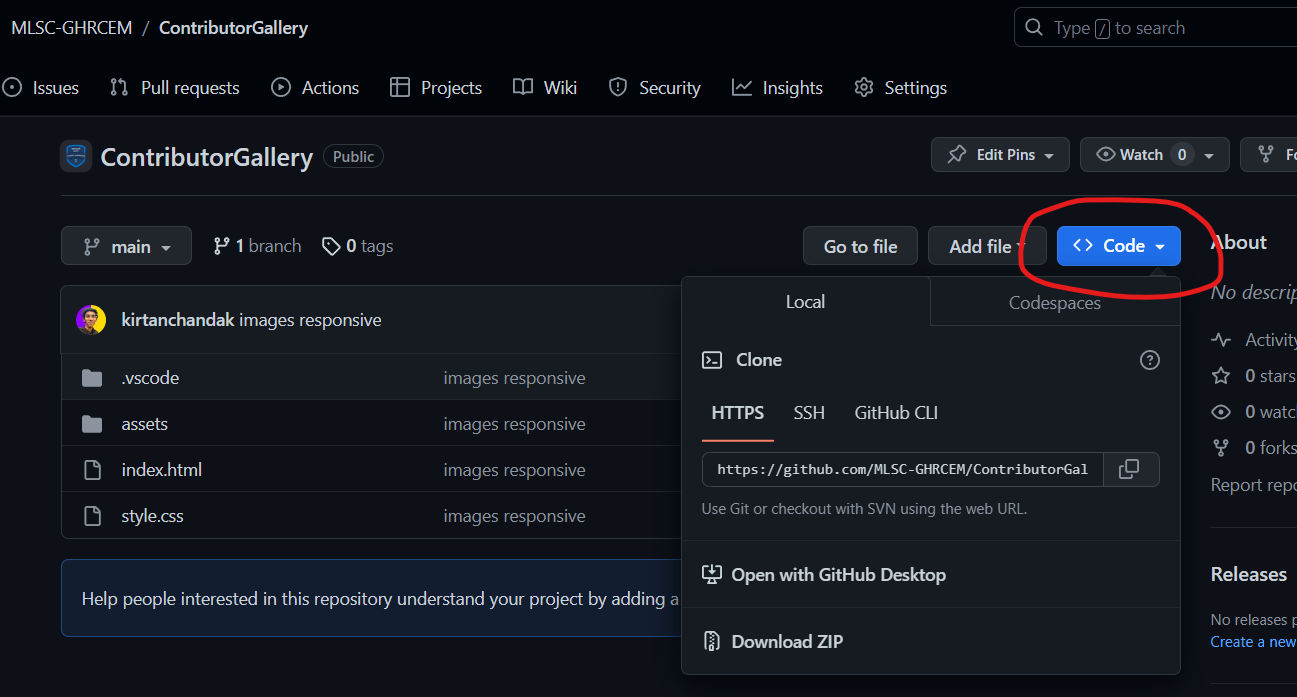
- Click on the green
Codebutton, then either the HTTPS or SSH option and, click the icon to copy the URL. Now you have a copy of the project. Thus, you can play around with it locally on your computer.
- Run the following commands into a terminal window (Command Prompt, Powershell, Terminal, Bash, ZSH). Do this to download the forked copy of this repository to your computer.
git clone copied_link- Switch to the cloned folder. You can paste this command into the same terminal window.
cd ContributorGallery- Open the colned files in vs-code
code .- Make a new branch. Your username would make a good branch because it's unique.
git checkout -b <name-of-new-branch>- Stage your changes.
git add . - Commit the changes.
git commit -m "Added my image"- Pushing your repository to GitHub.
git push -u origin <name-of-your-branch>- Command to install git using cli
winget install --id Git.Git -e --source winget- Command to run if it's your first GitHub push
git config --global user.name “Your Name”
git config --global user.email “Your Email”