

- About the Project
- Built With
- Set-up Instructions
- Learning Goals
- Challenges
- Wins
- Functionality
- Future Iterations
- Contributors
This project utilizes Create React App to build an application which allows users to view a list galleries based on their geo-location, see details on individual gallery and save then to favorites. Throughout the project, goals included:
-
Architect an application structure using functional components and hooks
-
Gain competency with React fundamentals
-
Continue working with React components & asynchronous JS using Cypress testing
-
Create a multi-page UX using Router
-
Use the stretch technology of PWA to implement a React app to have native like behavior of running offline.
-
Use Google Places API and larger databases.
-
Deployment using Heroku
- React
- React Router
- Javascript
- HTML5
- CSS
- Cypress
- PWA technology
- Googled-Places API
- Google-Geolocation API
- Positionstack Geocoding API
visit deployed site here
- Additionally you can clone down the repo here
- Move into the gallery-time directory in your terminal.
- To see the code itself locally, run
<name of text editor> .
- Run
npm install - Run
npm start - visit http://localhost:3000/
- will need a google API key
- will need a positionstack API key
- make .env file in root directory and paste this in there:
- REACT_APP_API_KEY=YOUR_KEY_HERE
- REACT_APP_POSITION_KEY=YOUR_KEY_HERE
- Torun Cypress testing add cypress.json needs this: { "env": { "API_KEY": "process.env.REACT_APP_API_KEY", "REACT_APP_POSITION_KEY"="process.env.REACT_APP_POSITION_KEY" } }
- Deeper understanding of React fundamentals including components, props, state, JSX, hooks.
- E2E (end to end) testing using Cypress
- Refactoring an application to utilize React Router
- Deploying an application
- Utilize PWA to run application offline.
- Planning: intentionally planning an overall strategy before writing code. This included component structures and state if applicable
- Using Cypress testing, to implement E2E testing and throughly test all user flows including stubbing api calls
- Using the Google Api with CORS and keys.
- Implement PWA features. Service worker and cache.
- Implementing the MVP.
- Getting PWA to run application offline.
- Mobile first design.
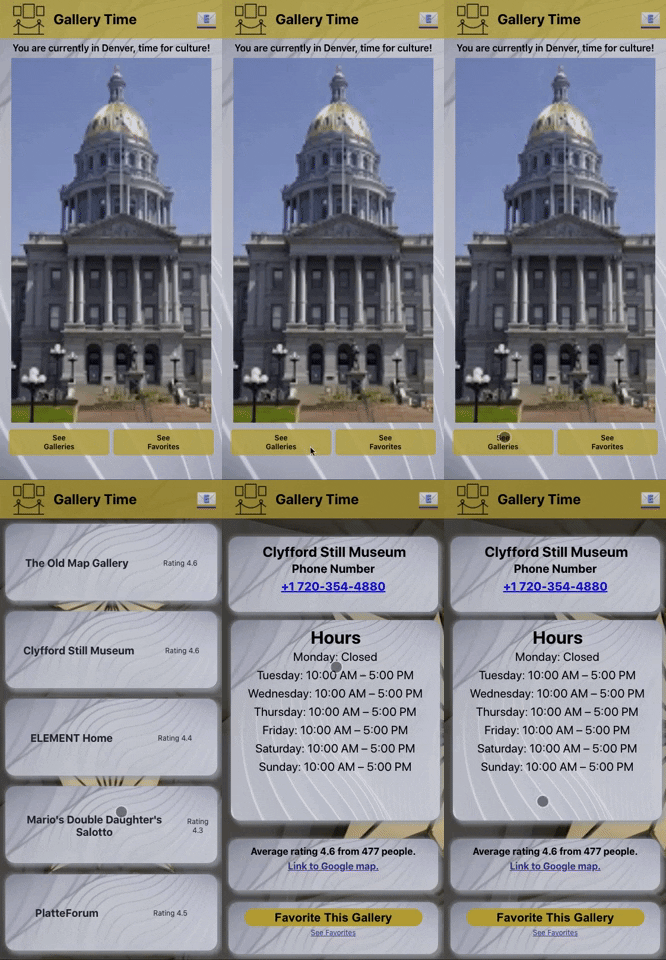
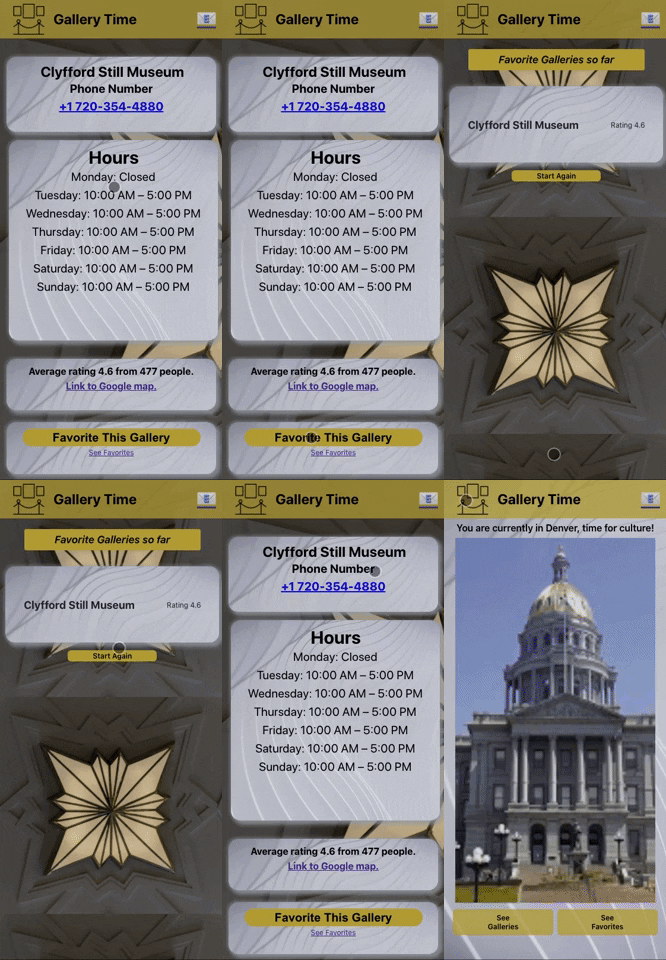
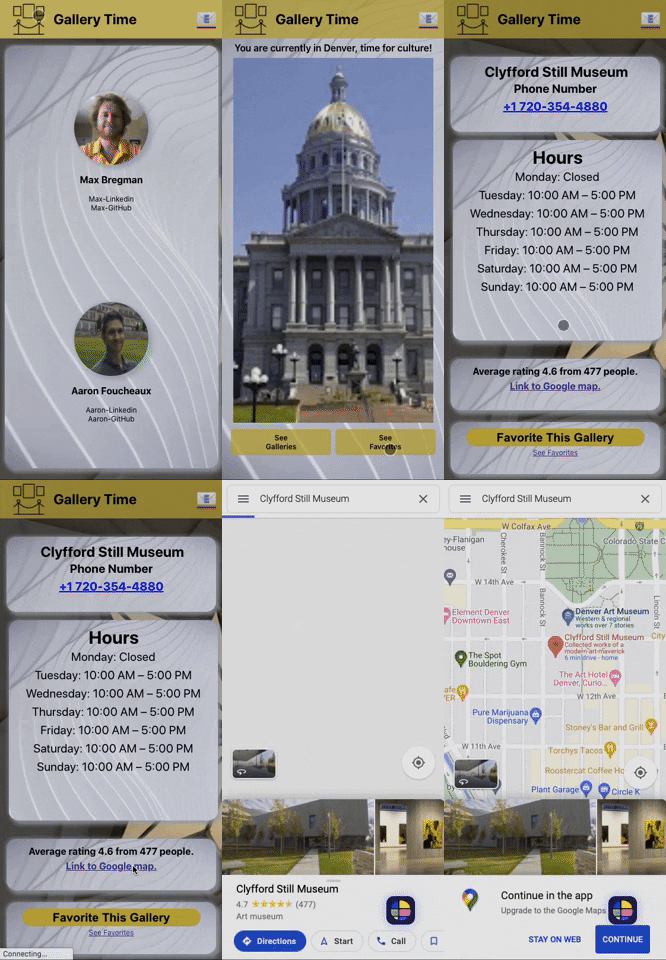
- Aaron Foucheaux - Application Co-creator
- Max Bregman - Application Co-creator
- Leta - Project Manager
- Scott Ertmer - Project Manager