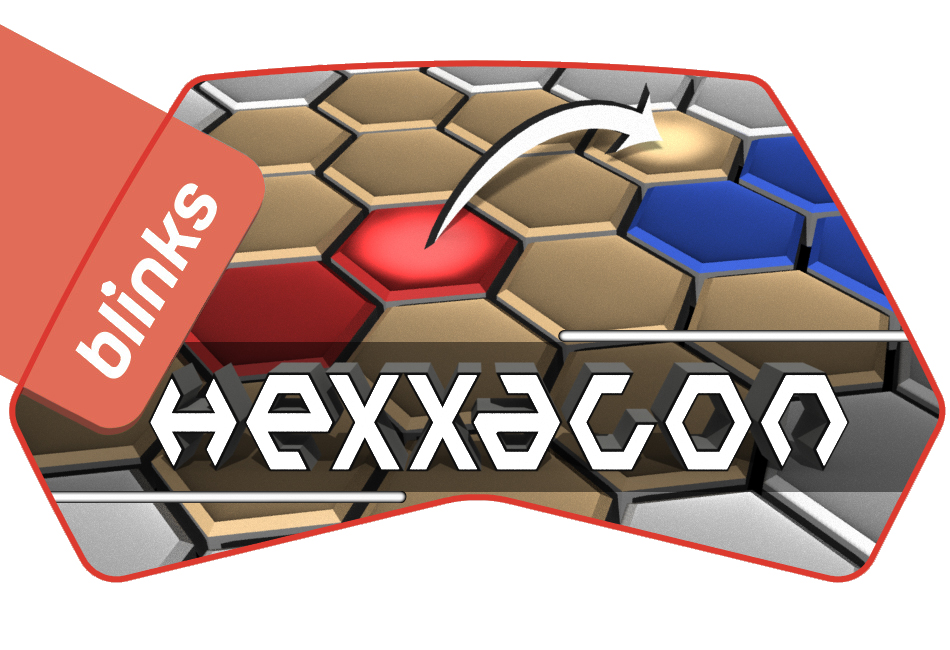
This project uses Git Submodules. To clone it, use:
git clone --recurse-submodules https://github.com/brunoga/blinks-hexxagon
Blinks Installer downloads (requires Blink Dev Kit):
Windows (64 bits): https://www.bug-br.org.br/hexxagon-installer-windows-amd64.zip
MacOS (64 bits): https://www.bug-br.org.br/hexxagon-installer-darwin-amd64.zip
Linux (64 bits): https://www.bug-br.org.br/hexxagon-installer-windows-amd64.zip
| Number of Players | 2 to 4 |
| Number of Blinks | 12 to 128 |
| Play Time | 5 to 30 minutes |
In a distant future in a different planet where overpopulation is the biggest problem an entire civilization is facing, land became the most valuable resource (specially fertile land) and having access to it is a matter of life or death.
Nations defend their land with all they've got, but the need for expansion is pressing all of them and a major worldwide war was about to become inevitable when a major earthquake hit in the middle of an ocean and this caused underwater volcanoes to erupt and form a huge new mass of land.
This was just too tempting and certainly beat the prospect of having to fight other nations at your border. Armies were sent to take hold of the new land and the inevitable worldwide war was now, at least for the moment, happening on a remote land in the middle of nowhere.
You are tasked with being the main strategist for your nation in this effort. As such, you will be controlling the most advanced battle equipment ever devised, capable of not only fighting enemy armies but also being able to terraform and defend any conquered land and replicate itself to continue expansion.
Even with this advanced equipment, your task will not be easy. At every turn you will have to make difficult decisions.
Godspeed.
As your nation's strategist, your main objective is to decide how and where to move your expansion efforts so you can increase your controlled area and, whenever possible, take over controlled area from other nations. You also need to be carefull as the other nations will be trying to do just the same.
Your main interface to do that is a highly advanced (if simple-looking) piece of gear: The Battle Linked Interface Network Kit (a.k.a. BLINK). Each BLINK is a small hexagonal piece that represents one unit of area that can be controlled by a player. You will have access to several of these devices that are linked together in a way that represents the disputed area and you will be able to use this representation to direct your troops movement.
You should have received several BLINKs that might need to be setup before you can start controlling your troops. Please locate the BLINK that is explicitly marked with Hexxagon as that will be the one with the latest version of the strategic software. Set it aside.
Connect all other BLINKs in the shape of the disputed area (keep in mind that the Hexxagon BLINK will be connected later on). Make sure all your BLINKs are powered on (if they are, they should show lights. If not, just click them). Press your Hexxagon BLINK button and hold until you see a fast-flashing blue light animation. Release the button (it will switch to a slower rotating animation) and connect it to your disputed area representation and notice the software being spread to the other BLINKs. Wait until all BLINKs show an YELLOW pulse animation in every other side (this is the IDLE state). Please see this instructional video for more information: https://www.youtube.com/watch?v=PQyzGJMQOqY
Unfortunatelly. a BLINK is unable to determine each nation's position in the contested area, but you can refer to your scouting report to determine the right positions and enter them manually by clicking any BLINK in the cluster to switch to SETUP mode. When you do that, BLINKS will fade a bit and will stop pulsing. Single-click a BLINK to cycle it to the next nation (represented by their colors: RED, BLUE, GREEN and MAGENTA) or to an empty position (YELLOW).
After entering the positions, double-click any BLINK to confirm them. The BLINK cluster will start flashing wildly while it stablishes the connection with the network and validates the entered data. If at any point during this process a BLINK gets disconnected from the cluster, the entire cluster will flash white and reset back to the IDLE state as important data might have been lost due to this.
If for some reason the data is invalid (either because there is only a single nation represented in the cluster or because there are not any empty position to be disputed), the entire cluster will flash white once and go back to the SETUP state so you can correct the issue and try again.
If the SETUP state concluded successfully, the cluster will switch to the PLAY state and the entire cluster will light up a bit to indicate that. Untill the PLAY state finishes, removing any BLINK from the cluster will make the sides that were disconnectyed flash white so you can reconnect them. Do not try to make any moves before reconecting.
Also, you can decide to withdraw from the battle at any time by clikcing any BLINK in the cluster at least 3 times times. This will reset to the IDLE state and also means an automatic loss.
The rules of engagement dictate that actions must be taken in turns by each nation. The current nation to take action will have all their associated BLINKs that can take action (some BLINKS might be completelly surrounded and unable to act) pulsing in their specific color to indicate that.
Click any of your pulsing BLINKS to mark it as the origin of your action. When you do that, all empty positions that you can expand to will light up in solid YELLOW and all empty positions you can move to will light up in the same pattern as empty positions while all empty positions that you can not expand/move to will dim. The selected BLINK will have a white spinning triangle indicating it was selected.
Click the same BLINK again to deselect it or click any other pulsing BLINK to switch the origin to it. The spinning triangle as well as the expansion/movement positions will update accordingly.
When you are satisfied with your origin position, you need to select your target.
There are 2 different actions that you can take based on what position you select as your target position.
You can decide to expand by selecting a target that is an immediate neighbor of your origin BLINK (solid YELLOW). As the distance you have to move is shorter than it would be otherwise, you have time to spend on duplicating all required resources and moving half of them to the target position. This will allow you to take control of the new position without losing control of your origin position. As this always results in an increase of your nation's conquered area, this is the preferred move when there are no other variables ar play (see Action Resolution below).
Instead of expaning, you might decide to move to a position that is 2 BLINKs away from your origin (patterned YELLOW). If you do that, you have to move for a longer time so you do not have time to duplicate resources and are effectivelly giving up your origin position in favor of the target position. Although you do not increase your conquered area in this case, there might still be strategic reasons to opt for this (see Action Resolution below).
After you select your target position, your resources will deploy there and will immediatelly procceed to take over all enemy positions around your target (you will see surrounding BLINKS explode and be taken over by your troops). Empty positions will not be immediatelly affected but a well made move might set them up to be taken on follow up turns.
After the action is complete the turn moves automatically to the next nation that has any position that can act (i.e. are not completelly surrounded). If any nation is skipped, the cluster will flash white to indicate that.
The conflict is finished whenever there are no more empty positions to be taken or there is a single nation left (in this case, they will simply move on to take all remaining positions uncontested). At this point the entire cluster will start fast-pulsing in the color of the winner nation, with the originally help positions showing up as a solid color and all other positions showing up as a patterned color. If there is a draw between 2 or more nations, no one wins and the cluster will show fast-pulsing patterned YELLOW.
Single-click any BLINK to reset to the IDLE state.