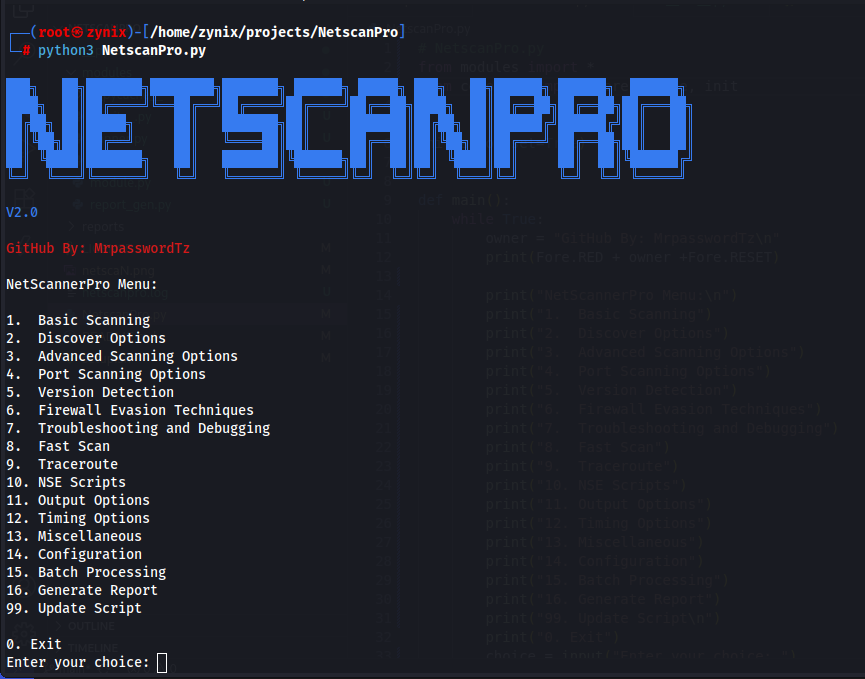




NetscanPro is a comprehensive, user-friendly network scanning tool built on top of Nmap. It empowers cybersecurity professionals, network administrators, and enthusiasts to perform advanced network reconnaissance, vulnerability detection, and security audits. With an intuitive menu-driven interface, NetscanPro simplifies complex Nmap operations, making network scanning accessible to users of all skill levels.
The tool provides detailed insights into network topology, identifies active devices, detects open ports, services, and potential vulnerabilities. It supports various scanning techniques, output formats, and includes features like batch processing, report generation, and configuration management.
- Basic Scanning: Single target, multiple targets, IP ranges, subnets, random hosts, aggressive scans, IPv6 support
- Discovery Options: Multiple ping types (ICMP, TCP SYN/ACK, UDP, SCTP INIT, etc.)
- Advanced Scanning: SYN, Connect, UDP, NULL, FIN, Xmas, ACK scans, custom flags, IP protocol scans
- Port Scanning: Fast scans, specific ports, port ranges, service-based, all ports, top ports
- Version Detection: Service and OS fingerprinting
- Firewall Evasion: Fragmentation, decoys, spoofing techniques
- NSE Scripts: Run default, vulnerability, and discovery scripts
- Traceroute: Network path tracing with various options
- Fast Scan: Quick DNS lookups and WHOIS queries
- Output Options: Normal, XML, Grepable, Script Kiddie, and all formats
- Timing Options: Paranoid to Insane timing templates
- Miscellaneous: Verbose output, debugging, resume scans, host exclusion
- Configuration Management: Save and load custom settings
- Batch Processing: Execute multiple scan commands simultaneously
- Report Generation: Professional HTML reports with vulnerability analysis
- Scan History: Save and manage previous scan results
- Logging: Comprehensive logging with configurable levels
- Intuitive Menu Interface: Easy navigation without command-line knowledge
- Cross-Platform: Supports Linux and Termux (Android)
- Color-Coded Output: Enhanced readability with colorama
- Progress Indicators: Real-time feedback during scans
- Error Handling: Robust error management and user guidance
- Open Source: Fully transparent and community-driven
- Python 3.6+
- Nmap
- Root/administrator privileges (recommended for full functionality)
git clone https://github.com/MrpasswordTz/NetscanPro.git
cd NetscanPro
chmod +x setup.sh
sudo ./setup.shpkg update
pkg install git
git clone https://github.com/MrpasswordTz/NetscanPro.git
cd NetscanPro
chmod +x setup.sh
./setup.shIf the setup script doesn't work:
# Install system dependencies
sudo apt update
sudo apt install -y nmap dnsutils whois

# Install Python dependencies
pip3 install colorama-
Run the tool:
python3 NetscanPro.py
-
Navigate through the menu options (1-16) to select your desired scan type
-
Follow the prompts to enter target information and scan parameters
-
View results in the terminal or generate professional reports
- Select option 1 for Basic Scanning
- Choose a scan type (e.g., single target)
- Enter the target IP or hostname
- The tool will execute the Nmap scan and display results
- Optionally save the scan for reporting
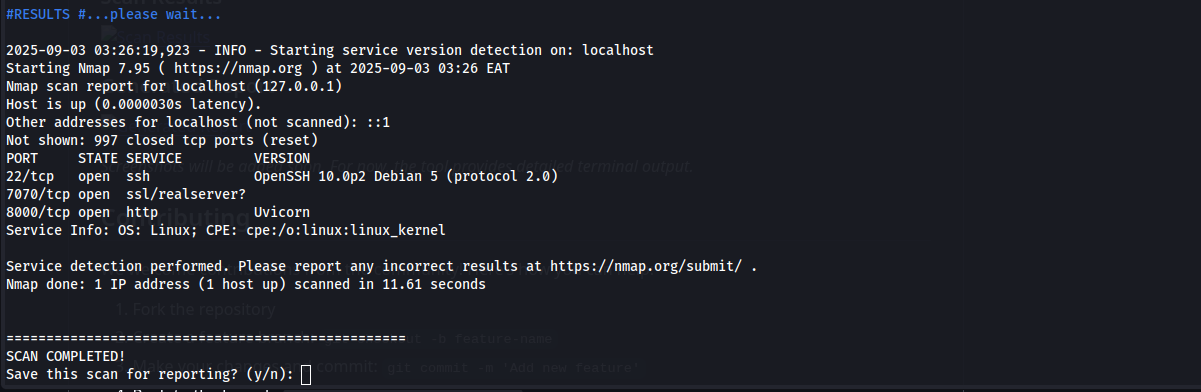
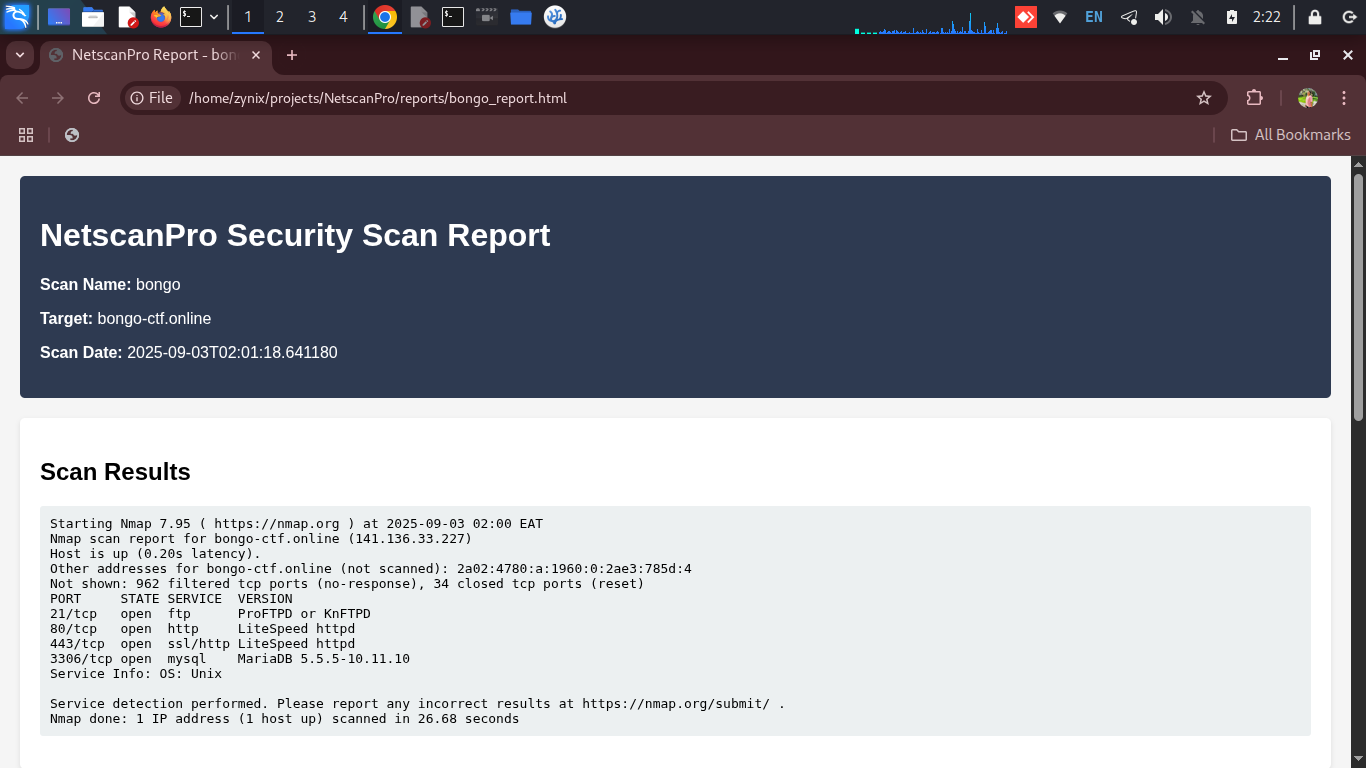
Screenshots will be added soon. For now, the tool provides detailed terminal output.
We welcome contributions from the community! Here's how you can help:
- Fork the repository
- Create a feature branch:
git checkout -b feature-name - Make your changes and commit:
git commit -m 'Add new feature' - Push to the branch:
git push origin feature-name - Submit a Pull Request
git clone https://github.com/MrpasswordTz/NetscanPro.git
cd NetscanPro
pip3 install -r requirements.txt # If requirements.txt is added- Follow PEP 8 style guidelines
- Add docstrings to new functions
- Test your changes thoroughly
- Update documentation as needed
This project is licensed under the MIT License - see the LICENSE file for details.
Always ensure you have proper authorization before performing any network scanning activities. Use responsibly and ethically.
Developed by: MrpasswordTz
Contributors: iamunix
This tool is under active development. 🚧 🏗️