Design and print labels right from your browser
FAQ | Discord | Telegram | Boosty | NIIMBOT Community Wiki
NiimBlueLib is used for communication
- Privacy first! This application works completely offline (at browser side) and does not send any data (except for downloading application files and importing ZPL labels). Label data is stored in your browser.
- Support for both Bluetooth and USB connections.
- Rich label editor. Label saving, import/export.
- Print preview. You can see how your label will look like after post-processing. Several post-processing algorithms are available.
- Android App (Capacitor based).
- Most complete implementation of NIIMBOT protocol.
You can see more complete list of implemented and planned features on the Wiki.
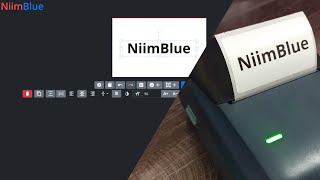
Demonstration video:
There is no exact list of supported models in this project. This project aims to support the maximum number of models.
You can check a list of tested models here. If you own other model, please write a comment.
If your (new) printer model does not print, please make a packet dump of print with official application.
Note
If you have printing problems, try different print task versions in print preview dialog. Make if default by pressing "Lock" button.
Your browser must support Web Bluetooth API: supported browsers.
For serial communication: supported browsers.
Modern Chrome-based browsers should usually work.
In some systems you need to enable Chrome Web Bluetooth or Experimental Web Platform Features (navigate to chrome://flags).
Images may be outdated.

⬇ More images ⬇
Label properties:

Save/load menu:

Print preview dialog:

Post-processing:

Templating:

Dynamic data:

In real life:


Skip steps you have done.
-
Install git
-
Install nodejs
-
Clone repository
git clone https://github.com/MultiMote/niimblue.git
-
Install dependencies
npm i
-
Run dev server
Check code and run:
npm run dev-check
Or just run:
npm run dev
To run own instance, build static files (npm run build) and host on yor web server (HTTPS required),
or use Docker Image.
Project uses path aliases.
VSCode (settings.json):
{
  "typescript.preferences.importModuleSpecifier": "non-relative",
  "javascript.preferences.importModuleSpecifier": "non-relative"
}