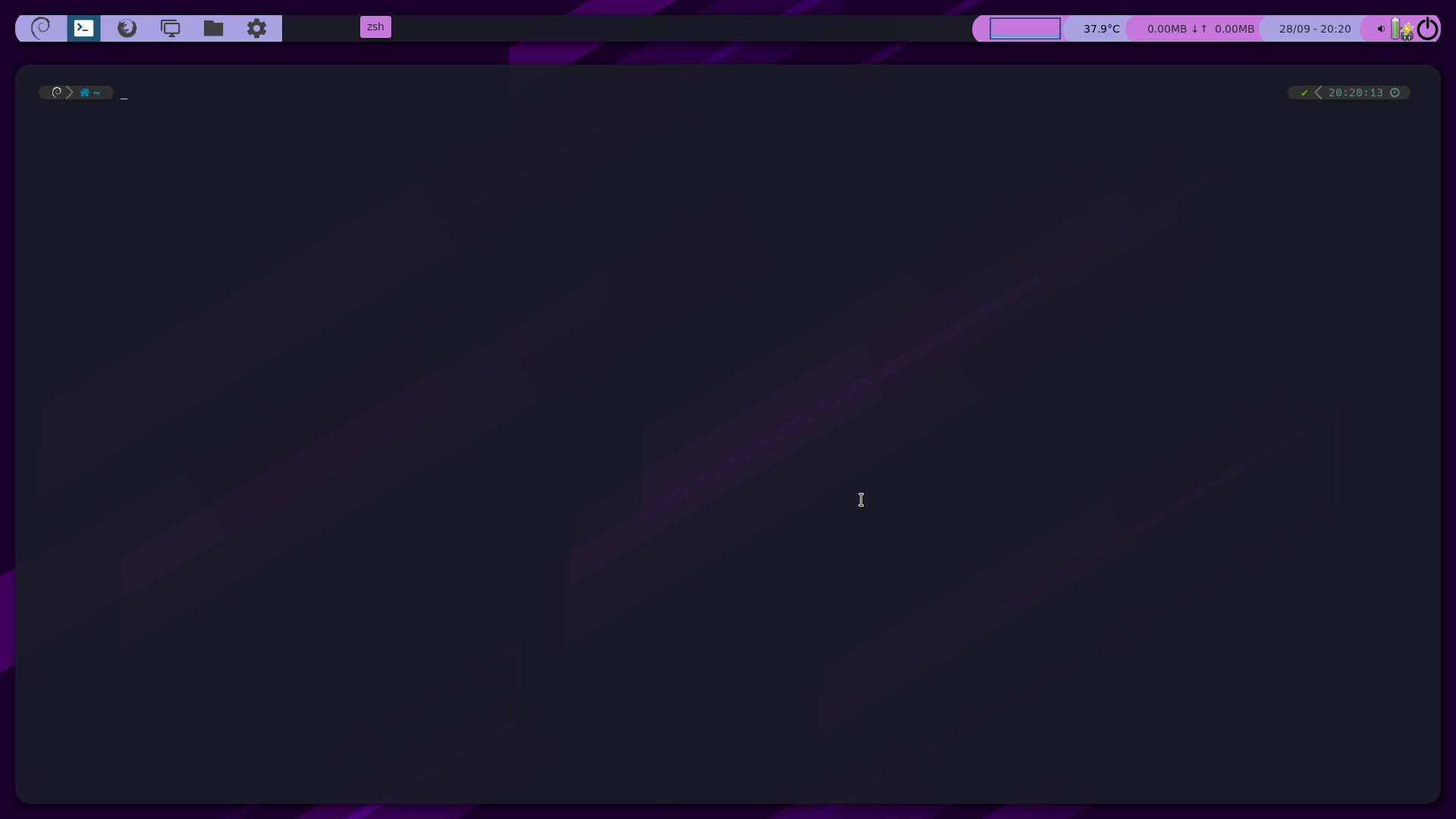
- Shell --> Zsh
- Terminal --> Kitty
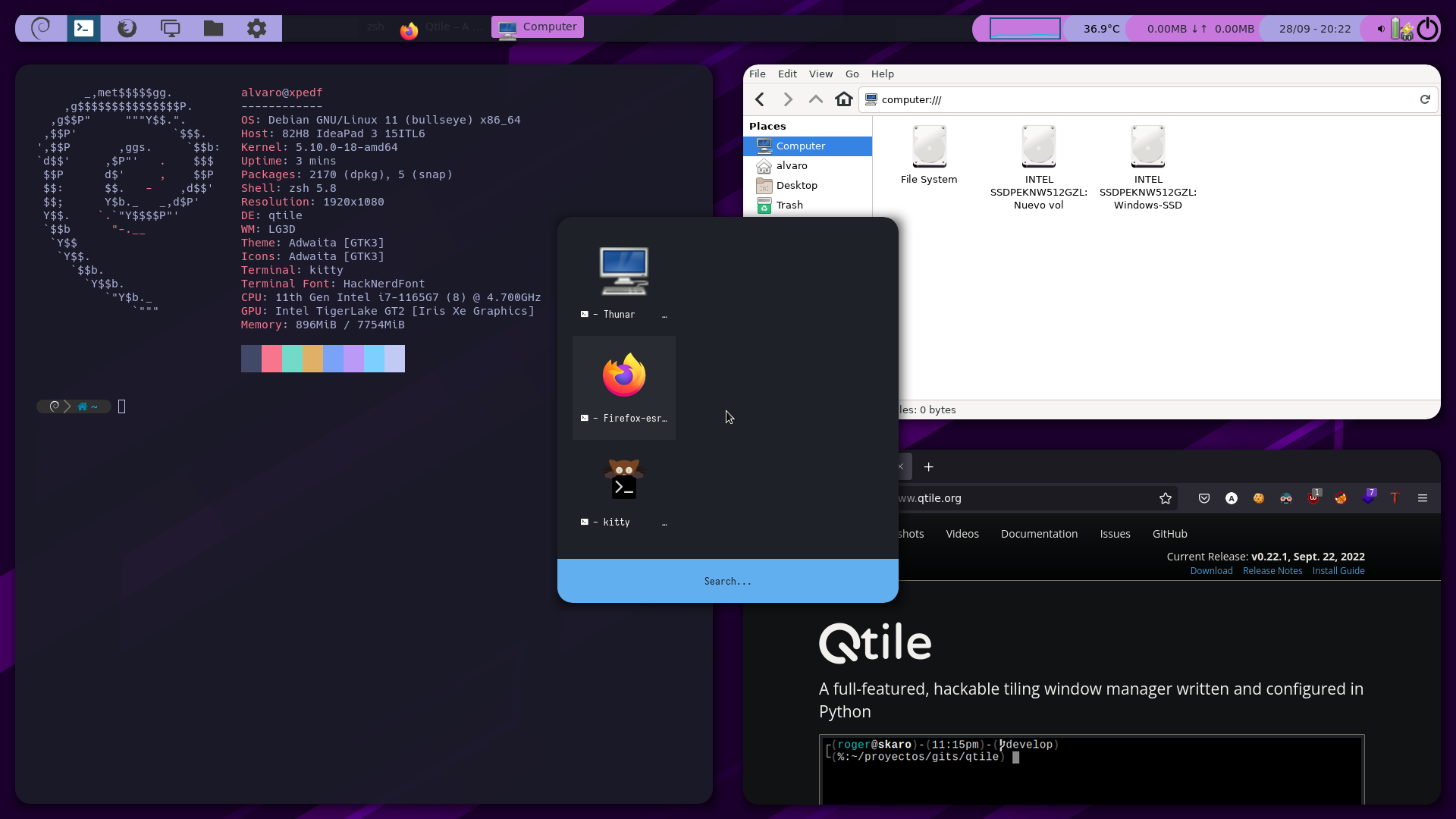
- WindowManager --> Qtile
- Menus --> Rofi
- Shadows and borders --> Picom
Install Qtile and dependences:
sudo pacman -S qtile nerd-fonts xorg-server-xephyr
yay -S qtile-extras
pip install psutil
Clone my repository and copy the qtile configuration file:
cp -r mydotfiles/.config/qtile/ ~/.config/
Test Qtile with Xephyr:
Xephyr :3 -ac -screen 1720x920 & DISPLAY=:3 qtile start
You can install picom for shadows and window borders:
sudo pacman -S picom
config.py is the main config file, i use it to import other python files and i have an autostart function pointing to autostart.sh
@hook.subscribe.startup_once
def autostart(): home = os.path.expanduser('~/.config/qtile/autostart.sh') subprocess.Popen([home])
autostart.sh is a script that contains the autostart commands:
#!/bin/sh
feh --bg-scale ~/images/minimalist-purple-sky-and-mountain-ex4suuw5xd4funov.jpg
picom -b -c --corner-radius 20 --active-opacity 95 --shadow-radius 20
qtile_configurations/keys.py contains all the keybindings in the "launch programs" section. You can configure keybindings using this format:
Key([mod], "{KEY}", lazy.spawn("COMMAND TO EXEC"), desc="DESCRIPTION"),
In qtile_configurations/themes.py you can custom some colors and bar options.
If you want to change the Qtile Bar Widgets, you can edit qtile_configurations/widgets.py following the Qtile docs.
First, install Zsh Shell and dependences:
sudo pacman -S zsh nerd-fonts
Clone my repository and copy .zshrc:
cp mydotfiles/.zshrc ~/.zshrc
Change the default shell:
chsh -s $(which zsh)
Install powerlevel10k with those commands and restart zsh to begin powerlevel10k installation:
yay -S --noconfirm zsh-theme-powerlevel10k-git
echo 'source /usr/share/zsh-theme-powerlevel10k/powerlevel10k.zsh-theme' >>~/.zshrc
Once finished, you can install these plugins:
- Extract aliases
- DirHistory
- Autosuggestions
- Syntax highlighting
- Sudo with Esc key
- History substring search
- Arch linux aliases
sudo wget https://raw.githubusercontent.com/ohmyzsh/ohmyzsh/master/plugins/extract/extract.plugin.zsh -P /usr/share/zsh/plugins/extract/
sudo wget https://raw.githubusercontent.com/ohmyzsh/ohmyzsh/master/plugins/dirhistory/dirhistory.plugin.zsh -P /usr/share/zsh/plugins/dirhistory/
sudo git clone https://github.com/zsh-users/zsh-autosuggestions.git /usr/share/zsh/plugins/zsh-autosuggestions/
sudo git clone https://github.com/zsh-users/zsh-syntax-highlighting.git /usr/share/zsh/plugins/zsh-syntax-highlighting/
sudo wget https://raw.githubusercontent.com/ohmyzsh/ohmyzsh/master/plugins/sudo/sudo.plugin.zsh -P /usr/share/zsh/plugins/sudo/
sudo git clone https://github.com/zsh-users/zsh-history-substring-search /usr/share/zsh/plugins/zsh-history-substring-search/
sudo wget https://raw.githubusercontent.com/ohmyzsh/ohmyzsh/master/plugins/archlinux/archlinux.plugin.zsh -P /usr/share/zsh/plugins/arch/
Install FZF:
sudo pacman -S fzf
Install Kitty Terminal
sudo pacman -S kitty
Clone my repository and copy the kitty folder:
cp -r mydotfiles/.config/kitty ~/.config
Install rofi menu:
sudo pacman -S rofi
Install rofi themes:
git clone --depth=1 https://github.com/adi1090x/rofi.git
cd rofi
chmod +x setup.sh
./setup.sh
sudo pacman -S locate neovim snapd lsd bat