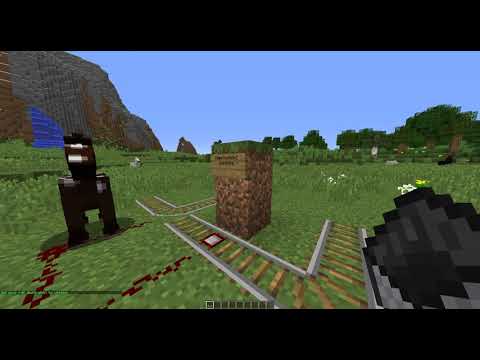
- Place a sign in the block above a detector rail. It must be reinforced on the same group as the detector rail.
- The first line must be
[destination](case insensitive) - The second, third and fourth lines can be destination names.
- When a player passes over the detector rail, it will only activate and emit redstone if a player set their destination as any of the three on the sign.
You may also use [!destination], which will activate the rail if a player's destination is not on the signs.
- Type
/dest <destination> - Go AFK
- Arrive
You can also use spaces in a /dest command as an "or" operator, like /dest <destination1> <destination2>. In this command, RailSwitch will route players towards signs that contain either <destination1> or <destination2>.
Another way to think about it is that /dest takes multiple arguments. Each argument is a destination that will be checked as you pass a sign.