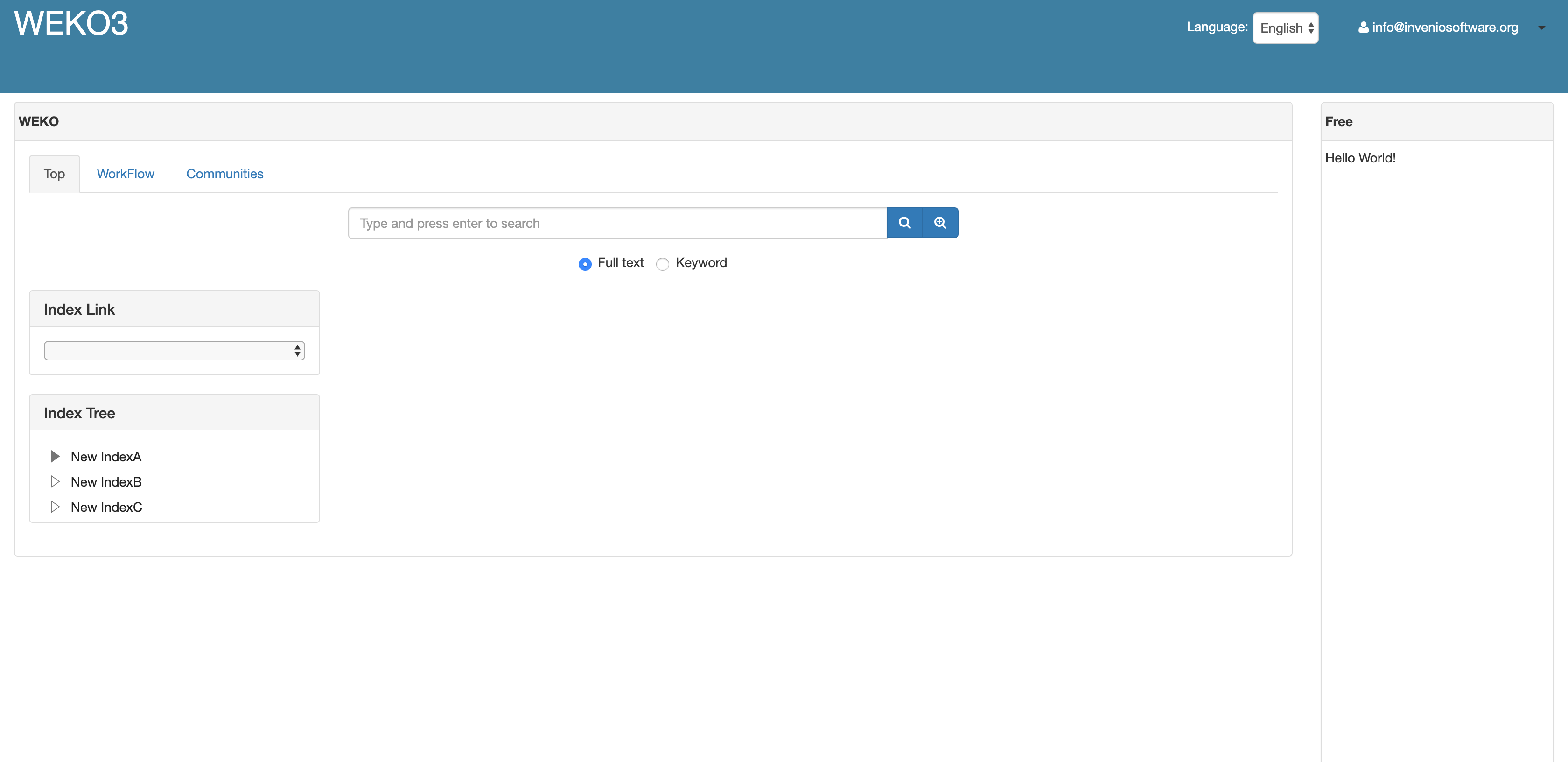
Repository Web Design
- Log in to WEKO3 as an admin user.

- Click the account name at the top right and then you will access the Account Profile View.

- Select [Administration] in the Settings menu and then you will access the Administration view.


- Select [Setting]>[Widget] in the menu and then you will access the Widget View.
- Click [Create] tab to create a widget.

- Select a repository which you want to place a widget from the repository list.

- Select a type of a widget to place. [Main Contents] type is a widget of the repository. Each widget is independent of each repository.
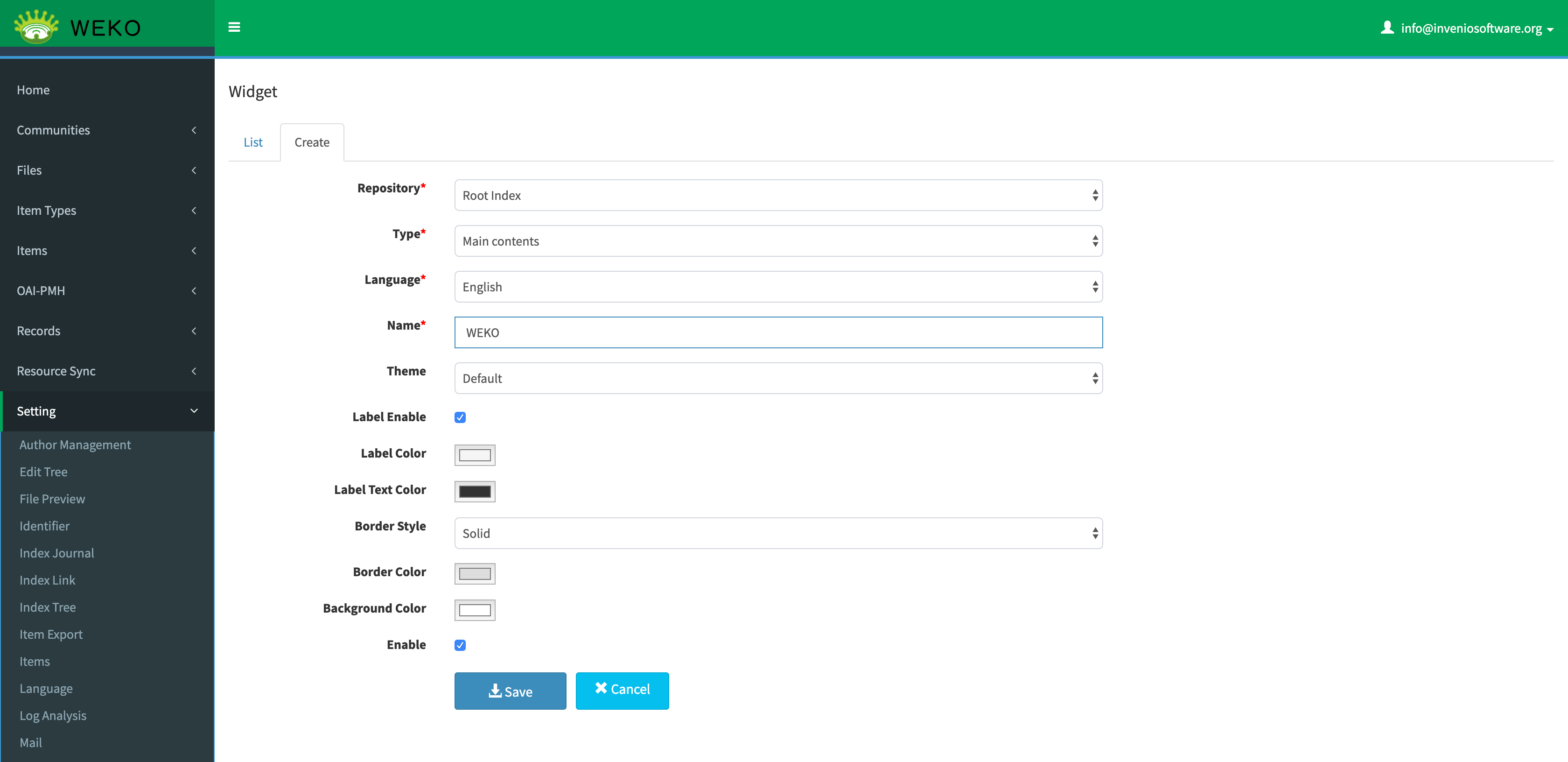
- [Free Description] type is a widget of HTML contents.

- [Header] type is a widget that provides a site header function.

- Click [List] tab and then the created widgets are listed.

Next, place the created widget using the site design function.
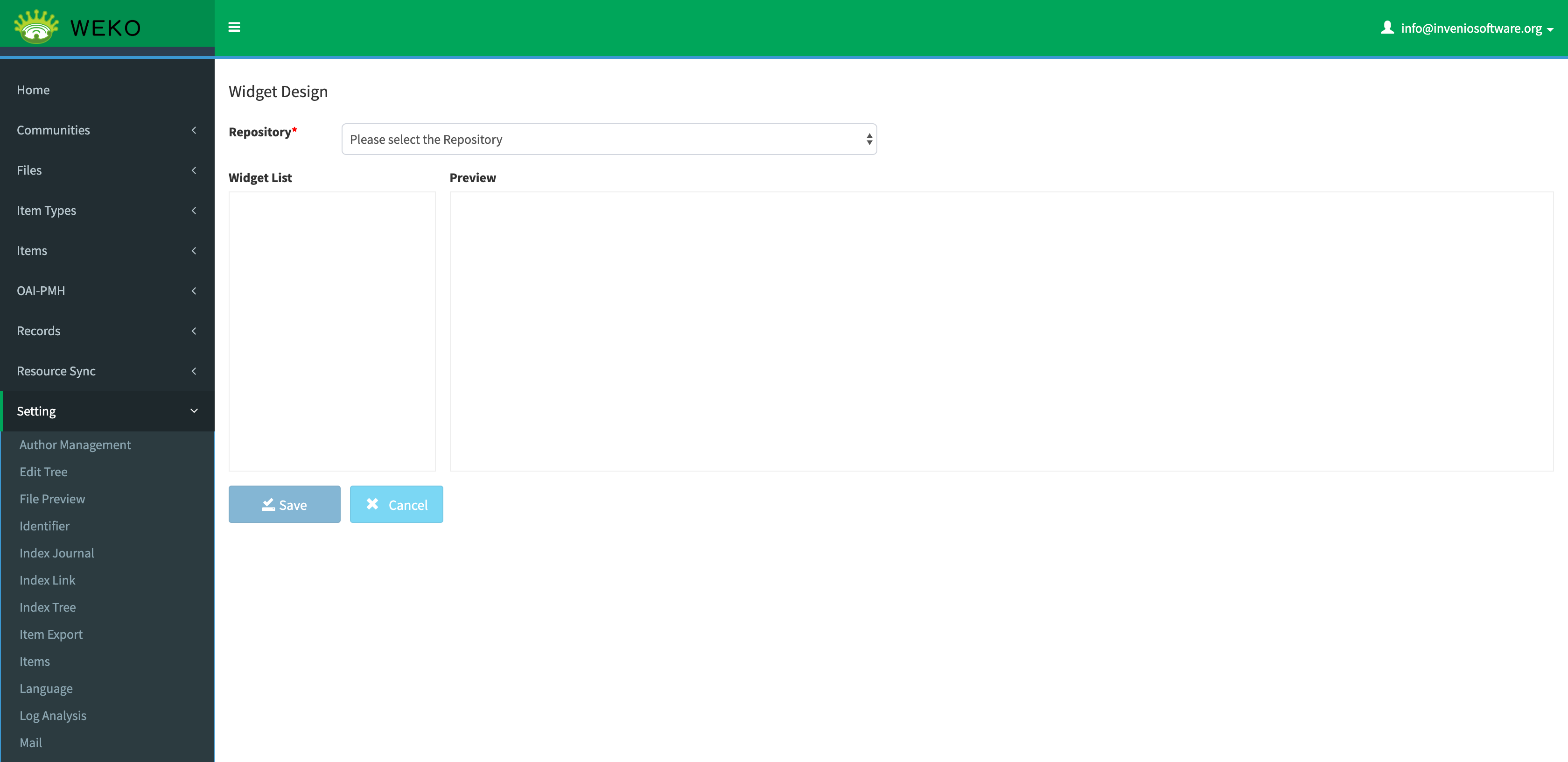
- Select [Setting]>[Widget Design] in the menu and then you will access the Widget Design View.
- Select the repository to design from the list.
- Click [Add Widget] button of a widget and then the widget is placed on the repository. The position and size of the widget can be changed by mouse operation.
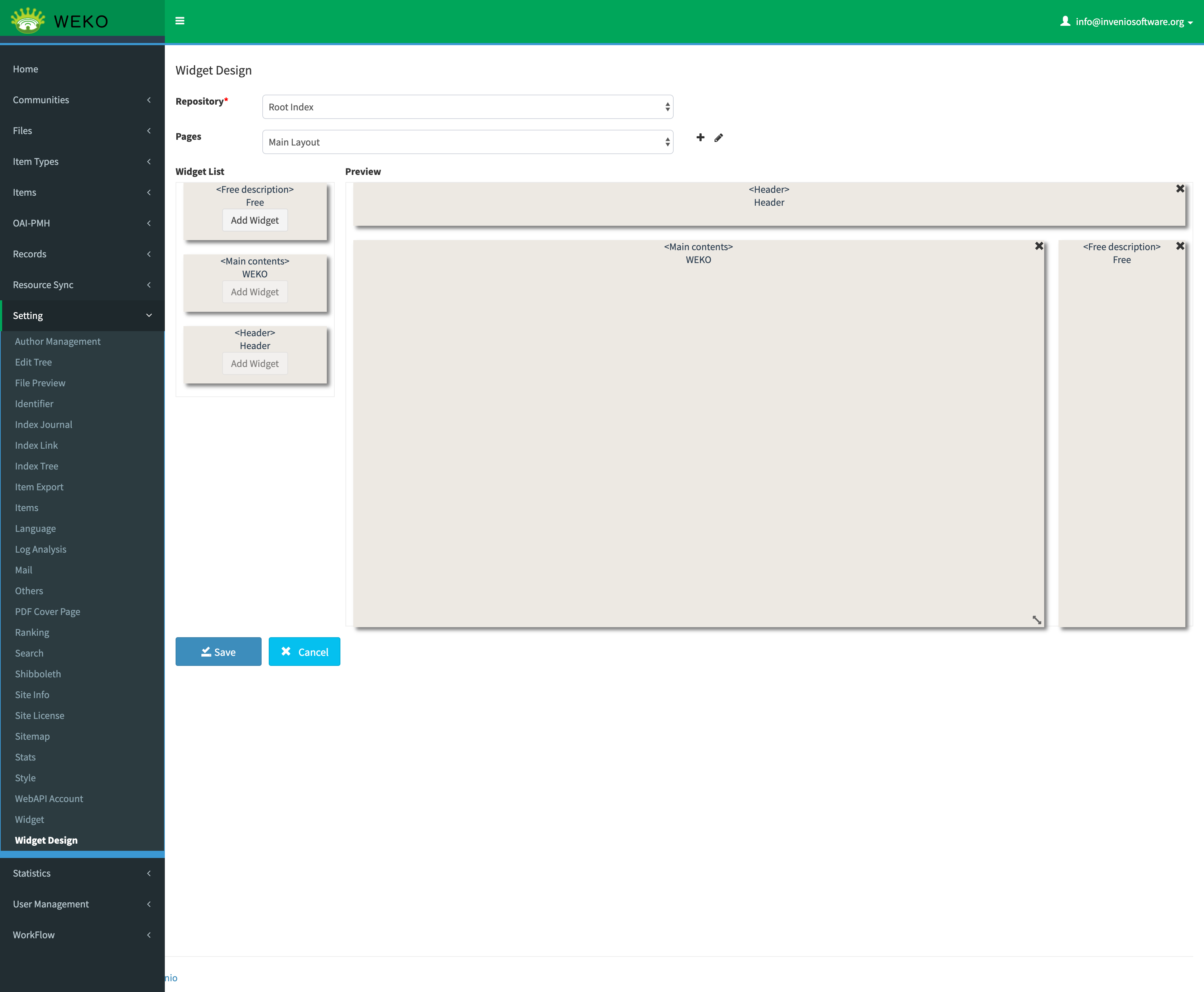
- Click [Save] button for updating the site design.