Design
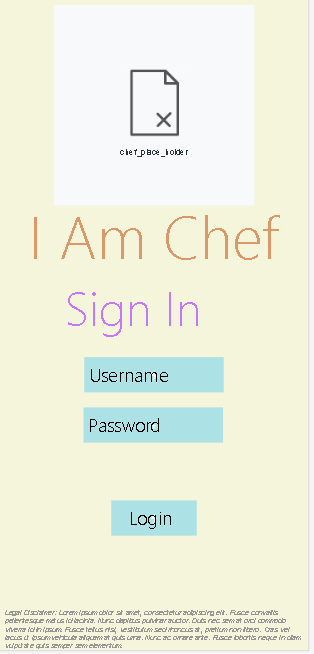
Screen #1 is the sign in page, this is where the user will sign in using their account credentials to access the app.
image:
Screen #2 is the home page for the app, this is the screen where the user well be sent once they login to their account. The home page displays different types of food with a clickable photo to bring you to that food category.
image:
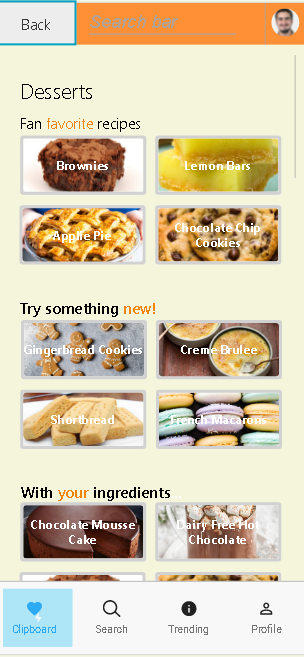
Screen #3 is the category page, this is where the pictures on screen #2 will send you. On this page different types of whichever item you clicked on will be displayed. Under each of the ingredients will be clickable recipes.
Image:

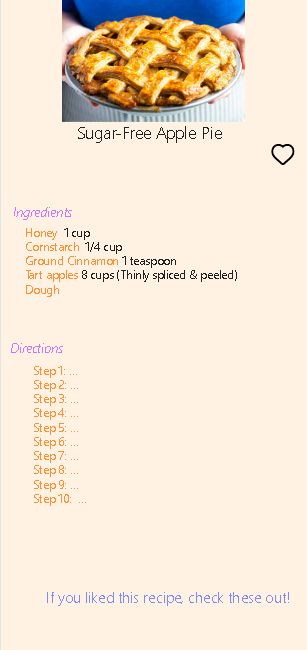
Screen #4 is the recipes page, this is where the recipe links from screen #3 will send you. On this screen you will be given an ingredients list and steps on how to make the recipe.
Image:
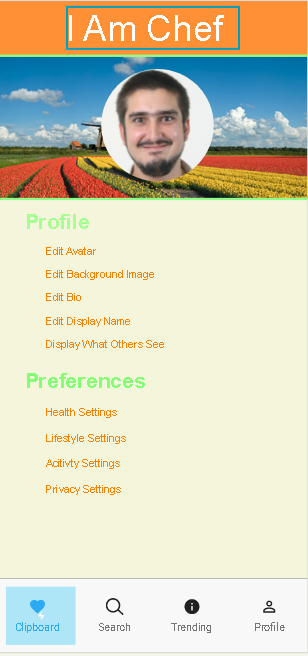
Screen #5 is the profile screen, this page is accessible from the top right picture icon on any of the pages. On this page you can customize your photo and set different user preferences for recipes that will be shown.
Image: