

A powerful and user-friendly Chrome extension that pushes your most recent Codeforces submission to your GitHub Repository
Report Bug
·
Request Feature
A powerful and user-friendly Chrome extension that pushes your most recent Codeforces submission to your GitHub Repository. It leverages modern web technologies and is built using Vite for fast development builds and optimized production output.
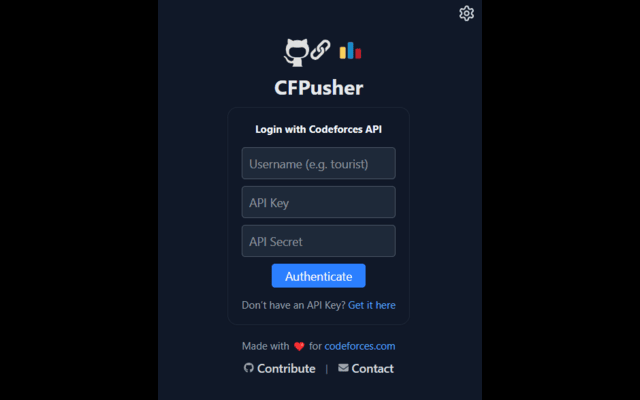
Popup showing the Codeforces login Screen
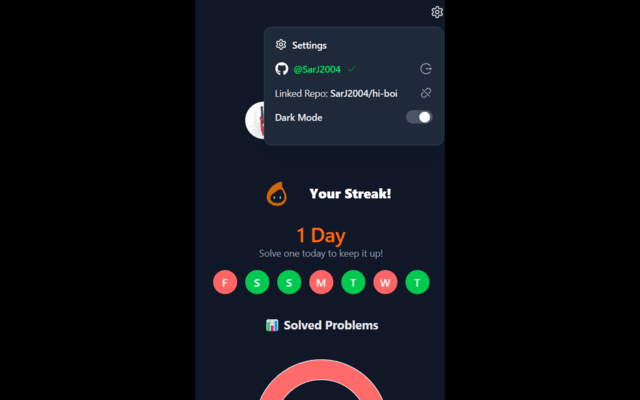
Settings section where you can link GitHub and manage your repo

Post-Login Screen
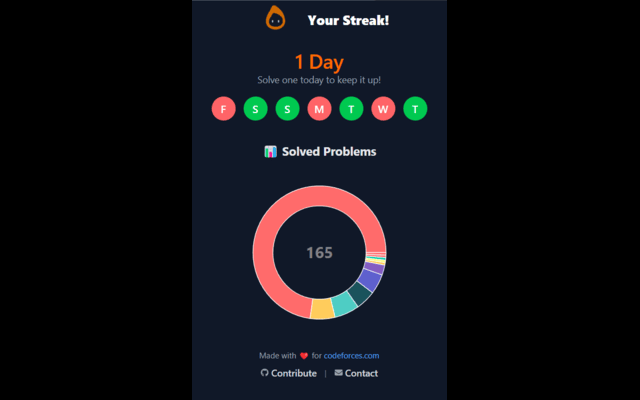
Streak chart and Solved Problems chart
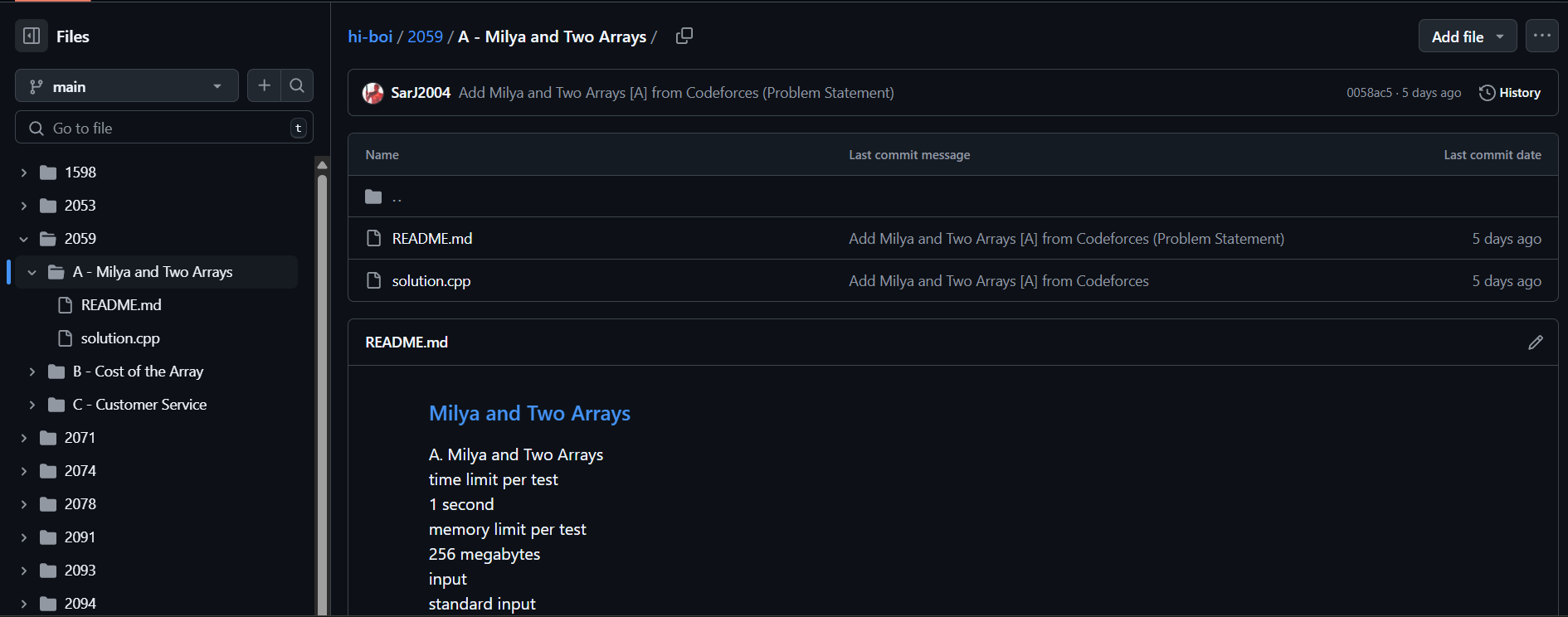
Sample GitHub repo with pushed code and problem statement
- Auto Push Accepted Submissions: Automatically pushes your accepted Codeforces submissions to a selected GitHub repository without any manual work.
- Streak Tracker Tracks your Codeforces streak for the current week and displays it visually inside the popup.
- Problem Rating Chart It has a problem rating chart and a mini info section, which tells one about the profile information, as well as the number of different problems solved in each rating range.
- GitHub OAuth Integration Secured with GitHub's OAuth to authorize and manage repositories.
- Repo Selection & Creation The user can choose to select any repo of their choice to push their codes, or additionaly, create a seperate repo.
- Dark Mode Integration Yayyy you can now toggle between dark and light modes!!
Download from the Chrome Web Store Directly into your Chrome browser
OR,
You can download the latest release of the extension directly from GitHub, and proceed with the manual installation as instructed below:
-
Download and Unzip:
Download the ZIP file from the Releases section and unzip it to a desired location on your computer. -
Open Chrome Extensions Page:
Open Chrome and navigate tochrome://extensions/. -
Enable Developer Mode:
Toggle on the Developer mode switch on the top-right corner of the extensions page. -
Load Unpacked Extension:
Click the Load unpacked button and select the unzipped folder of your extension. -
Enjoy!
Your extension should now appear in Chrome, and you can start using it immediately.
Once installed, click on the extension icon in your Chrome toolbar or follow the in-page instructions provided by the extension.
-
Connect to Codeforces:
When the popup is opened, Connect the extension to GitHub by entering your Codeforces handle, the ApiKey, and the ApiSecret(which you can generate here: Generate API Key and Secret). Click on "Add an API Key", and then copy the details to the respective input boxes in the popup. -
Connect to GitHub:
Click on the settings icon at the top right of the popup, and give access of your GitHub account to the extension. -
Connect your preferred repo:
After connecting to github, you can now choose the repo to which your codes are to be pushed. You can either link a pre-existing repo, or, can create and link to a new one.
You are all set now!!
-
Unable to submit codes during contests
The api has no access to the codes submitted during the contests, so, after the contest is over(checking phase is over), you can resubmit them to push. -
More of a Disadvantage
The background script checks for new submissions every 30 seconds, but including the time to push, it takes almost a minute for the code to be available in one's repo. So, within that interval of a minute or so, if the user submits many different codes, only the most recent code gets pushed to the repo(sorry, will improve it in future, or you guys can too!). -
Problem Statement not formatted properly in README I was unsuccessful to parse the problem statement properly in the README file. For the MathJax/latex elements, you will see them repeated, and a undefined term next to it. I promise to fix the parser later on.
- Node.js (v18 or later): Download Node.js
- npm: Comes with Node.js installation.
Clone the repository to your local machine and install dependencies:
git clone https://github.com/SarJ2004/cf-pusher.git
cd cf-pusher
npm installFor development and testing, you can run the extension in development mode with Vite:
npm run devThis will start the Vite development server. Make sure to follow any additional instructions in your development documentation if the extension requires special handling during development.
To generate a production build, run:
npm run buildThis command will compile your project and output the production files into the dist/ folder. These files are ready to be zipped and installed as described above.
This project uses GitHub Actions to automate the build and release process:
-
Workflow Setup:
A workflow file is located at.github/workflows/release.yml. This file is responsible for:- Checking out the repository.
- Installing dependencies.
- Building the extension with Vite.
- Zipping the
dist/folder. - Creating a GitHub Release and attaching the ZIP file.
-
Triggering a Release:
The action runs automatically when you push a version tag (for example,v1.0.0):git tag v1.0.0 git push origin v1.0.0
-
Releases Section:
Once the workflow completes, navigate to the Releases section of your repository to download the zipped extension.
Contributions are warmly welcomed! If you want to help improve this project, please follow these steps:
- Fork the repository.
- Create a new branch for your feature or bug fix.
- Commit your changes with clear messages.
- Open a Pull Request describing your changes.
For major changes, please open an issue first to discuss what you would like to change. Ensure any new code follows the coding conventions used throughout the project.
This project is licensed under the MIT License. See the LICENSE file for more details.
- Vite – for the powerful and fast build tool.
- GitHub Actions – for automating builds and releases.
- LeetSyncV2 for the inspiration to make a similar extension for codeforces