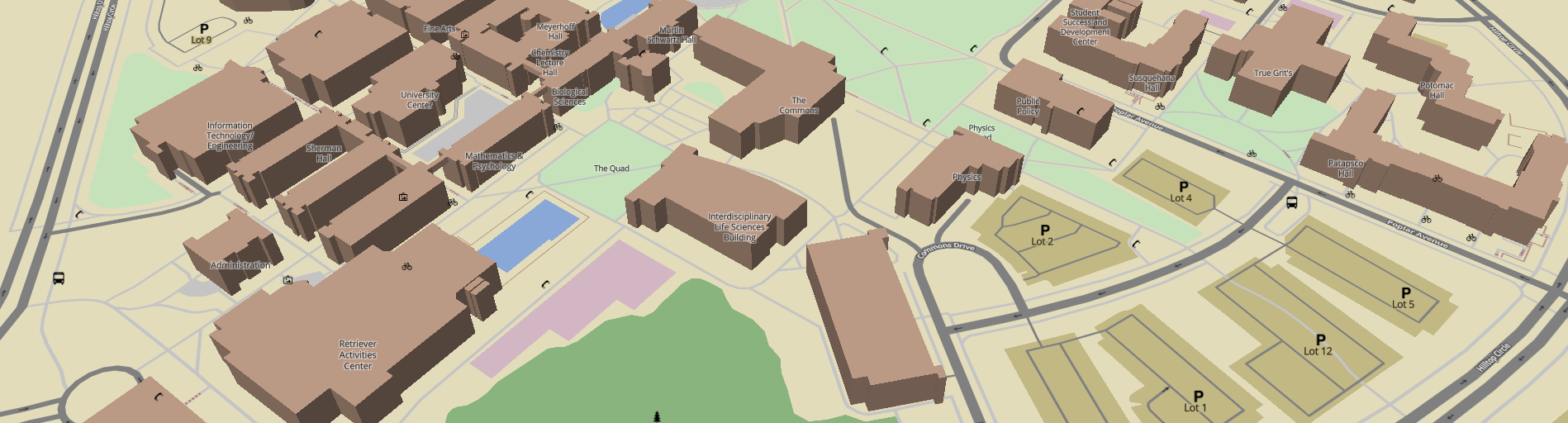
An OSM map of the UMBC campus. Developed by the UMBC System Administration and Software Development Club.
Current features:
- 2D mode
- Rudimentary 3D mode
- Custom Mapbox Studio style
- Style for roads, paths, buildings, parking, grass, trees, bus stops, bike racks, emergency phones...
- Clone the repository
- Make sure Python is installed
- Go in the SADMAP directory
- Run the following terminal commands (and not the stuff in parenthesis)...
python3 -m venv venv(Creates the virtual environment in thevenvsubfolder.)source venv/bin/activate(Activates the newly-created virtual environment.)pip install -r requirements.txt(Installs the requirements for Flask, etc.)export FLASK_APP=sadmap.py(Sets environment variable for the Flask App script.)flask run(Runs the Flask server on localhost.)
Flask will output Running on http://127.0.0.1:5000/. Go to that URL in your browser. Map!
Periodically replace app/static/umbc.geojson with a new GeoJSON export of the UMBC area. TODO: Automate this!
- User login system
- Database-stored points of interest
- User editing of POIs
- Building floor plans