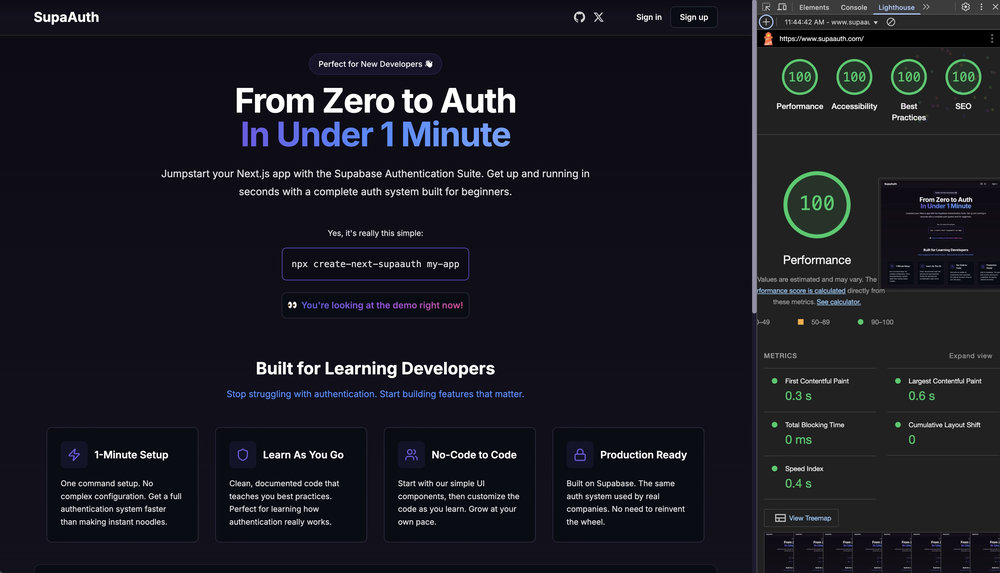


- 🔐 Complete authentication system with email/password
- 🚀 Easy integration with Streamlit apps
- 🎨 Modern UI with dark/light theme support
- 📱 Fully responsive design
- 🔒 Secure authentication flow
- 🌐 Password reset functionality
- 💪 Real-time authentication state updates
- ⚡ Powered by Supabase
- Python 3.7 or higher
- Streamlit
- A Supabase project
-
Install the component:
pip install streamlit-supaauth
-
Use in your Streamlit app:
import streamlit as st
from streamlit_supaauth import supaauth_component

# Basic usage
result = supaauth_component(
    supabase_url="your-supabase-url",
    supabase_anon_key="your-anon-key",
    mode="signin",  # or "signup", "reset-password"
    theme="dark",   # or "light"
    key="auth"
)

if result:
    st.write("Authentication result:", result)
-
Set up your Supabase credentials:
# In your Streamlit secrets.toml file
SUPABASE_URL = "your-supabase-url"
SUPABASE_ANON_KEY = "your-anon-key"
-
Run your Streamlit app:
streamlit run your_app.py
| Parameter | Type | Default | Description |
|---|---|---|---|
supabase_url |
str | None | Your Supabase project URL |
supabase_anon_key |
str | None | Your Supabase anonymous key |
mode |
str | "signin" | Authentication mode: "signin", "signup", or "reset-password" |
redirect_to |
str | "/dashboard" | URL to redirect after successful authentication |
theme |
str | "dark" | Component theme: "dark" or "light" |
key |
str | None | Unique key for the component instance |
The component returns a dictionary with authentication results:
{
    "event": "SIGNED_IN",  # Event type
    "user": {...},         # User object from Supabase
    "session": {...},      # Session object from Supabase
    "timestamp": "..."     # ISO timestamp of the event
}SIGNED_IN- User successfully signed inSIGNED_UP- User successfully signed upSIGNED_OUT- User signed outPASSWORD_RECOVERY- Password reset email sent
The component supports two themes:
- Dark Theme (
theme="dark") - Dark background with light text - Light Theme (
theme="light") - Light background with dark text
To set up the development environment:
-
Clone the repository:
git clone https://github.com/Gitmaxd/supaauth.git cd supaauth -
Install Python dependencies:
pip install -e . -
Install frontend dependencies:
cd streamlit_supaauth/frontend npm install -
Start the frontend development server:
npm start
-
Run the example Streamlit app:
streamlit run example_app.py
-
Build the frontend:
cd streamlit_supaauth/frontend npm run build -
Update the
_RELEASEflag in__init__.py:_RELEASE = True
-
Build and upload to PyPI:
python setup.py sdist bdist_wheel
twine upload dist/*
For security, store your Supabase credentials in Streamlit secrets:
.streamlit/secrets.toml
SUPABASE_URL = "https://your-project.supabase.co"
SUPABASE_ANON_KEY = "your-anon-key"
Then access them in your app:
supabase_url = st.secrets["SUPABASE_URL"]
supabase_anon_key = st.secrets["SUPABASE_ANON_KEY"]Here's a complete example of using the component in a Streamlit app:
import streamlit as st
from streamlit_supaauth import supaauth_component

st.set_page_config(page_title="My App", page_icon="🔐")

st.title("🔐 My Secure App")

# Authentication component
auth_result = supaauth_component(
    supabase_url=st.secrets["SUPABASE_URL"],
    supabase_anon_key=st.secrets["SUPABASE_ANON_KEY"],
    mode="signin",
    theme="dark",
    key="main_auth"
)

# Handle authentication result
if auth_result:
    if auth_result["event"] == "SIGNED_IN":
        st.success(f"Welcome, {auth_result['user']['email']}!")

        # Your authenticated app content here
        st.write("🎉 You are now logged in!")
        st.write("User data:", auth_result["user"])

    elif auth_result["event"] == "SIGNED_UP":
        st.info("Please check your email to verify your account.")

    elif auth_result["event"] == "PASSWORD_RECOVERY":
        st.info("Password reset email sent!")
else:
st.info("Please sign in to continue.")The component is built with React and can be customized by modifying the source code:
- Styling: Edit
streamlit_supaauth/frontend/src/styles.css - Components: Modify files in
streamlit_supaauth/frontend/src/components/ - Main Logic: Update
streamlit_supaauth/frontend/src/SupaAuthComponent.tsx
- Component not loading: Make sure you have the correct Supabase URL and anon key
- Styling issues: Check that the CSS is properly loaded
- Authentication errors: Verify your Supabase project settings and RLS policies
Set _RELEASE = False in __init__.py to enable development mode with hot reloading.
We welcome contributions! Here's how you can help:
- Fork the repository
- Create your feature branch (
git checkout -b feature/AmazingFeature) - Commit your changes (
git commit -m 'Add some AmazingFeature') - Push to the branch (
git push origin feature/AmazingFeature) - Open a Pull Request
This project is licensed under the MIT License - see the LICENSE file for details.
- Streamlit for the amazing framework
- Supabase for the backend-as-a-service platform
- React for the component framework
- Fork the repository
- Create your feature branch (
git checkout -b feature/AmazingFeature) - Commit your changes (
git commit -m 'Add some AmazingFeature') - Push to the branch (
git push origin feature/AmazingFeature) - Open a Pull Request
This project is licensed under the MIT License - see the LICENSE file for details.