Titanic Survival Prediction with Deployment
This is one of my Machine Learning assignment from Machine Learning and Deep Learning with Deployment course, from iNeuron.ai. In this assignment, the code was written to predict the survival of a passenger during the titanic sink based on the parameters given by the user, using a pre-trained Machine Learning(Decision Tree) model. The code needs to take the parameters from the user through an HTML form, use the obtained data to predict the survival, and display the prediction to the user using another HTML page.
Decision Tree - It is a flowchart-like structure in which each internal node represents a “test” on an attribute (e.g. whether a coin flip comes up heads or tails), each branch represents the outcome of the test, and each leaf node represents a class label (decision taken after computing all attributes). The paths from the root to leaf represent classification rules.
This project requires Python3. Also, some of the python libraries like Flask, and pickle(pre-installed with python). All the libraries can be installed using the following commands...
pip install flask
The project also requires Heroku CLI for deploying the app on the cloud which can be installed from here. The download can be confirmed by running the following command in terminal/ cmd
heroku
Also, the project requires some basic HTML knowledge to build the web pages for taking input from the user and displaying the result to the user.
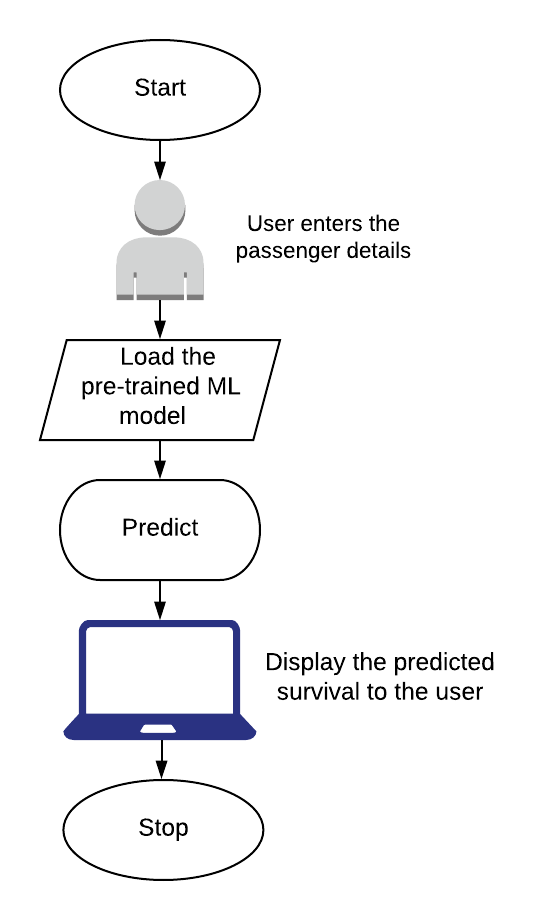
Step-1Start the flask app which will run the "main.html" on the cloud and get the parameters given by the user.Step-2Load the pre-trained model, stored in modelForPrediction.sav. The model that I used for prediction has an accuracy score of 82%.Step-3Prediction is made using the model loaded in Step-2Step-4Show the to the user through "prediction.html"
To deploy the app on the cloud, the following steps are followed-
Step-1Create an account on Heroku, which can be done from hereStep-2Open the Terminal(Linux/ Mac) or Cmd(Windows) and navigate to the folder that contaions all the file.Step-3Runsudo apt install gitto install git in the system.Step-4Runheroku logincommand. On execution, it will open the login page on the default web browser.Step-5After, logging in run the following commands and wait for some time. On successful execution, it will provide the URL for the app.
heroku create <app_name>
git init
git add .
git commit -m "Final commit"
git push heroku master
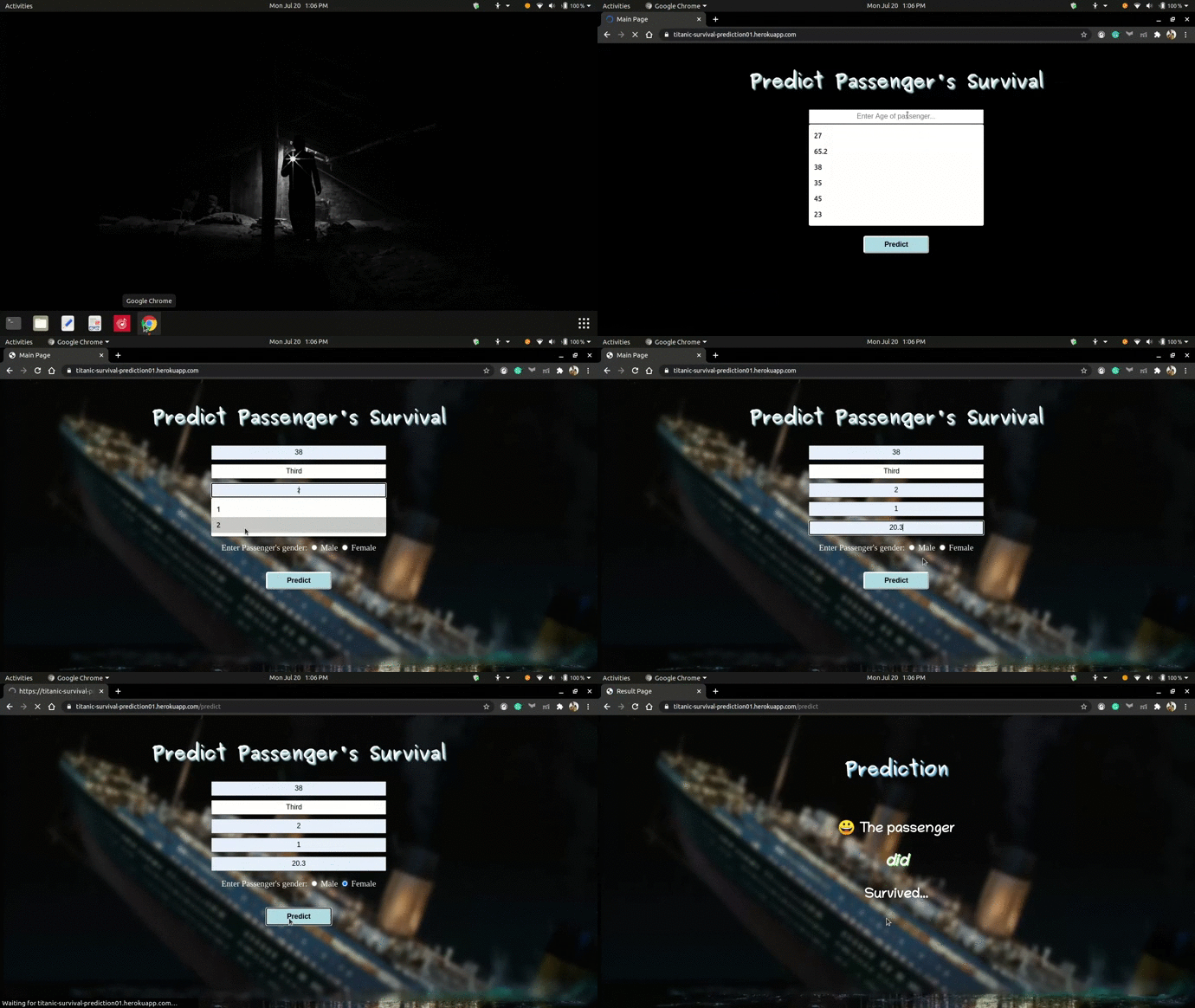
The link for runnig app is - https://titanic-survival-prediction01.herokuapp.com/
 |
|---|
| App Preview |