Web Scraper using Python
This is one of my Python projects from Machine Learning and Deep Learning with Deployment course, from iNeuron.ai. In this course, code was written to scrap or collect the required data from any website based on the keyword given by the user. The code needs to generate the web URL based on the given keyword, send a request to web URL to get raw HTML data, parse the obtained data(HTML) to get the required information, store the information to the database, and display the result to the user.
Web Scraping (also termed Screen Scraping, Web Data Extraction, Web Harvesting etc.) is a technique employed to extract data from websites whereby the data is extracted and saved to a local file in your computer or to a database. It is a form of copying, in which specific data is gathered and copied from the web, typically into a central local database, for later retrieval or analysis.
This project requires Python3. Also, some of the python libraries like Flask, pymongo, bs4, request, and urllib.request. All the libraries can be installed using the following commands...
pip install flask
pip install bs4
pip install requests
pip install pymongo
pip install urllib
Also, the project requires a database to store the obtained information. I used the MongoDB as the database which can be installed from here.
Also, the project requires some HTML and CSS knowledge to build the web pages for taking Keyword form the user and displaying the result to the user.

Step-1Start the flask app which will run the "index.html" on the localhost and get the search string given by the user.Step-2Establish the connection with the database using pymongo and search for the required data in the database-Step-2.1If the required data is present in the database, return the "result.html" with the required data(to be displayed to the user.)Step-2.2If the required data is present in the database do the following-
Step-2.2.1Create the URL based on the string given by the user.Step-2.2.2Using urllib.request and .read() read the raw HTML of the webpage and using .colse() close the request.Step-2.2.3Using "html.parser" from bs4 parse the obtained raw HTML.Step-2.2.4Extract the required data from the parsed HTML document.Step-2.2.5Save the gathered data into the database and return the "result.html" with the extracted data.
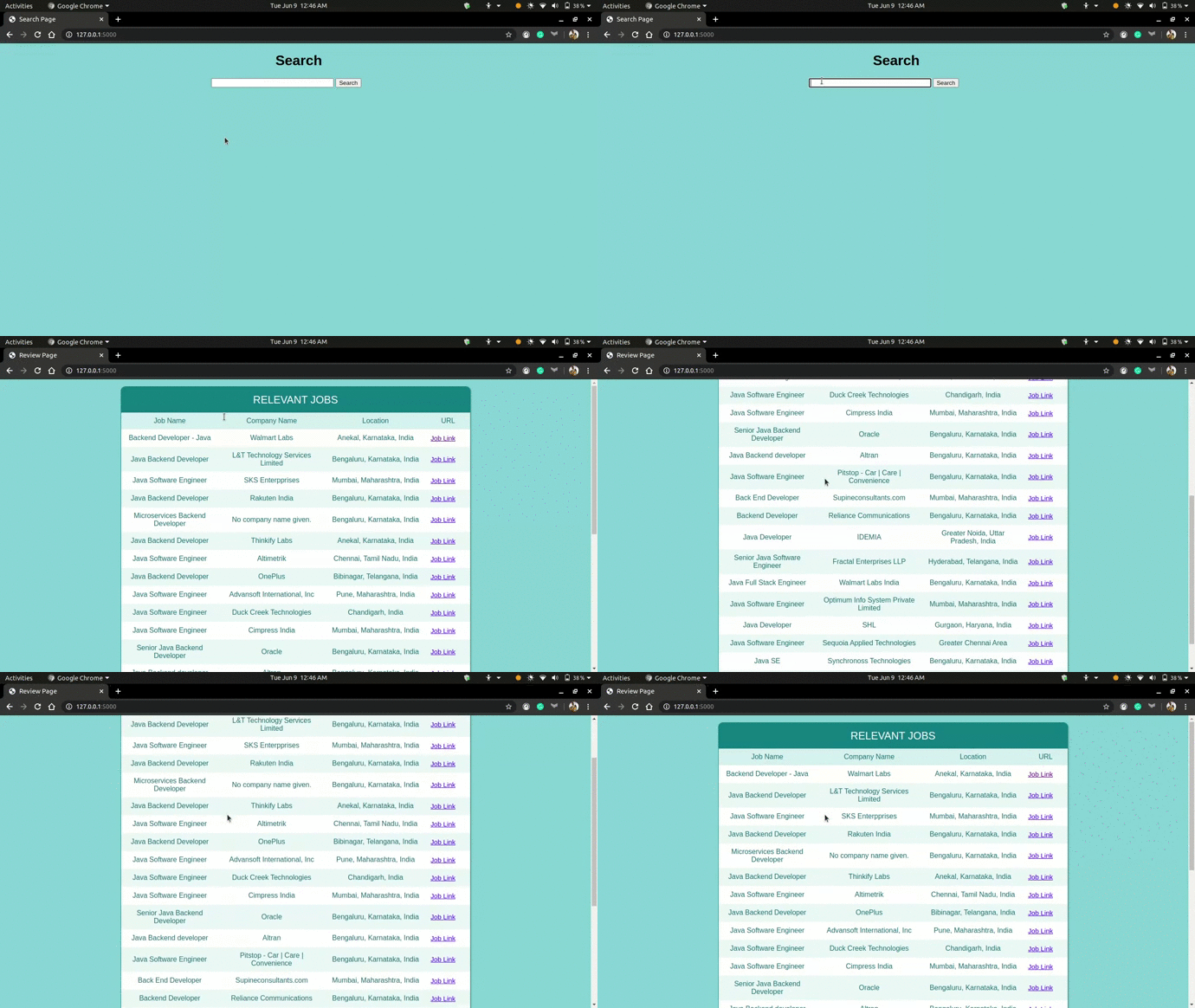
In this project, I extracted the job data from Linkedin which include the Job type, Company name, Location, and URL of the job.
I ran the app on my local device with Search string as Java and got the following desired result...
 |
|---|
| Result |