For VSCode, see VS Code Adobe Development Utils extension ( GitHub ).
Encodes the selected JSX to JSXBIN. For encoding, it uses the @esdebug module from ExtendScript Debugger.
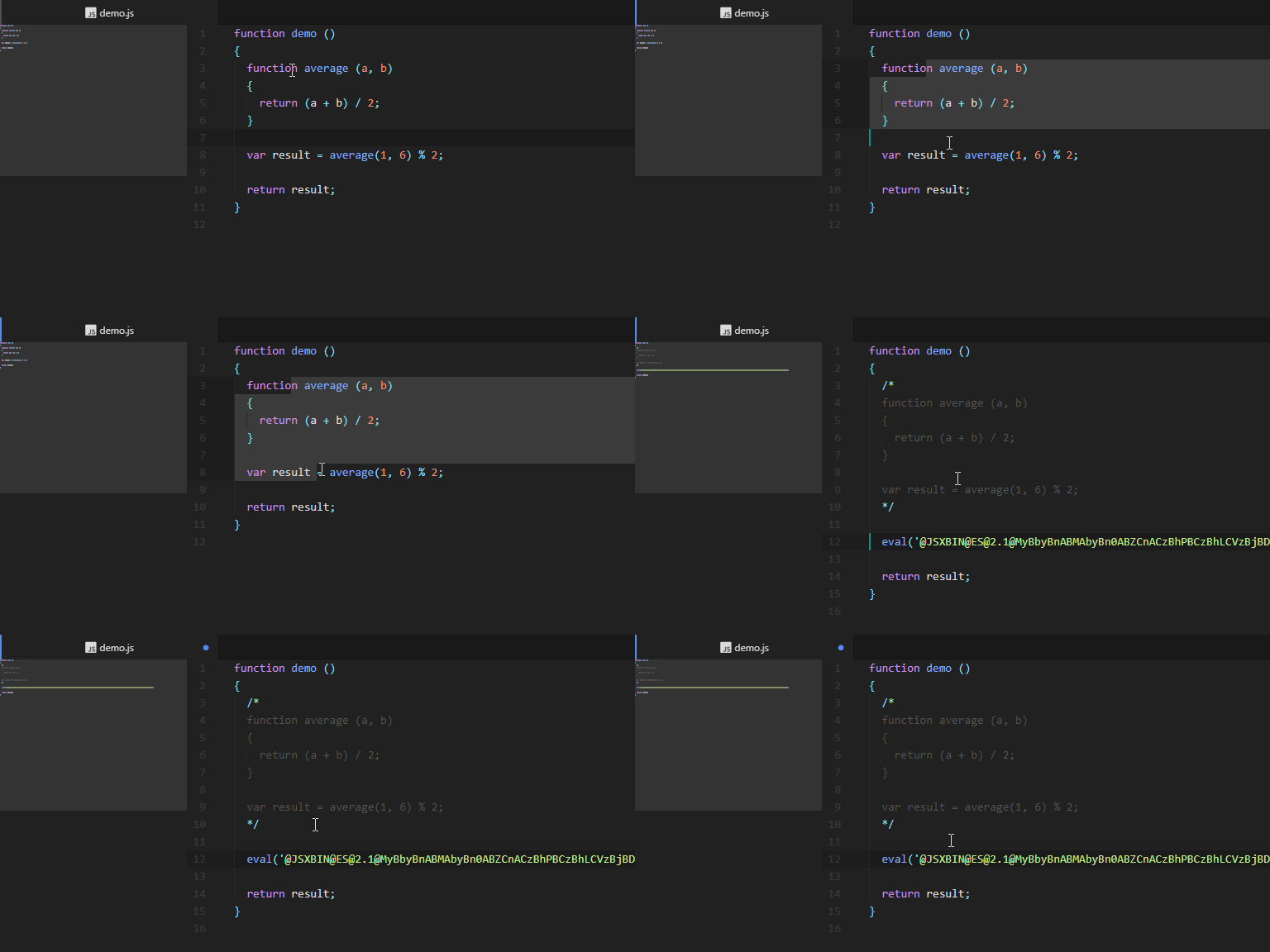
- Via apm
apm install jsxbin-encoder- From Atom
Settings>Install> Search packages forjsxbin-encoder.- Click
Installand thenreloadAtom.
- From GitHub
- Download the latest release and extract the archive directly to
/users/YOUR_USERNAME/.atom/packages. - Run
npm install.
- Download the latest release and extract the archive directly to
- Select a piece of your JSX.
- Then do one of the following:
- For Encoding:
- Press
Ctrl + Alt + Qon Windows orCmd + Alt + Qon Mac. - Right click and choose
Encode to JSXBIN. - From Atom's menu:
Packages>JSXBIN encoder>Encode to JSXBIN.
- Press
- For Encoding:
- Script obfuscation before the JSXBIN encoding.
- Script analysis - a notification will pop-up:
- if the script might become slower to process (hardcoded: a percentage of
evaluses out of the total number of script lines) - if the selection already contains JSXBIN encoded lines
- if the scripting language isn't supported (
.js,.jsx,.jsxincand.jsxbinonly)
- if the script might become slower to process (hardcoded: a percentage of
- Auto-complete selections:
- the JSX selection will be updated automatically so that the entire start and end lines are being completely selected
JS multi-line comment:- Description: comments the selection, in a multi-line comment style.
- Keyboard shortcut:
Alt + C
JS multi-line uncomment:- Description:
- uncomments the selected multi-line comment.
- you can simply move the cursor inside a multi-line comment block and run the utility (no need to select the entire block).
- Keyboard shortcut:
Alt + X
- Description:
Grow selection: Automatically grow the selection to the beginning and end of each selected line. Default:true- You can select incomplete lines and the selection will be grown automatically to the beginning and end of each line.
- For a single line, no selection is required; the entire line will be selected automatically.
- Encoding:
Obfuscate: Obfuscate the selection before encoding it to JSXBIN. Uses javascript-obfuscator. Default:falseeval() position: Insert theevalmethod above or under the selection. Default:underQuotes: Use single or double quotes inside theevalmethod. Default:single
- Comments:
Auto-fold: Auto-fold the newly commented selection. Default:trueStyle: Use single-line or multi-line comment style to comment-out the newly encoded selection. Default:multi-line
- Messages:
Disable notifications: Choose whether to show or not a pop-up notification after each completed task. Default:falseDisable warnings: Choose whether to show or not a pop-up warning, if the script processing time might increase or if the current language isn't supported. Default:false
- Don't overuse it! 😎
