asepriteBuilder is a simple utility designed to make it easy to build the popular sprite editing tool Aseprite using the source code found here.
- Microsoft Visual Studio 2022
- CMake (if you've read Aseprite's install instructions, you might see that we're missing the Skia library and the Ninja build system, but those are automatically downloaded and installed by the script)
- Install CMake by running the executable you downloaded.
- Download VS2022 and SDK
-
In the Visual Studio Installer app, click
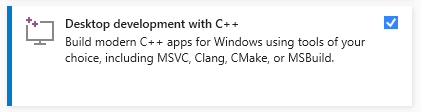
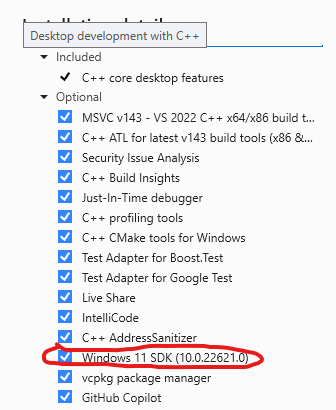
Installon the icon of the VS2022 editor and check theDesktop development with C++and ESPECIALLY theWindows 11 SDKin the sidebar:
-
-
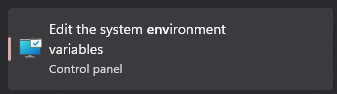
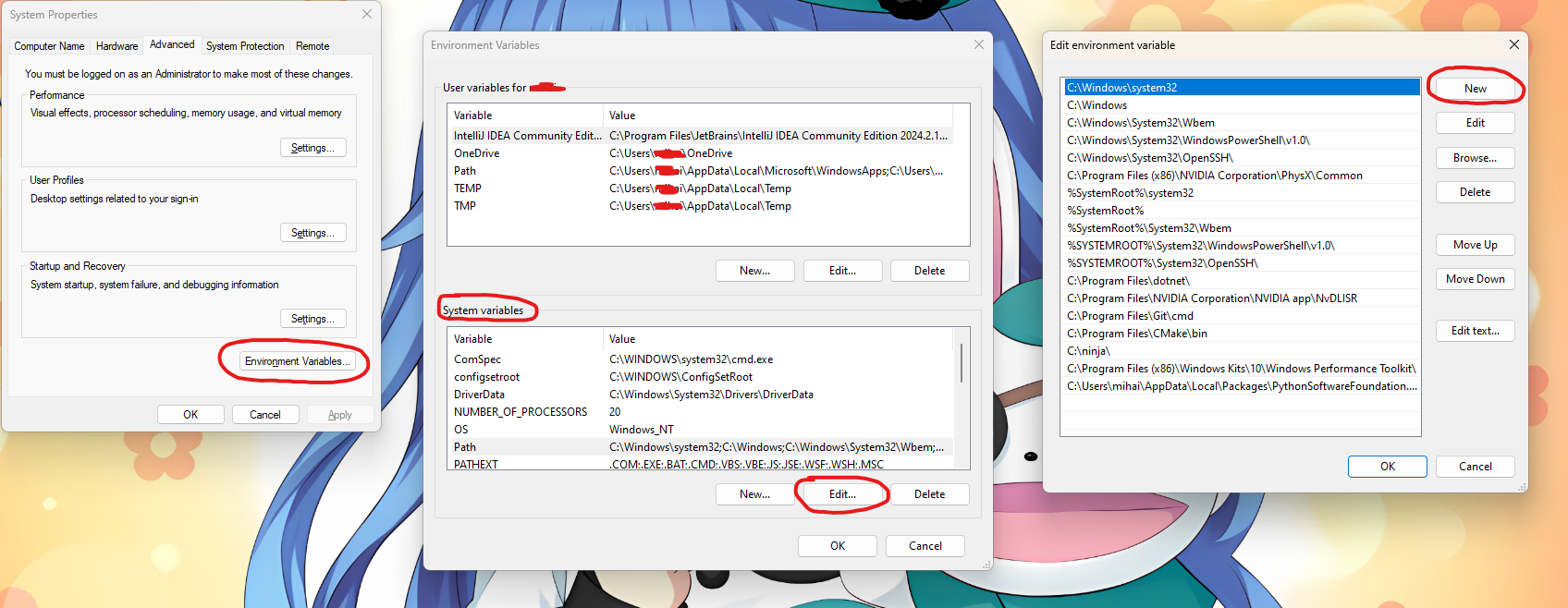
Go to Windows Environment variables:
-
Under Environment Variables > System Variables > Path, click Edit > New and add
C:\Program Files\Microsoft Visual Studio\2022\Community\VC\Tools\MSVC\14.30.30705\bin\Hostx64\x64\cl.exe:
- Before running, please paste the batch file and the
config.cfgfile into the folder ABOVE yourasepritefolder [recommended usage] (e.g. if you have aseprite source code inD:\source\aseprite, put the files inD:\source). - Check the config.cfg and assign the variables:
asepriteFolder: the folder in which the aseprite source code is, for exampleD:\source\aseprite(it's recommended to clone the aseprite repository withhttps://github.com/aseprite/aseprite.git).ninjaLocation: the location where you want to place Ninja (or where you have Ninja, if you installed it), it will create this folder automatically and place Ninja inside, and add it to your PATH.skiaLocation: the location where you want to place Skia (or where you have Skia, if you installed it), it will create this folder automatically and place Skia inside.updateGit: set toyes(case sensitive) if you want the script to automatically sync your version of the source code with the version on GitHub. Leave it blank if you don't want to use this option.
- Run the build_aseprite.bat file and the build will atomatically start!
It's only legal to use this script to compile Aseprite on the end user's computer. If the build process is run on a server not owned by the end user, it's considered distribution and breaks the Aseprite EULA. Please check the EULA and abide by its terms.