



- Tags for issues
- Tags for wiki pages
- Accented and non-latin characters supported for tag order
- View, edit and create tag permissions for issues
- Create permission for wiki tags
- Managing tags
- Custom tags and tagging tables (additional_tags and additional_taggings). If a other plugin used tags or tagging tables for issue or wiki tagging, there tags will be migrated automatically
- Based on the very popular acts-as-taggable-on
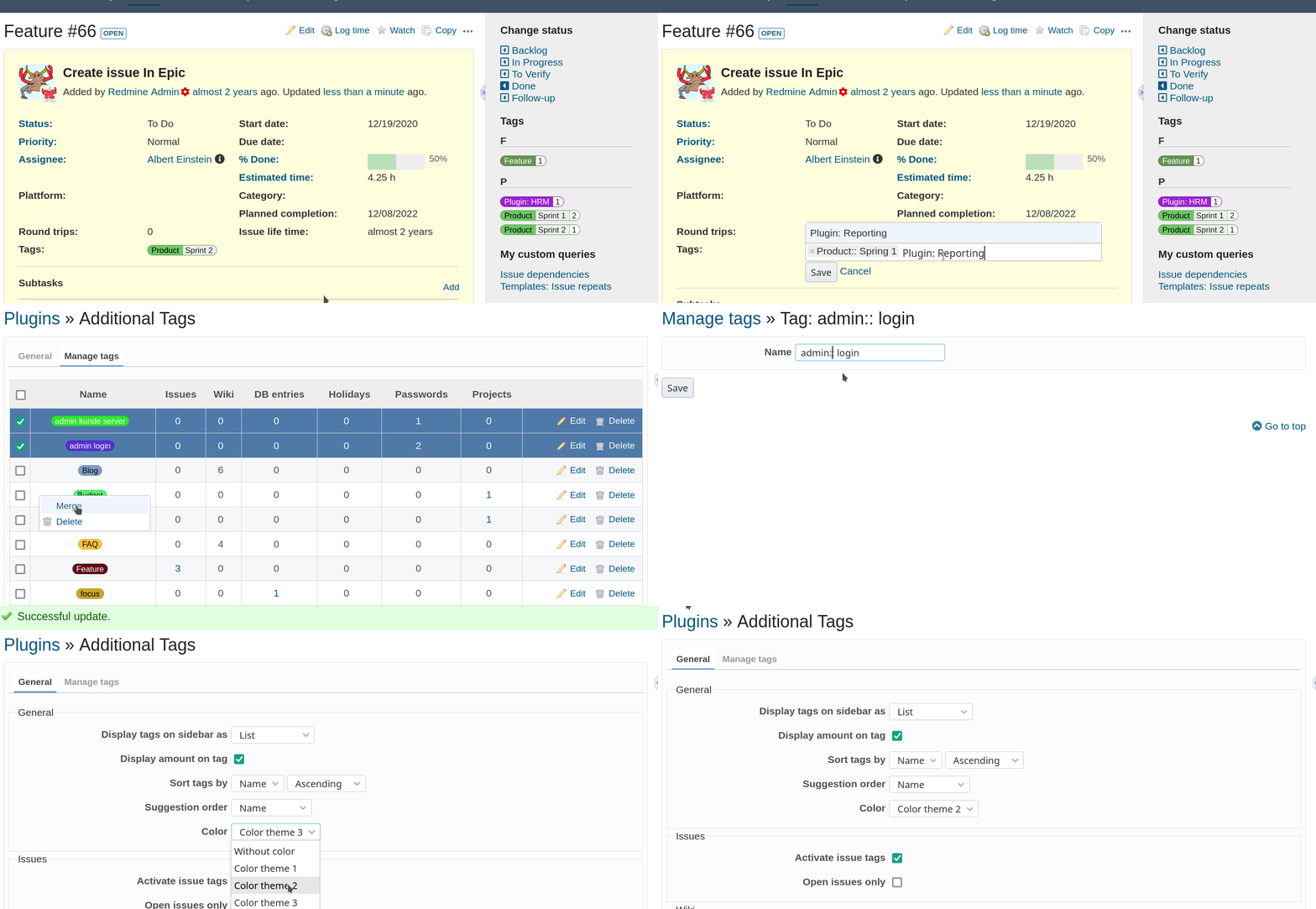
Other plugins use additional_tags as framework in order to support tags for their entities. At the moment this are:
- redmine_db (db entry tagging)
- redmine_passwords (password tagging)
- redmine_reporting (project tagging)
- redmine_hrm (holiday tagging)
- redmine_servicedesk (contact tagging)
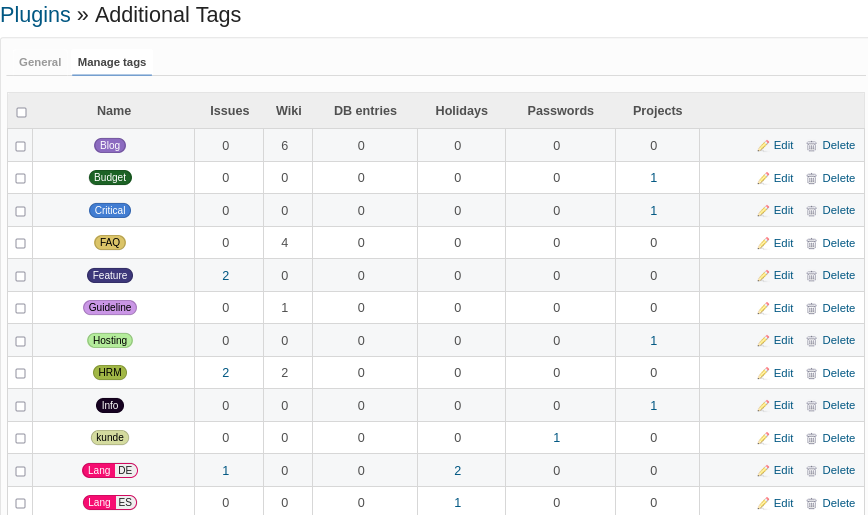
Start using it, too. The example image shows the centralized tag management in the plugin configuration.
- Main reason: a stable tag solution for a current Redmine version is needed - NOW
- Other plugins are no longer maintained or not available on a public community plattform as github or gitlab
- Redmine (core) does not support tags. A feature request for issue tags exists since 2008, see #1448.
- Lots of plugins are using its own tag implementation (redmine_knowledgebase, redmine_contacts, redmine_products, redmine_passwords, redmine_db, ....). A common functional base was required. This plugin closes this gap. It would be great, if other plugins would use
additional_tagsfor it.
- Redmine
>= 4.1.0 - Ruby
>= 2.4.10 - Redmine plugins: additionals
Choose 1a OR 1b
1a. Clone this repository into redmine/plugins/additional_tags.
cd redmine/plugins
git clone https://github.com/alphanodes/additionals.git
git clone https://github.com/alphanodes/additional_tags.git
1b. Add the gem to your Gemfile.local:
gem 'additional_tags'At the moment, additionals should be installed before using gem method. In later versions addtionals plugins is usable as gem, too.
- Install dependencies and migrate database.
bundle install
bundle exec rake redmine:plugins:migrate RAILS_ENV=production- Restart your Redmine web server.
Make sure you have the latest database structure loaded to the test database:
bundle exec rake db:drop db:create db:migrate RAILS_ENV=testRun the following command to start tests:
bundle exec rake redmine:plugins:test NAME=additional_tags RAILS_ENV=testIf you use redmine_tags or redmineup_tags you can migrate your tags.
additional_tags uses its own database tables, to prevent conflicts with other plugins (e.g. redmine_knowledgebase, redmine_contacts, etc)
To migrate your data to additional_tags use the following steps (order is important):
- Remove plugin directory of your old plugin, e.g plugin/redmine_tags
- Install
additional_tagsas is descript above (this automatically migrate data to new tables)
The old database tables are existing after these steps.
cd $REDMINE_ROOT
bundle exec rake redmine:plugins:migrate NAME=additional_tags VERSION=0 RAILS_ENV=production
rm -rf plugins/additional_tagsThis plugin is licensed under the terms of GNU/GPL v2. See LICENSE for details.
The source code is a (almost) rewrite of
Special thanks to the original author and contributors for making this awesome hook for Redmine.