ClonOS is a free and open-source platform distribution for network-attached storage (NAS) and virtual environments.
ClonOS is developed as part of the CBSD Project, a framework for Linux and FreeBSD for managing virtual environments.
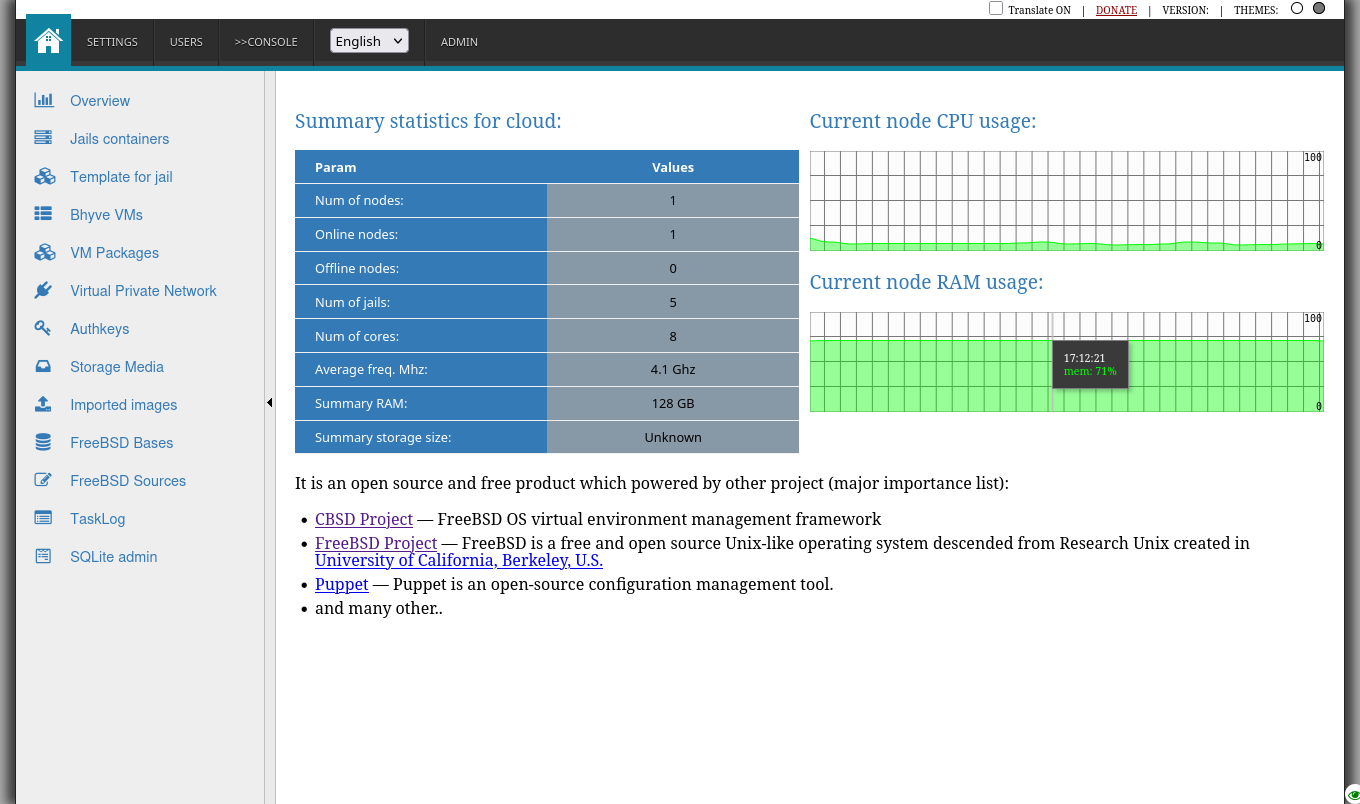
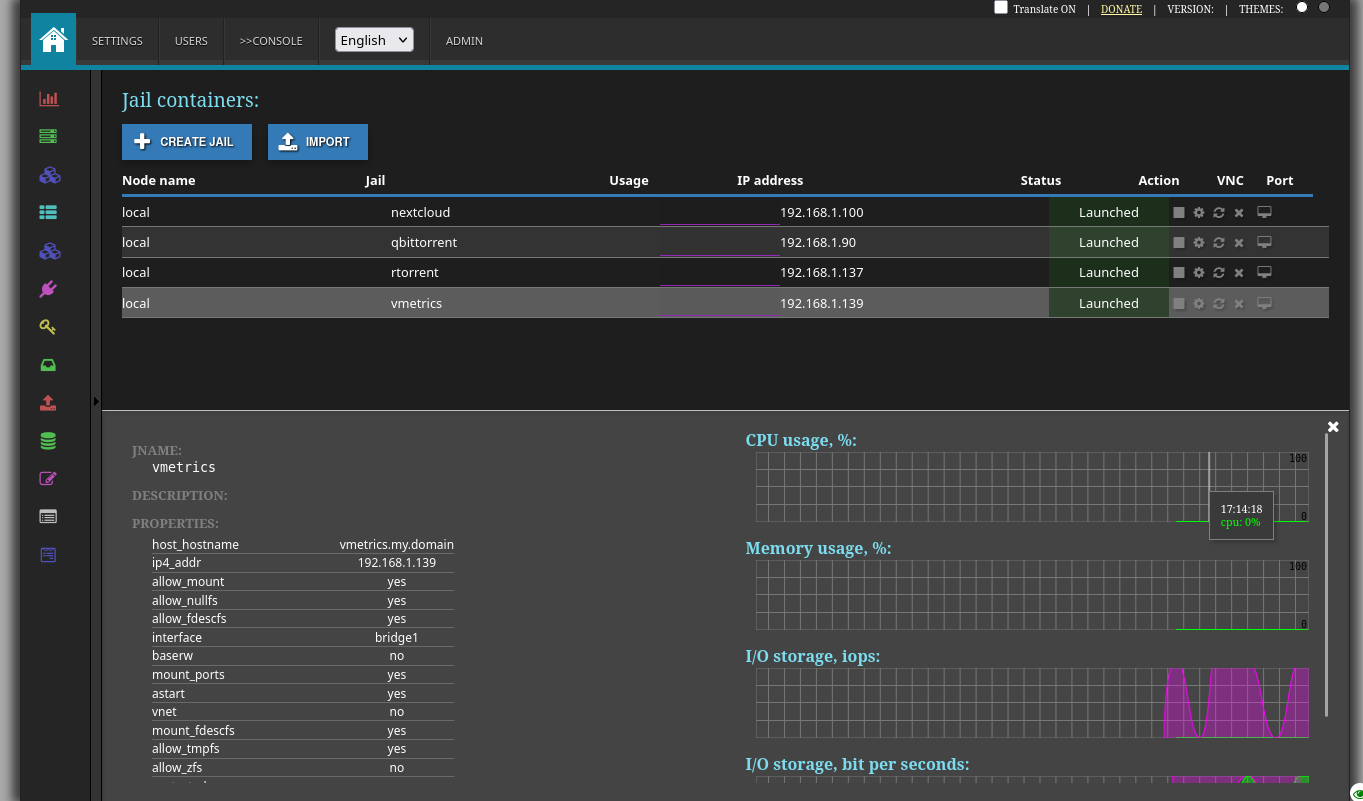
From media (ISO, USB Memstick, PXE)
WIP...
On FreeBSD
This instruction assumes that we are working on an already installed vanilla FreeBSD OS 15.0-RELEASE ( or higher ).
- Install ClonOS dependencies:
pkg update -f

pkg install -y lang/python311 lang/php85 net/libvncserver security/gnutls sqlite3 shells/bash www/npm-node24 www/nginx \
    sysutils/cbsd security/ca_root_nss www/node24 security/sudo net/beanstalkd git devel/pkgconf tmux py311-numpy lang/go \
    php85-session php85-zip php85-sqlite3 php85-pdo_sqlite php85-filter php85-ctype php85-curl php85-intl php85-mbstring php85-phar php85-zlib
- Update FreeBSD ports tree:
git clone --depth 1 --branch main https://git.freebsd.org/ports.git /usr/ports
- Checkout ClonOS ports tree:
git clone https://github.com/clonos/clonos-ports-wip.git /root/clonos-ports
- Create overlays vars for ClonOS ports:
echo 'OVERLAYS=/root/clonos-ports' >> /etc/make.conf
- Build and install ClonOS:
env BATCH=no make -C /root/clonos-ports/www/clonos install
Follow post-message instruction:
You must merge or copy working configuration files.
Check for RACCT is enabled on the host, please add kern.racct.enable="1" into /boot/loader.conf:
echo 'kern.racct.enable="1"' >> /boot/loader.conf
then reboot host.
If CBSD still not initialized, do it first:
/usr/local/cbsd/sudoexec/initenv /usr/local/cbsd/share/initenv.conf default_vs=1
more about CBSD initialization: https://github.com/cbsd/cbsd/blob/develop/share/docs/general/cbsd_quickstart.md
Ensure CBSD is started:
sysrc cbsdd_enable=YES
service cbsdd status || service cbsdd start
Configure and run beanstalkd:
sysrc beanstalkd_enable=YES beanstalkd_flags="-l 127.0.0.1 -p 11300 -z 104856"
service beanstalkd restart
Change in /usr/local/etc/php-fpm.conf events mechanism to BSD-specific. To do this, uncomment and edit the events.mechanism parameter to:
…
events.mechanism = kqueue
…
Or copy:
cp /usr/local/etc/php-fpm.conf.clonos.sample /usr/local/etc/php-fpm.conf
Uncomment and change in /usr/local/etc/php-fpm.d/www.conf port to Unix socket and set's correct access permission:
…
listen = /tmp/php-fpm.sock
…
listen.backlog = -1
…
listen.owner = www
listen.group = www
listen.mode = 0660
…
Or copy:
cp /usr/local/etc/php-fpm.d/www-php-fpm.conf.clonos.sample /usr/local/etc/php-fpm.d/www.conf
Add "www" user to "cbsd" group:
pw groupmod cbsd -M www
To execute CBSD commands, let the www user run CBSD through sudo: edit /usr/local/etc/sudoers.d/10_www :
Defaults     env_keep += "workdir DIALOG NOCOLOR CBSD_RNODE"
Cmnd_Alias   WEB_CMD = /usr/local/bin/cbsd
www   ALL=(ALL) NOPASSWD:SETENV: WEB_CMD
And make sure the file permissions are safe:
chown root:wheel /usr/local/etc/sudoers.d/10_www
chmod 0440 /usr/local/etc/sudoers.d/10_www
Or copy:
install -o root -g wheel -m 0440 /usr/local/etc/sudoers_10_www.clonos.sample /usr/local/etc/sudoers.d/10_www
Enable and start websocket daemon:
service clonos-ws enable
service clonos-ws restart
Enable and start ClonOS node daemon:
service clonos-node-ws enable
service clonos-node-ws restart
Change /usr/local/etc/php.ini params:
…
memory_limit = 256M
…
post_max_size = 12G
…
upload_tmp_dir = /tmp
…
upload_max_filesize = 16G
…
opcache.enable=1
Or copy:
cp /usr/local/etc/php.ini.clonos.sample /usr/local/etc/php.ini
Configure NGINX: make sure/merge this settings into /usr/local/etc/nginx/nginx.conf :
user www;
load_module /usr/local/libexec/nginx/ngx_stream_module.so;
events {
        use kqueue;
}
http {
        include       /usr/local/etc/nginx/mime.types;
        default_type  application/octet-stream;
        client_max_body_size    1m;
        include /usr/local/etc/nginx/sites-enabled/*.conf;
}
stream {
        include /usr/local/etc/nginx/conf.stream.d/*.conf;
        include /usr/local/etc/nginx/streams-enabled/*;
}
Or copy:
cp /usr/local/etc/nginx/nginx.conf.clonos.sample /usr/local/etc/nginx/nginx.conf
Enable nginx, php-fpm, clonos_vnc2wss and mandatory kernel modules:
sysrc nginx_enable="YES" php_fpm_enable="YES" supervisord_enable="YES" clonos_vnc2wss_enable="YES"
sysrc kld_list+="vmm if_tuntap if_bridge nmdm"
Start nginx, php-fpm and modules:
service nginx restart
service php_fpm restart
service kld restart
- Configure CBSD:
a) Install and compile vncterm module:
cbsd module mode=install vncterm
make -C /usr/local/cbsd/modules/vncterm.d
b) Install additional ConvectIX scripts module:
cbsd module mode=install convectix
c) Install Puppet module
cbsd module mode=install puppet
d) Install ClonOS database module:
cbsd module mode=install clonosdb
e) Copy queue config file:
cp -a /usr/local/cbsd/modules/cbsd_queue.d/etc-sample/cbsd_queue.conf ~cbsd/etc/
f) Add additional module name into ~cbsd/etc/modules, e.g. complete ~cbsd/etc/modules.conf must have pkg.d bsdconf.d zfsinstall.d puppet.d convectix.d cbsd_queue.d vncterm.d clonosdb.d:
cat > ~cbsd/etc/modules.conf <<EOF
pkg.d
bsdconf.d
zfsinstall.d
puppet.d
convectix.d
cbsd_queue.d
vncterm.d
clonosdb.d
EOF
Or copy:
cp /usr/local/etc/cbsd-modules.conf.clonos.sample ~cbsd/etc/modules.conf
g) Re-run CBSD initenv to init modules:
cbsd initenv
h) Init web user database:
cbsd clonosdb
i) Configure and run CBSD RACCT stats daemon:
sysrc cbsd_statsd_hoster_enable=YES cbsd_statsd_jail_enable=YES cbsd_statsd_bhyve_enable=YES
service cbsd-statsd-hoster restart
service cbsd-statsd-jail restart
service cbsd-statsd-bhyve restart
j) Create symlink from python3 to valid python bin:
ln -sf /usr/local/bin/python3.11 /usr/local/bin/python3
Open ClonOS UI in your web browser http://XXXXX:
Default login: 'admin'

Default password: 'admin'

Enjoy the ClonOS !
On Linux
WIP...
- Fork me on GitHub: git@github.com:clonos/control-pane.git
- Commit your changes (
git commit -am 'Added some feature') - Push to the branch (
git push) - Create new Pull Request



![@dependabot[bot]](https://avatars.githubusercontent.com/in/29110?s=64&v=4)


