Added Instruction for windows System #4
Conversation


|
|
||
| ``` | ||
| git clone https://github.com/dakshshah96/local-cert-generator.git | ||
| run git clone |

There was a problem hiding this comment.
- Agregue el certificado raíz que acabamos de generar a su lista de certificados confiables. Este paso depende del sistema operativo que esté ejecutando:
There was a problem hiding this comment.
Acceso a llaveros e importa el certificado raíz a tu llavero del sistema. Luego marque el certificado como confiable
There was a problem hiding this comment.
confianza ] (https://cdn-images-1.medium.com/max/1600/1*NWwMb0yV9ClHDj87Kug9Ng.png)
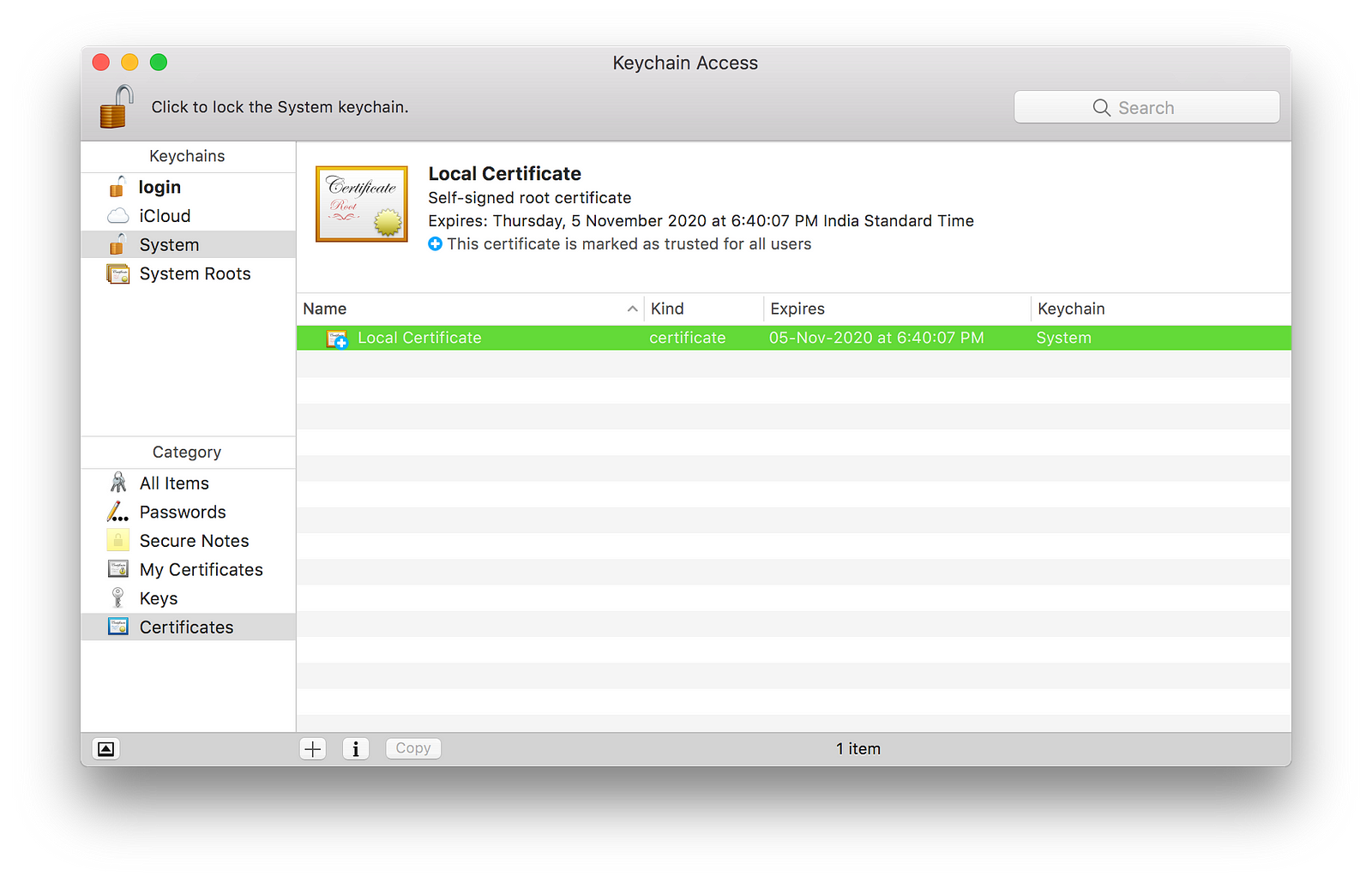
- ** Linux ** : Dependiendo de su distribución de Linux, puede usar `trust` , ` update-ca -ificates` u otro comando para marcar el certificado raíz generado como confiable.
|
|
||
| - **Linux**: Depending on your Linux distribution, you can use `trust`, `update-ca-certificates` or another command to mark the generated root certificate as trusted. | ||
| - **Windows**: Windows key + R and run certmgr.msc and selecet `Trusted Root Certificatation Authorities--> certificates-->right click-->All Task-->import-->an then follow the instructions | ||
|
|
There was a problem hiding this comment.
3 README.md
@@ -7,7 +7,7 @@ Un conjunto de scripts para generar rápidamente un certificado HTTPS para su desarrollo local
- Clone este repositorio y
cden él:
''
clon de git https://github.com/dakshshah96/local-cert-generator.git
ejecutar git clone
@luperciomartina
luperciomartina hace 5 minutos
createRootCA.sh
@luperciomartina
luperciomartina hace 3 minutos
Agregue el certificado raíz que acabamos de generar una lista de certificados confiables. Este paso depende del sistema operativo que esté ejecutando:
@luperciomartina
luperciomartina hace 2 minutos
Acceso a llaveros e importa el certificado raíz a tu llavero del sistema. Luego marque el certificado como confiable
@luperciomartine
luperciomartine hace 1 minuto
confianza ] (https://cdn-images-1.medium.com/max/1600/1*NWwMb0yV9ClHDj87Kug9Ng.png)
- ** Linux ** : Dependiendo de su distribución de Linux, puede usar
trust,update-ca -ificatesu otro comando para marcar el certificado raíz generado como confiable.
@luperciomartina Respuesta…
cd local-cert-generator
''
- Ejecute el script para crear un certificado raíz:
''
sh createRootCA.sh
'' - Agregue el certificado raíz que acabamos de generar a su lista de certificados confiables. Este paso depende del sistema operativo que esté ejecutando:
-
** macOS ** : abre Acceso a llaveros e importa el certificado raíz a tu llavero del sistema. Luego marque el certificado como confiable.
! [ Certificado raíz de confianza ] (https://cdn-images-1.medium.com/max/1600/1*NWwMb0yV9ClHDj87Kug9Ng.png) -
** Linux ** : Dependiendo de su distribución de Linux, puede usar
trust,update-ca -ificatesu otro comando para marcar el certificado raíz generado como confiable. -
** Windows ** : tecla de Windows + R y ejecute certmgr.msc y seleccione `Autoridades de certificación raíz de confianza -> certificados -> clic derecho -> Todas las tareas -> importar -> y luego siga las instrucciones
-
Deja un comentario
Deja un comentario
- Nota *: Es posible que deba reiniciar su navegador para cargar correctamente el nuevo certificado raíz de confianza.
- Ejecute el script para crear un certificado de dominio para
localhost:
''
sh createSelfSigned.sh
'' - Mueva
server.keyyserver.crta una ubicación accesible en su servidor e inclúyalos al iniciarlo. En una aplicación Express que se ejecuta en Node.js, haría algo como esto:
`` js
var ruta = require ('ruta')
var fs = require ('fs')
var express = require ('express')
var https = require ('https')
var certOptions = {
clave: fs.readFileSync (ruta.resolve ('compilación / cert / server.key')),
cert: fs.readFileSync (ruta.resolve ('compilación / cert / server.crt'))
}
var app = express ()
var server = https.createServer (certOptions, aplicación) .listen (443)
'
There was a problem hiding this comment.
- ** Windows ** : tecla de Windows + R y ejecute certmgr.msc y seleccione `Autoridades de certificación raíz de confianza -> certificados -> clic derecho -> Todas las tareas -> importar -> y luego siga las instrucciones
2 participants


No description provided.