

Tab Shifter is a plugin for IntelliJ IDEA
with a bunch of actions to move tabs between editor splitters and resize splitters.
Actions are added to Main Menu -> Window -> Tab Shifter.
MacOS shortcuts:
ctrl + alt + ]- move tab to the right splitter (or create a new one if it's the rightmost splitter)ctrl + alt + [- move tab to the left splitterctrl + alt + P- move tab to the splitter abovectrl + alt + '- move tab to the splitter below (or create a new one if it's the bottom splitter)alt + shift + [- stretch splitter leftalt + shift + ]- stretch splitter rightalt + shift + =- equal size splitteralt + shift + M- maximize/restore splitter
Linux/Windows shortcuts:
alt + shift + ]- move tab rightalt + shift + [- move tab leftalt + shift + P- move tab upalt + shift + '- move tab downctrl + alt + [- stretch splitter leftctrl + alt + ]- stretch splitter rightctrl + alt + =- equal size splitteralt + shift + M- maximize/restore splitter
To move focus between splitters:
ctrl + alt + shift + ]- rightctrl + alt + shift + [- leftctrl + alt + shift + P- upctrl + alt + shift + ;- downctrl + alt + .- recommended binding for the built-inGoto Next Splitteraction
Of course, all the shortcuts can be changed in IDE Settings -> Keymap.
The main motivation for this plugin is to have an action which moves the current tab to the next split window (if there was no split window, create a new one). See this issue on youtrack.
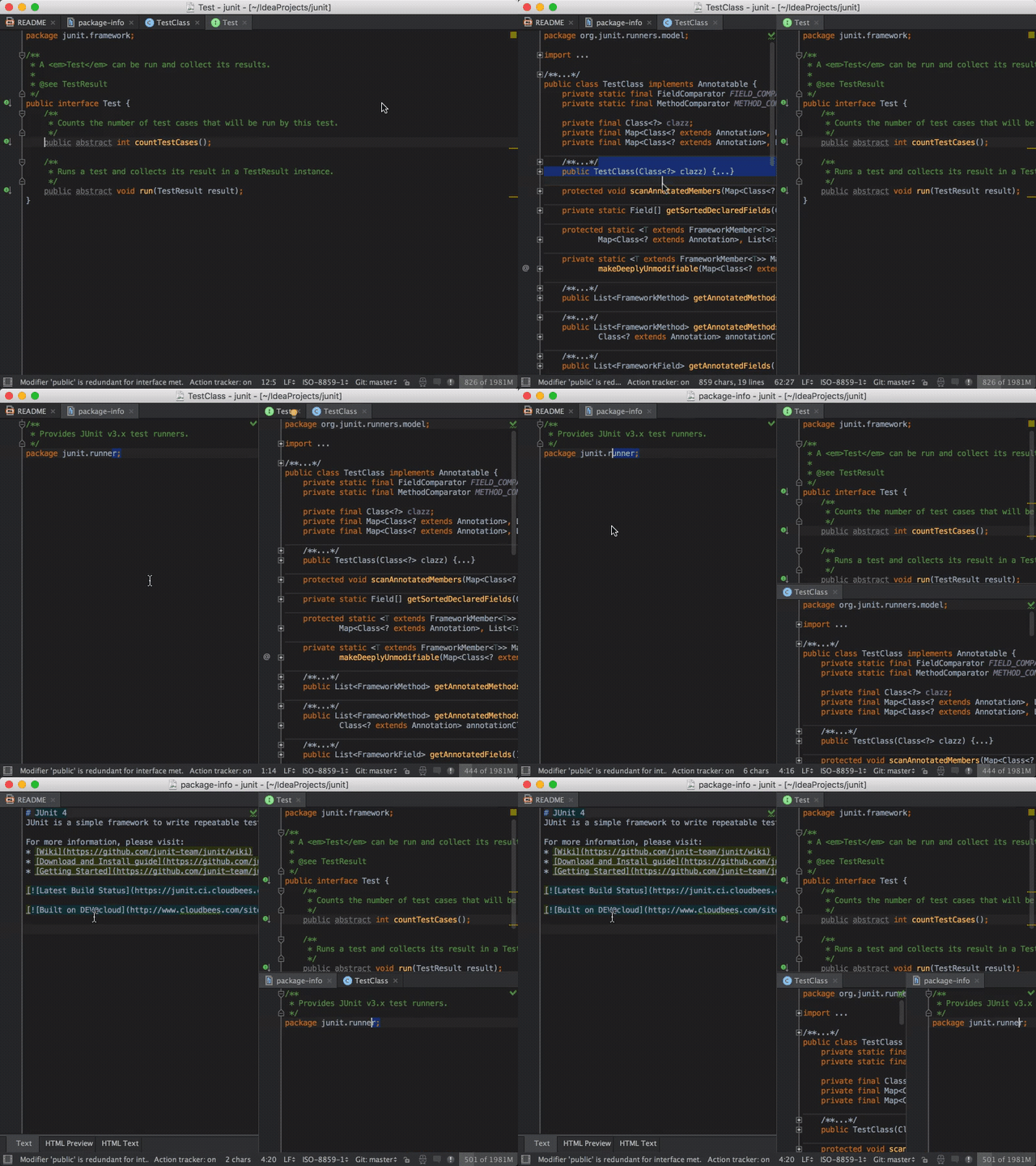
There are built-in actions to split and move tabs (see Main Menu -> Window -> Editor Tabs) but, unfortunately, they don't do the right thing.
In particular:
Split Vertically/Horizontallyduplicates the current tab in the new split.Split and Move Right/Downalways splits the current window (even if there is already split window in the specified direction) and has no symmetric actions to move left/up (instead, you have to unsplit).
Plugin idea by Sandro Mancuso at SoCraTes UK 2013. Initially created using LivePlugin.