wasavi is an extension for Chrome, Opera and Firefox. wasavi transforms TEXTAREA element of any page into a VI editor, so you can edit the text in VI. wasavi supports almost all VI commands and some ex commands.
wasavi is under development. Any bug report or feature request is welcome.
And we also welcome a donation to continue development:


-
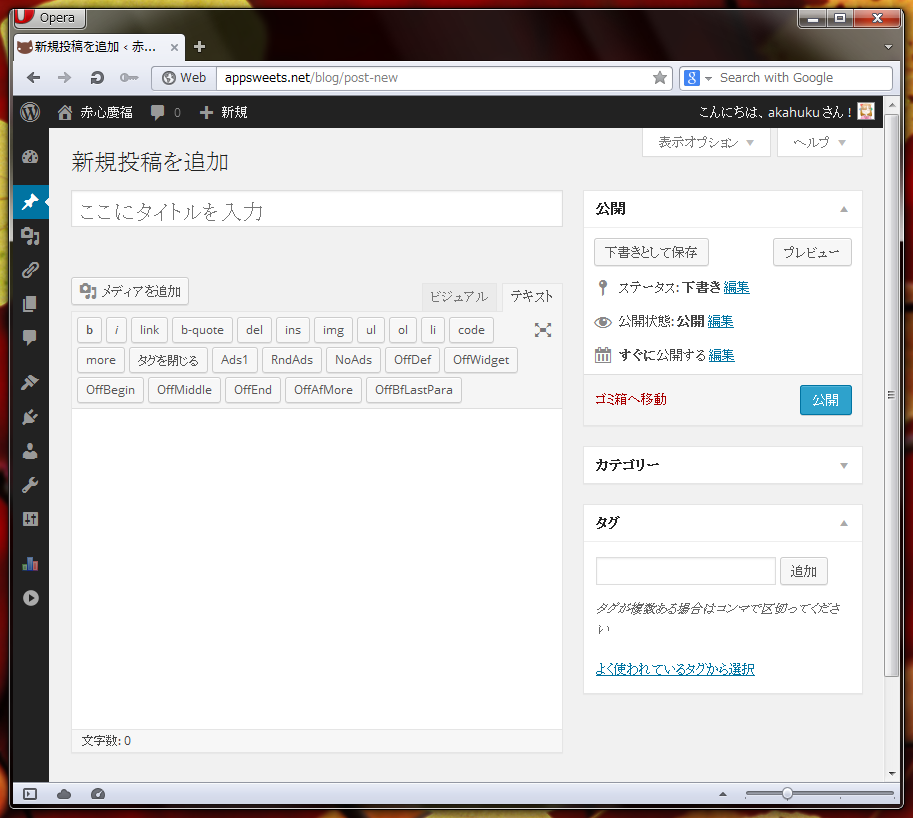
Here is a native TEXTAREA
-
Focus the TEXTAREA, and press
Ctrl+Enterto launch wasavi
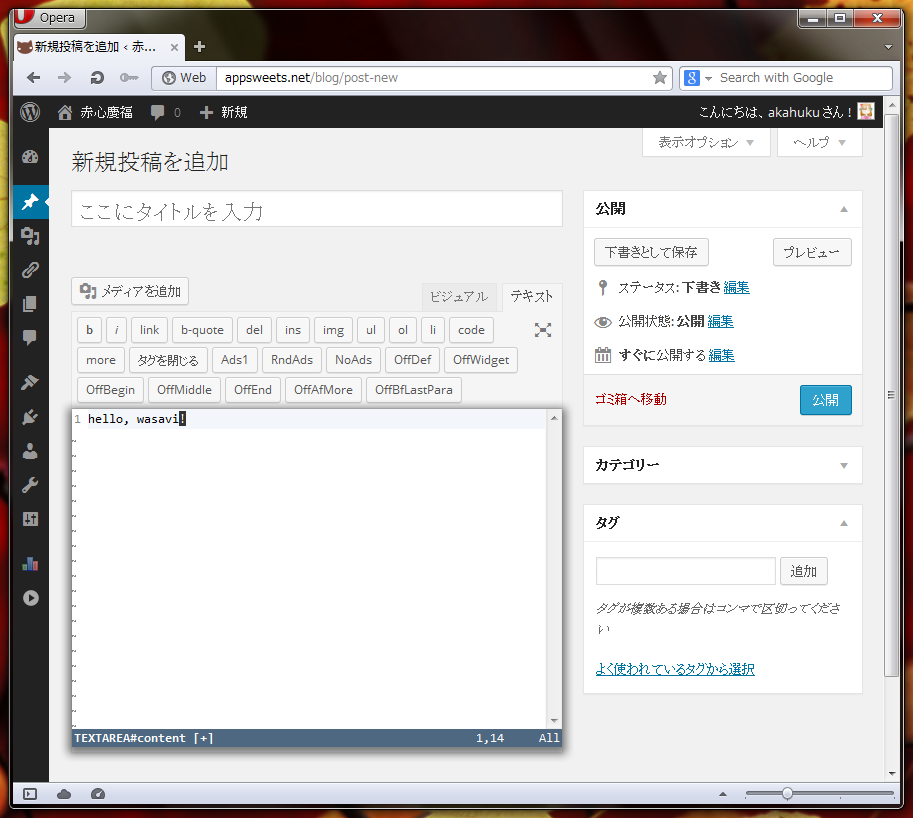
-
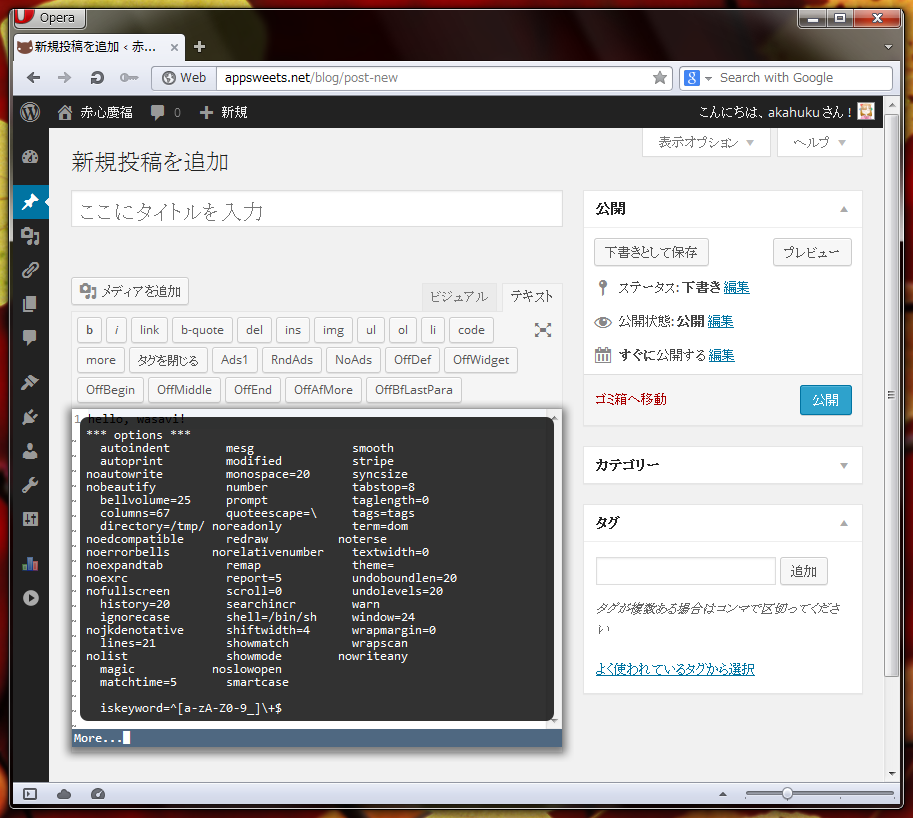
wasavi supports some ex commands. This is the output of
:set all -
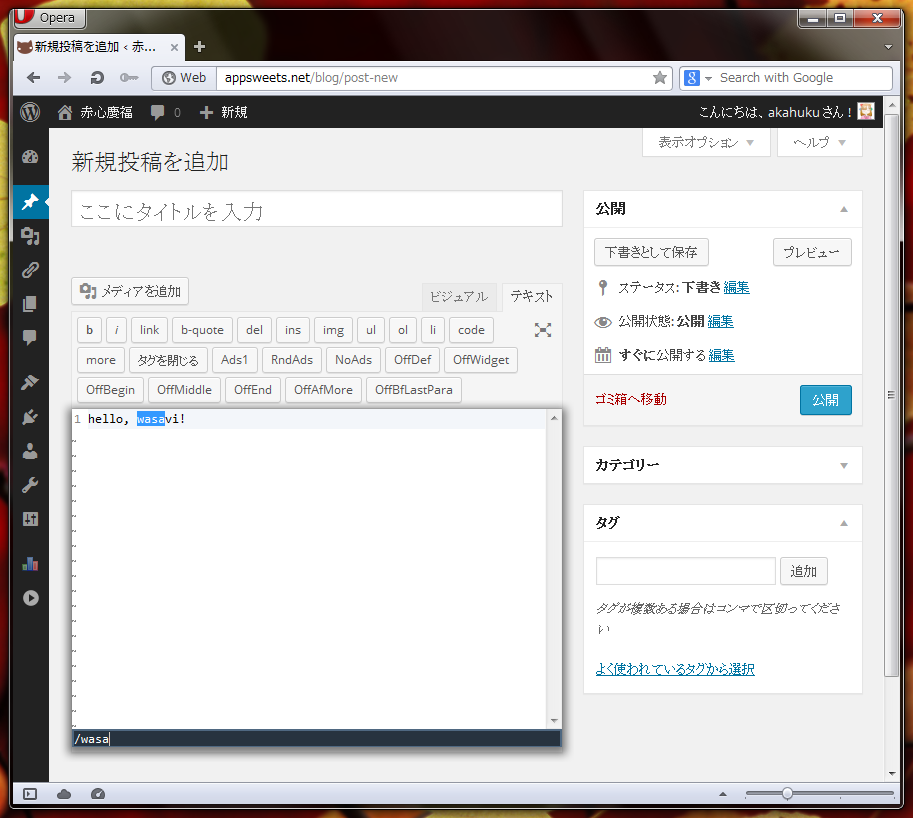
Vim's incremental search
-
wasavi online app. Open this link on a browser that has wasavi extension. wasavi will launch automatically. Then you can read and write files at your Dropbox/Google Drive/OneDrive account or local files.
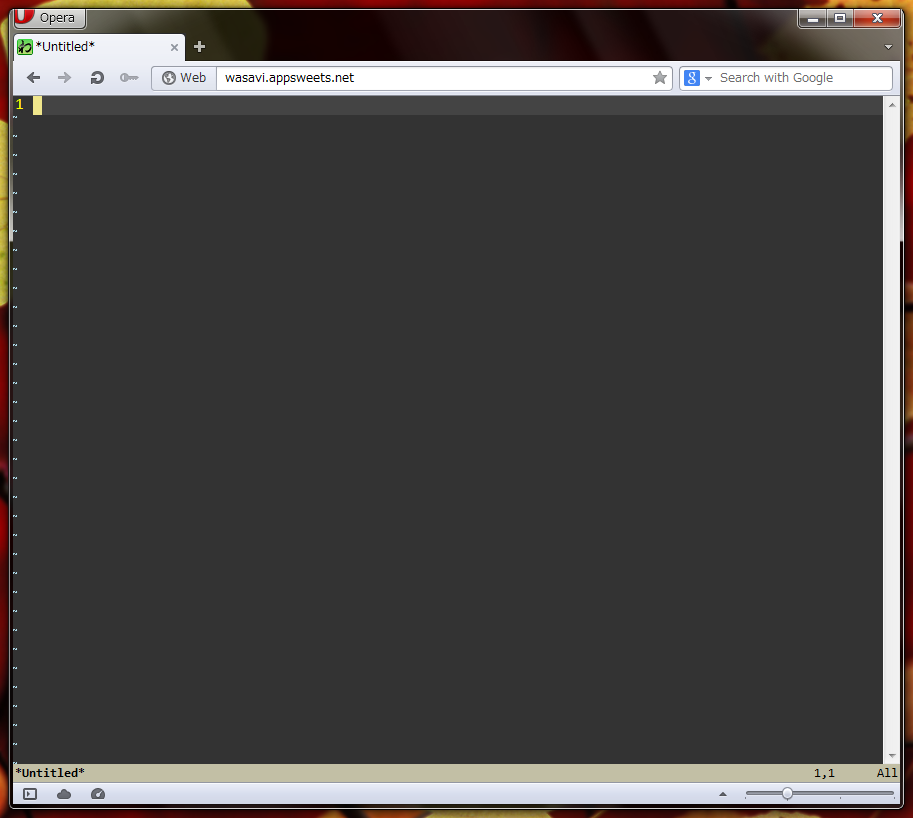
Currently, wasavi is available for following browsers only. Select your browser and click the link. Standard extension installation procedure of your browser will follow. These extensions are hosted at the addons store of their respective browser.
-
Firefox addon
Source code and latest development releases are hosted at Github:
Presto based Opera does not support DOM3 Composition Event therefore input via IME is not guaranteed. Presto based Opera does not allow extension to manipulate system clipboard, so the register * is unavailable on Opera.
Chrome has reserved some fundamental shortcuts, such as Ctrl+T, Ctrl+W and Ctrl+N. Although these keys cannot be used in wasavi, you can use Alt+T, Alt+W and Alt+N.
Focus TEXTAREA and press Ctrl+Enter.
To quit wasavi press ZZ or :q or :wq or any other VI quit command.
See this table.
Note: there are also options which are accepted but don't have any effect yet.
Open preference wasavi extension (or enter :options on wasavi),
and edit "exrc" textbox.
See document.
Put wasavi_mediator.js in your Vimperator plugin directory, for example, ~/.vimperator/plugin or %HOME%\vimperator\plugin.
This plugin will control the pass-through mode of Vimperator according to the state of wasavi.
Put wasavi_mediator.ks.js in your Keysnail plugin directory.
This plugin will control suspend mode of Keysnail according to the state of wasavi.
Latest VimFx recognizes wasavi as editable element. While wasavi is running, VimFx suspends temporarily.
To use VimFx's key binding while wasavi is running, click outside area of wasavi or enter :set esctoblur and press <esc> in normal mode. Then keyboard focus would be removed from wasavi, and you can use VimFx's key binding.
Install the wasavi extension and open the link to wasavi online app. wasavi will start automatically. You can use ex commands :read, :write, :edit or :file to access your Dropbox/Google Drive/OneDrive files or local files. You will have to authorize wasavi via OAuth to access these storages.
The :set commands which you input while wasavi is running are stored to extension's persistent storage, and those are regenerated when you launch wasavi next time.
This setting override mechanism works each independent URLs (max 30). If you think this is unnecessary, put :set nooverride in your exrc. Then overriding will be skipped.
Please create an issue on wasavi issue tracker
- to maximize the wasavi:
:set fullscreenor:set fs - to restore the wasavi:
:set nofullscreenor:set nofs - to change a color theme:
:set theme=blightor:set theme=charcoalor:set theme=matrixor:set theme=solarizedor:set theme=solarized_dark - abbreviate syntax is
:abbreviatedisplays all the abbreviations currently registered.:abbreviate [clear]clears all the abbreviations.:abbreviate lhsdisplays the abbreviation corresponding to lhs.:abbreviate lhs rhsregisters a abbreviation which expands lhs to rhs.:abbreviate [noremap] lhs rhsalso registers, but it is not effected remap mechanism.
- map syntax is
:mapdisplays all the mappings currently registered.:map [clear]clears all the mappings.:map lhs rhsregisters a rule which translates lhs to rhs. Its translation is recursive. About syntax of key stroke descriptor like<esc>in the lhs and rhs, see this page.:map [noremap] lhs rhsalso registers, but it is non-recursive.:maptargets the normal mode mappings. On the other hand,:map!targets the insert mode. This is equivalent to vim's:imap.
- j k ^ $ moves cursor by physical row, on the other hand,
gj gk g^ g$ moves by wrapped row. To swap the behavior:
:set jkdenotative - f/F/t/T extension for Japanese: these commands recognizes reading (ro-ma ji
expression) of hiragana, katakana, and kanji. For example,
fkwill place a cursor on 'か', 'カ', '漢' and so on. - f/F/t/T extension for Latin script: these commands recognizes the base alphabet
of diacritical marked letter. For example,
fawill place a cursor on 'å', 'ä', 'à', 'â', 'ā' and so on. Also see mapping table. - use a online storage as file system:
:filesystem statusshows all file systems currently available.:filesystem defaultshows default file system. You can set default file system via:filesystem default dropboxor:filesystem default gdriveor:filesystem default onedrive.:filesystem resetdiscards the access token for online storage.- You can place the file system name at the head of a file name explicitly:
for instance,
:read dropbox:/hello.txt.
- When you read from the register of A to Z, some registers returns special content:
Bregister: user agent stringDregister: current date time string (formatted by usingdatetimeoption as template of strftime(3))Tregister: title stringUregister: URL stringWregister: version string of wasavi
- To return a setting to default state:
:set <option-name>&or:set <option-name>&default
- To return all settings to default state:
:set all&or:set all&default
- To return a setting to the state just after evaluation of exrc:
:set <option-name>&exrc
- To return all settings to the state just after evaluation of exrc:
:set all&exrc
- To submit a form automatically after writing text and closing wasavi:
:wqs:submit(this can be shortened to:sub)
- [count] operation [count] motion
- [count] operation [count] range-symbol
- [count] surround-operation [count] motion surround-string
- [count] surround-operation [count] range-symbol surround-string
- [count] de-surround-operation [count] surround-identifier
- [count] re-surround-operation [count] surround-identifier surround-string
- [count] operation-alias
- [count] surround-operation-alias surround-string
- [count] motion
- [count] scroll-command
- [count] edit-command
- [count]
:ex-command
c y d > < gq gu gU
cc yy dd >> << C Y D gqq guu gUU yss ySS
A counter can be inserted in front of the last 1 character.
- to surround:
ysyS - to remove a surround:
ds - to change a surround:
cs
- + ^ <home> $ <end> % | , ;
_ / ? ' ` ( ) { } [[ ]] <enter> 0
j k h l ^N ^P ^H
<down> <up> <left> <right> <space>
w W b B e E gg gj gk g^ g$ G H M L f F t T n N
a"a'a`a[a]a{a}aBa<a>a(a)abawaWapasati"i'i`i[i]i{i}iBi<i>i(i)ibiwiWipisit
^U ^D ^Y ^E ^B ^F <pageup> <pagedown> z<enter> z. zz z-
x X <delete> p P J . u ^R ~ ^L ^G ga gv m @ q r R a A i I o O & s S v V ZZ gi
abbreviate cd chdir copy delete edit file filesystem global join k map mark marks move options print put pwd quit read redo s & ~ set sort submit registers to unabbreviate undo unmap version v write wq wqs xit yank > < @ *
The addressing in ex command is fully supported:
- whole buffer:
%s/re/rep/ - current line:
.p - the last line of buffer:
$p - absolute line number:
1,2p - relative line number:
+1,+2p - regal expression:
/re/p?re?p - mark referencing:
'a,'bp
In addition to this wasavi also accepts offset, for example: /re/+1p.
Two addresses are usually connected by a ,, wasavi also supports ;.
^@: input the most recently input text, and exit input mode. this key stroke is actuallyCtrl+Space.^D: unshift. but if the last input character is0or^, delete all indentation^H: delete a character^R: paste register's content^T: shift^U: delete all the characters entered in the current input session^V: literal input^W: delete a word
^A: move cursor to top of line^B: back^E: move cursor to end of line^F: forward^H: delete a character^N: next history^P: previous history^R: paste register's content^U: delete whole line^V: literal input^W: delete a wordtab: complete ex command name, set option name, file name argument of read/edit/write/file
Bound mode is similar to vim's visual mode.
c: delete the bound, and switch to insert moded: delete the boundy: yank the bound<: unshift the bound>: shift the boundC: delete the line-wise bound, and switch to insert modeS: surround the boundR: same asCD: delete the line-wise boundX: same asDY: yank the line-wise boundgprefix commandsa,iprefix range symbols~: swap lower case and upper case in the bound:: switch to line input modeJ: join the boundp: delete the bound, and paste a register's contentP: same aspr: fill the bound up with inputted letters: same ascu: lower-ize the boundU: upper-ize the boundv: character wise bound modeV: line wise bound modex: same asd
- quotations: one of
!#$%&*+,\-.:;=?@^_|~"'` - brackets: one of
abBrt[]{}()
- quotations: one of
!#$%&*+,\-.:;=?@^_|~"'` - brackets: one of
abBr[]{}() - tags: one of
^T,<Tt
- multiple level undo/redo
- incremental search
- range symbols (aka, Vim text objects)
- register
",:,*,/(*is used to access system clipboard) - auto-reformat in input mode, and reformat operator (gq command) on the state of textwidth > 0
- bound mode (aka, Vim visual mode)
- options:
iskeyword,incsearch,smartcase,undolevels,quoteescape,relativenumber,textwidth,expandtab,cursorline,cursorcolumn - writing to the register of A to Z
gu/gU+ motion: lowerize or upperize a region- partial functionality of Surround.vim
- partial functionality of
:sort(regex pattern,randioptions)