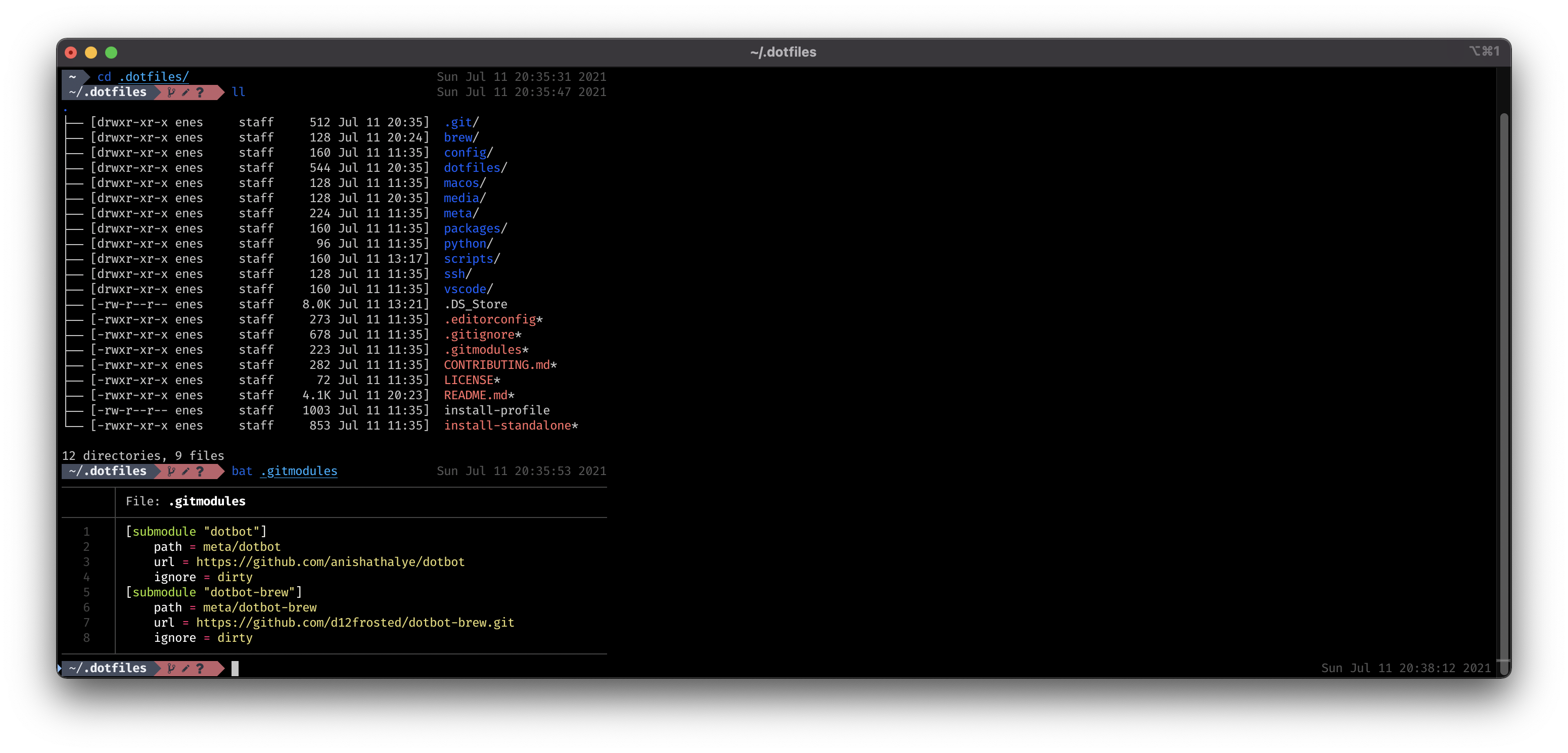
What's in there?
- all my
brewdependencies including: applications, fonts, etc. SeeBrewfile - all my
macOSconfiguration. Seemacos - all my
vscodeconfiguration. Seevscode/
These dotfiles use dotbot for installation.
- git
to set things up. Steps:
- Clone this repo
git clone --recursive https://github.com/enesdir/dotfiles .dotfilescdintodotfiles/folder
cd .dotfilesbash ./install-profile <profile> [<configs...>]
# See meta/profiles/ for available profilesbash ./install-standalone <configs...>
# See meta/configs/ for available configurations-
Manual - Copy your private ssh key into the .ssh folder
-
Secure your ssh folder
bash -l './scripts/configure-ssh.sh'- oh-my-fish installation (not working macos)
bash -l './scripts/install-omf.sh'The installation scripts are idempotent and can therefore be executed safely multiple times.
I am using default iTerm as terminal emulators.
I am using fish with oh-my-fish
as a main shell.
I also have a lot of tools to make my working experience better.
I mainly work with two stacks:
node+yarn+react+typescriptpython
So, they are configured nice and smoothly. You will have configured version managers, best practices, and useful tools. And some productivity hacks!
- install-standalone or install-profile - Bootstrap installation
- configs folder - Configuration files for each program
- profiles folder - Summarize configs configurations in profiles
- config.fish - Global fish configuration (.fishrc)
- omf folder - List of
omfplugins & themes - completions/
- repo.fish - Contains all repos as completions for the
repocommand - repodir.fish - Contains all repos as completions for the
repodircommand
- repo.fish - Contains all repos as completions for the
- functions/
- abbrex.fish - Utility for expanding abbreviations in fish-scripts
- emptytrash.fish - Empties trash and clears system logs
- fuck.fish - thefuck helper
- forrepos.fish - Executes a passed command for all repos in
~/dev - gtc.fish - git clone into
~/devwith dir structure likegithosting/org/repo - ls.fish - Calling ls with parameter --color=auto
- repo.fish - Finds a repository in
~/devand jumps to it - repodir.fish - Finds a repository in
~/devand prints its path - update.fish - Installs OS X Software Updates, Homebrew, npm, and their installed packages
- week.fish - Returns the current week number
gitignore- Contains global gitignores, such as OS-specific files and several compiled filesgitconfig- Sets several global Git variablesgitconfig_personalto store any user-specific data
settings.sh- Executes a long list of commands pertaining to macOS Preferences
npm-global.sh- Installs the npm global packagesvscode-extension.sh- Installs the vscode extensionsyarn-global.sh- Installs the yarn global packages
configure-iterm.sh- Fish iTerm integrationconfigure-ssh.sh- Secure ssh folder after installation and copy your ssh key into the~/.sshfolderinstall-omf.sh- Install omf and omf plugins
I am using brew to install all free apps for my mac.
I also sync apps from AppStore with brew,
so the resulting Brewfile contains everything.
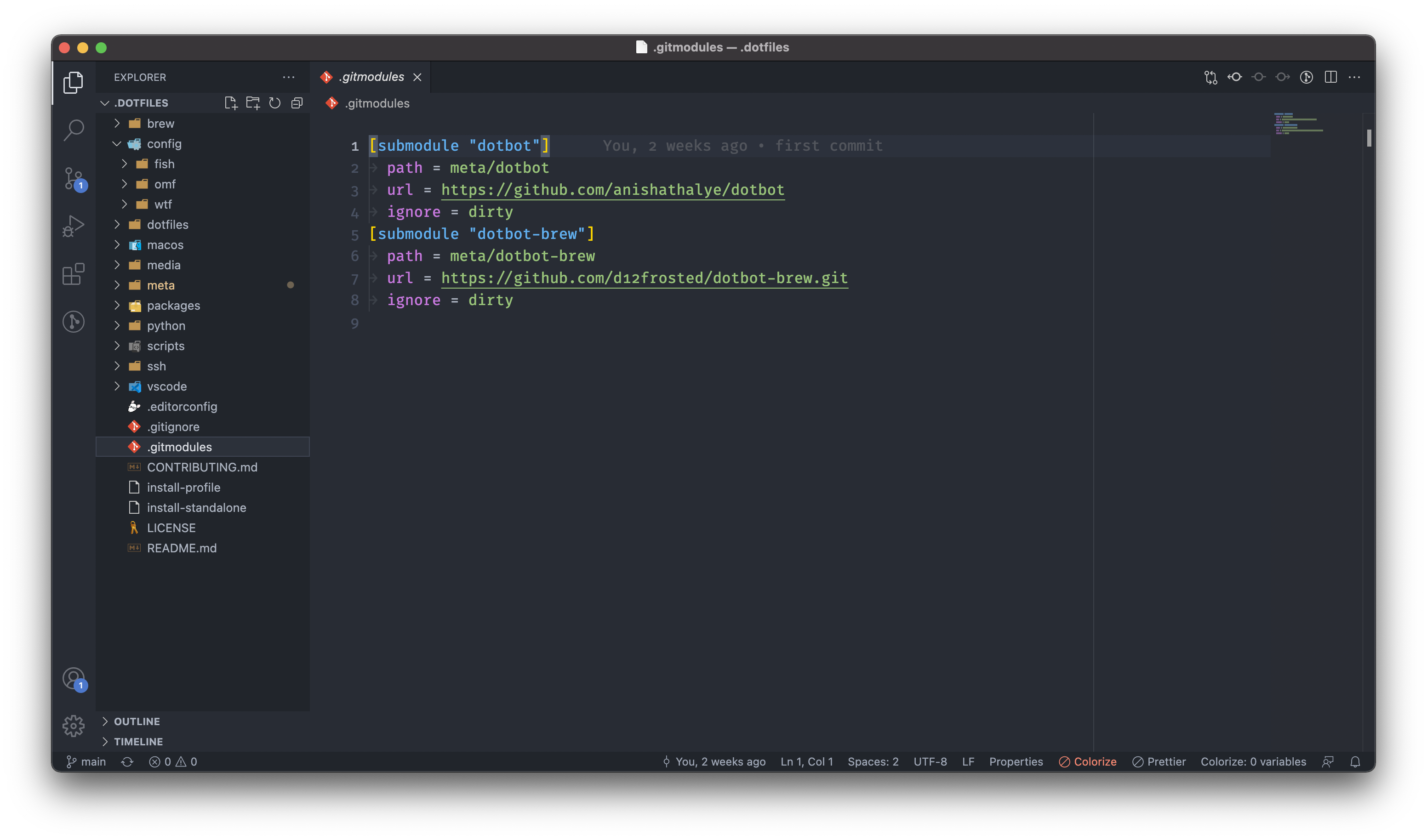
I loved my Visual Studio Code. It is fast and beautiful.
Here's how my new vscode setup looks like:
Here's a list of packages
Some of the used tools requires local configuration.
-
Before beginning, please make sure you have the following enviroment variable set. We are provided example enviroment variables in root directory
cp .env.fish.example ~/.config/env/.env.fish
- anishathalya for
dotbot - sobolevn and vbrandl for their repository structure
- rkalis for his
macosand fish configuration files
WTFPL: do the fuck you want. Enjoy!