This project incorporates Dropbox API into a Spring Boot application, enabling users to perform a range of file operations via a web service. The implementation utilises Java for the core logic, Spring Boot for the construction of the web application, Maven for dependency management, and Postman for testing of the API endpoints. The service allows users to interact with Dropbox, performing tasks such as listing files, retrieving file statistics, and filtering data based on specific criteria.
- 💡 Introduction
- 🗄️ Data Structure
- 🚀 API Requests
- 📊 Response Examples
- 🔎 Filters
- 📐 UML Diagrams
- 🧪 Tests
- 🛠️ Get Started
- 📚 Framework & Software
- 👨🏻💻 Authors
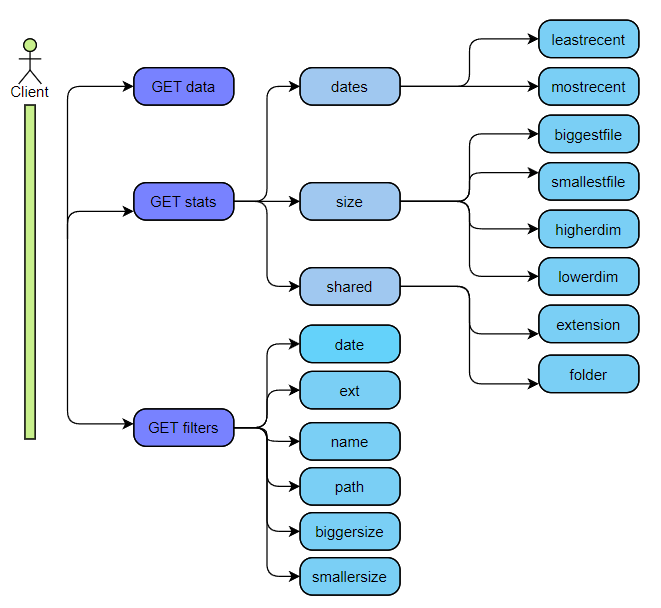
This project is a Web Service that allows a client (e.g., Postman) to interact with Dropbox APIs via GET requests. The service enables operations on a specific Dropbox account, such as:
- Displaying all files in JSON format
- Obtaining statistics on the data
- Filtering data based on various parameters
- Obtaining statistics on filtered data
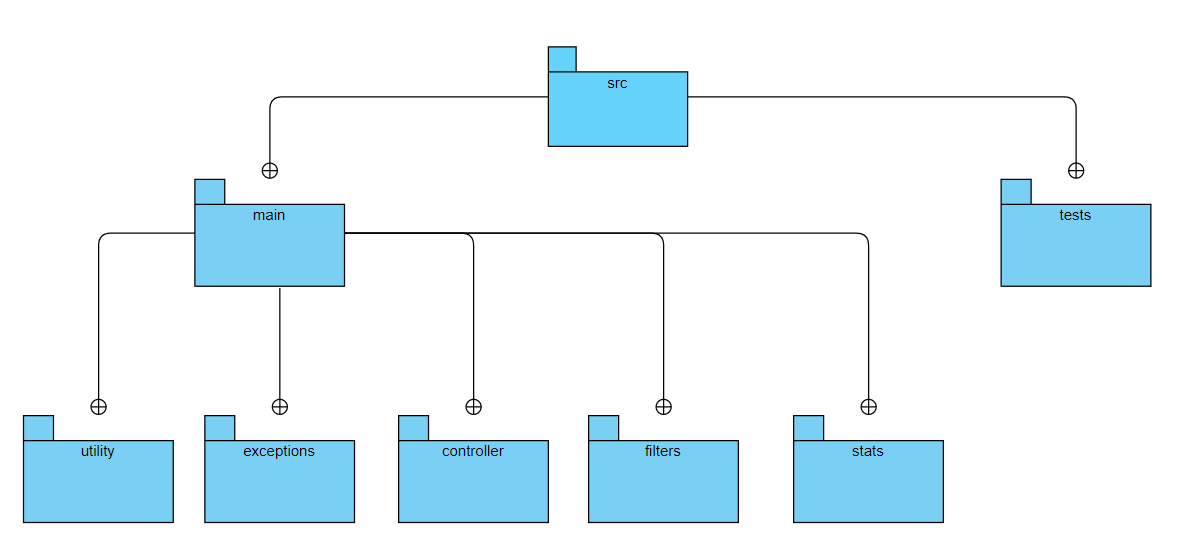
The project uses the Spring Boot framework. You can run the application from Eclipse by selecting "Run as: SpringBoot App," which starts a Tomcat server on port 8080.
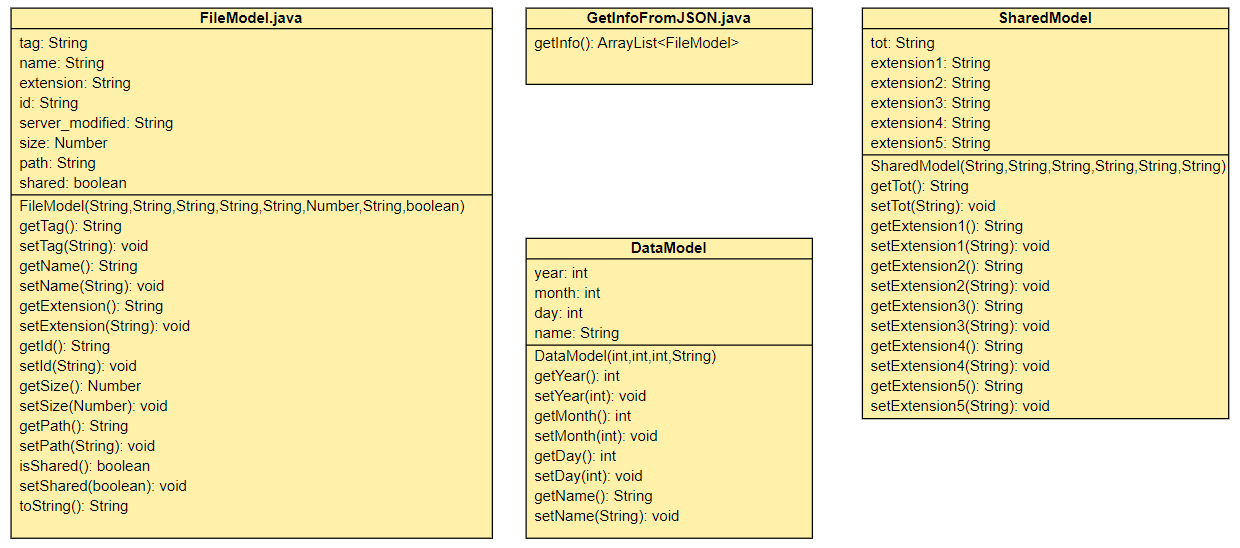
The data are structured with the following fields:
- File/folder name
- File/folder path
- File extension
- Last modified date
- File size
- Attribute indicating if the file is shared
| Type | Route | Function |
|---|---|---|
GET |
/data | Returns all files in the Dropbox account as JSON |
GET |
/stats/dates/mostrecent/{extension} | Returns a DataModel with the most recent file of the specified extension |
GET |
/stats/dates/leastrecent/{extension} | Returns a DataModel with the least recent file of the specified extension |
GET |
/stats/size/biggestfile/{extension} | Returns a string with the name and size of the largest file for the specified extension |
GET |
/stats/size/smallestfile/{extension} | Returns a string with the name and size of the smallest file for the specified extension |
GET |
/stats/size/higherdim/{size} | Returns the number of files larger than the specified size, grouped by extension |
GET |
/stats/size/lowerdim/{size} | Returns the number of files smaller than the specified size, grouped by extension |
GET |
/stats/shared/extension/{extension} | Returns the number of shared files for the specified extension |
GET |
/stats/shared/folder | Returns the number of shared files in the specified folder, grouped by extension |
GET |
/filter/type/parameter | Returns the filtered Dropbox data based on the specified criteria |
Note: For requests marked with (X), allowed extensions for demonstration purposes are ".pdf", ".xls", ".jpg", ".doc", ".pptx".
GET /data
[
    {
        "tag": "folder",
        "name": "subfolder",
        "extension": "null",
        "id": "id:bzscu_Fx4CUAAAAAAAAAMw",
        "server_modified": "null",
        "size": 0,
        "path": "/OnlyMine/subfolder",
        "shared": false
    },
    {
        "tag": "file",
        "name": "report copy.doc",
        "extension": ".doc",
        "id": "id:bzscu_Fx4CUAAAAAAAAAOQ",
        "server_modified": "2021-12-27T18:21:59Z",
        "size": 102912,
        "path": "/OnlyMine/subfolder/report copy.doc",
        "shared": true
    }
]
GET /stats/dates/mostrecent/.pdf
{
    "year": 2022,
    "month": 1,
    "day": 4,
    "name": "Exercise23.11.pdf"
}
GET /stats/size/biggestfile/.doc
The biggest .doc file is "report copy.doc" with a size of 12,864 kilobytes.GET /stats/size/higherdim/10000 (same for lowerdim)
Files larger than 10,000 bytes:
7 PDF files
1 Excel document
5 JPG images
1 PowerPoint presentation
3 Word documents
GET /stats/shared/extension/.jpg
The number of .jpg files shared is: 2GET /stats/shared/folder?path=/Only mine Returns a JSON SharedModel showing the count of shared files by extension in the specified folder, along with the total count.
{
    "tot": "Shared per folder: 1",
    "extension1": ".pdf: 1",
    "extension2": ".xls: 0",
    "extension3": ".jpg: 0",
    "extension4": ".pptx: 0",
    "extension5": ".doc: 0"
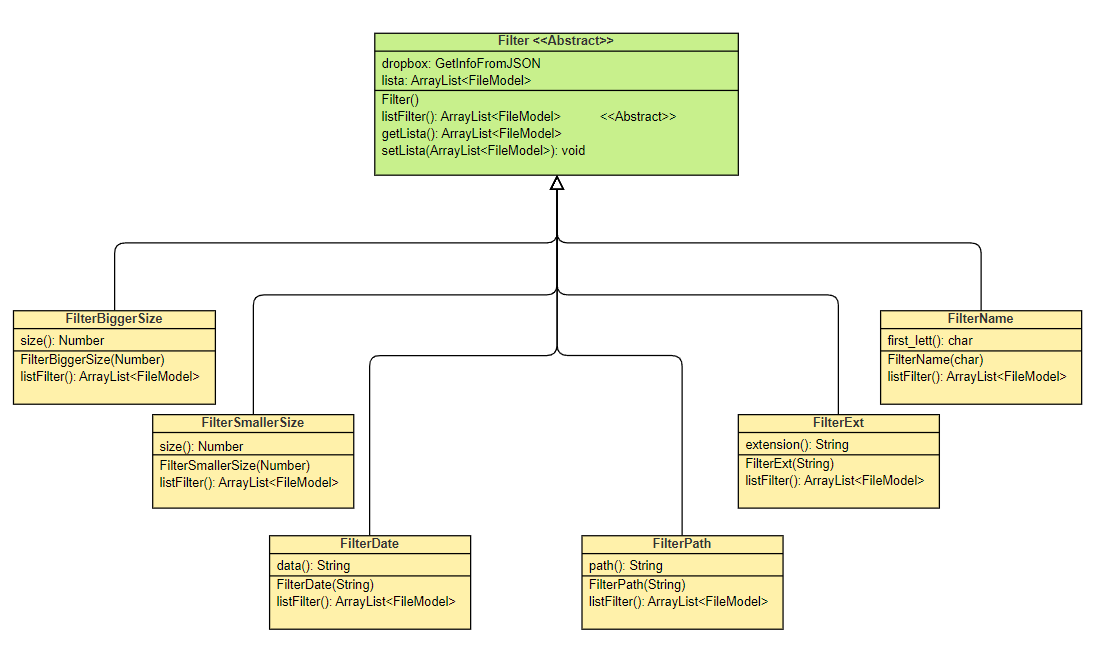
}The available filter types are:
- Name: Returns files whose names start with the specified letter.
- Extension: Returns files with the specified extension.
- Date: Returns files last modified on the specified date.
- Path: Returns files containing the specified path segment.
- Size:
- Bigger: Returns files larger than the specified size.
- Smaller: Returns files smaller than the specified size.
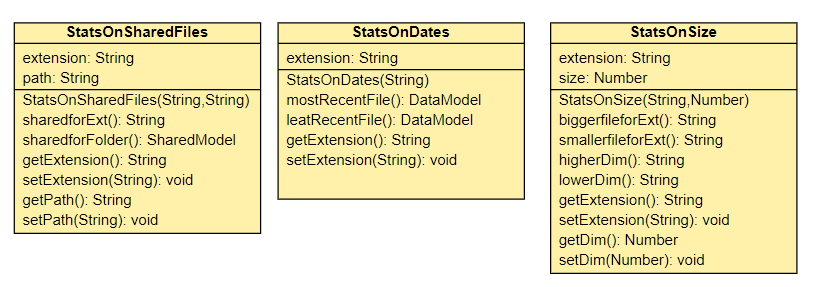
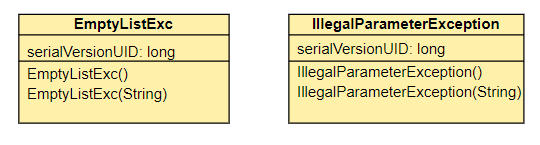
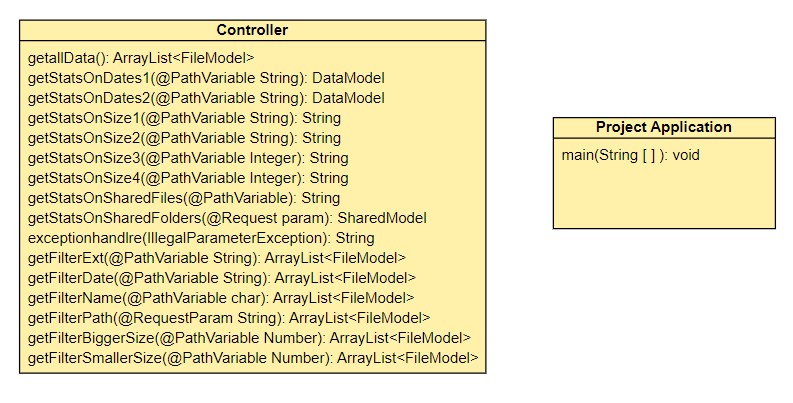
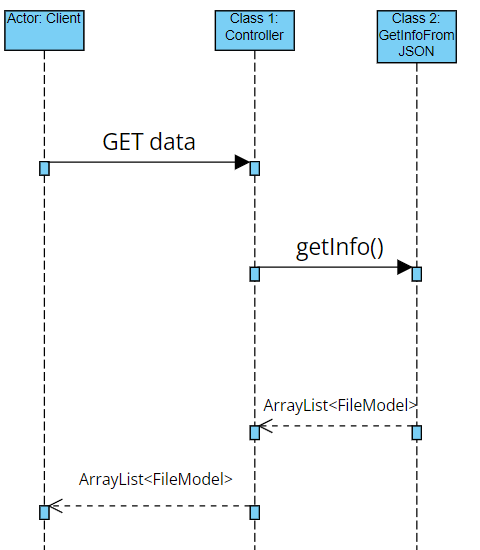

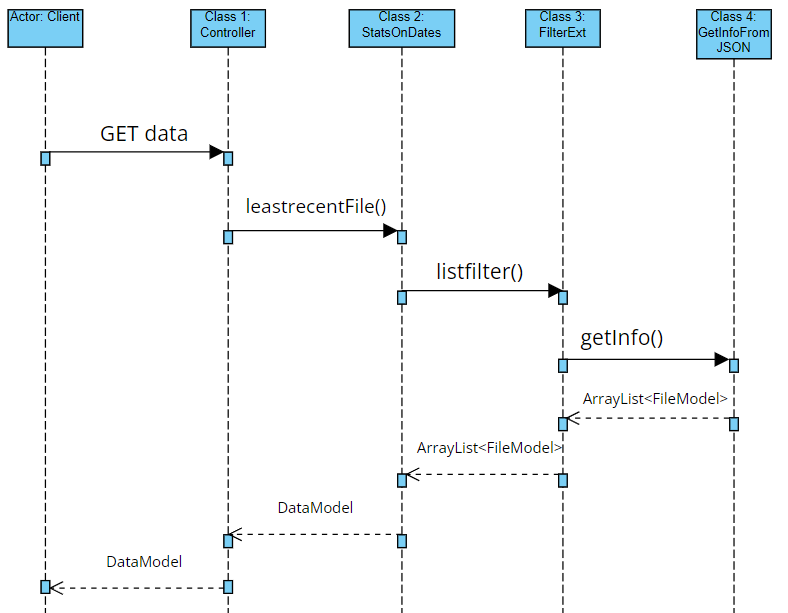
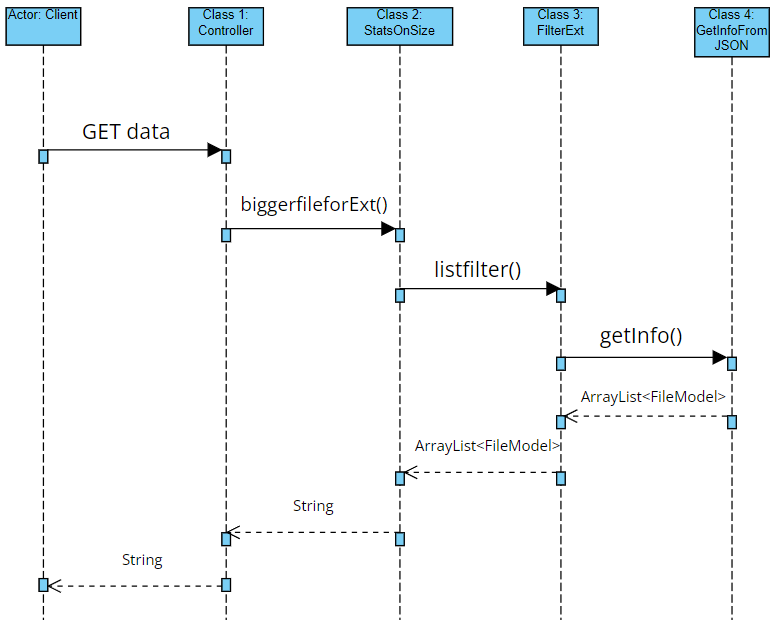
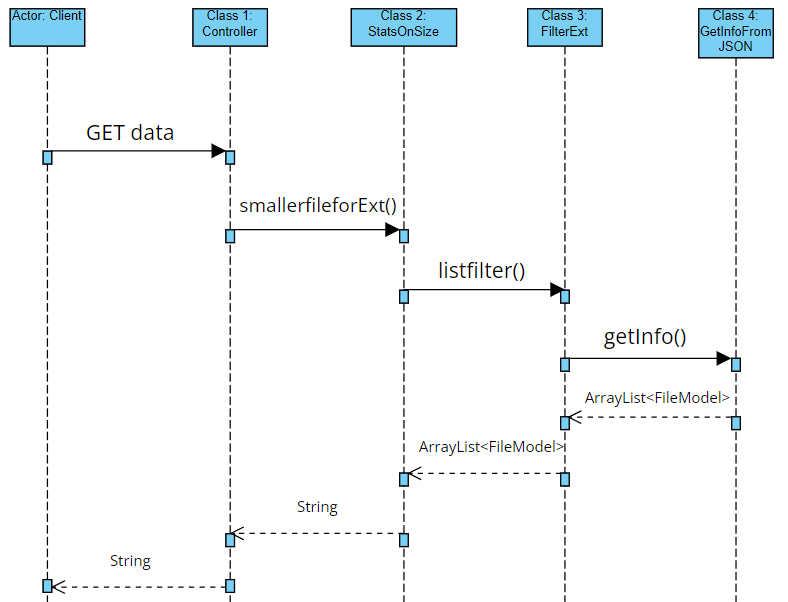
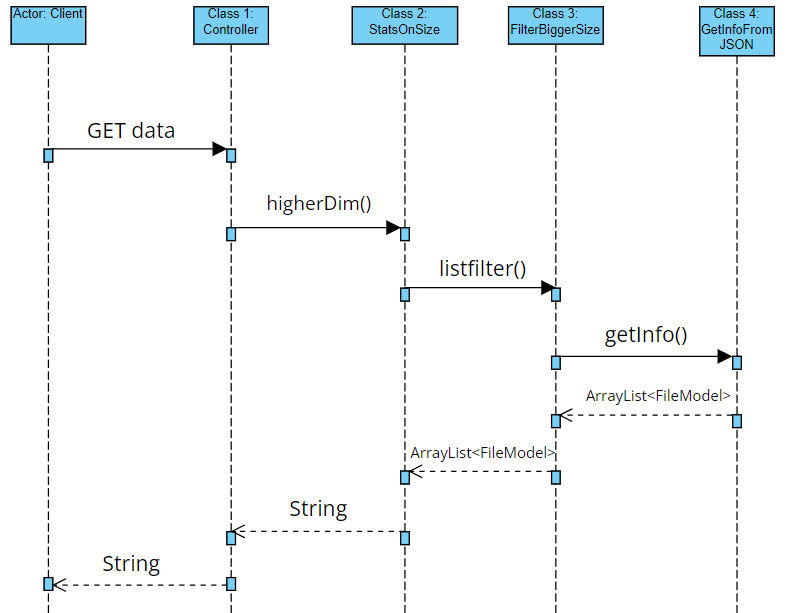
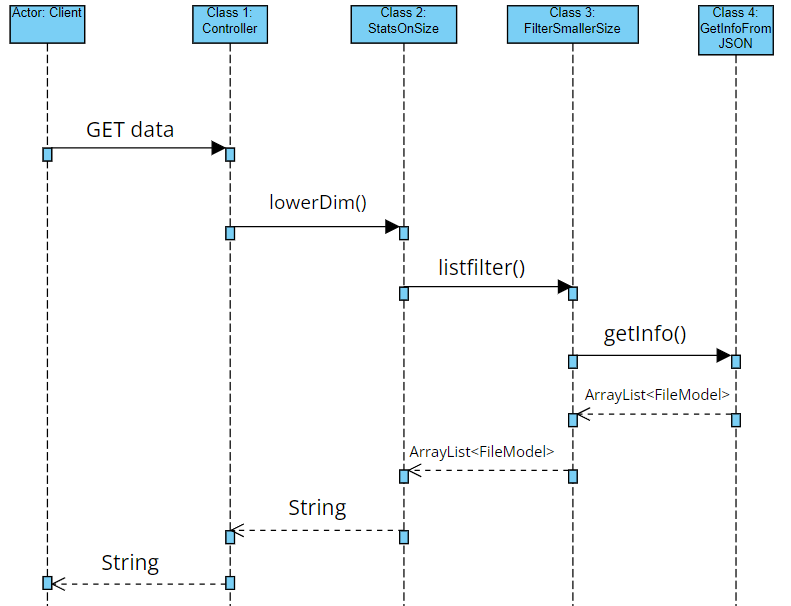
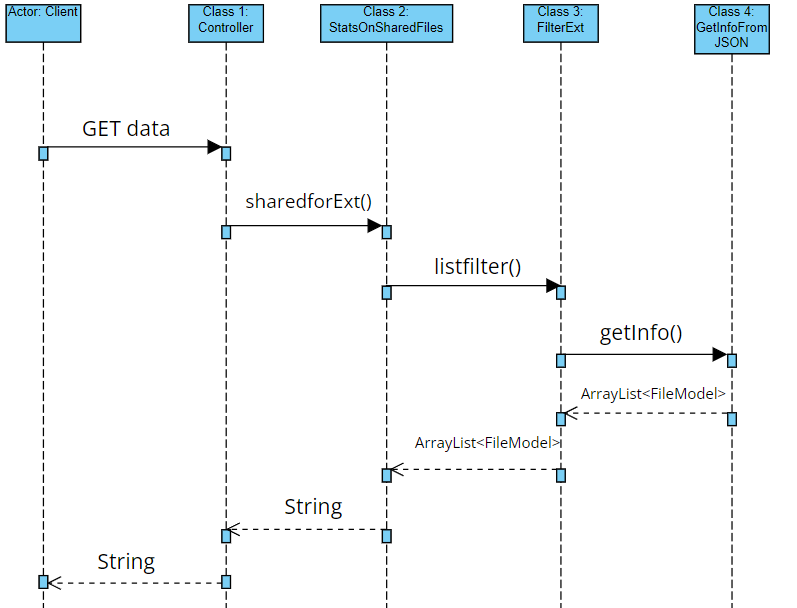
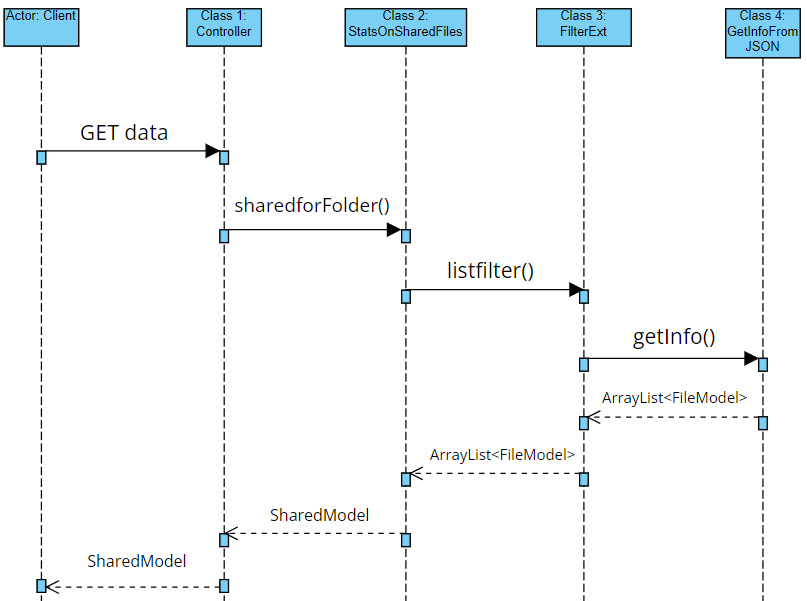
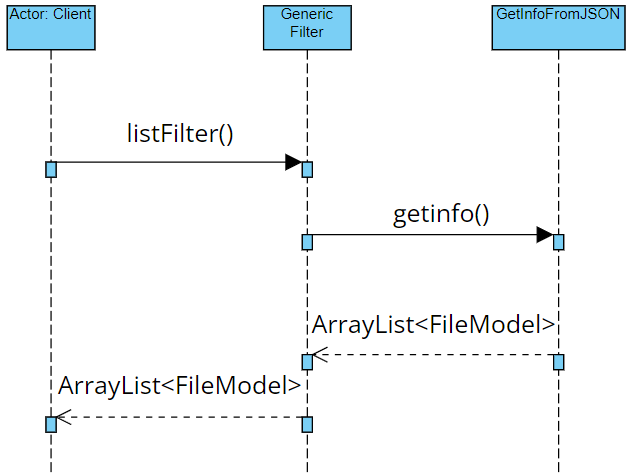
The project includes the following tests:
- Test 1: Checks that the filtered lists are not empty.
- Test 2: Verifies that the generated JSON is not empty.
- Test 3: Ensures there are no discrepancies between the generated JSONs.
- Open Eclipse.
- Launch the application as a Spring Boot App.
- Open Postman.
- Send requests to the exposed APIs as listed in the table.
- jsonsimple: Library used to model JSON files as Java objects.
- Eclipse: Integrated Development Environment (IDE) used for the project.
- Spring (v2.6.1): Framework for Java-based web application development.
- Maven: Build automation tool used for dependency management.
- JUnit: Framework for unit testing.
- Postman: Tool used to make HTTP requests to http://localhost:8080.
- VisualParadigm: Tool for creating UML diagrams.
| Name | Contribution | |
|---|---|---|
| Pierandrea Porfiri | porfiripierandrea@gmail.com | 50% |
| Federico Staffolani | fede01staf@gmail.com | 50% |