openbb-hka is an OpenBB Workspace application that provides templates and components for building analysis dashboards for A-shares and H-shares. It uses openbb-akshare and openbb-tushare as data sources.
Prior to this project, I released OpenBB extensions for AKShare and Tushare data sources. A common question has been: Why develop these extensions, and what is the core value of OpenBB? I attempted to address these in the article " Introduction to OpenBB and How to Use It to Aid Financial Data Analysis of China A-share and Hong Kong Stocks", but truly understanding OpenBB's design philosophy still requires hands-on experience.
Another frequent point of confusion is whether OpenBB has a front-end interface and how to use it. OpenBB Workspace is, in fact, the front-end platform. It allows users to build customized data analysis dashboards. For specific markets such as A-shares and H-shares, we can develop dedicated OpenBB Workspace applications with tailored analytical components — openbb-hka is one such application designed for building dashboards for A-share and H-share analysis.
If you wish to build an analysis dashboard from scratch, you can use OpenBB Platform as the backend. After installing OpenBB Platform, you can start your own backend by running the openbb-apicommand.
The table below compares the key characteristics of OpenBB Workspace Applications versus Dashboards:
| Apps | Dashboards |
|---|---|
| Pre-configured templates with specific analytical goals | Blank canvas for custom configuration |
| Widgets come with pre-linked parameters | Manual parameter configuration required |
| Include curated prompt libraries | Start with no predefined prompts |
| Designed by domain experts for specific workflows | General-purpose analytical workspace |
Before running openbb-hka as a backend application, you need to configure the required data source API keys and environment variables.
Although AKShare uses free data sources, an API key is still required when accessing data from Xueqiu. You need to configure the akshare_api_key in the file $HOME/.openbb_platform/user_settings.json as follows:
{
    "credentials": {
        "akshare_api_key": "your {xq_a_token}"
    },
    "preferences": {},
    "defaults": {
        "commands": {}
    }
}
In addition to the API key configuration above, some settings must be configured using environment variables. You can refer to the env.example file for guidance, or create your own .env file based on it.
| Variable | Description |
|---|---|
| AGENT_HOST_URL | Currently can be left empty |
| APP_API_KEY | Use a self-generated JWT token for authentication |
| DATA_FOLDER_PATH | Currently can be left empty |
| OPENROUTER_API_KEY | Currently can be left empty |
| FMP_API_KEY | Currently can be left empty |
This project uses uv for dependency management. If it's not installed on your system, install it first. After installation, run the following command to sync the environment:
uv sync
Start the application using the following command:
uv run uvicorn main:app --reload
openbb-hka can also be deployed using Docker.
Use the following command to build the Docker image:
docker build -t openbb-hka:0.2.4 .
To use the built image, you need to configure the environment variables in the following files:
.env– Create this file following the environment setup instructionsuser_settings.json– Refer to the OpenBB documentation for details
Start the container using the command:
docker compose up
openbb-hka can also be run using Google Firebase Studio.

You can run openbb-hka either locally or deploy it to a cloud environment. Once the application is running, you can add it to your OpenBB Workspace.
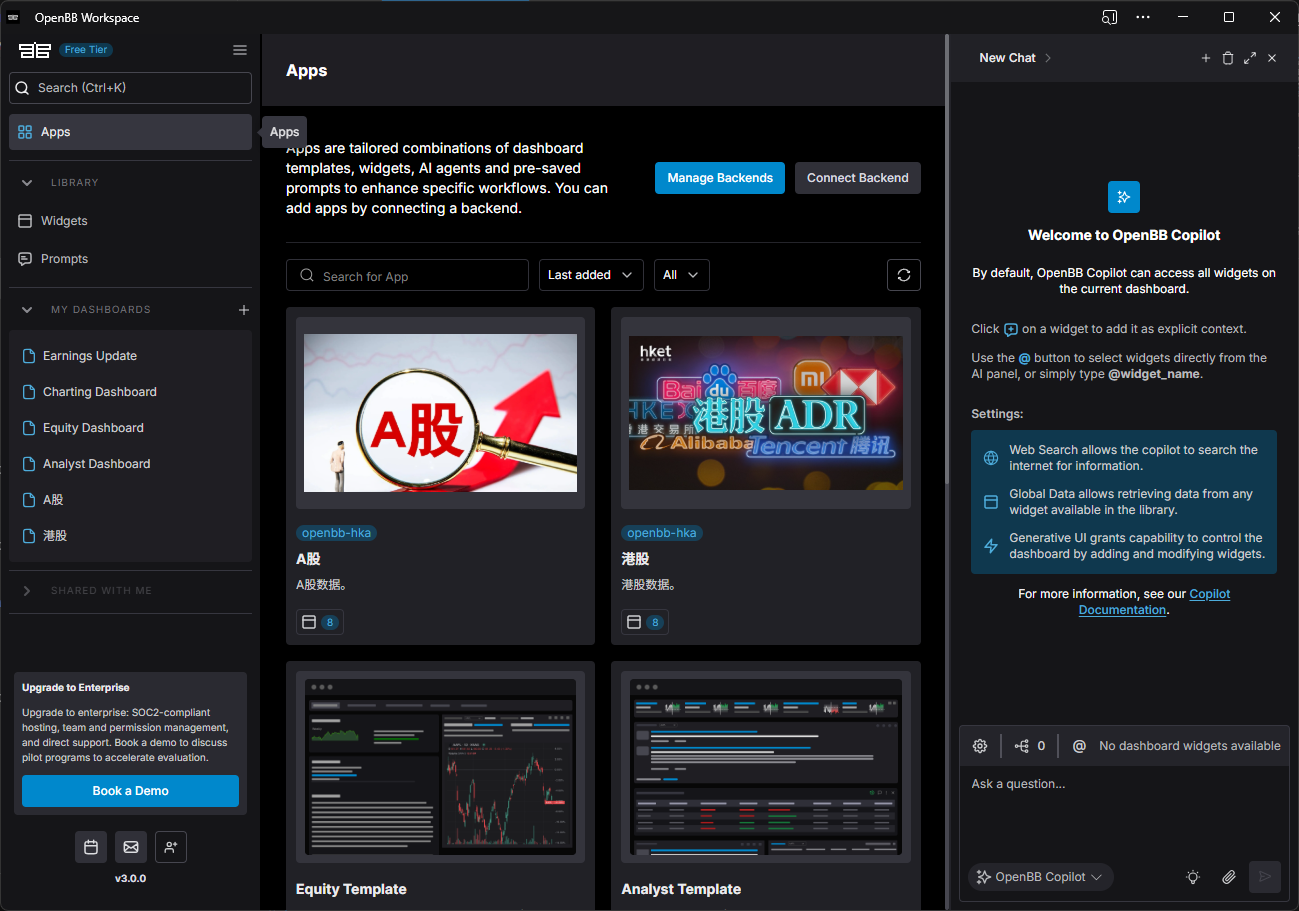
As shown in the image above, click the "Connect Backend" button to add the application. After successful addition, two new applications—"A-Shares" and "H-Shares"—will appear in your workspace.
Click on the "A-Shares" application to access the analysis dashboard shown below:
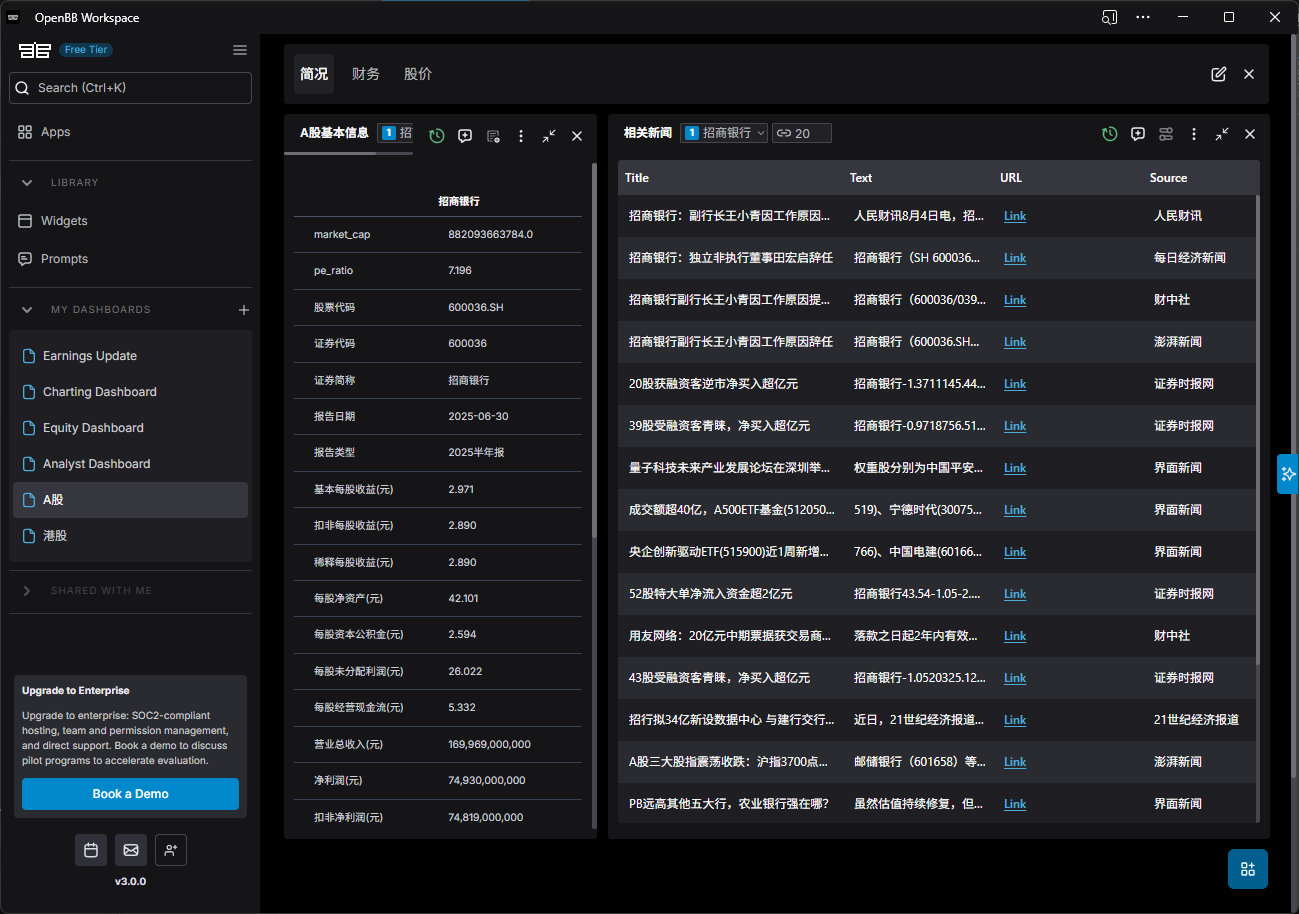
The current interface includes three main sections: Profile, Financials, and Stock Price. You can customize your own analysis dashboard by adding, removing, or adjusting widgets according to your preferences.
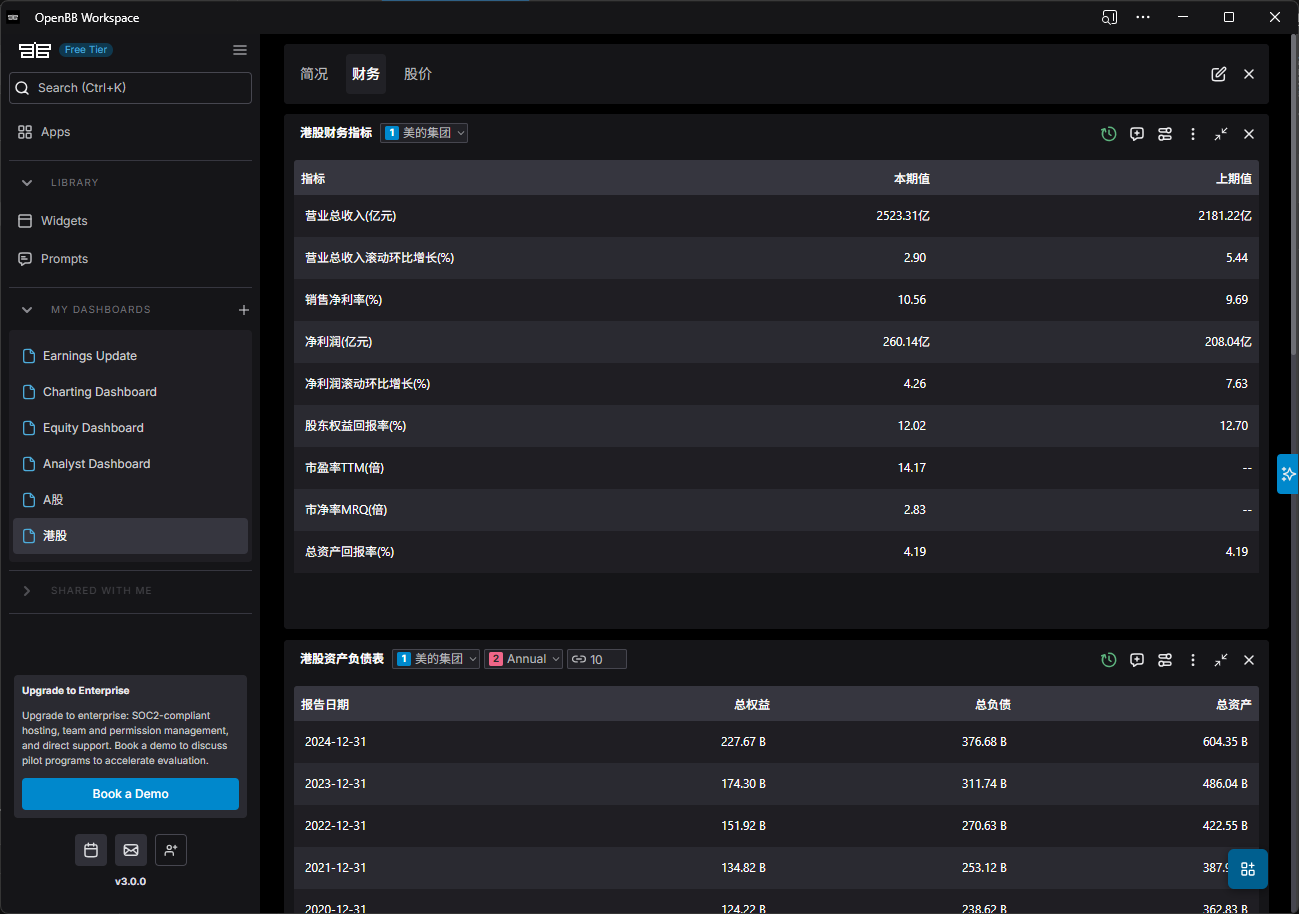
Below is a screenshot of the financial analysis panel:
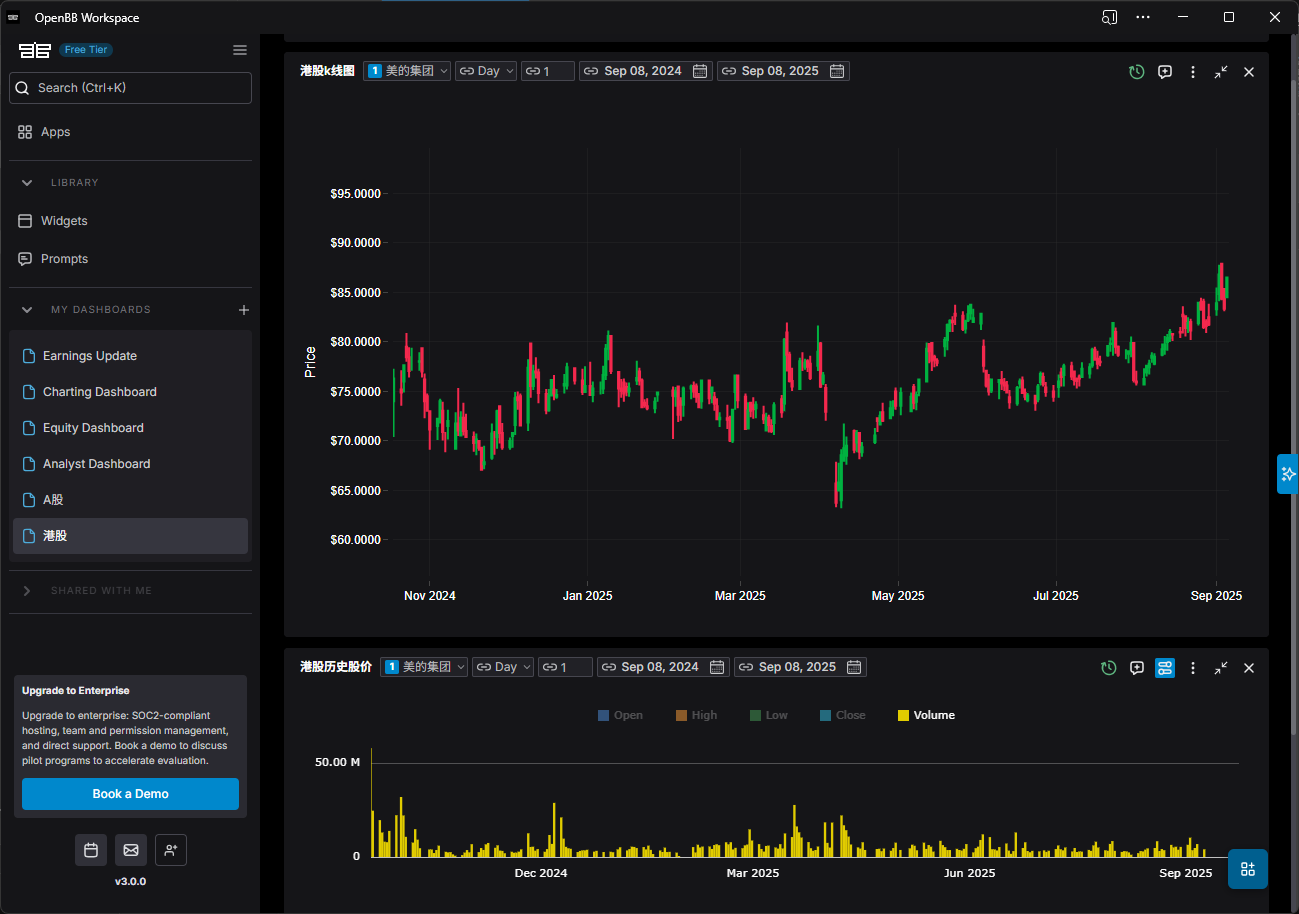
The following image shows the historical stock price query interface:
All widgets in OpenBB Workspace can be added to the Copilot panel on the right for AI-powered analysis. The OpenBB Copilot is also extensible—you can integrate commonly used AI tools into the platform. This functionality will be further enhanced in upcoming releases.
Both the components and the Copilot feature of OpenBB Workspace support deep customization based on user needs, allowing personalized extensions through the development of OpenBB Workspace applications.
OpenBB offers the following application development templates for reference:
- Backend Data Integration Template (backends-for-openbb)
- Custom Agent Template (agents-for-openbb)
Currently, the openbb-hka project has completed initial development based on the backends-for-openbb template. The next step involves advancing the localization of the Copilot functionality. Once implemented, users in China will be able to seamlessly integrate local AI tools such as Qianwen and Doubao within OpenBB Workspace, significantly enhancing both user experience and operational efficiency.