- Installation
- Project Motivation
- File Descriptions
- Analysis
- Results
- Licensing, Authors, and Acknowledgements
To run this project, you can clone this repository onto your local machine and follow the instructions below to run a local server.
The version of python used is python 3.*.
Other libraries needed to successfully run this project includes:
- Pandas
- Numpy
- Matplotlib
- Plotly
- Flask
- Sqlite3
- Nltk
See requirements.txt file for all dependencies and versions used for this project.
-
Clone the repo to your local machine
-
Navigate to the root folder.
-
Run the command:
python data/process_data.py data/disaster_messages.csv data/disaster_categories.csv data/disaster_response.db
to clean the data and save to an sqlite3 database file.
-
Run the command:
python models/train_classifier.py data/disaster_response.db models/disaster_response_pickle.pkl
to train a classifier and save the results to a pickle file.
-
To start web app, uncomment lines 56-61 in app/run.py and run the command:
python app/run.py
NOTE: To exclude the complexity of a gridsearch, I commented on lines 52-57 and line 79 in the train_classifier.py file found in the models folder. You can uncomment on these lines to include more parameters as you see fit.
At a time of disaster it's not feasible to effectively categorize millions of messages/tweets to enable helpers to reach people in need of water, electricity, health care e.t.c. Using string matching to search for keywords will not be an optimal solution as a searched keyord might not be a true match of what a person needs. This is where machine learning comes in, this project goal is to do just that using NLP, and machine learning's predicitive analysis.
This project is made up of 3 folders, app, data and models.
-
app
- templates
- go.html - prediction result template
- master.html - index template
- figures.py - plotly plot figures
- load.py - responsible for loading sqlite3 database, dataframe and pickle files
- run.py - main program
- util.py - utility file required to obtain required function to successfully load pickle file
- templates
-
data
- disaster_categories.csv - Figure 8 data set consisting of message categories
- disaster_messages.csv - Figure 8 data set consisting of messages/tweets
- disaster_response.db - saved sqlite3 database file
- process_data.py - data ETL pipeline
-
models
- disaster_response_pickle.pkl - saved pickle file that will be used for prediction
- train_classifier.py - machine leaning and NLP pipelines
Other files included will be for deploying the web app to Heroku cloud service.
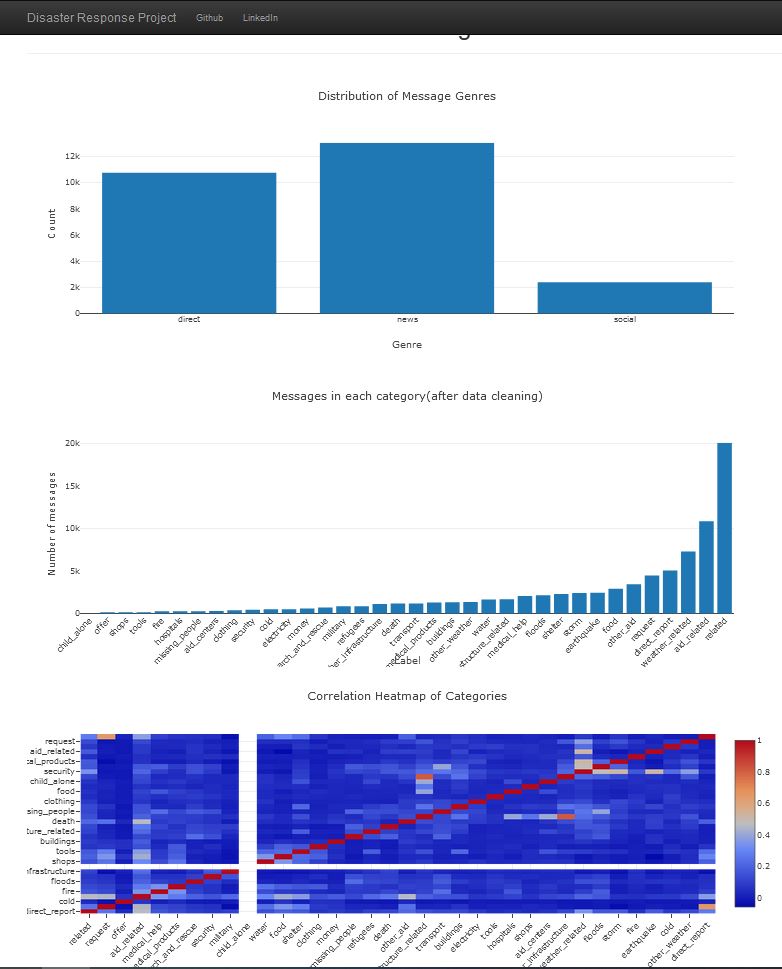
In the data set, some of the categories are imbalanced and can be improved for better performance.
The following pipelines were built and data analysis were performed :
-
Data preparation
- Modification of the Category.csv file
- Merging data from the messages.csv & categories.csv files
- Removes duplicates and any non-categorized valued
- Created SQL database disaster_response.db for the merged data sets
-
Text preprocessing
- Tokenized the messages/text
- Removal of special characters e.g. ', !, *, etc.
- Lemmatized text
- Removal of stop words
-
Machine Learning Pipeline
- Built pipeline with countevectorizer and tfidtransformer
- Sealed pipeline with multioutput classifier with Random Forest
- Trained classifier (with Train/Test Split)
- Displayed classification test scores (accuracy, precision, recall and f1-score)
- Preformed GirdSearchCV to find best parameters
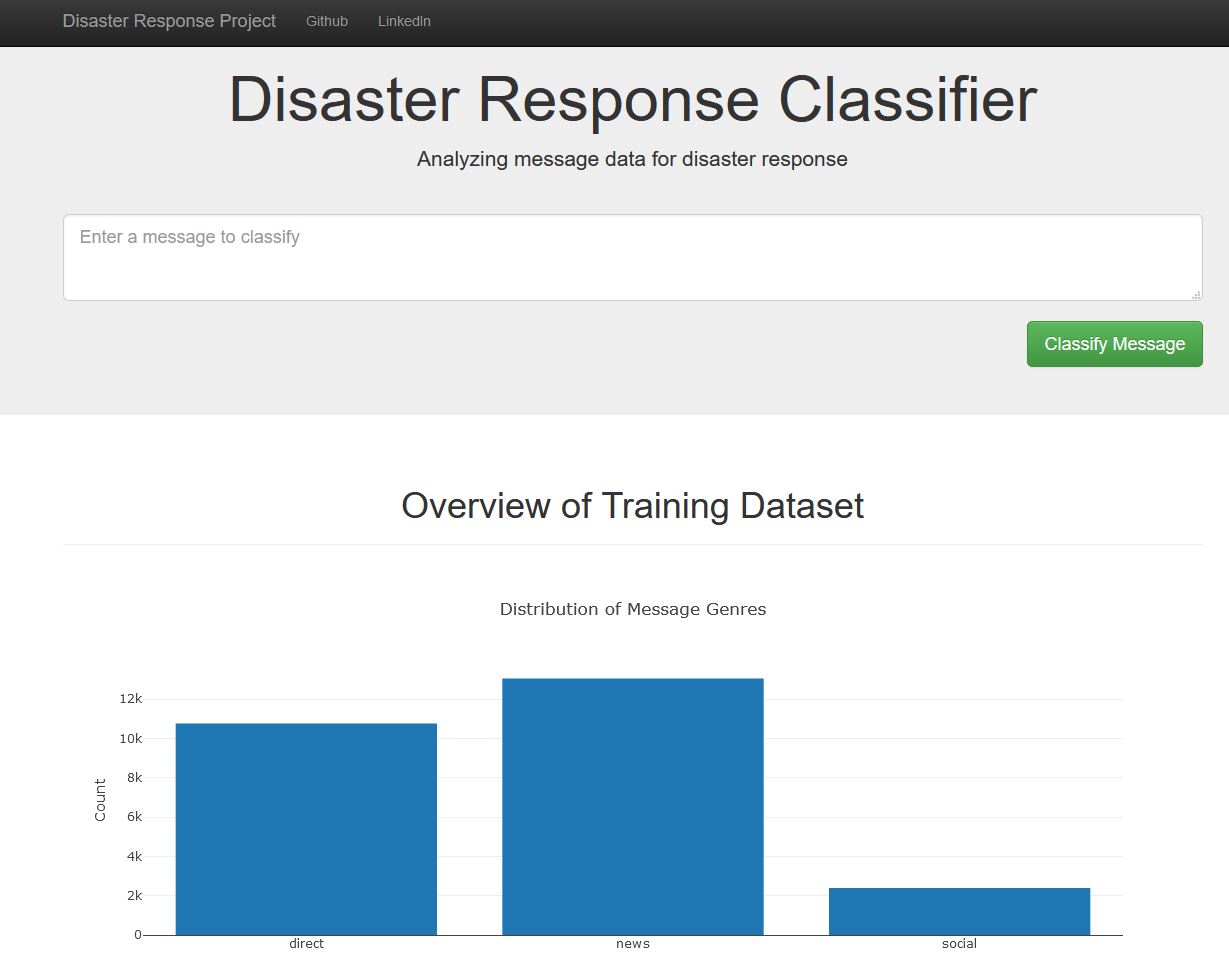
See images of web app below:
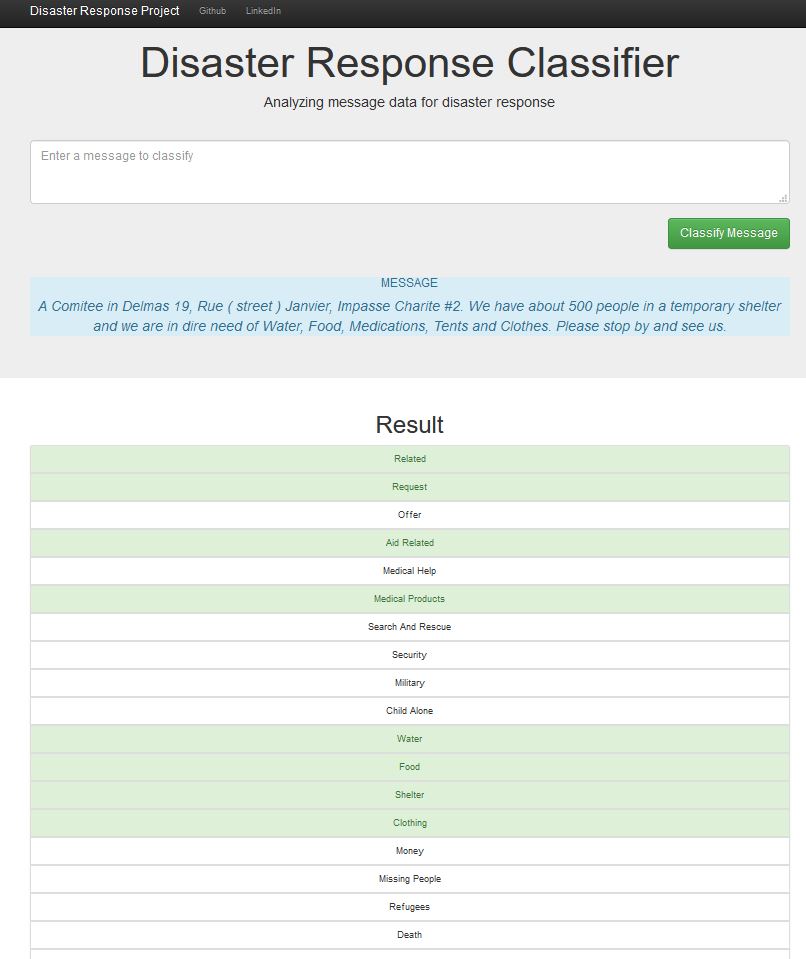
You can use the web app deployed to the Heroku cloud service to use this model for classification.
When you run the code locally, you will find the performace (accuracy, precision, recall and f1-measure) results for each category.
All credit goes to Figure Eight for the data and Udacity for the immense help and motivation in completing this project.