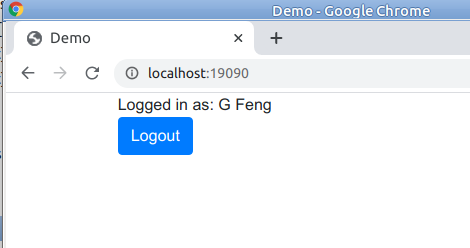
Install Java 1.8, Maven, git, docker.
Using git: git clone https://github.com/gfengster/gfoauth2.git
Download zip: https://github.com/gfengster/gfoauth2/archive/main.zip
- Test, build and pack the project
In a terminal, change path to the project.
mvn clean test package - Run the application
java -jar ./target/gfoauth2.jar
- Test, build and pack the project
In a terminal, change path to the project.
mvn clean test package - Build docker image
docker build --tag gfoauth2:latest . - Run a container
docker run -p 19090:19090 gfoauth2
The project source code is hosted in GitHub. CI/CD has been configured in workflows.
Changing code could trigger CI workflow, which test, build the project. If succeeded, docker image will be created and deployed to DockerHub.
CI/CD could be triggered manually.
- The auto built docker image location
https://hub.docker.com/repository/docker/gfengster/gfoauth2 - Pull docker image built in GitHub from DockerHub
docker pull gfengster/gfoauth2:latest - Create a container and run the application
docker run -p 19090:19090 gfengster/gfoauth2
Note: Before run the application make sure port 19090 are free.
- Show my GitHub and Google login page
http://localhost:19090
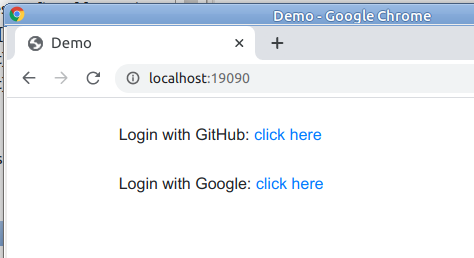
2. Click GitHub login link. The GitHub login page will show.
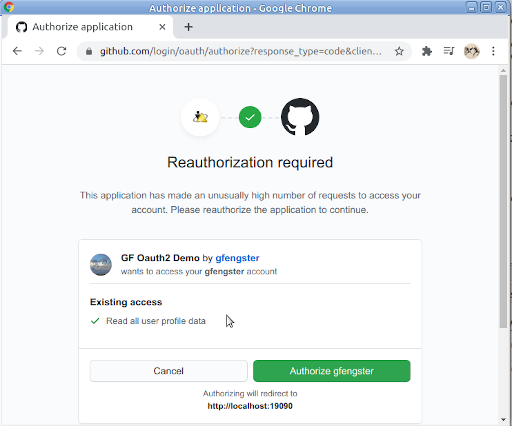

3. After logged in, the page will turn to 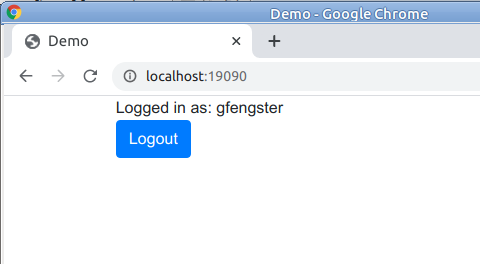

4. Clicking the Logout button will log out. The page in step 1 show.
5. Clicking Google login link and log in, the Google logged in page will be