Decks
Controls have to be positioned on a deck. A deck determines which control is placed on which key.
It is also possible to nest a deck within another deck - this makes it possible to trigger more actions from your stream deck than your deck has physical keys.
Example:
decks:
  - serial_number: "ABC123"
    name: 'devdeck.decks.single_page_deck_controller.SinglePageDeckController'
    settings:
      controls:
        - name: 'devdeck.controls.mic_mute_control.MicMuteControl'
          key: 0
          settings:
            microphone: Scarlett Solo USB Digital Stereo (IEC958)
        - name: 'devdeck.decks.volume_deck.VolumeDeck'
          key: 1
          settings:
            output: Built-in Audio Analogue Stereo
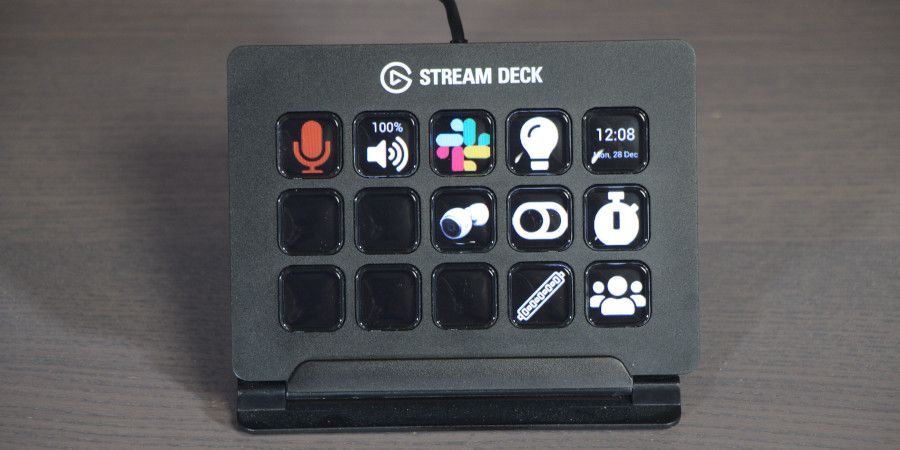
In the above example SinglePageDeckController is used to:
- Position the
MicMuteControlonkey 0. - Position the
VolumeDeckonkey 1.
Pressing the MicMuteControl will just cause the microphone mute state to toggle between muted and unmuted.
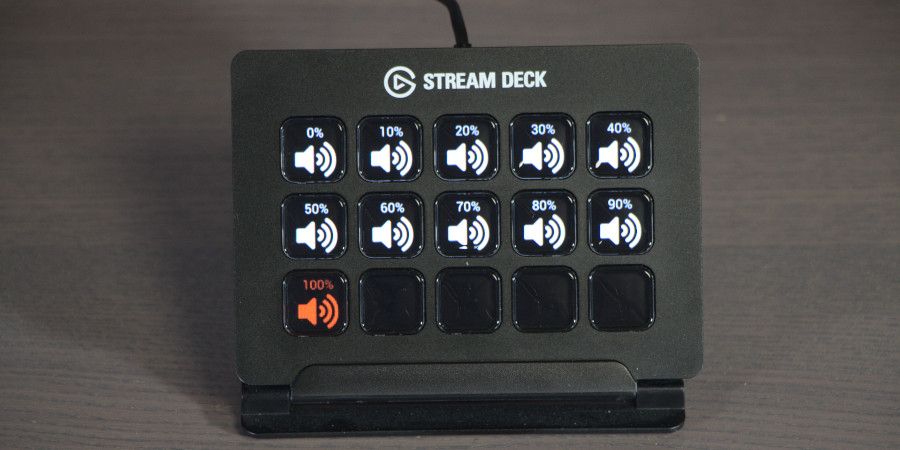
Pressing on key 1 for the VolumeDeck will then open up the volume deck which will clear all of the keys and render keys for 0%, %10%, 20%, ..., 100% volume.
SinglePageDeckController is possibly the most basic deck as this allows for a deck or control to be position on a given key.
Settings
| Setting | Description |
|---|---|
controls |
A list of controls |
Controls:
| Setting | Description |
|---|---|
name |
Fully qualified class name of the control of deck |
key |
Key number to render the control on. Key numbers start at 0. |
settings |
(Optional). The control or deck you are using may have settings. If they do they will be configured here. Refer to the documentation for the control/deck you are using for more details. |
Example Usage:
decks:
  - serial_number: "ABC123"
    name: 'devdeck.decks.single_page_deck_controller.SinglePageDeckController'
    settings:
      controls:
        - name: 'devdeck.controls.mic_mute_control.MicMuteControl'
          key: 0
          settings:
            microphone: Scarlett Solo USB Digital Stereo (IEC958)
        - name: 'devdeck.decks.volume_deck.VolumeDeck'
          key: 1
          settings:
            output: Built-in Audio Analogue Stereo
VolumeDeck displays volume toggle keys at 10% increments:
Example Usage:
decks:
  - serial_number: "ABC123"
    name: 'devdeck.decks.single_page_deck_controller.SinglePageDeckController'
    settings:
      controls:
        - name: 'devdeck.decks.volume_deck.VolumeDeck'
          key: 0
          settings:
            output: Built-in Audio Analogue Stereo