Localog is a developer's utililty to help logging when developing a cli app. It renders logs in another terminal window.
It needs the environment variable __LOCALOG_ENABLED to have non-empty value to be able to work.
npm i localogIn your package.json:
{
  "scripts": {
    "localog": "localog"
  }
}
Run the server, on a terminal:
npm run localogWhere ever in your app:
import { success } from 'localog'

// will need __LOCALOG_ENABLED to have non-empty value
// e.g __LOCALOG_ENABLED="1"
// e.g __LOCALOG_ENABLED="0"
// they will both enable logging

// test this
for(let i = 0; i < 99999; i++)
  success(`${i}: Hello, ${new Date().toISOString()}`)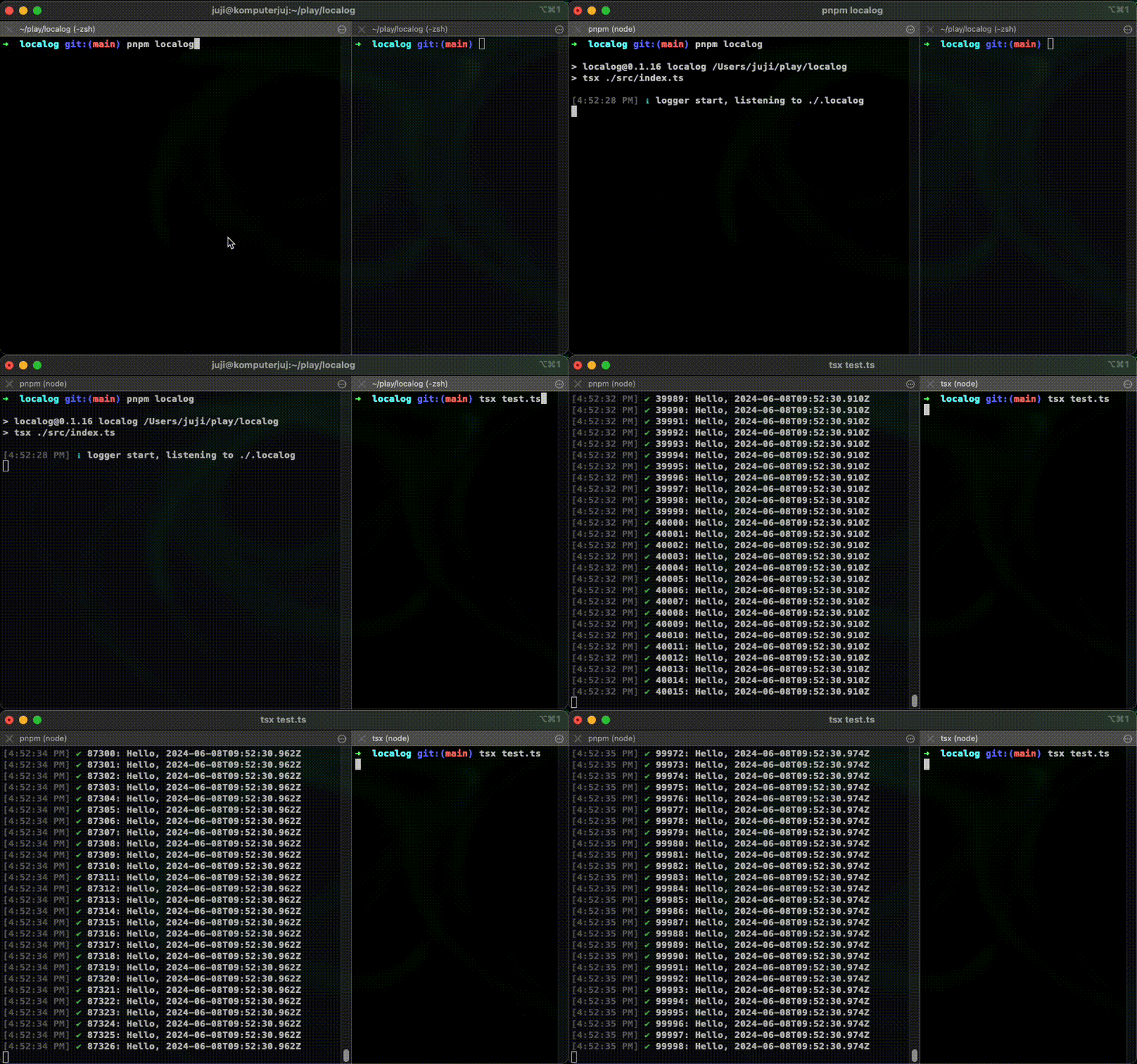
Under the hood, localog uses (some) consola functions. It also has some other functionalities:
import {

  // json utilities
  json,
  stringfy,

  // same as consola
  info,
  start,
  warn,
  success,
  error,
  box,

  // utils to set socket file / port
  // to send data to
  setAddress,

  // utils to set separators
  // used in sending data
  setSeparators,

  // utils to close the connection
  // will be done automatically
  // on exit SIGINT SIGUSR1 SIGUSR2
  close,

} from 'localog'
// or import localog from localogLogging JSON
import { json } from 'localog'

json({ hello: 'world' })
// will print: { hello: 'world' }Logging stringified JSON
import { stringify } from 'localog'

stringify({
  hello: 'world',
  message: {
    what: 'is this?',
    oh: 'this is a very complicated json',
    "i will": [
      'need', 'someway',
      'to', 'see', 'all'
    ],
    the: "message",
    "on": new Date()
  }
})

/* Will output:
{
  "hello": "world",
  "message": {
    "what": "is this?",
    "oh": "this is a very complicated json",
    "i will": [
      "need",
      "someway",
      "to",
      "see",
      "all"
    ],
    "the": "message",
    "on": "2024-06-07T17:03:21.784Z"
  }
}
*/info, start, warn, success, error, and box, are consola's method.
Checkout consola's doc to see how it will look like on the terminal.
localog listens and sends data to ./.localog by default.
You can change this into any other file, or port number.
{
  "scripts": {
    "localog": "localog --socket='/tmp/my-awesome-socket'"
    // or "localog": "localog --port=5432"
  }
}
In your app:
import { setAddress, success } from 'localog'

// before you log into anything
setAddress('/tmp/my-awesome-socket')
// or setAddress( 5432 )

success('Hello')localog uses \ufffe and \uffff to separate data from one another.
You can set it to any character you want.
NOTE: it should be just one character.
{
  "scripts": {
    "localog": "localog --frontSeparator='^' --backSeparator='$'"
  }
}
In your app:
import { setSeparators, success } from 'localog'

// before you log anything
setSeparators('^', '$')

// do your awesome stuff
success('My project is awesome!')The client will open connection to the server. It will keep it open until exit, SIGINT,
SIGUSR1, or SIGUSR2 signal is detected.
If you, somehow, need the client localog to shut down connection to it's server,
try shutting it down with close.
import { close } from 'localog'

// closing the localog connection
close()

// this will also close the connection
process.exit()MIT