


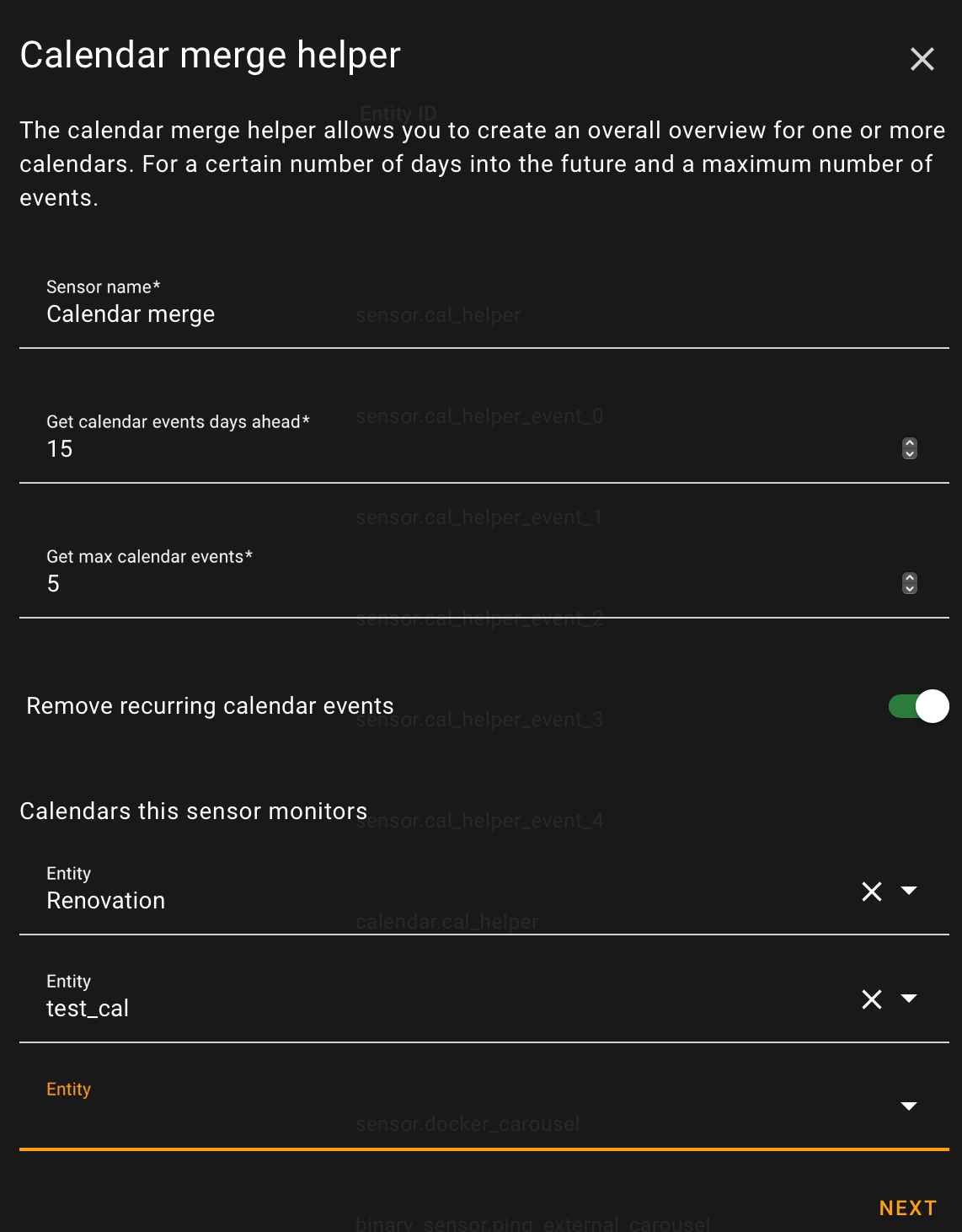
The Calendar Merge Helper gives you a complete overview by combining events from one or more calendars. You can set how many days ahead to include and limit the maximum number of events shown.
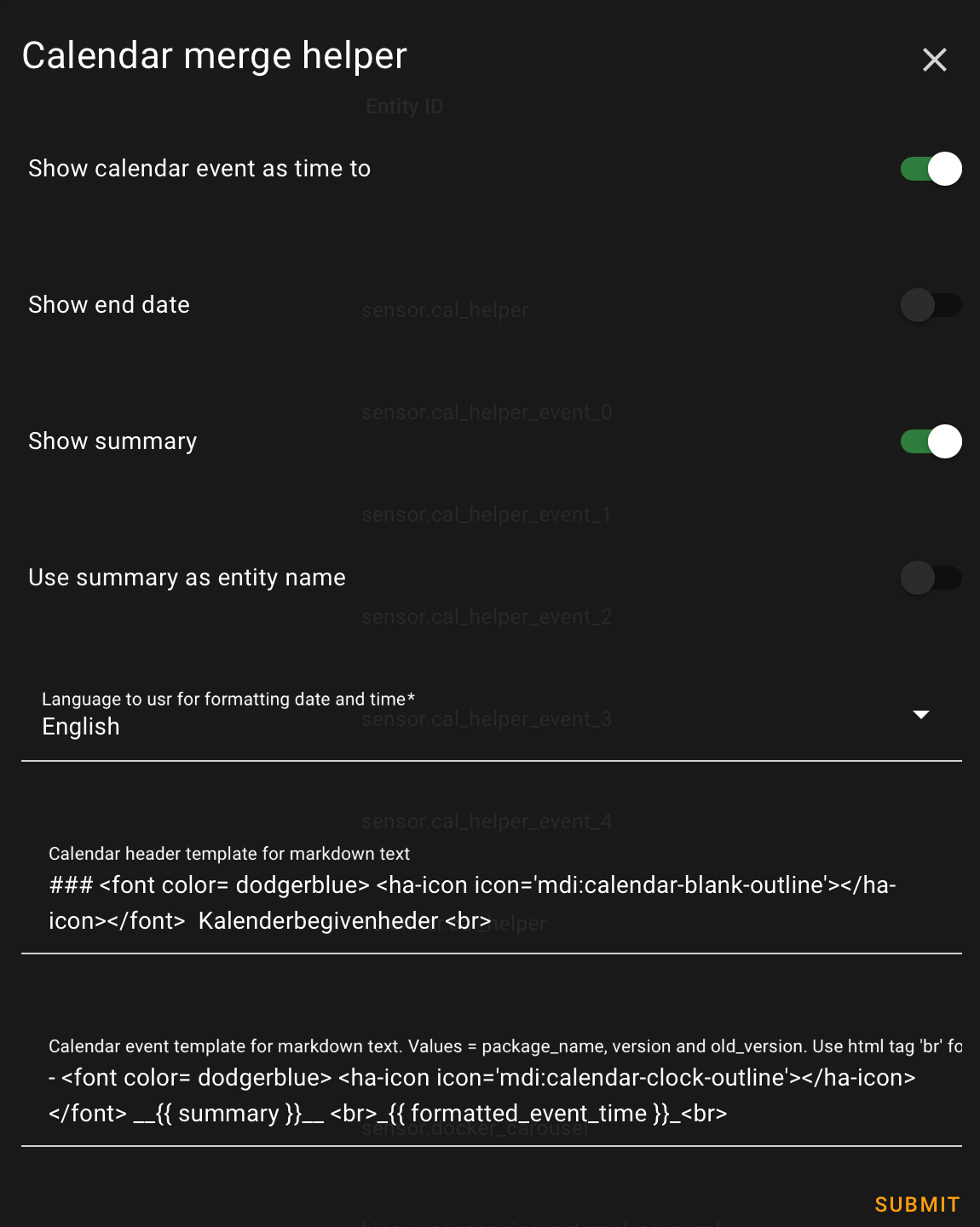
The helper creates a merged calendar with all relevant events, plus a main sensor that shows the total number of upcoming events. It also provides attributes with both formatted and raw event data, making it easy to generate markdown text or use templates.
Additionally, for each event, an individual sensor is created (with names like _event_0, _event_1, etc.) containing the event summary and date.
Please note: Changes made to the monitored calendars may take a few minutes to appear in the Calendar Merge Helper.
For installation search for Calendar merge helper in HACS and download.
Or click

Configuration is done through the Home Assistant UI. To add a new entry, simply go to Settings > Devices & Services > Helpers and click the add button. Next choose the Calendar merge helper option.
Or click

| State attribute Template variable |
description | Example |
|---|---|---|
| calender | Name of the calendar. | Google Calendar |
| start | Start of the event. | 2024-07-03T00:21:00+00:00 |
| end | End of the event. | 2024-07-03T00:22:00+00:00 |
| all_day | All day event. | false |
| summary | Event summary. | Home Assistant release party |
| description | Event description. | New features in Home Assistant |
| location | Event location. | Online |
| formatted_start | formatted start. | Jul 3, 2024, 9:00 PM |
| formatted_end | Event location. | Jul 3, 2024, 10:00 PM |
| formatted_event_time | Event location. | in 1 week |
| formatted_event | Event location. | Home Assistant release party : in 1 week |
It's possible to rotate between multiple Calendar events in the same card by using the Carousel helper integration
Available actions: toggle_show_as_time_to
Toggle 'Show calendar event as time to' option.
If you like this integration or find it useful, please consider giving it a ⭐️ on GitHub 👍 Your support is greatly appreciated!