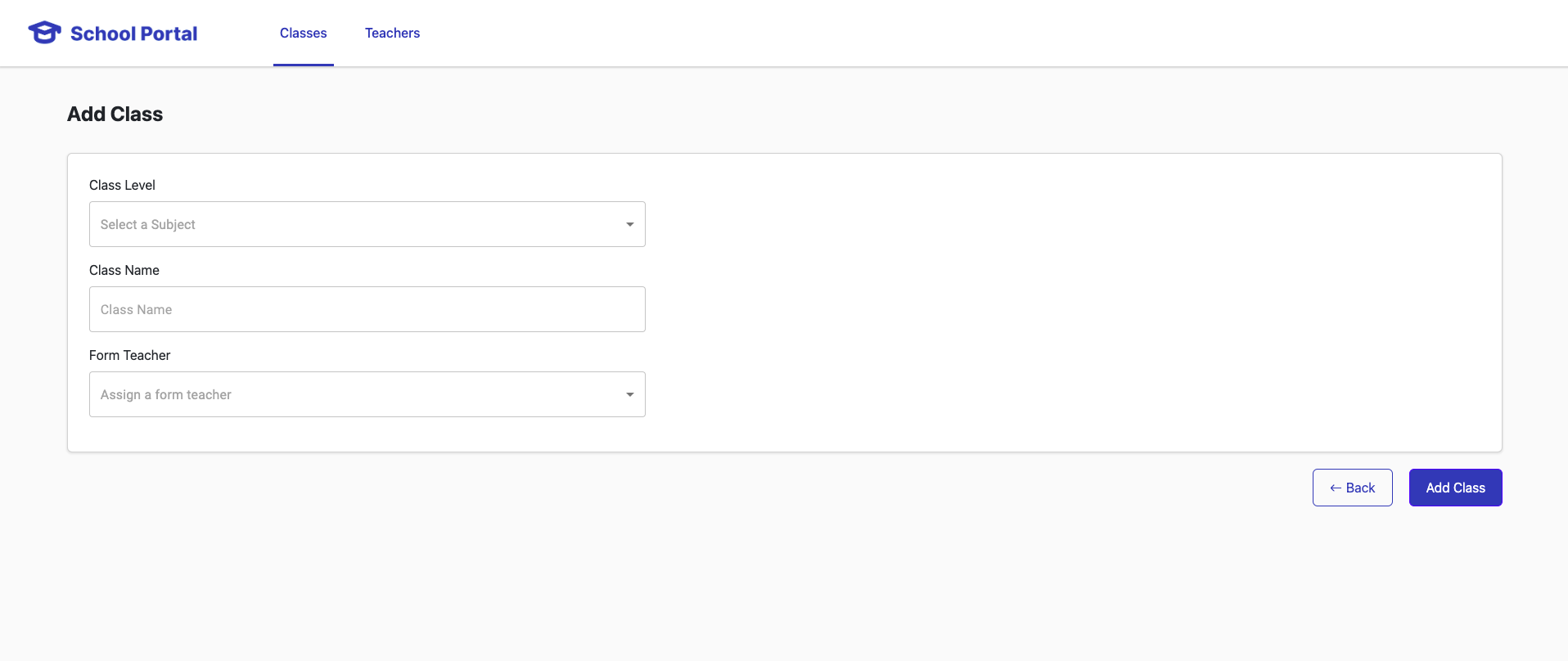
This is a fullstack assignment using NodeJS, ReactJS and MySQL. The objective is to create a system that is needed for a private education business to perform some administrative functions, where administrators can keep track of teachers and their classes.
As of writing, app is not deployed yet. Aim is to deploy it on AWS EC2 instance
- UPDATE! Successfully deployed on an Ubuntu AWS EC2 instance* Notice: undergoing testing now, seeing if config is all ok
Todo: add documentation for self reference in future
link: http://54.179.97.224/ API link: http://54.179.97.224:3001/
Example GET Classes: http://54.179.97.224:3001/api/classes
Using your terminal, navigate to the filepath of your choice.
-
run command
git clone https://github.com/kwokcheong/Full-Stack-Assignment.git -
run command
cd Full-Stack-Assignment -
Downloads:
A. mysql community edition (if not yet installed ) https://dev.mysql.com/downloads/file/?id=516926
- developer default
- Settings to take note of
port: 3306 mysqlroot password: password check that username: root password: password- in mysql workbench app, click on local instance mysql80, you will need to log in
B. postman (if needed ) https://www.postman.com/downloads/
-
From Full-Stack-Assignment path: run command
npm install- Alternatively, navigate into respective folders and run
npm install cd client->npm installcd server->npm install
- Alternatively, navigate into respective folders and run
-
!!IMPORTANT!! set up
.envfiles-
Within the Full-Stack-Assignment folder, there are 2 folders, Server and Client
-
Within Server folder, add a file called
.envcopy and paste this into that file
DB_HOST=localhost DB_USER=root DB_PASSWORD=password DB_NAME=PrivateEducation PORT=3001 -
Now within the Client folder, add the
.envcopy and paste this into that file
REACT_APP_BASE_URL="http://localhost:3001"
-
-
Launch NodeJS: From your terminal, navigate to the server directory
-
cd Full-Stack-Application -
cd server -
npm start -
Open another terminal instance,
- Either hit the keyboard shortcut
Command + Dor Manually open a new terminal window
From your terminal, navigate to the client directory
-
cd Full-Stack-Application -
cd client -
npm start -
Alternatively! I made a script to run both at once (NOTICE: This is not tested on other devices yet other than macbook pro 14, it may or may not work on other devices. Do use step 1 and 2 if this does not work for you)
From your terminal in Full-Stack-Application directory...
npm start
- Teacher
nameshould be unique, not null, with a character limit less than 256subjectshould not be null, each teacher only teaches one subjectemailshould be unique, not null with a character limit less than 256contactNumbercharacter limit 10, frontend validation 8-10 char, not null
- Classes
levelshould not be nullnameshould be unique, not null
Classes page:
-
No existing teachers.
Add a teacheris a link to create teacher page -
Link(s) to the hosted web application and API (if applicable) pending as of writing
- /api/classes
- returning the below JSON body may not provide a useful identifier to the teacher's table unless name is unique.
- Suggest to return more information under the
formTeacherbody to include informationemailor unique identifierid
{
    "level": "Primary 2",
    "name": "kcsaur",
    "formTeacher": {
        "name": "Kwokcheong Wong"
    }
}
- Error Handling
- could consider returning an array of errors, providing more information on the other errors captured
{
    "errors": {
        "name": "Some meaningful error message",
        "subject": "Some meaningful error message",
        "email": "Some meaningful error message",
        "contactNumber": "Some meaningful error message"
    }
}
- (Non API Related) Class name could be a select dropdown
/api/teachers: This creates a teacher record with the information passed in the body
sample body:
{
  "name": "Mary",
  "subject": "Mathematics",
  "email": "teachermary@gmail.com",
  "contactNumber": "68129414"
}
/api/classes: This creates a class record with the information passed in the body
sample body:
{
  "level": "Primary 1",
  "name": "Class 1A"
  "teacherEmail": "teachermary@gmail.com"
}
sample response:
{
  "data" :
    [
      {
        "name": "Mary",
        "subject": "Mathematics",
        "email": "teachermary@gmail.com",
        "contactNumber": "68129414"
      },
      {
        "name": "Ken",
        "subject": "Mother Tongue Language",
        "email": "teacherken@gmail.com",
        "contactNumber": "61824191"
      }
    ]
}
/api/classes: This creates a class record with the information passed in the body
sample response:
{
  "data" :
    [
      {
        "level": "Primary 1",
        "name": "Class 1A",
        "formTeacher": {
          "name": "Mary"
        }
      },
      {
        "level": "Primary 2",
        "name": "Class 2B",
        "formTeacher": {
          "name": "Ken"
        }
      }
    ]
}
Mistakes can happen but they are ways to teach me why its important and areas to improve on! You can make mistakes but don't make them again.
- Change in thinking and approach with development
! Always start with data integrity on backend first ! Other things can wait...
- Write unit tests for backend
- Start with the backend api.
- get the requirements for data types, whats accepted etc...
- Ensure data integrity by adding validations etc on backend level
- Test and ensure that no dirty data can go in
Do the hard part first then the other things can come later!
Don't trust the front end for validations! rmb ppl can turn off the javascript and all other sorts of ways to bypass. So make your backend robust first.
once your backend is super robust and secure, you will be safe to do other stuff.
- More unit testing
- Dived into coding too fast too soon
- More unit testing using mocha chai / react testing library :(
- More Modular/Reusable code
- Few areas can be made modular, such as modularizing the
react select box,text box,validation - Implement a wrapper to pass classes/teachers information down the components. Could use redux.