Linux development tooling
To check if Git is installed, simply run this command:
$ git --version
If it is not, then install it by running :
$ sudo apt-get update
$ sudo apt-get install git
Hub is a tool that wraps git in order to extend it with extra functionality that makes it better when working with GitHub -- Github.
$ sudo apt install hub
To authorize hub using your GitHub account create a new personal access token:
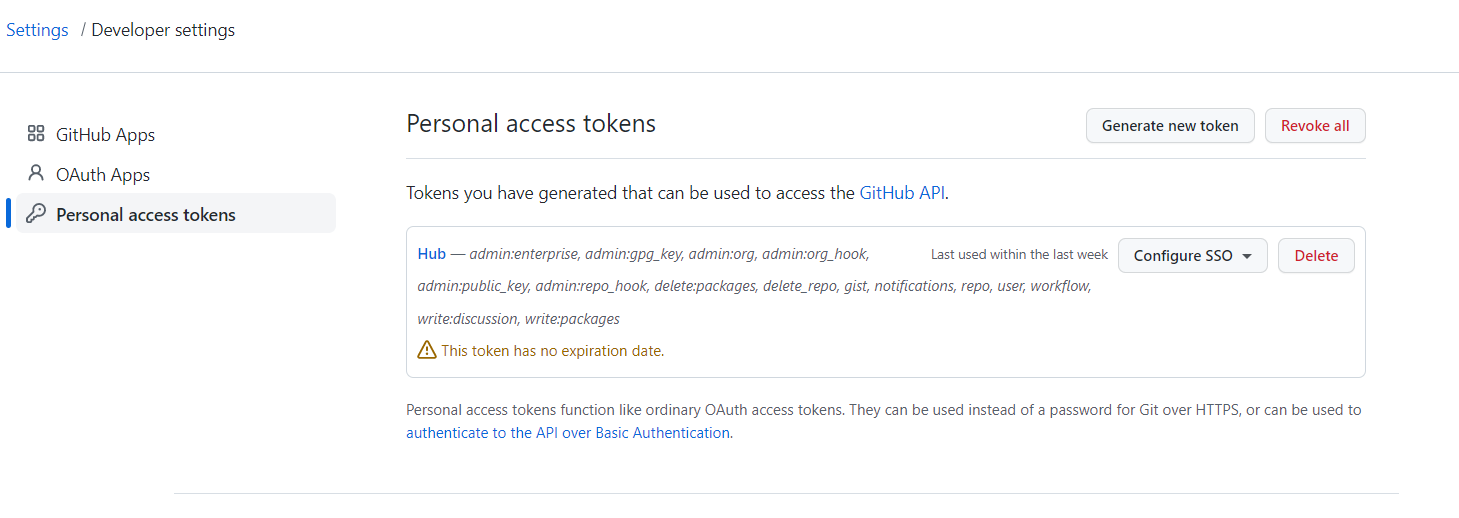
Then, tell to hub to use this token for your account:
$ mkdir ~/.config/hub
$ nano ~/.config/hub
github.com:
- oauth_token: <your_access_token>
  user: <your_username>
Install the latest version of Intellij there
Install the .tar.gz file of you preferred Intellij version.
Copy the file from you Windows machine to your ubuntu with this command:
$ mv /mnt/c/users/<your_windows_user>/Downloads <the_linux_location>
Unzip the file by running and access the folder:
$ tar -zxvf ideaIC-<your_version>.tar.gz
$ cd ideaIC<your_version>
You can now open intellij by running the idea bash script:
$ ./bin/idea.sh &
To keep quality code consistent, please install Sonarlint from the plugin settings of Intellij. It will advice you on how to optimize code.
Want to enhance your experience on Ubuntu ? Follow this page to create shortcut to open intellij
IESI works with SQLite in the development environment. For testing or debugging, SQLite will allow you to consult the database data easily by opening the SQLite file.
Run these three commands in order to install SQLite Browser:
$ sudo add-apt-repository -y ppa:linuxgndu/sqlitebrowser
$ sudo apt-get update
$ sudo apt-get install sqlitebrowser
Check the installation using:
$ sqlitebrowser --version
You should have something like that:
QStandardPaths: XDG_RUNTIME_DIR not set, defaulting to '/tmp/runtime-root'
DB Browser for SQLite Version 3.12.2

Built for x86_64-little_endian-lp64, running on x86_64
Qt Version 5.9.5
SQLCipher Version 4.4.3 community (based on SQLite 3.34.1).
if not, please check what went wrong with the installation.
Open SQLite browser:
sqlitebrowser &