Reference
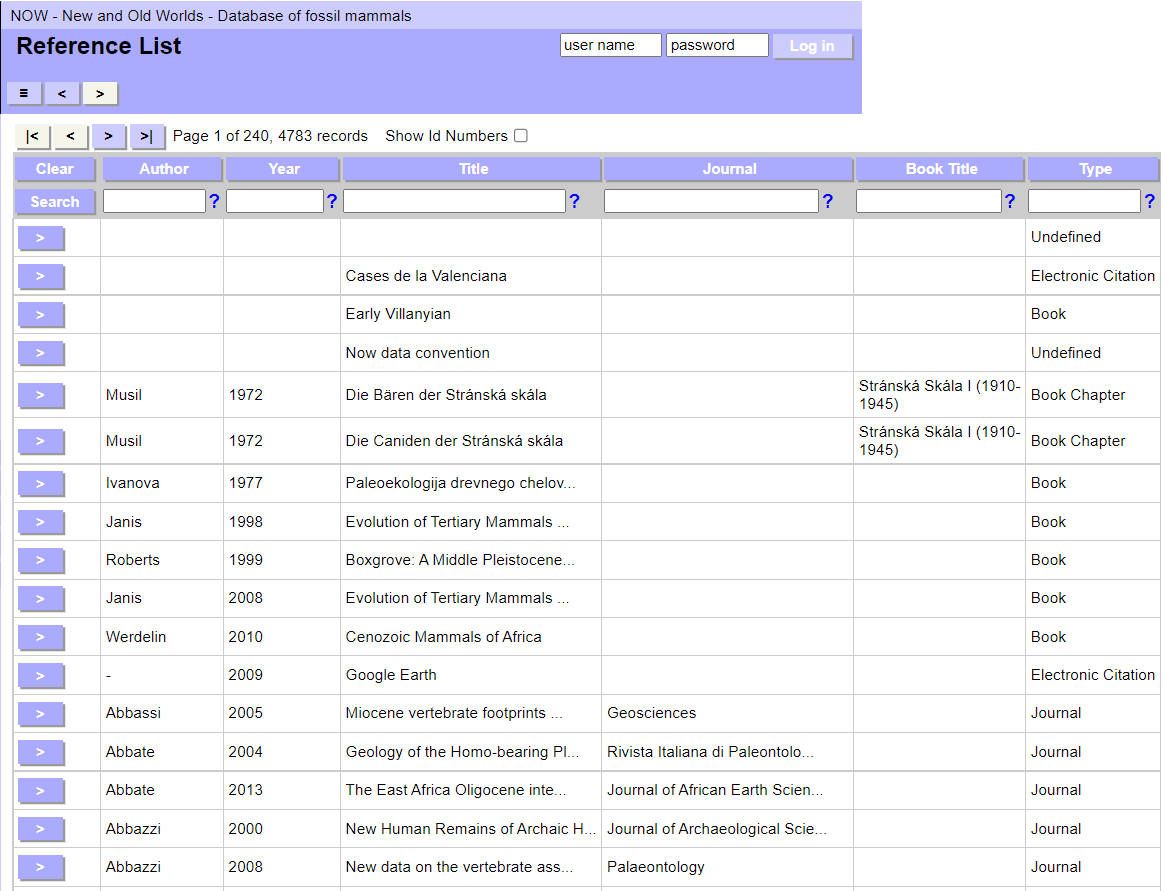
You can filter the list by entering search terms:
- use % for wildcard in text fields
- for numerical search terms use entries like: 2004, <2004, >2004, <=2004, >=2004, 2004...2005
You can select a specific Reference to view by clicking the Go to record  button next to the Reference name. This will take you to the Reference details page.
Details of the selected Reference are displayed in the right window. The total number of records displayed (found set) are those found by the search performed in the list.
The top of the record displays the Reference ID. Below is the citation.
The Reference has the following tabs: Reference, Locality, and Species.
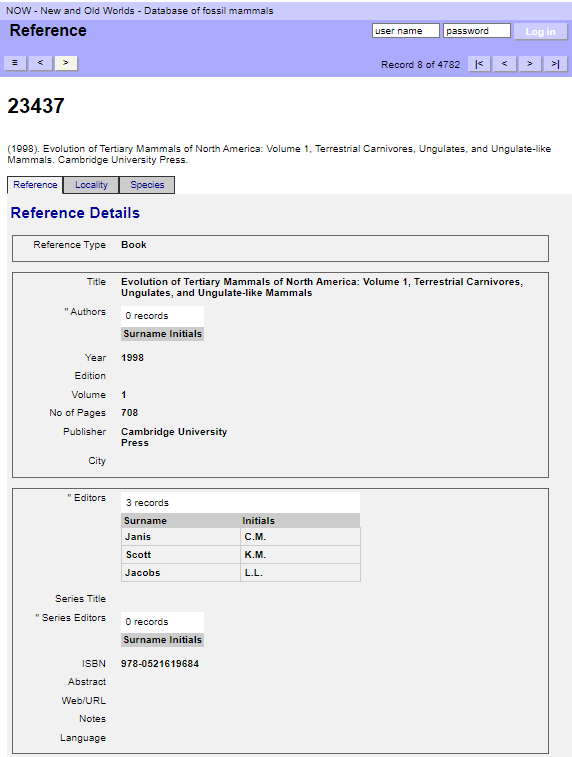
Book must have Authors, Editors or Series Editors and surname and initials fields must be set.
Book Chapter must have Authors, Editors or Series Editors and surname and initials fields must be set.
Conference Proceeding must have Authors, Editors or Series Editors and surname and initials fields must be set.
Editing must have Authors and surname and initials fields must be set.
Electronic Citation must have Authors or Editors and surname and initials fields must be set.
Internet Communication must have Sender or Recipient and surname and initials fields must be set.
Journal must have Authors or Editors of Issue and surname and initials fields must be set.
Manuscript must have Authors, Editors or Series Editors and surname and initials fields must be set.
Notes must have Authors and surname and initials fields must be set.
Personal Communication must have Authors or Recipients and surname and initials fields must be set.
Report must have Authors, Editors or Series Editors and surname and initials fields must be set.
Thesis/Dissertation must have Authors and surname and initials fields must be set.
Undefined must have authors_primary, authors_secondary or authors_series and surname and initials fields must be set.
Unpublished Work must have Authors, Editors or Series Editors and surname and initials fields must be set.
The Reference tab contains information on Reference Details.
Allowed values
- 2/Book
- 3/Book Chapter
- 5/Conference Proceeding
- 13/Editing
- 6/Electronic Citation
- 7/Internet Communication
- 1/Journal
- 11/Manuscript
- 12/Notes
- 10/Personal Communication
- 8/Report
- 4/Thesis/Dissertation
- 14/Undefined
- 9/Unpublished Work
Depending on which Reference Type is selected, the user interface displays different fields (Table 1.)
Table 1. Fields used for various Reference Types.
| Book | Book Chapter | Conference Proceeding | Editing | Electronic Citation | Internet Communication | Journal | Manuscript | Notes | Personal Communication | Report | Thesis/Dissertation | Undefined | Unpublished Work | |
|---|---|---|---|---|---|---|---|---|---|---|---|---|---|---|
| Abstract | x | x | x | x | x | x | x | x | x | |||||
| Access Date | x | |||||||||||||
| Authors | x | x | x | x | x | x | x | x | x | x | x | x | ||
| authors_primary | x | |||||||||||||
| authors_secondary | x | |||||||||||||
| authors_series | x | |||||||||||||
| Book Title | x | |||||||||||||
| Chapter No | x | |||||||||||||
| Chapter Title | x | |||||||||||||
| City | x | x | x | x | ||||||||||
| Date | x | x | x | |||||||||||
| Date of Message | x | |||||||||||||
| Date Sent | x | |||||||||||||
| date_primary | x | |||||||||||||
| date_secondary | x | |||||||||||||
| Degree | x | |||||||||||||
| Edition | x | x | x | |||||||||||
| Editors | x | x | x | x | x | x | x | |||||||
| Editors of Issue | x | |||||||||||||
| End Page | x | x | x | x | x | |||||||||
| exact_date | x | |||||||||||||
| gen_notes | x | |||||||||||||
| Initials | x | x | x | x | x | x | x | x | x | x | x | x | x | x |
| Institution | x | |||||||||||||
| ISBN | x | x | ||||||||||||
| ISSN/ISBN | x | |||||||||||||
| issn_isbn | x | |||||||||||||
| Issue | x | x | ||||||||||||
| Journal | x | x | x | |||||||||||
| Language | x | x | x | x | x | x | x | x | x | x | x | x | ||
| Last Update (Day Month) | x | |||||||||||||
| Last Update (Year) | x | |||||||||||||
| misc_1 | x | |||||||||||||
| misc_2 | x | |||||||||||||
| No of Pages | x | x | ||||||||||||
| Notes | x | x | x | x | x | x | x | x | x | x | x | x | x | |
| Organisation | x | x | x | |||||||||||
| Pub Place | x | x | ||||||||||||
| Publication Year | x | |||||||||||||
| Publisher | x | x | x | x | x | x | ||||||||
| Recipient | x | |||||||||||||
| Recipients | x | |||||||||||||
| Recipient's e-mail | x | |||||||||||||
| Reference Type | x | x | x | x | x | x | x | x | x | x | x | x | x | x |
| Report Name | x | |||||||||||||
| Report Number | x | |||||||||||||
| Sender | x | |||||||||||||
| Sender's e-mail | x | |||||||||||||
| Series Editors | x | x | x | x | x | x | ||||||||
| Series Title | x | x | x | x | x | x | x | |||||||
| Start Page | x | x | x | x | x | |||||||||
| Subject | x | x | ||||||||||||
| Surname | x | x | x | x | x | x | x | x | x | x | x | x | x | x |
| Title | x | x | x | x | x | x | x | x | x | |||||
| Title of Conference | x | |||||||||||||
| Title of Issue | x | |||||||||||||
| title_primary | x | |||||||||||||
| title_secondary | x | |||||||||||||
| title_series | x | |||||||||||||
| Type | x | |||||||||||||
| Volume | x | x | x | x | x | |||||||||
| Web/URL | x | x | x | x | x | x | x | x | x | |||||
| Year | x | x | x | x | x | x | x | x | x | x | ||||
| Year of Conference | x |

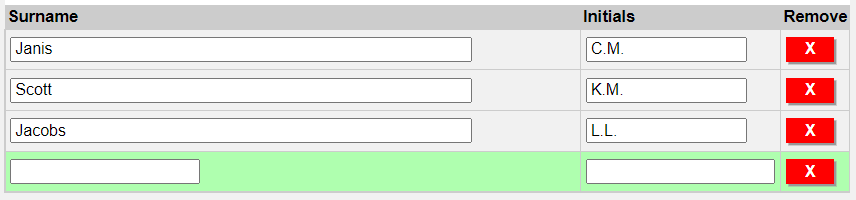
You can add new Authors by entering their Surname and Initials. By pressing the Remove button, you can remove the Author.

You can add new Editors by entering their Surname and Initials. By pressing the Remove button, you can remove the Editor.

You can add new Series Editors by entering their Surname and Initials. By pressing the Remove button, you can remove the Series Editor.
The Locality tab shows all Localities associated with the Reference. Click on the ">" button next to a record to view the full record
The Species tab shows all Species associated with the Reference. Click on the ">" button next to a record to view the full record